 Case Study
Case Study - Student Wi-Fi Access with Keytos Security
Why Are Students and Faculty in Need of Secure Wi-Fi?
Technology is an integral part of modern education in today’s primary schools and universities. Students rely on Wi-Fi networks to access educational resources, collaborate with peers, and engage in online learning. Primary, secondary, and higher education institutions are all facing the challenge of providing secure and convenient Wi-Fi access to students and faculty while ensuring the protection of sensitive data and maintaining compliance with privacy regulations.
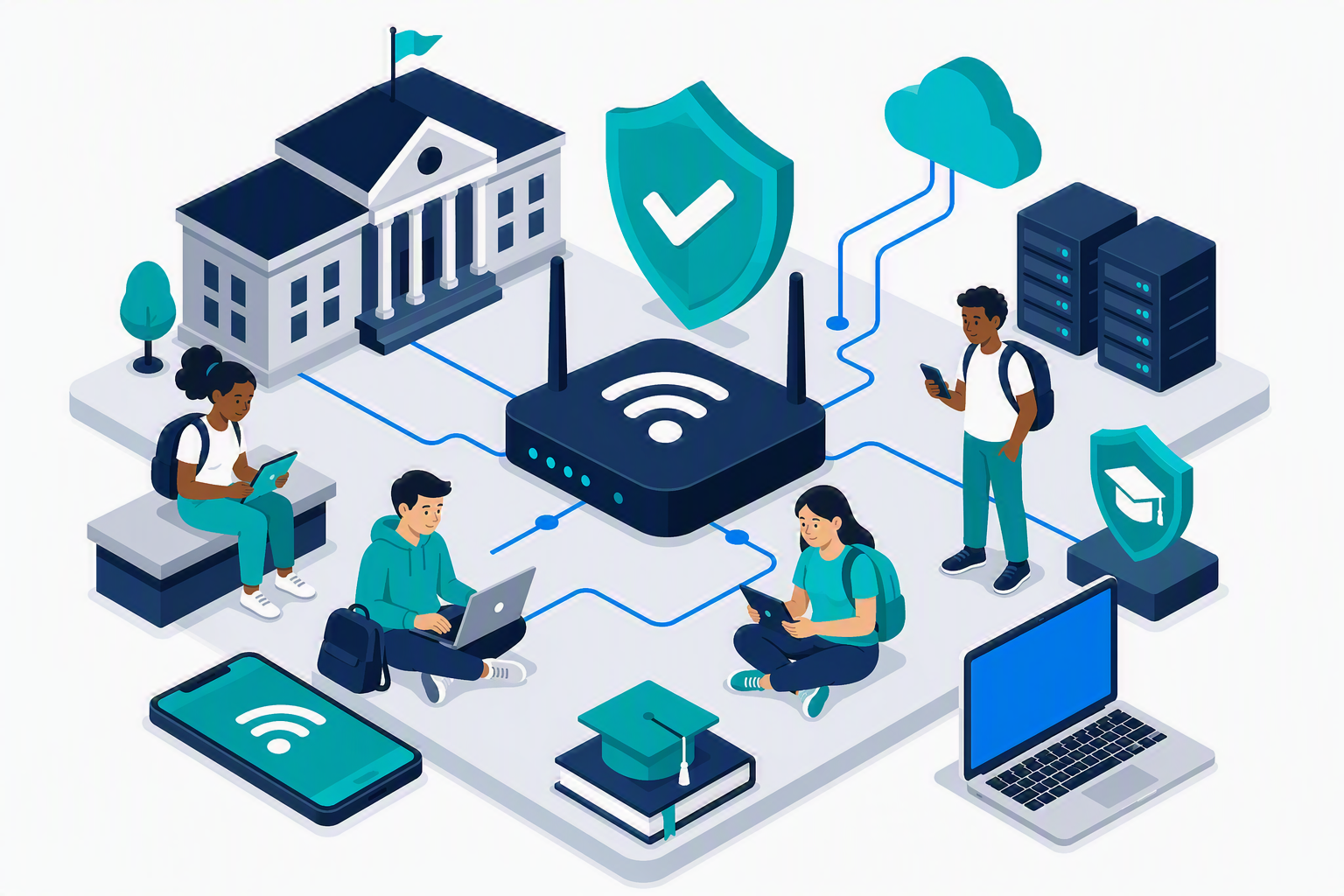
However, many educational institutions struggle with the complexities of managing Wi-Fi access for a large and diverse populations. For early education institutions, administrators often face challenges in providing wireless access to student education devices (Chromebooks, iPads, etc.) in a governed and secure manner. In higher education, students frequently bring their own devices (BYOD), which can introduce security risks and complicate network management. Across both, faculty members face limited bandwidth and network congestion if students are eating up limited spectrum and internet bandwidth.
Up until now, educational institutions have relied on traditional methods of shared passwords or device enrollment in Mobile Device Management (MDM) solutions to manage Wi-Fi access. These approaches can be cumbersome, time-consuming, and may not provide the level of security required to protect sensitive student data.
What Are Educational Institutions Using Today For Wi-Fi Access?
To meet the growing demand for secure Wi-Fi access, educational institutions usually deploy a combination of technologies, including:
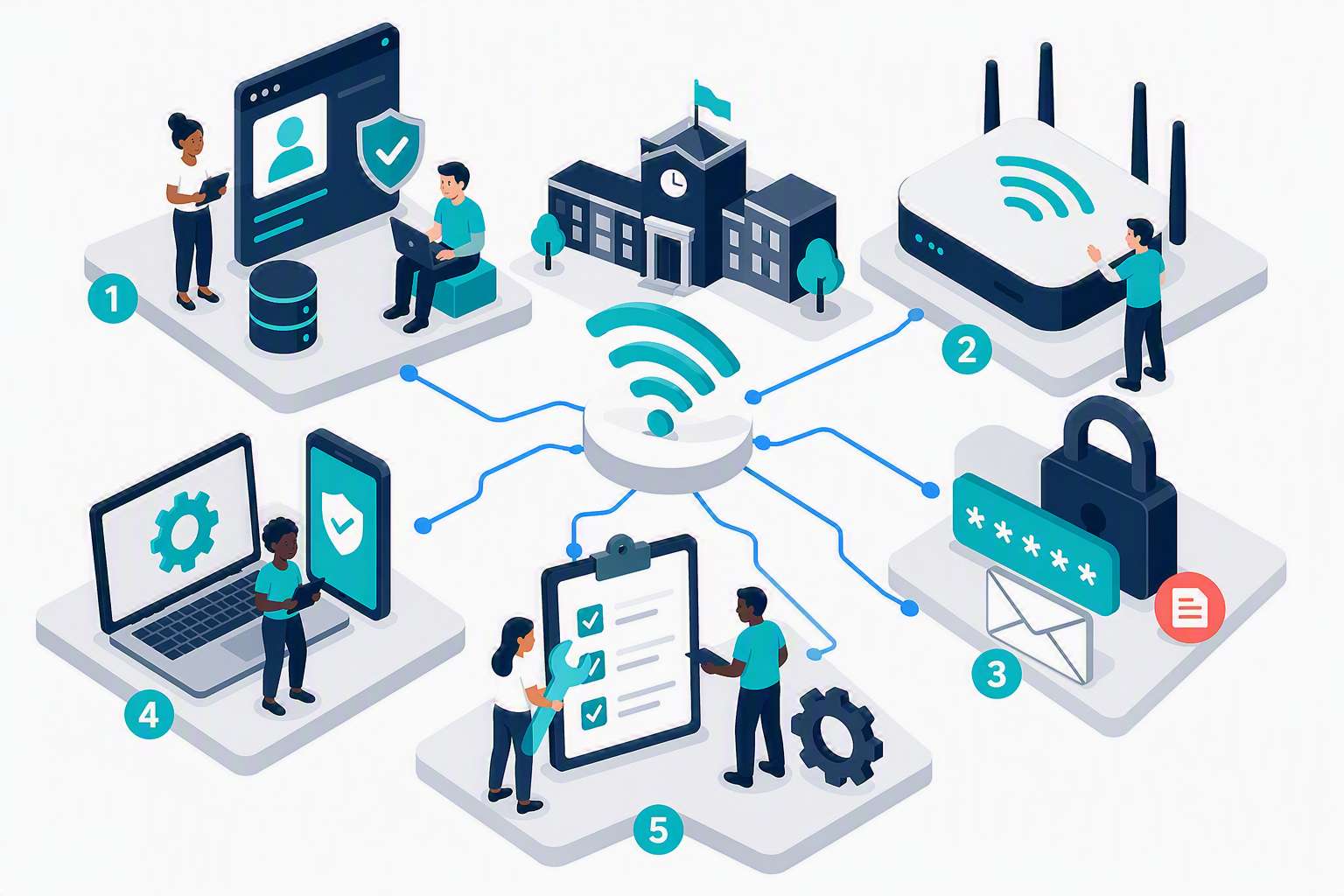
- Entra ID for student + faculty identity management and authentication (or other identity providers like Okta, Google Workspace, etc.).
- Wi-Fi Access Points (APs) to provide wireless connectivity across campus. Popular vendors include Cisco, Aruba, and Ubiquiti.
- Shared Passwords for Wi-Fi access, which are often distributed to students and faculty through email or printed materials.
- Mobile Device Management (MDM) solutions to manage faculty devices, if the budget allows. Popular MDM solutions include Microsoft Intune, Jamf, and NinjaOne. For many institutions, MDM is not a viable option due to cost, and faculty can be left to use BYOD or unenrolled devices to access Wi-Fi networks.
- Manual Processes for onboarding student devices to Wi-Fi networks, which can be time-consuming and error-prone by IT teams managing large fleets of devices.
What Are The Pain Points and Risks for Educational Institutions Buying Wi-Fi Solutions?
While schools and universities have found ways to get their students and faculty online through manual or expensive enterprise solutions, these approaches come with several pain points and risks:
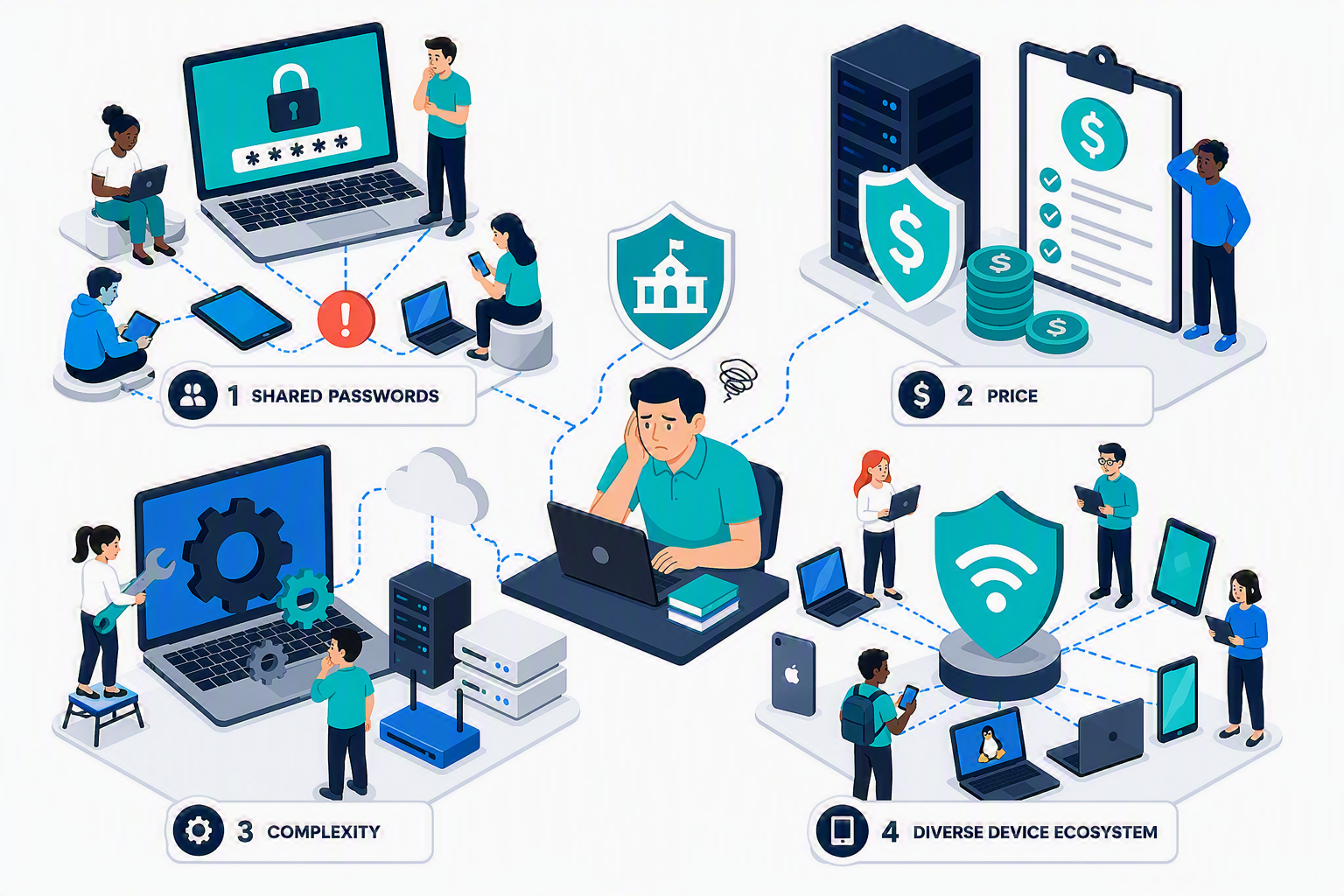
- Shared Passwords: Shared passwords are impossible to manage at scale, and they can be easily shared or leaked, leading to unauthorized access to the network. Plus, it’s difficult to track which devices are connected to the network or which ones should be blocked or restricted. Changing the shared password leads to confusion and frustration for students and faculty.
- Price: MDM solutions, enterprise solutions, and other traditional methods can be expensive to implement and maintain, especially for smaller educational institutions with limited budgets. Paying for MDM licenses for every student device is often not feasible, and many institutions are left with unenrolled devices accessing their networks via shared passwords or other insecure methods.
- Complexity: Even with MDM and enterprise solutions, crafting custom policies, RADIUS servers, and other configurations can be complex and time-consuming for IT teams. This complexity can lead to misconfigurations, security vulnerabilities, and increased support requests from students and faculty who just want to connect to Wi-Fi.
- Diverse Device Ecosystem: Students and faculty use a wide range of devices, including laptops, tablets, and smartphones, running different operating systems. This diversity can make it challenging to ensure that all devices are properly configured and secured for Wi-Fi access. Managing guides and support for Windows, macOS, iOS, Linux, Android, Chromebooks, and other devices can be overwhelming for IT teams, especially when dealing with BYOD scenarios.
In today’s cloud-first world, it shouldn’t be this difficult for schools and universities to provide secure Wi-Fi access to their students and faculty. That’s where Keytos comes in.
How To Build Secure Wi-Fi for Students and Faculty with Keytos
Keytos Security was founded by ex-Microsoft engineers with the mission to eliminate passwords through easy to use tools and services. At Keytos, we believe that security should be simple and transparent to the end-user, and it shouldn’t be cost prohibitive for organizations to implement. For years enterprise-grade security has required lengthy sales calls, expensive licenses, and complex configurations. Keytos is changing that by providing simple, secure, and cost-effective solutions for organizations of all sizes.
To secure Wi-Fi access for students and faculty, Keytos recommends the following services:
- EZRADIUS Cloud RADIUS: Keytos’ cloud Radius solution, EZRADIUS, integrates directly with Entra ID and your network infrastructure to provide secure Wi-Fi access without the need for shared passwords or dedicated servers & infrastructure. Simply create a subscription in a few clicks, point your Wi-Fi access points to Keytos’ cloud Radius servers, and you can be up and running with WPA Enterprise networks in minutes.
- EZCA Cloud PKI: EAP-TLS is the gold-standard for Wi-Fi security, but it requires a Public Key Infrastructure (PKI) to issue and manage certificates for each device. Keytos’ EZCA Cloud PKI solution provides a simple and cost-effective way to issue and manage certificates for student and faculty devices without the need for complex on-premises infrastructure.
- Keytos Connect App: Keytos Connect is a free mobile and desktop application that gets student and faculty BYOD devices connected to Wi-Fi networks without the need for MDM enrollment. Simply download the app, sign-in with your existing school email address, and the app will automatically configure the device for secure Wi-Fi access. Keytos Connect supports Windows, macOS, iOS, Android, and Linux devices.
- (optional) Microsoft Intune: For school-provided faculty and shared devices, a Mobile Device Management (MDM) solution like Microsoft Intune is recommended not only for Wi-Fi access, but also for device management, security policies, and compliance. Keytos Connect can be used in conjunction with Intune to provide a seamless experience for faculty and students.
Let’s take a look at what this looks like in practice.
What Does a Secure Wi-Fi Reference Architecture Look Like For Students and Faculty?
Leveraging Keytos, educational institutions can implement a secure Wi-Fi architecture that provides seamless access for students and faculty while minimizing the risks associated with shared passwords and unenrolled devices. The following reference architecture illustrates how Keytos Connect, EZRADIUS, and EZCA can be integrated into an educational institution’s existing infrastructure to provide secure Wi-Fi access.
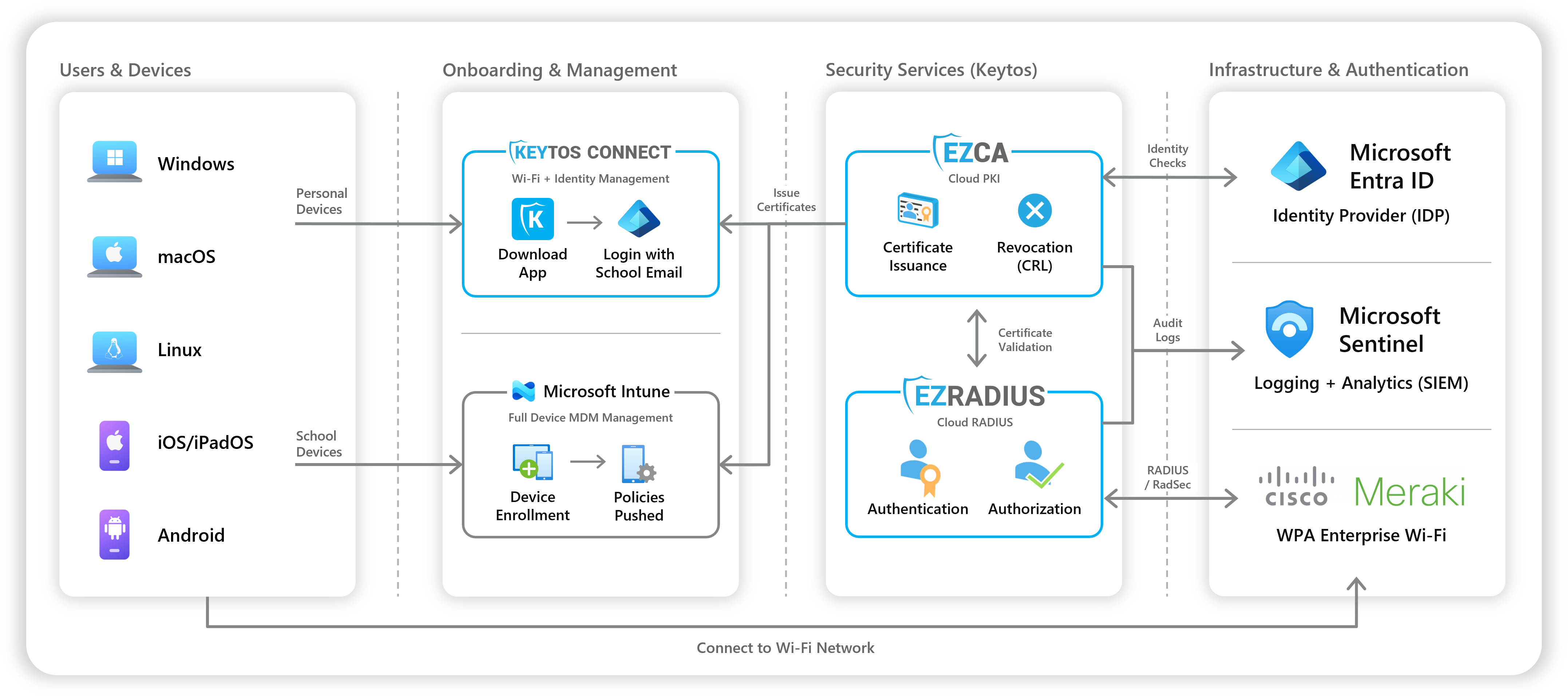
To securely connect to the Wi-Fi network:
- IT Administrators create EZCA & EZRADIUS subscriptions, point their Wi-Fi access points to Keytos’ cloud RADIUS servers, and configure their SCEP policies in their MDM solution (if applicable). Set up can be completed in a matter of hours, and Keytos provides detailed documentation and support to assist with the process.
- Faculty can use their school-provided devices, which can be enrolled in Microsoft Intune or another MDM solution for additional management and security. For personally owned/BYOD devices, faculty can also use Keytos Connect to securely access the Wi-Fi network without MDM enrollment.
- Students simply download the Keytos Connect app, sign in with their school email address, and the app automatically configures their device for secure Wi-Fi access. No MDM enrollment is required, and students can use their personal devices without giving up control or privacy.
How Much Does Secure Wi-Fi Cost For Educational Institutions?
At Keytos we believe that passwordless solutions should be accessible to everyone, with transparent pricing and no hidden fees. EZCA and EZRADIUS are available at a fraction of the cost of traditional enterprise solutions, and Keytos Connect is completely free for students and faculty.
For as little as $200 per month for unlimited certificate issuance, and $1 or less per user per month for cloud RADIUS, Keytos provides a cost-effective solution for educational institutions of all sizes. Learn more in our EZCA pricing page and EZRADIUS pricing page, with a cost calculator to help you estimate your monthly costs based on the number of students and faculty in your institution.
How To Get Started With Secure Wi-Fi For Your University or School
If you’re interested in learning more about how Keytos Security can help your educational institution provide secure Wi-Fi access for students and faculty, please reach out to our team at sales@keytos.io and we would be happy to schedule a demo or answer any questions you may have. You can also visit our website to learn more about our solutions and read additional case studies from other organizations that have successfully implemented Keytos Security.
Frequently Asked Questions About Secure Wi-Fi For Educational Institutions
Do students need to enroll their devices in MDM to use Keytos Connect?
No. Keytos Connect is designed to work with personally owned/BYOD devices without the need for MDM enrollment. Students can simply download the app, sign in with their school email address, and the app will automatically configure their device for secure Wi-Fi access.
Is Microsoft Intune required for faculty devices?
No. While Microsoft Intune or another MDM solution is recommended for school-provided faculty devices, it is not required for personally owned/BYOD devices. Faculty can use Keytos Connect to securely access the Wi-Fi network without MDM enrollment if an MDM solution is not available or desired.
What network vendors and access points are supported?
EZRADIUS is designed to work with a wide range of Wi-Fi access points and network vendors, including Cisco, Aruba, Ubiquiti, and more. As long as it supports WPA Enterprise and RADIUS authentication, it should be compatible with Keytos’ cloud RADIUS solution. We maintain a list of supported vendors and access points in our documentation.
What devices and operating systems are supported by Keytos Connect?
Keytos Connect supports a wide range of devices and operating systems, including Windows, macOS, iOS, iPadOS, Android, and Linux. This ensures that students and faculty can securely access Wi-Fi networks regardless of the device they are using.
What identity providers are supported for authentication?
At this time, EZRADIUS and Keytos Connect support Entra ID (Azure AD) for authentication. Google Workspace and Okta are not currently supported, but we are actively investigating support for additional identity providers in the future. If you have a specific identity provider in mind, please reach out to our support team for more information.