



What Are The CMMC Network Authentication and PKI Requirements?
 Aaron Crawfis |
What is CMMC?
The Cybersecurity Maturity Model Certification (CMMC) is the Department of Defense’s program to verify that companies in its supply chain actually protect the sensitive government data they handle. Before CMMC, contractors simply promised they met cybersecurity requirements via self-attestation. CMMC was built to add actual enforcement mechanisms: standardized levels, defined assessment types, scoring, and annual affirmations recorded in a government system.
Who Does CMMC Apply To?
CMMC applies to any organization that handles Federal Contract Information (FCI) or Controlled Unclassified Information (CUI) for the Department of Defense (DoD). This includes defense contractors, subcontractors, and suppliers across all tiers of the supply chain. Basically, if your organization is involved in any way with DoD contracts or subcontracts, you are likely subject to CMMC requirements. It’s estimated that over 200,000 organizations will need to comply with CMMC standards.
What Are The Levels of CMMC?
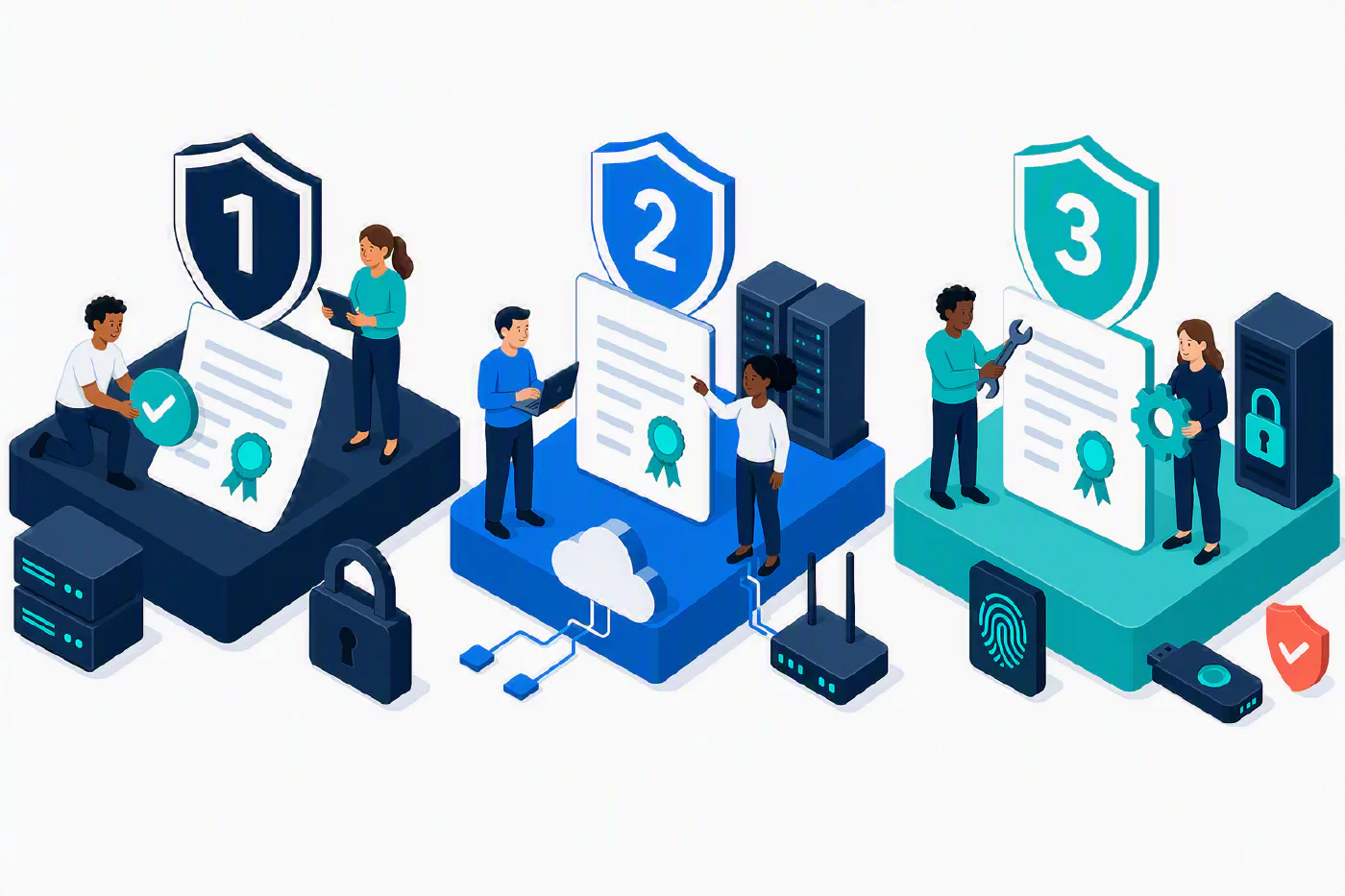
CMMC isn’t a one-size-fits-all certification. Instead, it has three levels of maturity, each with its own set of requirements. Here’s a breakdown of the levels and some definitions to help you understand what they mean:
| Level | Data | Standard | # of requirements | How it’s assessed |
|---|---|---|---|---|
| Level 1 | FCI | FAR 52.204-21 | 15 basic safeguards | Annual self-assessment + annual affirmation in SPRS. No POA&M allowed, all 15 must be met. |
| Level 2 | CUI | NIST SP 800-171 Rev 2 | 110 controls across 14 families (320 assessment objectives) | Either self-assessment or C3PAO third-party certification, depending on the contract. Annual affirmation. |
| Level 3 | High-value CUI | NIST SP 800-171 + 24 selected NIST SP 800-172 controls | 110 + 24 | Government-led assessment by DIBCAC (part of DCMA). Requires a final Level 2 (C3PAO) status first. |
What Are The Key Terms and Acronyms in CMMC?
CMMC has a ton of acronyms that can be tough to keep straight. Here are some of the most important ones:
| Acronym | Definition | Description |
|---|---|---|
| CUI | Controlled Unclassified Information | Sensitive government data that must be protected, such as technical drawings, specifications, and other information related to defense contracts. |
| SPRS | Supplier Performance Risk System | The government database where you record your assessment score and affirmations. Contracting officers check it. |
| POA&M | Plan of Action & Milestones | A list of gaps you’re allowed to remediate later — but only for certain controls, and only if you score high enough (≥80% for a conditional Level 2). Not permitted at Level 1. |
| C3PAO | Certified 3rd Party Assessment Organization | An independent, accredited organization that can assess your compliance with CMMC Level 2. They are the only ones authorized to issue a Level 2 certification. |
| DIBCAC | Defense Industrial Base Cybersecurity Assessment Center | The DoD organization that performs Level 3 assessments. They are part of DCMA (Defense Contract Management Agency). |
| Conditional vs. Final Status | Level 2/3 can be granted “conditional” for up to 180 days while you close POA&M items, then it becomes “final.” | |
| Annual Affirmation | A senior official must affirm continuous compliance every year. This is a recurring legal certification, which matters a lot for the False Claims Act angle below. |
What Are The NIST SP 800-171 Control Families?
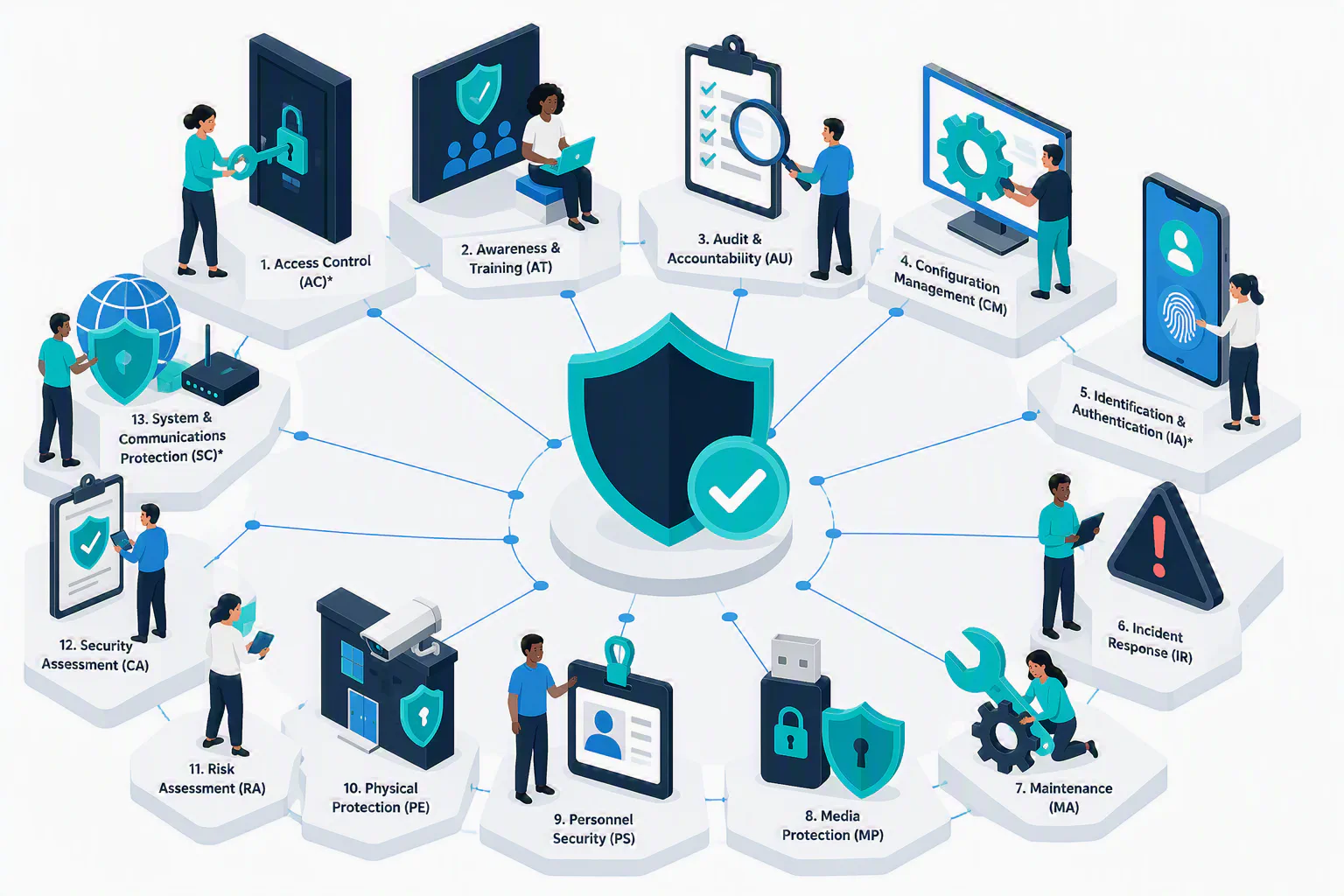
Within CMMC, the NIST SP 800-171 framework is used to define the security requirements for protecting Controlled Unclassified Information (CUI). The framework consists of 14 control families, each addressing specific aspects of cybersecurity. These families are:
| Control Family | Description | ELI5 (Explain Like I’m 5) Explanation |
|---|---|---|
| Access Control (AC) | Controls that limit access to information and systems to authorized users, processes, and devices. | Only the right people and devices can get in to the important stuff. |
| Awareness & Training (AT) | Ensures that personnel are trained to recognize and respond to cybersecurity threats. | Teach everyone how to be safe online and know what to do if something goes wrong. |
| Audit & Accountability (AU) | Tracks and records user activities to detect and respond to security incidents. | Keep a record of who did what so you can find out if something bad happens and fix it. |
| Configuration Management (CM) | Manages changes to systems and software to maintain security and integrity. | Make sure everything is set up right and stays that way, even when you change things. |
| Identification & Authentication (IA) | Verifies the identity of users, devices, and processes before granting access. | Check that people and devices are who they say they are before letting them in. |
| Incident Response (IR) | Plans and procedures for responding to cybersecurity incidents. | Have a plan for what to do if something goes wrong online. |
| Maintenance (MA) | Ensures that systems are properly maintained and updated to prevent vulnerabilities. | Keep everything working well and up-to-date so bad guys can’t get in. |
| Media Protection (MP) | Protects sensitive information stored on physical media (e.g., USB drives, CDs). | Keep important stuff safe when it’s on things like USB drives or CDs. |
| Personnel Security (PS) | Ensures that personnel with access to sensitive information are trustworthy and properly vetted. | Make sure the people who can see important stuff are good and won’t do bad things. |
| Physical Protection (PE) | Protects physical access to systems and information. | Keep the important stuff in a safe place where only the right people can get to it. |
| Risk Assessment (RA) | Identifies and evaluates risks to information and systems. | Figure out what could go wrong and how to stop it before it happens. |
| Security Assessment (CA) | Evaluates the effectiveness of security controls and practices. | Check to see if your safety measures are actually working. |
| System & Communications Protection (SC) | Protects information in transit and ensures secure communications. | Make sure that when you send important stuff, it stays safe and private while traveling. |
| System & Information Integrity (SI) | Ensures the integrity of information and systems by detecting and responding to security threats. | Make sure the important stuff stays correct and safe, and fix it if something goes wrong. |
Where Do I Start?
AC, IA, and SC are some of the most critical families for protecting sensitive information, as they deal with controlling access, verifying identities, and ensuring secure communications. They’ll have some of the most stringent requirements, and are often the focus of audits and assessments. Don’t worry though, we’ll go through how Keytos Security can help you meet these requirements in the next section.
What Is The Rollout Timeline for CMMC?
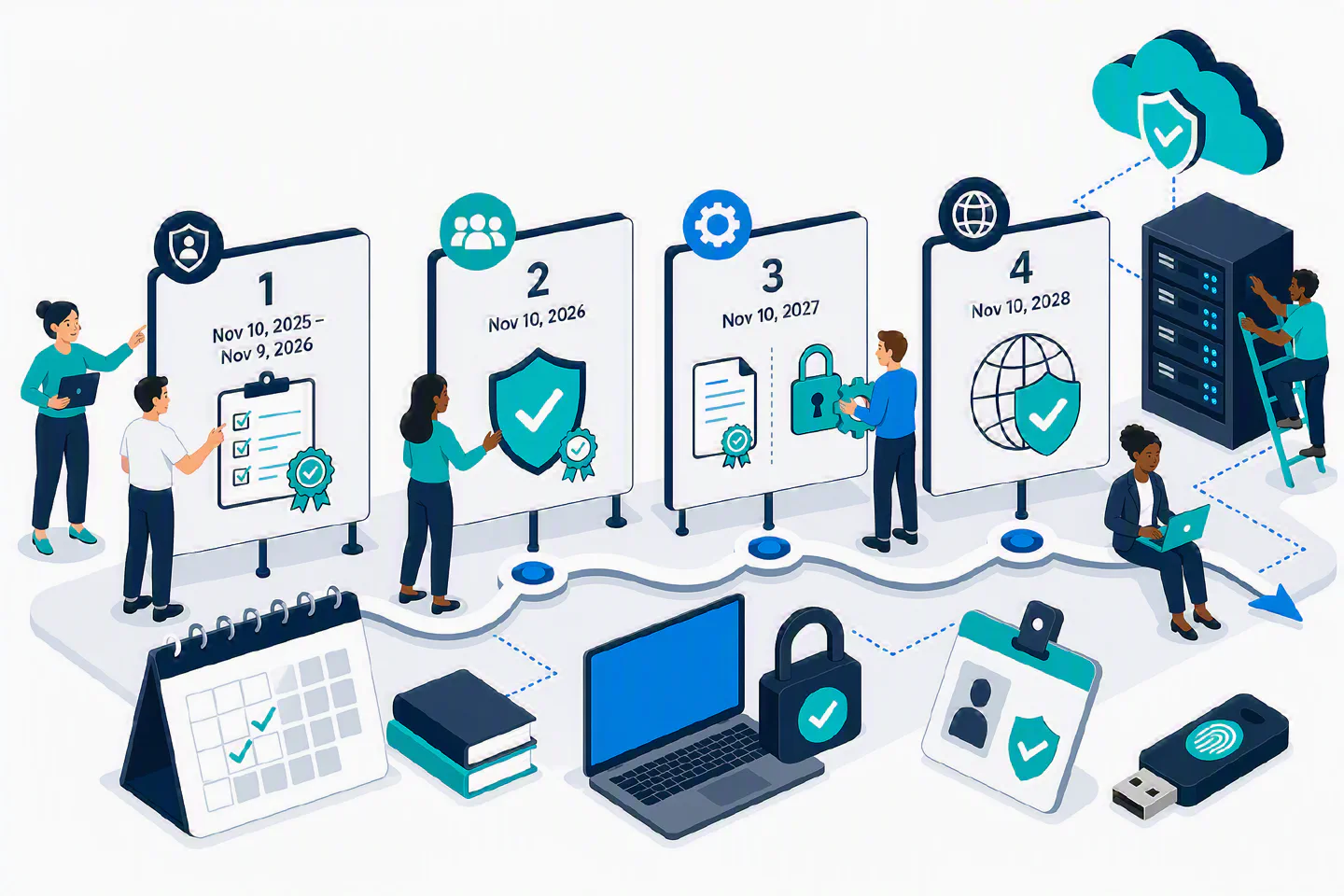
CMMC is a multi-year program with a series of phases that gradually introduce new requirements and assessments.
| Phase | Date | What it introduced |
|---|---|---|
| Phase 1 | Nov 10, 2025 - Nov 9, 2026 | CMMC clauses appear in select new solicitations. Mostly self-assessments (L1 and some L2). Scores go in SPRS. DoD had discretion to require C3PAO on some L2 contracts. |
| Phase 2 | Nov 10, 2026 | Mandatory C3PAO third-party certification for L2 CUI contracts. |
| Phase 3 | Nov 10, 2027 | L2 C3PAO broadens to option exercises; Level 3 (DIBCAC) begins. |
| Phase 4 | Nov 10, 2028 | Full implementation across all applicable contracts. |
Phase 2 Suspended - July 2026 Update
On July 13, 2026, the Department of Defense immediately suspended CMMC Phase II, the mandatory third-party (C3PAO) certification rollout that was set for Nov 10, 2026 — and held Phases III and IV in abeyance.
What’s happening now:
- A 60-day CMMC Reform Task Force is doing a top-to-bottom review; final report ~mid-September 2026.
- A public RFI is open, with responses due August 14, 2026.
- Interim posture: DoD will rely on self-assessments and select government-led assessments.
What is explicitly still in force:
- DFARS 252.204-7012 safeguarding obligations — unchanged.
- NIST SP 800-171 implementation — unchanged. All 110 controls still apply.
- Phase 1 self-assessments, SPRS scores, and annual affirmations — unchanged.
While the audit may have been paused, the obligations and work to comply are still in effect. That’s why it’s still important to understand the CMMC network authentication and PKI requirements, and how Keytos Security can help you meet them.
What Are The CMMC Network Authentication and PKI Requirements (AC, IA, SC)?
For the rest of this blog post we’ll focus on the network authentication and PKI requirements that are part of the CMMC Level 2 controls. These requirements are critical for ensuring that only authorized users and devices can access sensitive information, and that communications are secure.
| NIST 800-171 / CMMC L2 control | What it requires | What this means for you |
|---|---|---|
| AC.L2-3.1.1 | Limit access to authorized users, processes, and devices | Give every user and device their own unique identity and don’t share accounts. Limit access to only what they need. |
| AC.L2-3.1.12 / 3.1.13 | Monitor/control remote access; use crypto to protect it | Lock down your network with a VPN or other secure remote access solution. Use encryption to protect data in transit. |
| AC.L2-3.1.16 | Authorize wireless access before connection | Protect your Wi-Fi with WPA Enterprise instead of shared passwords. Use a RADIUS server to authenticate users and devices before they can connect. |
| AC.L2-3.1.17 | Protect wireless access with authentication AND encryption | Use WPA Enterprise with a RADIUS server and strong encryption (EAP-TLS) to ensure that only authorized users and devices can connect to your wireless network. |
| IA.L2-3.5.1 / 3.5.2 | Uniquely identify and authenticate users/devices/processes | Use an Identity Provider (IdP) and Public Key Infrastructure (PKI) to issue unique digital identities to users and devices. |
| IA.L2-3.5.3 | MFA for privileged (local+network) and non-privileged (network) accounts | Implement Multi-Factor Authentication (MFA) for all accounts, especially those with elevated privileges via passkeys, smart cards, or authenticator apps. |
| IA.L2-3.5.4 | Replay-resistant authentication for network access | Use replay-resistant authentication methods, such as device-bound certificates, to prevent attackers from reusing captured credentials. |
| SC.L2-3.13.8 / 3.13.11 | Cryptographic protection of transmitted CUI; FIPS-validated crypto | Use strong encryption protocols (e.g., TLS 1.2 or higher) and ensure that cryptographic modules are FIPS 140-2 or 140-3 validated to protect CUI during transmission. |
This might seem like a lot, but a few targeted solutions can knock out most of these requirements. Let’s look at how Keytos Security can help you meet these CMMC network authentication and PKI requirements.
How Can I Meet CMMC Network Authentication and PKI Requirements?
At the core of the CMMC AC requirements is the need to limit access to authorized users, processes, and devices. Let’s break down how to give digital identities to users and devices, and how to control access effectively across devices, networks, and applications.
- Implement Unique Digital Identities: Use an Identity Provider (IdP) such as Microsoft Entra ID to give each user and device a unique digital identity. This includes a user’s email address, username, and sign-in method. Entra ID also allows you to create identities for devices (laptops, desktops, mobile devices), as well as manage them through Microsoft Intune (although that’s out of scope for digital identity itself). This ensures that every user and device can be uniquely identified and authenticated.
- Use Strong, Phishing-Resistant Sign-In Methods: Having an Entra ID account is one thing, but being able to sign-into it securely is another. Microsoft Entra ID supports a variety of strong, phishing-resistant sign-in methods, including:
- Passkeys: A modern authentication method that uses FIDO2/WebAuthn standards to provide a secure and user-friendly way to sign in without passwords. Passkeys are commonly stored on smartphones or hardware security keys and are resistant to phishing attacks.
- Smart Cards: Physical cards or USB security keys that store certificates and/or passkeys for authentication. They provide a high level of security and are often used in government and enterprise environments for accessing sensitive systems.
- Authenticator Apps: Apps like Microsoft Authenticator or Google Authenticator generate push-based or time-based one-time passwords (TOTP) for multi-factor authentication (MFA). While these are better than just passwords, they can be stolen or phished, so they are not as secure as passkeys or smart cards.
- Issue and Manage Certificates: Use a Public Key Infrastructure (PKI) solution, such as Keytos EZCA, to issue and manage digital certificates for users and devices. Certificates can be used for authentication, encryption, and digital signatures, ensuring that only authorized entities can access sensitive information. While Passkeys are a modern alternative to certificates for user authentication, certificates are still widely used for device authentication and secure communications.
- Implement Role-Based Access Control (RBAC): Define roles and permissions based on the principle of least privilege. Assign users and devices to specific roles that grant them access only to the resources they need to perform their job functions. This minimizes the risk of unauthorized access.
- Monitor and Audit Access: Implement logging and monitoring solutions to track access attempts, successful logins, and any suspicious activities. Regularly review access logs to identify potential security incidents and ensure compliance with CMMC requirements.
What Tools and Services Can Help Me Meet CMMC Network Authentication and PKI Requirements?
While your specific toolbox of solutions will depend on your organization’s existing infrastructure and security posture, here are the main tools and services that can help you meet CMMC network authentication and PKI requirements:
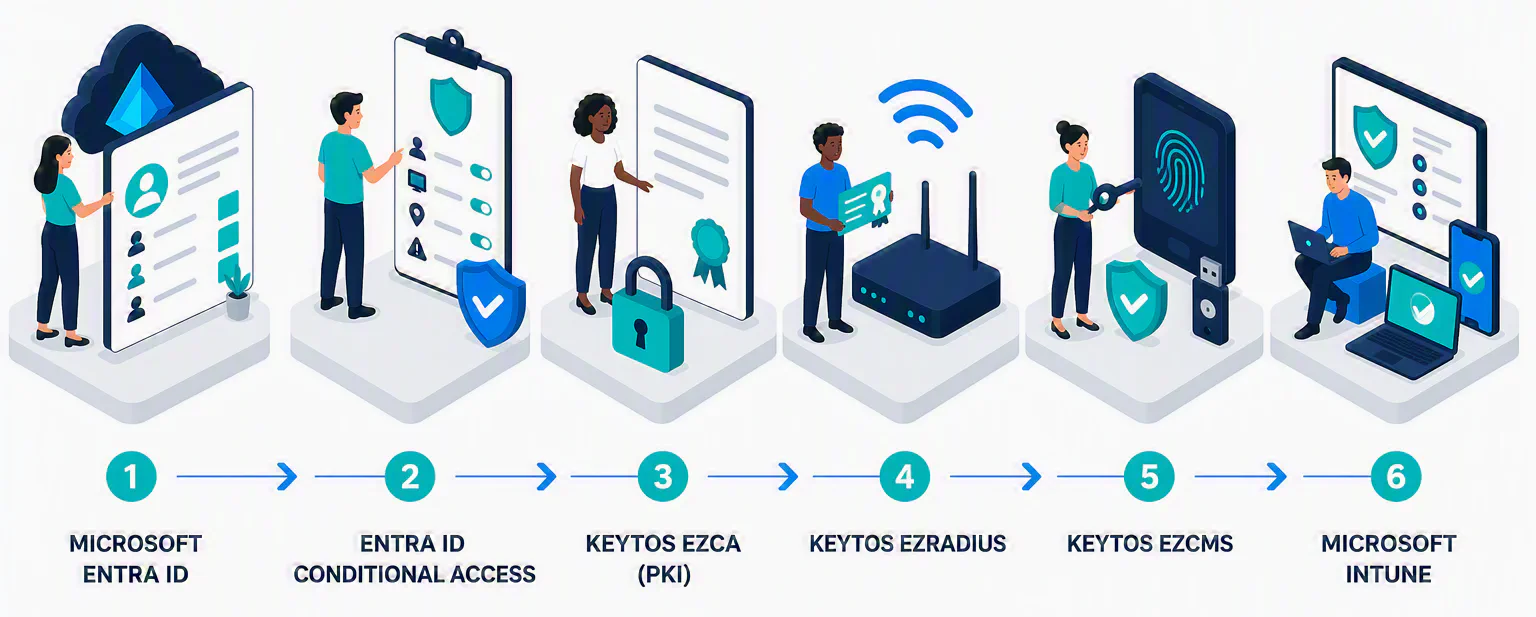
- Microsoft Entra ID: Use Entra ID to manage your users, groups, and devices. It provides a centralized platform for identity and access management, supporting strong authentication methods like passkeys, smart cards, and authenticator apps.
- Entra ID Conditional Access: Use Conditional Access policies to enforce access controls based on user, device, location, and risk factors. This allows you to implement granular access policies that align with CMMC requirements.
- Keytos EZCA: A cloud-based PKI solution that allows you to issue and manage digital certificates for your Entra ID users and devices. EZCA simplifies certificate lifecycle management, including issuance, renewal, and revocation, ensuring that your PKI infrastructure is secure and compliant with CMMC requirements.
- Keytos EZRADIUS: EZRADIUS is a cloud-based RADIUS server that enables secure authentication for your wireless and VPN networks. It integrates with Entra ID and EZCA to provide certificate-based authentication for devices, ensuring that only authorized users and devices can access your Wi-Fi and wired networks.
- Keytos EZCMS: EZCMS allows you to completely eliminate passwords for your user accounts and onboard them to phishing resistant FIDO2 and certificate-based authentication. It integrates with Entra ID and EZCA to provide a seamless Yubikey and Smart Card onboarding and replacement experience for your users.
- Microsoft Intune: Use Intune to manage and secure your devices, ensuring that they meet security requirements and are compliant with CMMC standards. Intune works alongside EZCA and EZRADIUS to enforce device compliance and secure access to sensitive resources.
- Phishing-Resistant Sign-In Methods: Implement one or more of the following methods to enhance security:
- Hardware Security Keys: Physical devices, such as YubiKeys, that provide strong, phishing-resistant authentication.
- Smart Cards: Physical cards that store certificates for secure authentication.
- Passkeys: Passkeys can be stored on smartphones or within your desktop OS via Windows Hello for Business or Apple Secure Enclaves. They provide a secure and user-friendly way to sign in without passwords, reducing the risk of phishing attacks.
Can I Deploy My PKI and Authentication Solution in Dedicated Government Clouds?
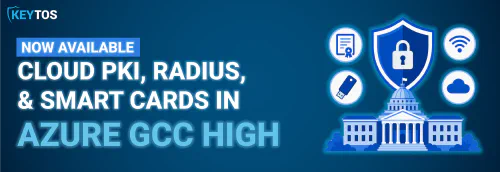
Yes, EZCA and EZRADIUS are available for Microsoft Azure Government Community Cloud (GCC High) customers for use with their GCC High tenants & users. This provides a secure and compliant environment for organizations that handle sensitive government data, ensuring that your PKI and authentication solution meets the stringent requirements of CMMC. When getting started, be sure to select the GCC High cloud when creating your EZCA and EZRADIUS instances to ensure that your data remains within the appropriate government cloud environment.
How To Get Started With Passwordless Authentication and PKI for CMMC Compliance
Looking to get up and running with passwordless authentication and PKI for CMMC compliance? Keytos Security can help you implement a comprehensive solution that meets the CMMC network authentication and PKI requirements. We have free trials for EZCA, EZRADIUS, and EZCMS that allow you to test our solutions in your environment before committing. Our team of identity experts can also provide guidance and support to ensure a smooth implementation process. Book a free consultation with our team to discuss your specific needs and how we can help you achieve CMMC compliance.
Book a Free Consultation