







How To Get Started with Keytos Shield
Welcome to Keytos Shield
Keytos Shield is a fully hosted cloud PKI, cloud RADIUS, and passkey solution that allows you to go passwordless without any servers or infrastructure to manage. With Keytos Shield, you can create strong, passwordless identities for your users and devices, and use them to connect to all your applications, networks, and platforms.
Step-by-Step Guide - How to Get Started with Keytos Shield
The first step to getting started with Keytos Shield is to create a subscription. This will allow you to access the Keytos Shield portal and begin onboarding your users and devices.
How to Install Keytos Shield and Create a Subscription
It's free to get started and there's no sales call or credit card required
How to Register & Consent the Keytos Shield Entra ID Application
Keytos Shield uses native Entra ID authentication to provide a seamless passwordless experience for your users. Begin by registering the Keytos Shield Entra ID application using the link below. Make sure to use your Global Administrator account (or forward the link to your Global Administrator) to complete the consent process.
Single Click
The easiest way to register the applications is to click the button below while logged in with your Global Administrator account:
Manual URL
Alternately, you can copy & paste the following URL into your browser. Make sure you are logged in with your Global Administrator account before accessing the link.
https://login.microsoftonline.com/organizations/adminconsent?client_id=2963e596-88f5-43a1-ab17-68b8026c6468&redirect_uri=https://portal.keytos.io/Welcome
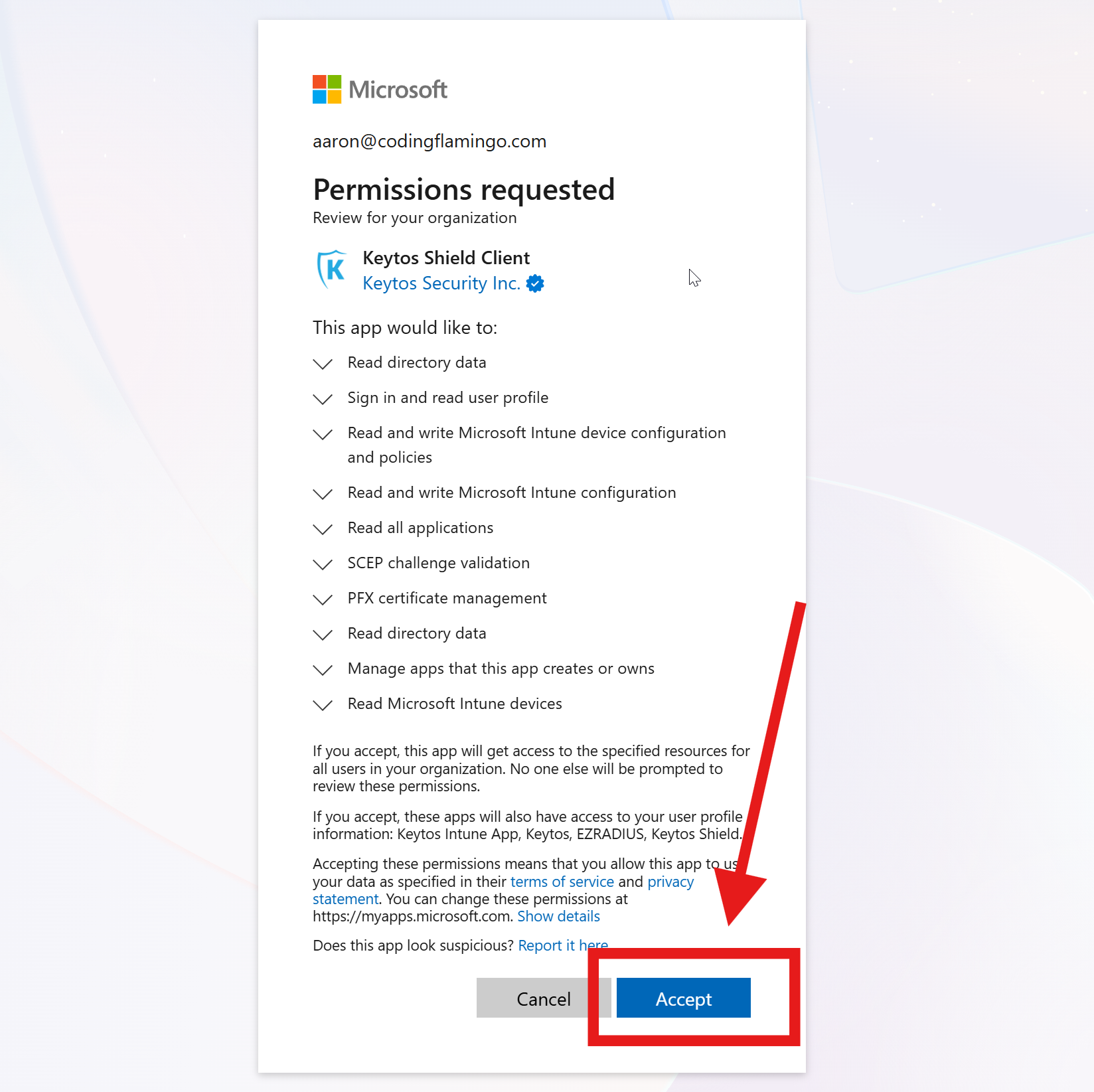
You will see a consent screen similar to the one below. Click Accept to register the applications in your tenant.
This registration is specifically for Azure GCC High tenants and will not work for commercial or other government clouds. An Azure GCC High tenant is required to use this registration.
Single Click
The easiest way to register the applications is to click the button below while logged in with your Global Administrator account:
Manual URL
Alternately, you can copy & paste the following URL into your browser. Make sure you are logged in with your Global Administrator account before accessing the link.
https://login.microsoftonline.us/organizations/adminconsent?client_id=2cf07322-0273-4052-bd9b-e38c1c433803&redirect_uri=https://portal.keytos.us/Welcome
For more information on these specific permissions and why they are needed, please refer to the Keytos Shield FAQs.
Collapses this section and completes the checkmark.
How to Create Your Keytos Shield Subscription
A Keytos Shield subscription handles permissions, billing, and central configuration for your organization. You can create a subscription directly with us, or through the Azure Marketplace. Both options provide a 1-month free trial, and you can cancel at any time.
You can create a Keytos Shield subscription directly through the Azure portal and bill straight to your existing Azure bill. To create a Keytos Shield subscription through the Azure Marketplace, follow these steps:
Note: Azure GCC High does not yet support the Azure Marketplace. Please create a subscription directly through the Keytos portal if you wish to deploy to Azure GCC High.
-
Open Keytos Shield on the Azure Marketplace in your browser.
-
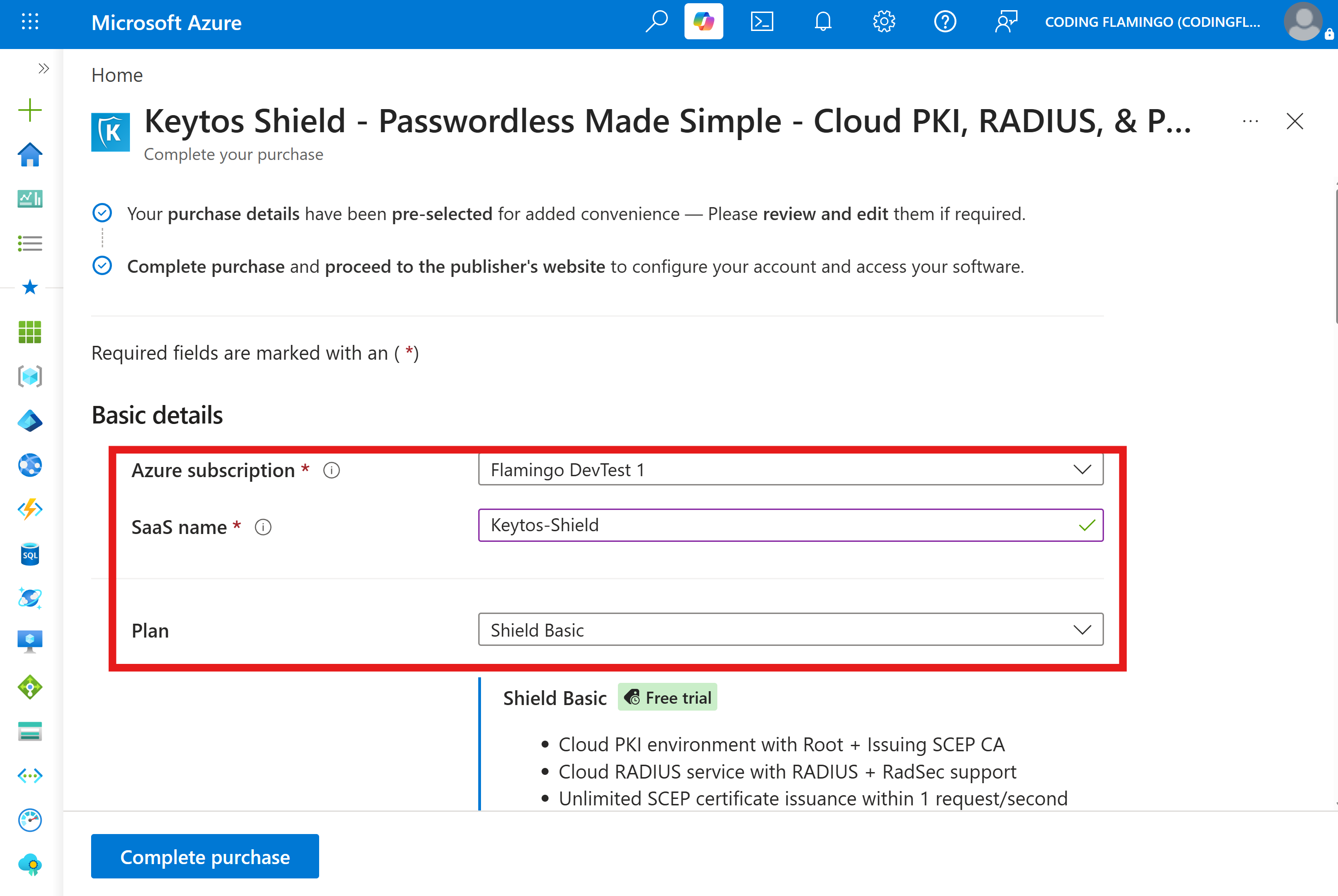
Under Basic details, enter the following required information: Azure subscription: Select the Azure subscription you want to use for your Keytos Shield deployment. SaaS name: Enter a unique name for your Keytos Shield SaaS instance. Plan: Select your desired Shield plan.
-
Make sure to enable Auto-renew for your subscription to ensure uninterrupted service.

-
Under Advanced details, you can optionally configure the following settings:
-
Resource group: Select the resource group where you want this SaaS resource to be deployed. Note that all backing infrastructure runs in Keytos’ secure environment, so no infrastructure is deployed within your selected resource group. Just the billing resource.
-
Resource group location: Select the location for the resource group.
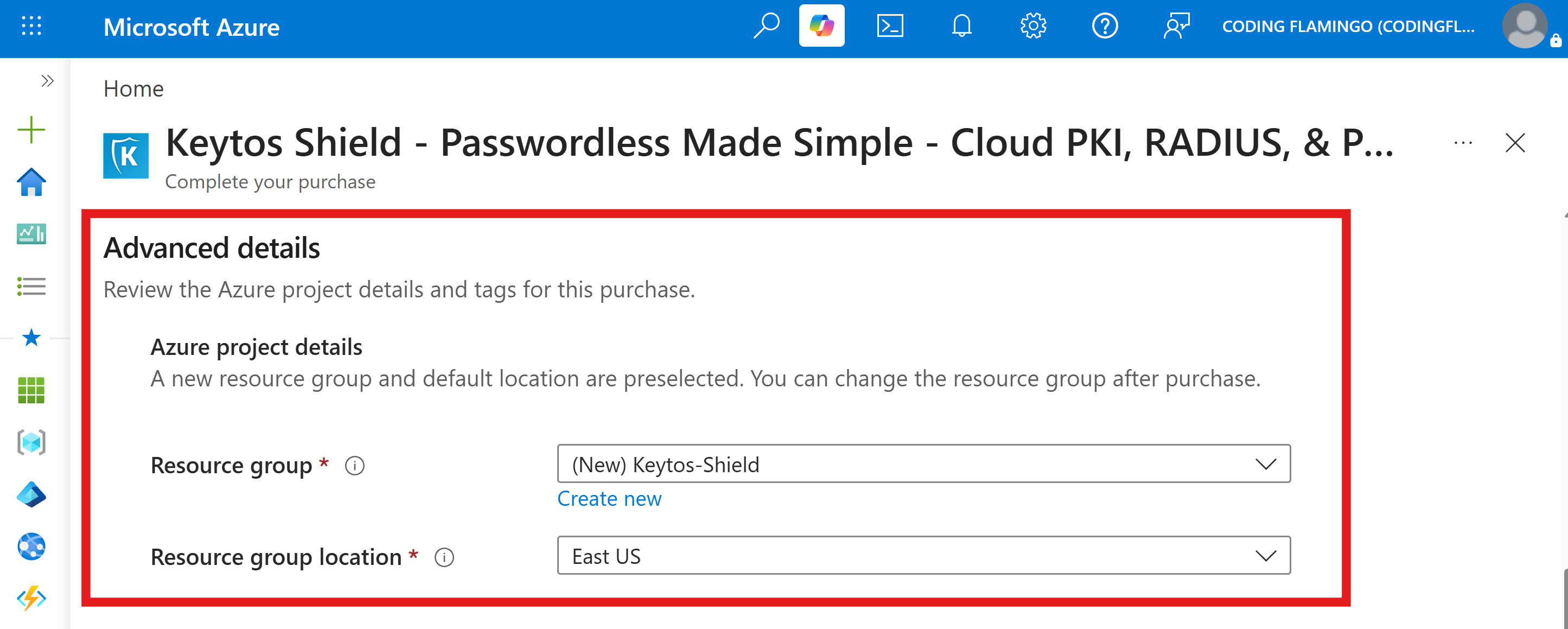
-
-
Click Complete purchase to deploy your Keytos Shield subscription. It should take a few seconds to complete.
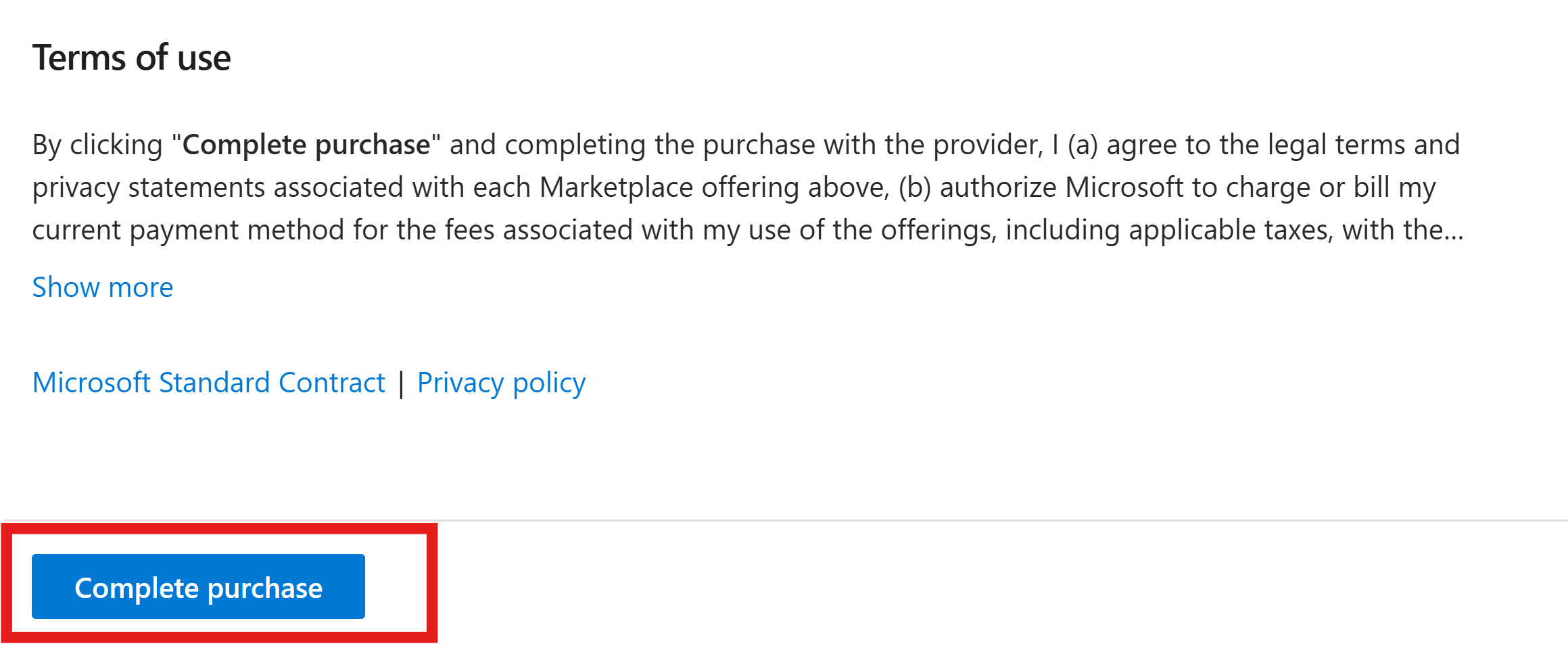
-
Click Continue to publisher’s website to finalize your Keytos Shield subscription creation.
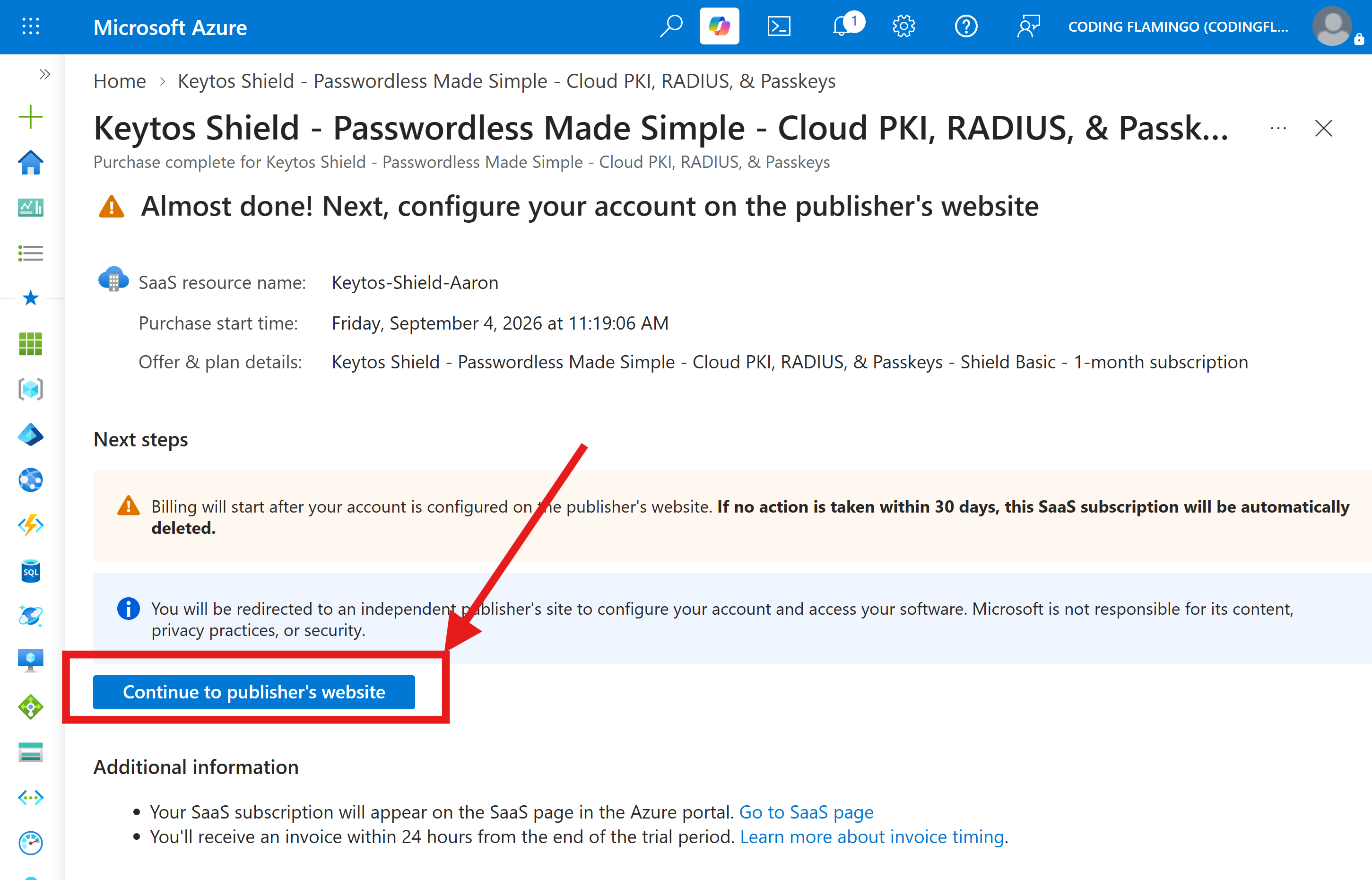
-
Within the Keytos portal, select a Deployment Location for your subscription and click Register to complete the subscription creation process.
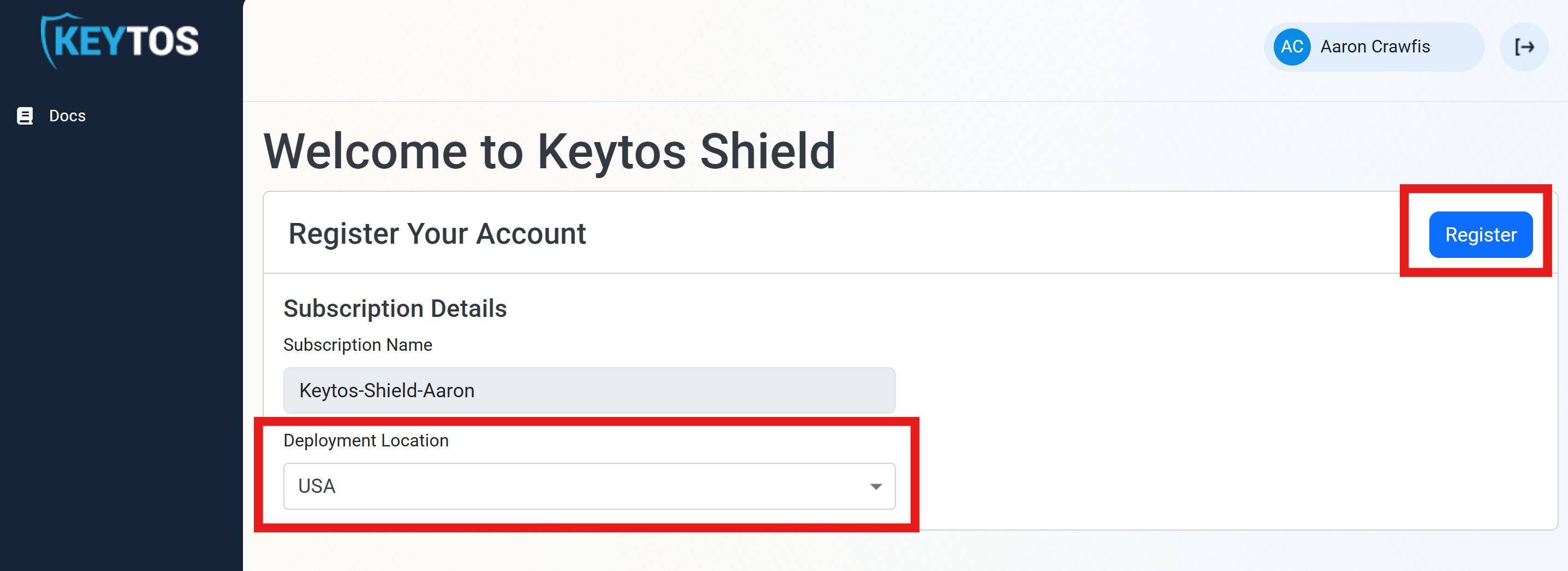
-
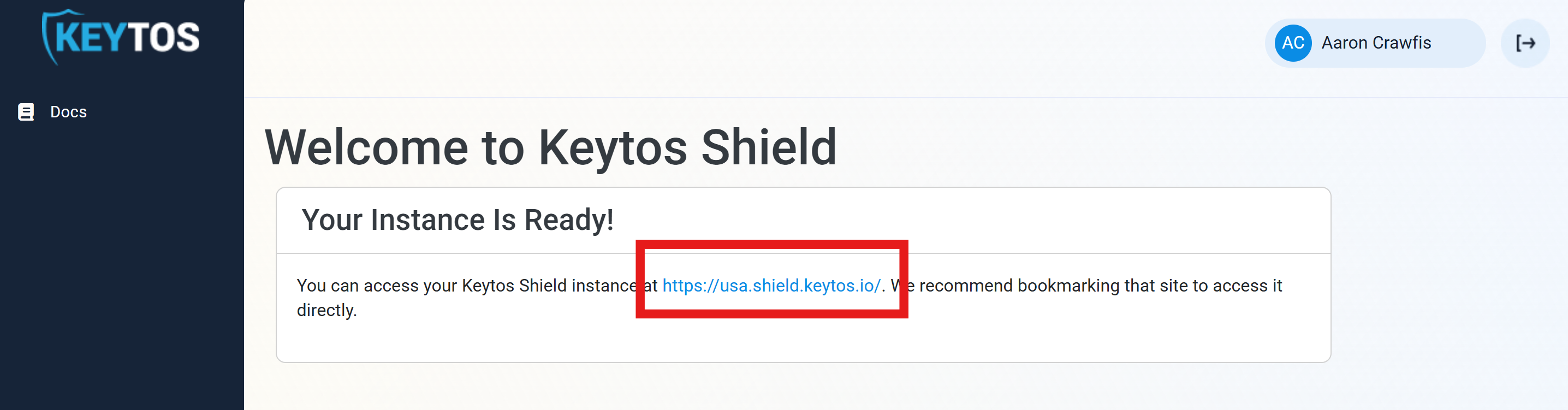
In a few seconds your instance will be ready. Click the instance URL to access your Keytos Shield subscription.
-
Done! You have successfully created your Keytos Shield subscription and can begin your onboarding process.
To create a Keytos Shield subscription directly through the Shield portal, follow these steps:
-
Open the Keytos Shield portal in your browser. (US Government Portal).
-
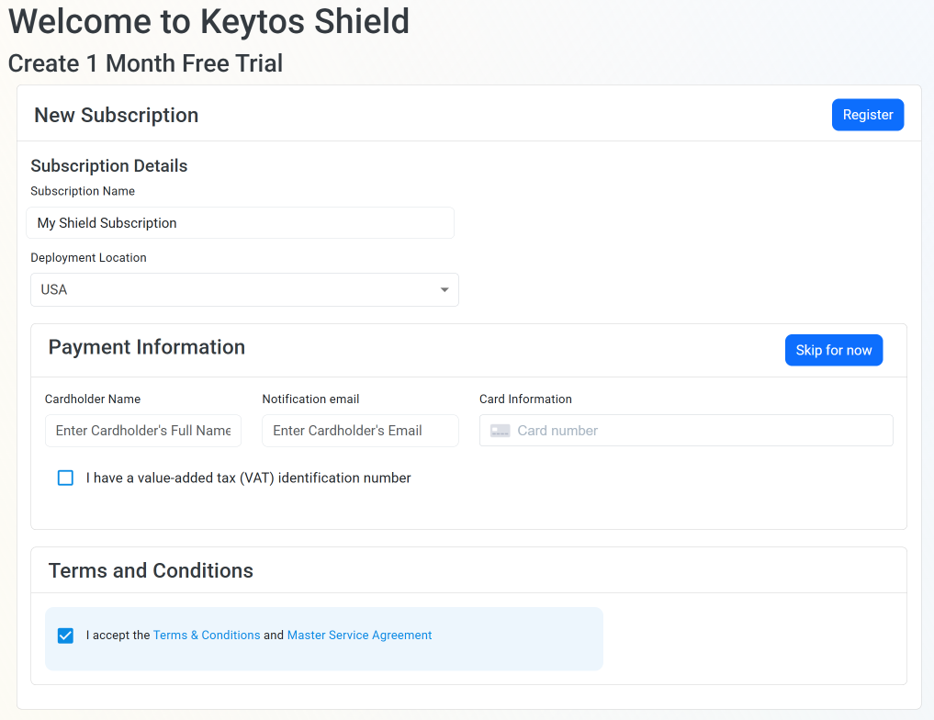
Under Subscription Name, enter a friendly name for your subscription. (you can always change this later)
-
Select a Deployment Location for your subscription. This will be your primary region where your Keytos Shield resources will be hosted.
-
Optionally enter your credit card information. You can click Skip for now if you just want to try out Keytos Shield for free for 1 month and add a payment method later.
- If you are managed by a MSP or reseller, the credit card form will not be shown, and you can proceed with creating your subscription without entering any payment information.
-
Check the Terms & Conditions box to agree to the terms of service.
-
Click Register to create your subscription. It should complete in just a few seconds.
-
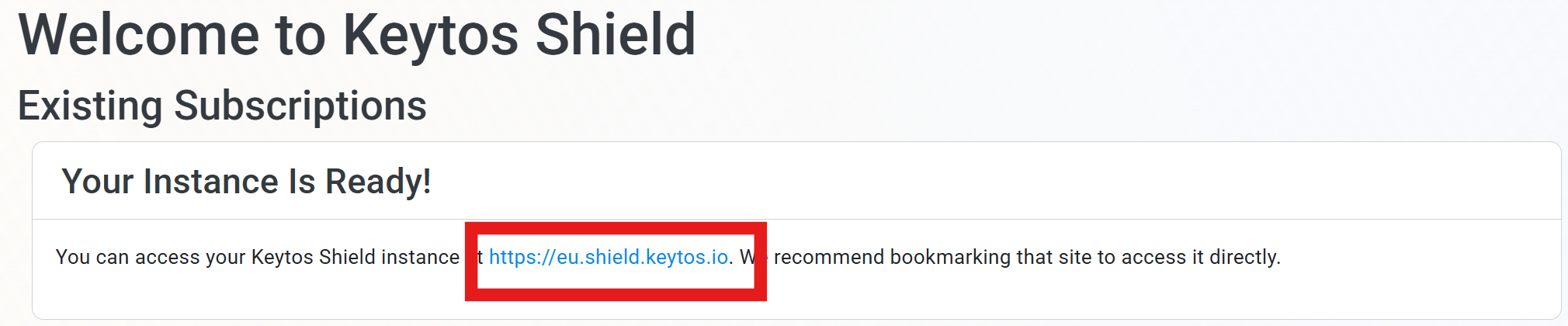
You should now see your newly created Keytos Shield subscription endpoint listed under Existing subscriptions:
Collapses this section and completes the checkmark.
Now that you’ve created your Keytos Shield subscription, you can proceed to configuring your network and/or identity security.
How to Onboard to a Keytos Shield Solution
Select the solution you want to onboard to
Keytos Shield comes with both a cloud PKI solution for issuing and managing digital certificates for network authentication, as well as a cloud RADIUS server for authenticating your network identities.
The following guide will walk you through the process of onboarding to Keytos Shield’s network and identity security solutions.
Collapses this section and completes the checkmark.
We’re in the process of bringing FIDO2 passkey + smart card onboarding and management to Keytos Shield. Check back soon for updates.
Collapses this section and completes the checkmark.