





How to Prevent Costly Certificate Related Outages
 Igal Flegmann |
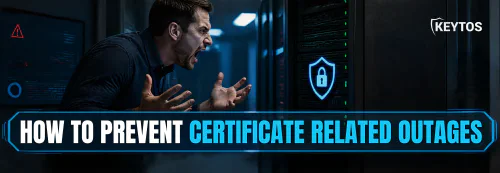
Certificate-related outages can be costly, complex, and embarrassing for any organization. Customers can’t connect, employees can’t access critical systems, and your reputation can take a significant hit. For anyone that’s been through a certificate-related outage before, you know the urgency and stress involved in resolving it quickly, and the challenge of taking on the seemingly “impossible” task of preventing future outages.
This guide will walk you through the steps and best practices to prevent certificate-related outages, covering both public and private certificates, as well as the tools and strategies you can use to stay ahead of potential issues.
How to Prevent an Outage Caused By an Expired Public Certificate
Public certificates are typically used by internet-facing web servers to establish secure connections with web browsers, ensuring that data transmitted between the server and the browser is encrypted and trusted. When a public certificate expires, users will see security warnings in their browsers telling them that the connection is not secure and may be at risk. Not a good look for any organization, so it’s vital to proactively monitor and manage your public certificates to prevent outages. Here are two main steps to help you do that:
Step 1: How to Implement Public SSL Certificate Monitoring
The first step is to find all the certificates that your organization owns, as you can’t rotate what you can’t see. I know, it sounds daunting but it is not as hard as it sounds if you have the right tools and approach.
Did you know there are certificate transparency logs that list every single public certificate that has been issued in the last 10+ years? While these are a great raw source of data, it’s a firehose of logs that can result in you needing to sift through terabytes of data just do find the needle in the haystack that is your specific certificates. A better approach is to use an SSL monitoring solution which processes the logs and alerts you when your certificates are about to expire. EZMonitor by Keytos is a great option that simplifies this process and ensures you never miss an expiring certificate.
While monitoring is a great first step, it will soon become your main job to just keep fighting fires and rotating certificates before they expire, so once you implement monitoring, you should also implement automation to help you manage the certificates.
Step 2: How to Automate Public SSL Certificate Renewal
With the move to 47-day certificate lifetimes by 2029, it’s crucial to have automated tools to handle the renewal of certificates. And before you say “Oh great, I have to now go buy a 6-figure certificate management platform!”, after thousands of external SSL health consultations that I have done with organizations, I can tell you that Let’s Encrypt is a great free option for automating certificate issuance and renewal. They were one of the creators of the ACME Protocol which is now standard in most certificates issued in the world (even within our organization, we use ACME and Let’s Encrypt to issue the certificates for our platform).
While raw ACME and Let’s Encrypt can handle most scenarios, there are cases where you may need additional capabilities, approval workflows, and reporting. If you have to delegate the certificate issuance and the ACME HTTP challenge does not work because you are using a load balancer or a firewall, you can use a platform that helps you manage the DNS challenges for all your users. EZCA gives it for free to all the premium CAs, so check with your existing PKI provider if they have a similar offering.
How to Prevent an Outage Caused by an Internal Certificate
Just like public certificates, internal private certificates also need to be monitored and managed to prevent outages. While public certificates are primarily at risk due to expiration, internal certificates can face additional challenges such as:
- Certificate expiration
- Certificate Revocation List (CRL) being down
- Misconfiguration with the Certificate Authority (CA)
Let’s take a closer look at each of these potential issues and how to prevent them from causing outages in your internal PKI.
How to Prevent Certificate Expiration in Your Private PKI
When looking at expiration related outages for private PKI, the issues do not stop at the leaf certificate (the certificate issued to the user/machine) but since when running your own Private CA you also control the certificate authority, you must keep track of the whole chain, and since CAs can last multiple years, it is easy to forget or push back the CA renewal until it is too late.
How to Prevent Your Private CA From Expiring and Causing an Outage
The private Certificate Authority Certificate is one that you must ensure that is up to date, you do not want it to expire while there are certificates from that CA being used since if it expires, all the certificates that it issued would stop working.
To prevent this, at Microsoft we used to have a calendar invite for the whole PKI team (people leave the organization so do it to an alias or a group so everyone on the team has it) at half the lifetime of the CA certificate to start the planning for the renewal and get it done in the next month or two. Just make sure you don’t click yes when AD CS asks you if you want to renew the CA certificate with the same key, this is a bad practice and will cause outages in the future. Keep reading to find out why.
How to Prevent Your Private Certificates From Expiring and Causing an Outage
Same as with the public certificate that we talked about earlier in this post, the two simple steps are to monitor your certificates and to automate the renewal of them. I know what you are thinking: “Certificate Transparency Logs do not exist in my infrastructure”. Yes, I know. Instead, you have to either scan your whole network, or check the certificates that have been issued from your CA and find where they are being used before they expire. If you are only using certificates issued by AD or an MDM, you are good. They will keep them up to date. However, if you are using certificates for internal web servers, Entra ID, or anything else that might need manual rotation, you will have to do that and keep track of the certificates.
Same as before, once you have the inventory of the certificates, this is where you want to start the automation. Since AD CS (Microsoft’s on-prem PKI) depends on Active Directory for managing the certificates, there are limited alternatives on how you can automate the certificate issuance for those certificates that are not managed by Active Directory. One option is connecting EZCA to that template in your CA, and having it manage it for you, this will enable you to issue certificates from your CA, while getting all the modern automation such as ACME, Azure Key Vault Connections, a portal with Entra ID authentication for your users to self-service issue certificates, our open source tool for certificate automation, Terraform provider, and a dashboard to monitor all the certificates that are being issued from your CA.
How To Prevent CRL Outages in Your Private PKI
The next most common cause of outages in a private PKI is the CRL (Certificate Revocation List) being down or not being up to date. The CRL is a list of all the certificates that have been revoked, and if it is not available, none of the certificates can be authenticated since the device can’t verify that the certificate has not been revoked. The CRL can cause outages due to two reasons: the CRL not being available, or the CRL not being up to date.
How to Prevent Your Private PKI From Causing an Outage Due to CRL Unavailability
The CRL (Certificate Revocation List) must be the most resilient part of your PKI since if it is down none of your certificates can authenticate because the relying party can’t verify that the certificate has not been revoked.
The first one is “easy” to fix, you just have to host it in a resilient geo-redundant infrastructure, and make sure that the CRL is being published to all the locations that your users are using. How I recommend doing it is hosting it on a geo-redundant Azure Blob Storage container and have a PowerShell script that pushes it from your CA to the blob storage, and from there Microsoft will take care of the geo-redundancy and availability. But make sure you also have runners checking on it so you find out if something is wrong before your end users do. Also, you must make sure that that PowerShell script is running every cycle otherwise your CRL will expire.
For the second one, you must make sure that the CRL is being updated on the right schedule (for example, if you have a CRL that is valid for 7 days, you must make sure that the CRL is being updated at least every 7 days, otherwise it will expire and your users will not be able to authenticate.) The CA will automatically rotate the CRL based on the schedule that you set, but if for some reason the CA is down, the CRL will not be updated and will expire. To prevent this, you must have a monitoring system that checks the CRL and alerts you if it is not being updated on time. Additionally, if you are using a script or something to move that CRL to a different location, you must make sure that the script is running and that it is not failing, using Application Insights or any other monitoring tool that you have in your organization that can send you alerts if something is not running or it has exceptions.
If this sounds like a lot of work, read on to learn about a managed offering that removes the complexity of hosting all of this infrastructure and monitoring.
How to Prevent Your Private PKI From Causing an Outage Due to Misconfiguration
The last most common cause of outages (and the most common source of vulnerabilities) in a private PKI is misconfiguration, this can be caused by many things, but the most common ones are:
- Renewing the CA certificate with the same key: This is a bad practice and will cause outages in the future. When renewing the CA certificate, Windows gives you a nice little prompt that says “Renew with the same key” and if you click yes, it will renew the CA certificate with the same key. While it seems harmless and not a big deal, it is a big deal and will cause outages in the future. The reason is that when you renew the CA certificate with the same key, when a leaf certificate is being validated, the relying party will pull the CA certificate from their certificate store based on the issuer public key, and if the CA certificate has been renewed with the same key, and the old CA certificate has expired, there is a 50% chance that the relying party will pull the old CA certificate from their certificate store and since it is expired, it will not be able to validate the leaf certificate and will cause an outage. To prevent this, you must always renew the CA certificate with a new key.
- Changes To Templates: If you change the templates that are being used to issue certificates, you might break the issuance of new certificates and cause an outage when a certificate is no longer valid and it is not auto-renewed. To prevent this, you must have a change management process in place that requires approval before any changes are made to the templates. Additionally, you must have a monitoring system that checks the certificates and alerts you if any of them are about to be expired and a new one has not been issued (while having an excel sheet for this sounds tempting, it is not a good idea since it is not automated and it will eventually consume your whole day to keep it up to date, and you will eventually forget to update it and cause an outage).
Is there an Easier Way to Prevent Certificate Outages in Private PKI?
Yes, there is an easier way to prevent certificate outages in private PKI, and that is by using a modern certificate management platform that can automate the issuance and renewal of certificates, monitor the certificates and alert you if any of them are about to expire, and provide a dashboard to view all the certificates that are being issued from your CA. One such platform is EZCA, which is built by ex-Microsoft PKI engineers and provides all the features mentioned above and more and is cheaper than running a single CA in your organization. If you are interested in learning more about EZCA, you can schedule a call with one of our engineers and we will be happy to show you how it works and how it can help you prevent certificate outages in your organization.