

What is a Certificate Authority (CA)?
 Aaron Crawfis |
What is a Certificate and Why Are They Important?
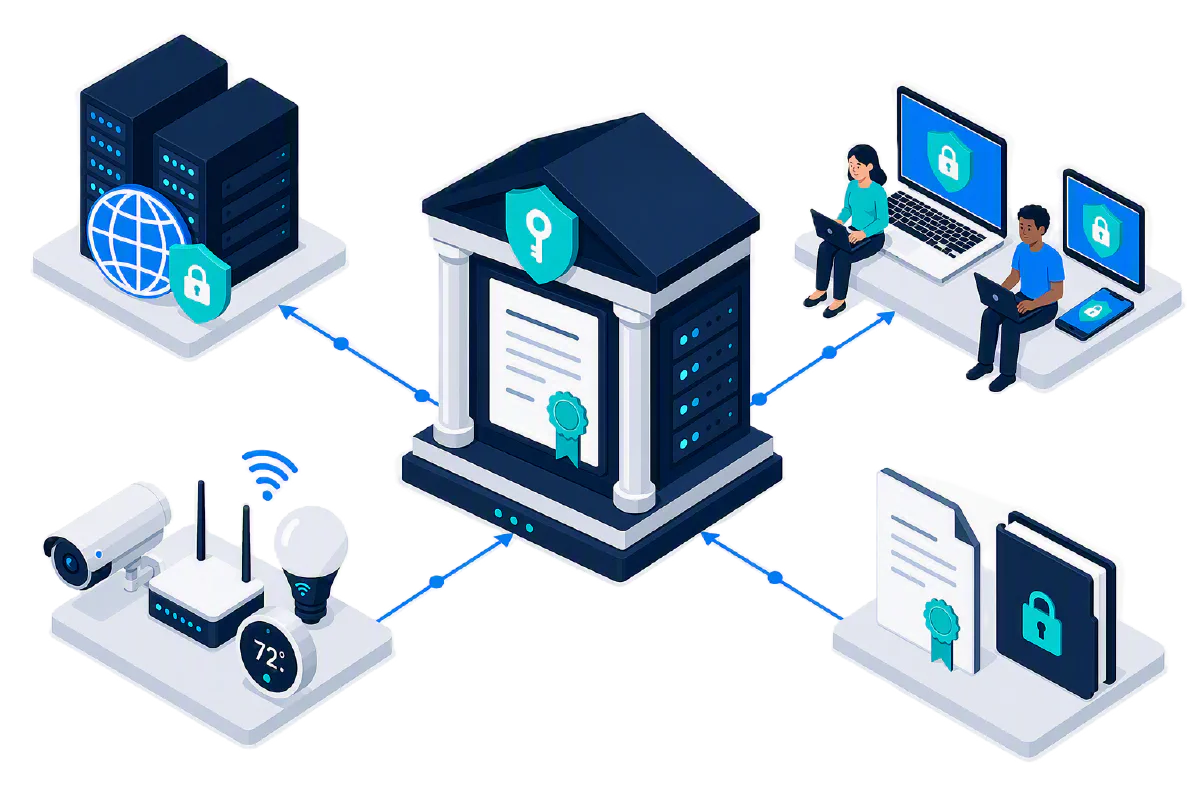
A digital certificate (also known as an X.509 certificate) is a digital file that contains information about the identity of an entity (such as a person, organization, or device). Using public/private key cryptography, a certificate can be used to authenticate the identity of the entity, encrypt data, and digitally sign data. If you want a deep-dive into what a certificate is, check out our blog on what are X.509 certificates.
Learn More About CertificatesThe rest of this blog will focus on what a certificate authority (CA) is, how it works, and how it can be used to issue certificates for authentication, encryption, and digital signatures.
What is a Certificate Authority (CA)?
Certificates are generated by a certificate authority (CA). A CA has three main parts:
- CA Certificate: The CA certificate is a digital certificate that identifies the CA. It contains information about the CA, such as its name, public key, and validity period. The CA certificate, along with its accompanying private key, is used to sign and issue certificates to other entities, including other CAs in a multi-tier CA hierarchy. If you open up any certificate and look at its chain, you’ll see CA certificates for every level of the hierarchy, all the way up to the root CA certificate.
- CA Private Key: The CA private key is a cryptographic key that is used to sign and issue certificates. It is kept secret and is usually stored in a Hardware Security Module (HSM) which prevent it from ever being exported or copied. Only the CA service itself can interact with the private key in the HSM to sign and issue certificates.
- CA Service: The CA service is the software that runs on the CA server and is responsible for managing the CA certificate, private key, and issuing certificates. Popular CA services include Microsoft Active Directory Certificate Services (AD CS), OpenSSL, and EZCA Cloud PKI.
What is a CA Hierarchy and How Many CAs Should I Have?
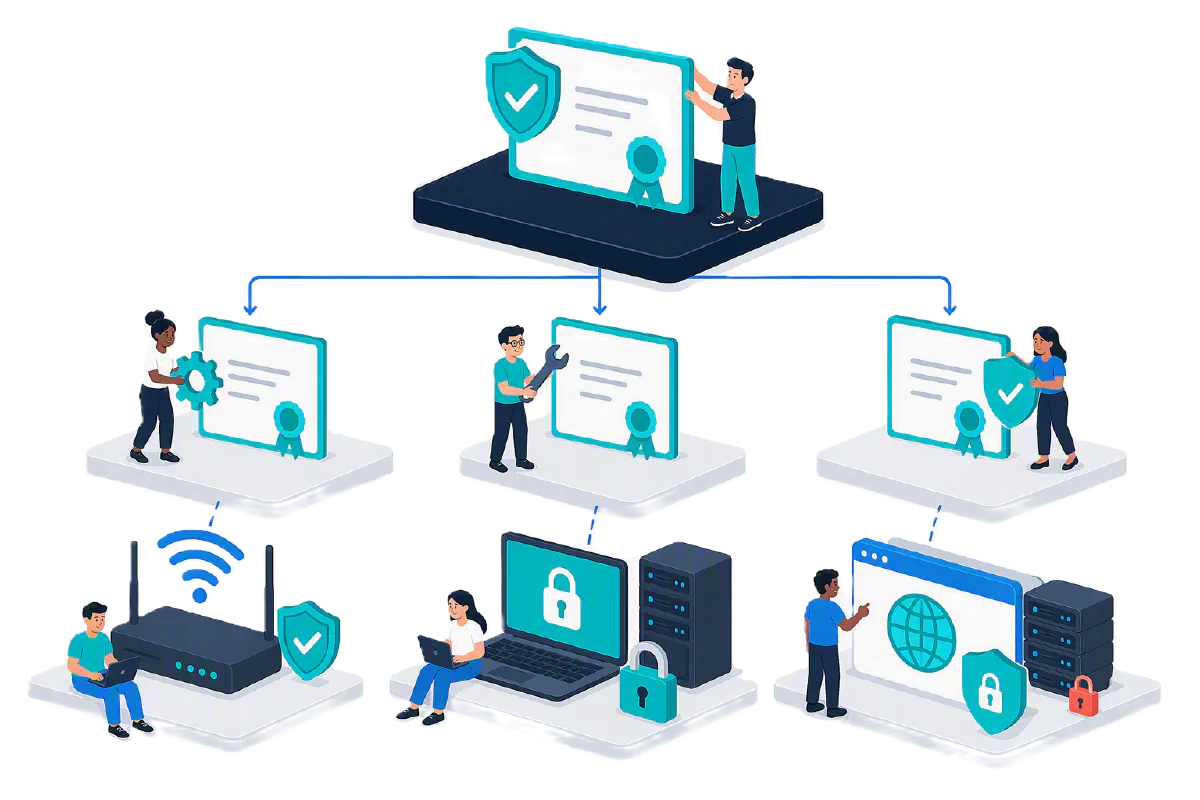
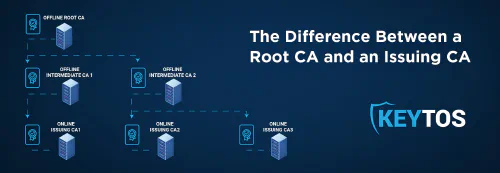
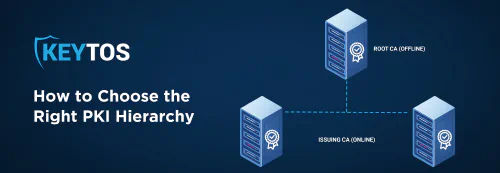
Certificate Authorities can form multi-tier hierarchies, with a root CA at the top and subordinate CAs below it. This is important because you might be using certificates for a bunch of different purposes, such as Wi-Fi authentication, VPN authentication, and SSL/TLS certificates for your web servers. It’s typically not a good idea to use the same CA for all of these purposes, as it can lead to over-permissioned CAs or impersonation risks. Instead, you can use a root CA to sign subordinate CAs for each of these purposes, which allows you to have a more secure and manageable PKI environment. Our blog post on what is a CA hierarchy and which CA hierarchy you should use goes into more detail about the different types of CA hierarchies and which one is best for your PKI environment.
Learn More About CA HierarchyWhat’s the Difference Between a Root CA and a Subordinate CA?
Within a CA hierarchy, there are root CAs and subordinate CAs. Root CAs are at the top of the hierarchy and subordinate CAs are below them. There’s nothing different about them in terms of functionality, but their roles and trust levels differ. A lot of CA services may also limit CAs so Root CAs can only be used to sign subordinate CAs, and cannot issue leaf certificates. Check out our blog on what is a root CA and what is a subordinate CA to learn more about the differences between these two types of CAs.
Learn More About Root CAs
Learn More About Subordinate CAs
What is the Difference Between a Public CA and a Private CA?
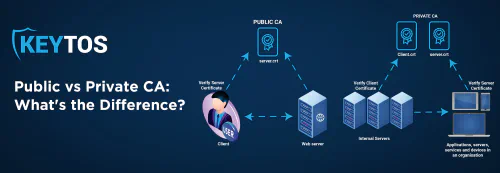
While all CAs work the same way, there are two main classifications of CAs: public CAs and private CAs. Public CAs are trusted by default in most operating systems and web browsers (Chrome, Windows, macOS, iOS, Android, etc.) so you can securely connect to websites and services as soon as you unbox your new laptop. Every public website uses a certificate that was issued by a public CA or one of its subordinate CAs.
Private CAs, on the other hand, are not trusted by default in operating systems and web browsers. Instead, they are typically used in internal private PKI environments to issue certificates for internal applications and devices. Check out our blog on what is the difference between a public CA and a private CA to learn more about the differences between these two types of CAs.
Learn More About Public vs Private CAsHow Does a Certificate Authority Revoke a Certificate?
If a certificate that was issued to a user or device is compromised, the user leaves the organization, or the certificate is no longer needed, a CA can revoke a certificate and tell the world that the certificate is no longer valid. There are two main ways that a CA can revoke a certificate:
- Certificate Revocation List (CRL): A CA can publish a list of all revoked certificates in a CRL. This list is typically published on the CA’s website and can be downloaded by clients to check if a certificate is still valid. It’s usually only updated every few hours or days, so it may not be the most up-to-date method of checking for revoked certificates.
- Online Certificate Status Protocol (OCSP): A CA can also provide an OCSP service that allows clients to check the status of a certificate in real-time. This is typically a more efficient and up-to-date method of checking for revoked certificates, as it allows clients to query the CA directly for the status of a specific certificate. However, it does add cost and latency to the certificate validation process, as it requires an additional network request to the CA’s OCSP server.
In reality, most public CAs don’t use revocation at all and are instead moving to short-lived, 47 day certificates. Private CAs, on the other hand, typically use CRLs and/or OCSP to revoke certificates, as they have more control over their PKI environment and can ensure that clients are checking for revoked certificates.
Learn More About Certificate Revocation
Learn More About OCSP
How Can I Create My Own Certificate Authority?
There a lot of different ways to create your own CA, depending on your organization’s needs and resources. Some of the most common methods include:
- Microsoft Active Directory Certificate Services (AD CS): AD CS is a Microsoft service that runs on Windows Server and provides a full-fledged CA service. It can be used to create a CA certificate, sign subordinate CA certificates, and issue end-entity certificates. It also provides features like certificate templates, auto-enrollment, and certificate revocation. However, it requires Windows Server running on a physical server or virtual machine, which can be costly and time-consuming to manage. It’s also very difficult and expensive to follow the full set of security best-practices such as storing private keys in a Hardware Security Module (HSM).
- EZCA Cloud PKI: EZCA is a cloud-based PKI solution that provides a full-fledged CA service without the overhead of managing the infrastructure yourself. It can be used to create an HSM-backed CA certificate, sign subordinate CA certificates, and issue end-entity certificates. It also provides features like certificate templates, auto-enrollment, and certificate revocation. EZCA is designed to be easy to use and manage, making it a great option for organizations that want to deploy a private PKI without the complexity of managing their own CA infrastructure.
- OpenSSL: OpenSSL is an open-source tool for creating and managing digital certificates. It can be used to create a CA certificate, sign subordinate CA certificates, and issue end-entity certificates. However, it requires a lot of manual configuration and management, as it’s not a full-fledged CA service. It is not recommended to use OpenSSL to create a CA in production environments, as you don’t get any of the best-practices or actual CA service features that you would get with a full-fledged CA service like Microsoft AD CS or EZCA Cloud PKI.
Here’s a quick video that explains how to create your own CA using EZCA Cloud PKI:
Sign Up for a Free EZCA Trial
Schedule a Demo
How Can I Issue Certificates from My Own Certificate Authority?
There are multiple commonly used protocols and methods for issuing certificates from a CA. Some of the most common ones include:
| Protocol | Description | Use Case |
|---|---|---|
| ACME (Automated Certificate Management Environment) | A protocol for automating the issuance and management of digital certificates where you prove you own the DNS entry or server endpoint of the server. | Web server TLS certificates, device certificates |
| EST (Enrollment over Secure Transport) | Used for securely enrolling and managing certificates over a TLS connection. | IoT devices |
| SCEP (Simple Certificate Enrollment Protocol) | Usually used by Mobile Device Management (MDM) systems to request and obtain digital certificates from a CA for laptops, mobile devices, and other endpoints. | Enterprise device enrollment, VPN authentication |
| Certificate Signing Requests (CSRs) | A manual process where a CSR file is downloaded with the requested certificate and then submitted to the CA for signing. | Web server TLS certificates, enterprise applications |
| CA-specific APIs | Platform-specific APIs for issuing and managing certificates directly. Often wrapped in an SDK or API for programmatic access. | Custom integrations, automation |
Most CAs allow you to choose the CA template and protocol that best fits your use case. For example, if you are issuing certificates for web servers, you might use ACME or CSRs. If you are issuing certificates for IoT devices, you might use EST or SCEP. If you are issuing certificates for enterprise applications, you might use a CA-specific API.
Looking for a Certificate Authority to Issue Your Certificates?
If you’re looking for a certificate authority to issue your certificates, EZCA Cloud PKI is a great option. It provides a full-fledged CA service without the overhead of managing the infrastructure yourself. It can be used to create an HSM-backed CA certificate, sign subordinate CA certificates, and issue end-entity certificates. It also provides features like certificate templates, auto-enrollment, and certificate revocation. EZCA is designed to be easy to use and manage, making it a great option for organizations that want to deploy a private PKI without the complexity of managing their own CA infrastructure. Our PKI experts can help you design and deploy a PKI that meets your organization’s needs and security requirements.