How does Keytos compare to SecureW2?
Keytos and SecureW2 are usually referred as the leaders in the passwordless access space, from cloud RADIUS to passwordless onboarding. However, While SecureW2 focused on servicing all identity providers such as Google and Okta, Keytos focuses on being the best option for Microsoft Entra ID customers. This makes SecureW2 a better solution for organizations that use Google or Okta. However, if you are a Microsoft customer, Keytos does not stop at simple RADIUS authentication and SmartCard management, instead is a full passwordless identity platform including all the places where Entra ID lacks support, such as just-in-time access to SSH resources including GitHub, and full PKI and certificate management support for Servers, Azure Services, and IoT devices making it your one stop solution for passwordless access and identity management in Entra ID.
Is cloud RADIUS included with Keytos?
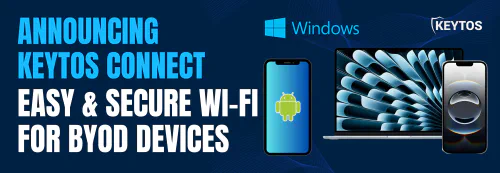
Yes. Keytos Shield is a subscription that covers an HSM-backed cloud PKI, cloud RADIUS with classic RADIUS and RadSec endpoints, Smartcard and Passkey onboarding/management, and it even includes the Keytos Connect app for personal and BYOD devices; at one per-user price that starts at $1.50 per user per month. Making it the most comprehensive RADIUS bundle in the market while still being the lowest cost RADIUS provider.
However, you are not forced to take the whole bundle. If you already run a certificate authority, EZRADIUS is cloud RADIUS by itself from $1 per active identity. If you already have RADIUS included with your network provider, such as Cisco ISE, and you only need a CA, EZCA will cover your whole organization starting at $200 USD per CA with no additional cost or hidden fees.
Does Keytos use certificate-first EAP-TLS authentication?
Yes. In fact, Keytos was built by ex-Microsoft cloud PKI engineers, and EAP-TLS is how Keytos recommends setting up network authentication (even for the BYOD application Keytos Connect that uses Entra ID to authenticate the user, it uses a certificate in the background to authenticate the device/user to the network). Keytos Shield handles the whole process for you from creating the certificate authority to the creation of the RADIUS profiles all in less than 10 minutes. Watch this video to see how easy it is to setup.
While we recommend using EAP-TLS wherever possible, for the printers, cameras, and legacy devices every real network still has, Keytos also supports PEAP, MS-CHAPv2, PAP, and MAC authentication bypass.
How are Keytos PKI and RADIUS integrated?
In Keytos Shield the certificate authority and the RADIUS server are one product: one subscription, one onboarding flow, and one bill. It is all handled for you meaning that you don't have to create the CA and then go to the RADIUS server and add the trust, the onboarding guide will ask you some questions about your environment and configure everything automatically.
For organizations that are migrating from an existing EAP-TLS deployment, Shield also works with the certificates you already have. It trusts certificates from Microsoft AD CS, Microsoft Cloud PKI, or any third-party CA, and it can chain its own CA up to your existing root, so adopting it does not mean re-issuing every certificate on day one.
Does Keytos automate the whole certificate lifecycle?
Yes. EZCA handles issuance, automatic renewal, and revocation, and publishes CRLs and OCSP for every certificate authority it runs. Certificates reach managed devices through Intune SCEP (EZCA is one of the third-party CAs listed in Microsoft's own Intune SCEP documentation), Jamf, and ACME, and reach personal devices through Keytos Connect.
Revocation is enforced where it counts. On every certificate authentication, Keytos checks the certificate against its CA's revocation list so a revoked certificate stops getting onto the network at its next connection, and if you do not want to wait for a new CRL to be published, Keytos can also check the values of your certificate against your Entra ID and Intune tenant giving you true Zero-trust authentication into your network. As previously mentioned, Keytos certificate expertise goes beyond the network, EZCA issues and manages internal certificates with Azure Key Vault, Azure IoT, and it can also help you meet with the 47 certificate mandate by helping you automate public certificate issuance and management across your organization.
Does Keytos enforce network policy in real time?
Yes. On every authentication, not just when a certificate is issued, Keytos checks the user's current Entra ID group membership and the device's current Intune compliance state. A laptop that falls out of compliance, or a user removed from a group, loses network access at the next connection even though the certificate on the device is still valid.
Policies are built from the Entra ID groups and Intune compliance policies you already manage. There is no directory sync and no middleware in between.
What does Keytos cover beyond network access?
Network access is rarely the only place an organization needs certificates, so Keytos covers the rest as well. Passwordless onboarding for FIDO2 passkeys and smart cards is included in the basic plan. Engineers can also get short-lived SSH certificates for Linux and GitHub, services get TLS certificates that renew themselves in Azure Key Vault, and IoT fleets get device identity.
With Keytos, all of that comes from one vendor, one security review, and one stream of logs into your SIEM.
Is Keytos pricing published?
Yes. Every Keytos price is on keytos.io, the tiers get cheaper as you grow, and the calculator below gives you your monthly cost in seconds. Keytos Shield is month to month, with no minimum, and you can cancel at any time.