


Announcing Security Key Management in Keytos Shield
 Keytos Team |
Security Key Management Comes to Keytos Shield
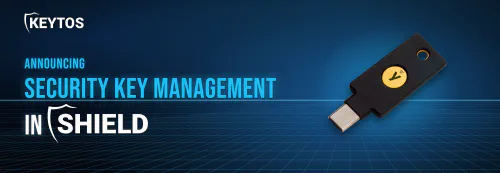
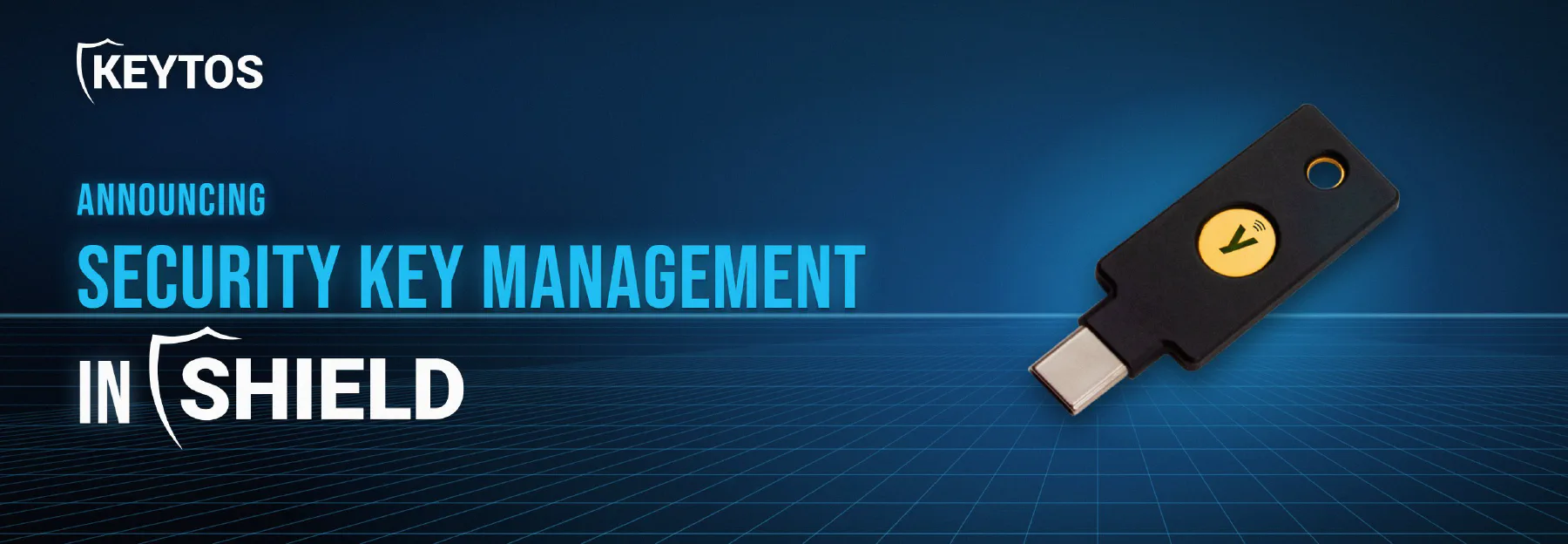
When we launched Keytos Shield back in August, we said FIDO2 passkey and smart card onboarding was next on the list of things we wanted to bring to Shield. Today we’re happy to share that it’s here: security key management is now available in Keytos Shield. You can now assign YubiKeys and other security keys to users in your organization, onboard to unphishable FIDO2 passkeys and Entra ID certificate-based authentication (CBA), and keep track of every key in your organization, right next to the certificates and Wi-Fi you already manage in Shield.
Why We Built Security Key Management and Unphishable Credentials Into Keytos Shield
Buying a box of YubiKeys is the easy part. The hard part is everything after: figuring out who has which key, getting the right credentials onto it, making sure the person picking it up is actually the person it’s meant for, and handling the inevitable “I lost my key in a lake” ticket. Most of the organizations we talk to are doing this with a spreadsheet and a lot of patience.
We’ve been working on this problem for a while with EZCMS, and we’ve learned a lot from the customers who use it every day. Security key management in Shield takes those lessons and builds them into the same platform, subscription, and portal as your PKI, SCEP certificates, and cloud RADIUS. One less tool to log in to, and one less vendor to manage. For organizations using EZCMS today, we will continue to support it’s advanced features such as multi-tenant management, clearance and HR database workflows, and custom integrations. But for most organizations, Shield will now be the one-stop shop for managing both certificates and security keys for your Entra ID tenant.
What Can You Do With Security Key Management in Keytos Shield?
See Your Security Key Requests and Inventory at a Glance
The new identity security dashboard shows you what needs your attention: open requests waiting for approval, approved requests waiting for a key, and how many keys you have left on the shelf. Shield also looks at how fast you’ve been handing out keys over the last 30 days and tells you roughly when each model will run out, so you can order more before someone shows up on their first day with nothing to plug in.
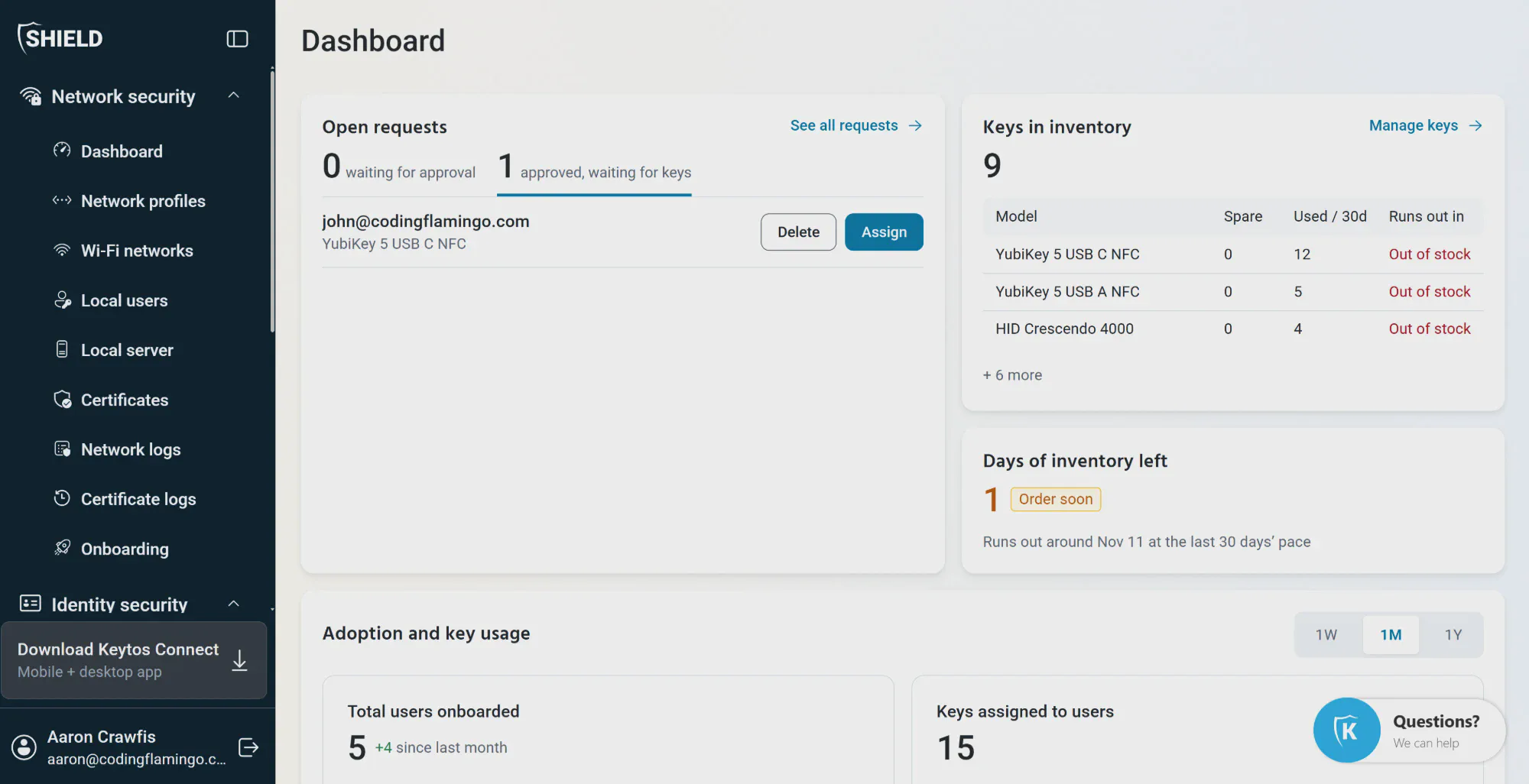
You can also track adoption over time (how many users you’ve onboarded and how many keys are assigned) to see how your passwordless rollout is actually going, not just how you hope it’s going.
Choose How Users Enroll and Recover Their Security Keys
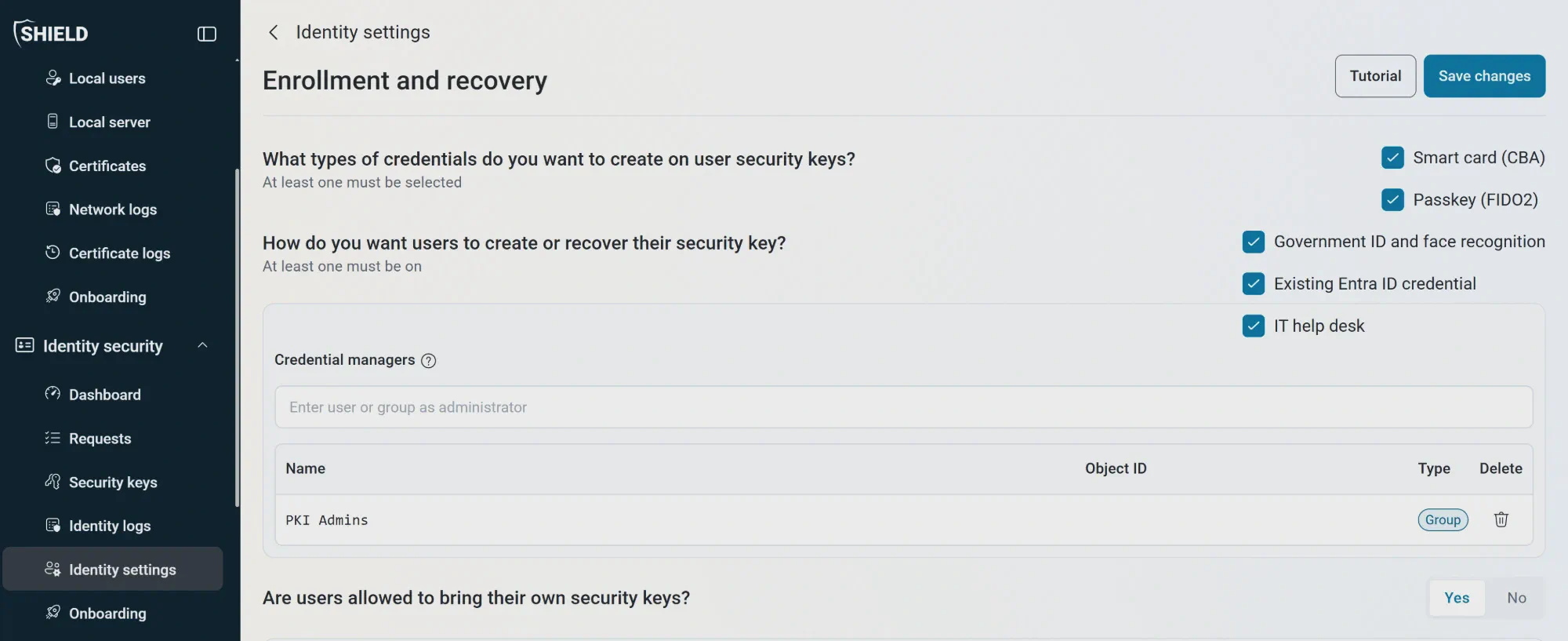
Every organization handles identity verification a little differently, so we made it configurable. From Identity settings → Enrollment and recovery, you decide:
- Which credentials go on each key: Entra CBA smart card certificates, FIDO2 passkeys, or both.
- How users prove who they are when they create or recover a key: government ID with face recognition, an existing Entra ID credential, or a trip to the IT help desk. You can turn on as many as you like.
- Who your credential managers are: the Entra ID users or groups allowed to approve requests and issue keys on behalf of others.
- Whether users can bring their own security keys or must use keys issued by your organization.
The recovery workflow is vital to an organization’s security. A lost or forgotten security key is where a lot of phishing-resistant rollouts quietly fall apart, because the fallback ends up being “call the help desk and we’ll send you a Temporary Access Pass.” Letting users verify themselves with a government ID and a selfie means they can get back up and running without a help desk agent becoming the weakest link in your authentication chain.
Keep an Audit Trail of Every Security Key and Credential
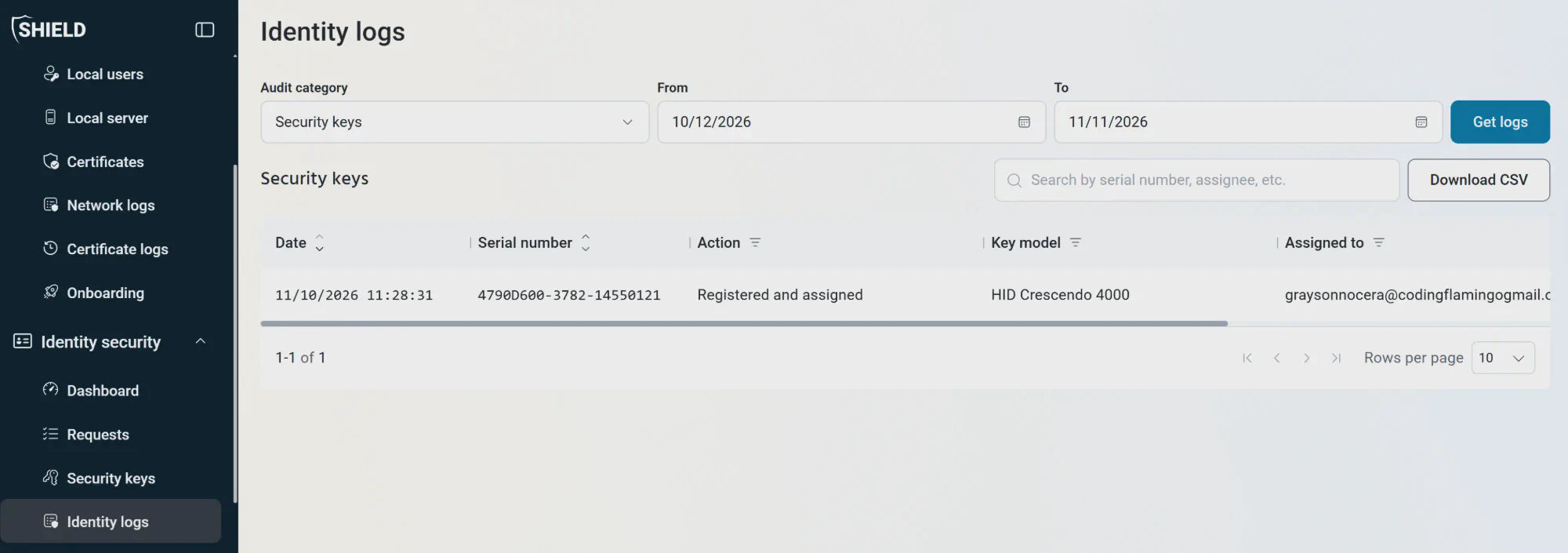
Every key that gets registered, assigned, or revoked shows up in Identity logs, with the serial number, key model, who it’s assigned to, and when it happened. You can search, filter by date range, and download the whole thing as a CSV when your auditor asks (and they will ask).
Keytos Shield also supports automatic audit log export to your SIEM or other log management system, ensuring you have a continuous record of all security key and credential activity.
How Much Does Security Key Management Cost in Keytos Shield?
Security key management is included at no additional cost as part of your existing Keytos Shield subscription, so there’s no separate product to buy and no new contract to sign. If you’re already a Shield customer, you’ll find it under Identity security in your portal today. Pricing stays the same simple per-user model you can see on the Shield pricing page, with no minimums or commitments.
If you’re new to Keytos Shield, the bundle is now stronger than ever with cloud PKI, cloud RADIUS, and now security key management as part of a single subscription and single user license. For just $1.50 per user per month, you get all of these capabilities without any additional fees or hidden costs.
What is Happening to Keytos EZCMS?
If you’re running EZCMS today, nothing changes for you. EZCMS remains fully supported, and you can continue using it alongside Keytos Shield without any disruption. EZCMS will remain as an advanced credential management solution for organizations that need it, and Shield will focus on providing seamless security key management and identity verification for organizations without advanced requirements.
We’d Love Your Feedback on Security Keys in Keytos Shield
This is the first release of security key management in Shield, not the last. We have a long list of improvements we want to make, and we’d much rather build the things you actually need than guess. If something is missing, confusing, or just not how your team works, please tell us. Most of what’s in this release came from conversations with customers who were kind enough to share what wasn’t working.
You can try Shield, including security key management, with a free one-month trial. No credit card or sales call required.
Start Your Free Trial
Schedule a Call
If you’d rather talk it through first, schedule a FREE call with one of our identity experts. We’re happy to walk through your rollout plan, whether you’re onboarding your first ten YubiKeys or your ten thousandth.