




How Do I Secure My Wi-Fi Network for CMMC Compliance?
 Aaron Crawfis |
What Does CMMC Say About Wi-Fi Security?
The Cybersecurity Maturity Model Certification (CMMC) framework is a set of cybersecurity standards set by the Department of Defense (DoD) which will be required for contractors to meet in order to handle sensitive information. Check out our previous CMMC blog post for a full overview of the CMMC framework and its requirements. Today, we’ll focus on the specific requirements for securing your Wi-Fi networks to meet CMMC compliance.
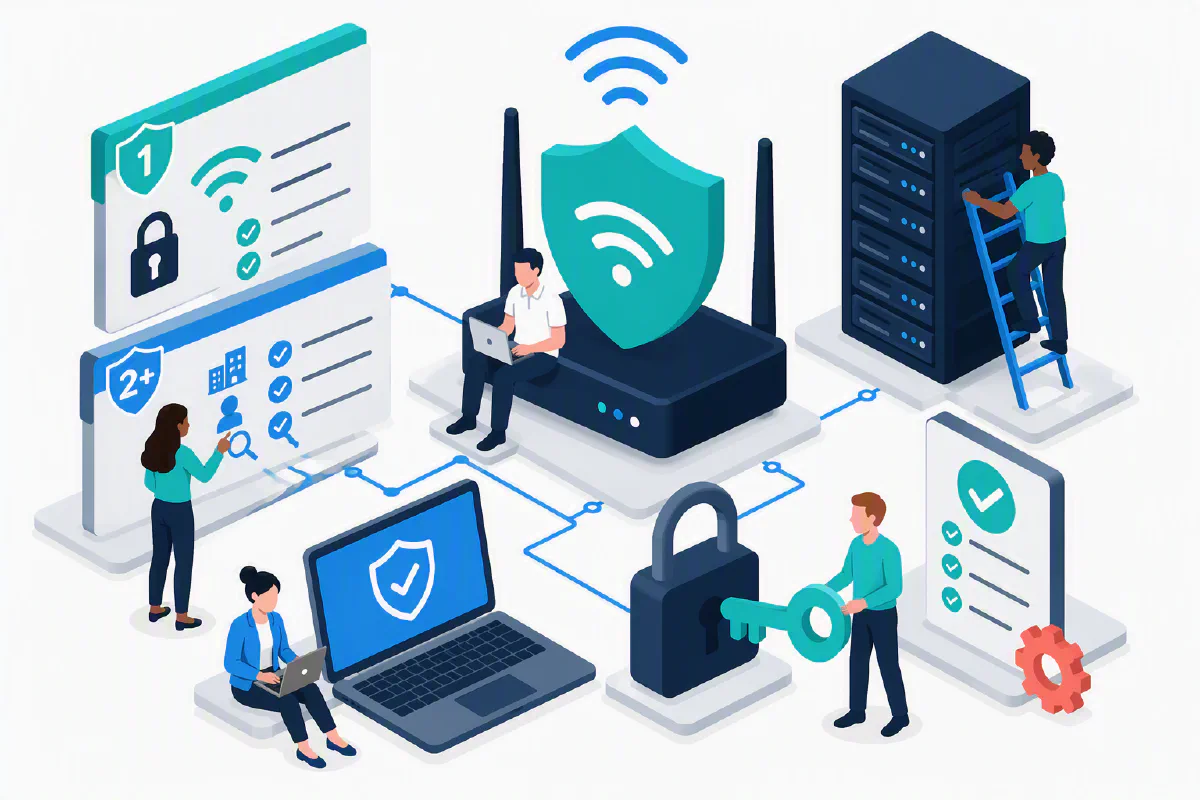
When it comes to Wi-Fi networks, CMMC requires a few different things depending on your level of certification. At a high level:
- For Level 1, you need to implement basic security best practices for your Wi-Fi networks, such as using strong passwords and enabling WPA2 or WPA3 encryption.
- For Level 2 and above, you need to implement more advanced security measures, such as using enterprise-grade authentication mechanisms (WPA Enterprise, AES, RADIUS, etc.) and regularly auditing your Wi-Fi networks.
Not sure which level you’re required to meet? Make sure to check with your C3PAO (CMMC Third Party Assessment Organization) to determine your specific requirements. For this blog post we’ll focus on the requirements for Level 2 and above, but any organization that handles sensitive information should consider implementing these measures regardless of their CMMC level.
What Wi-Fi Security Controls Are Required for CMMC Level 2 and Above?
If you deal with Federal Contract Information (FCI) or Controlled Unclassified Information (CUI), you need to implement the following security measures for your Wi-Fi networks:
- AC.L2-3.1.17: Protect wireless access using authentication and encryption.
- AC.L2-3.1.16: Authorize wireless access prior to allowing connections.
- IA.L2-3.5.1: Identify system users, processes acting on behalf of users, and devices.
- IA.L2-3.5.2: Authenticate (or verify) the identities of users, processes, and devices.
- AU.L2-3.3.x: (Audit Controls): RADIUS and network access control systems generate logs showing who connected, from what device, when they connected, and whether authentication succeeded or failed.
Basically, CMMC requires that you ditch the single, shared password that everyone in the office uses, and instead implement a more secure method where each person has their own unique credentials to access the Wi-Fi network.
Why is WPA Enterprise More Secure Than WPA Personal?
Instead of a Wi-Fi network, let’s think about a normal Windows PC. You probably don’t have a single account that everyone in your office uses to log into their computer, right? (well, hopefully you don’t!) Instead, each person has their own account and own password to log in, with their own set of permissions and access to files. That way the CEO and the intern don’t all have access to the same files and emails (again, hopefully!).
This is the same idea behind WPA Enterprise Wi-Fi. Instead of a single password that everyone uses to access the Wi-Fi network with the same level of permission, each person has their own unique account to log into, with their own set of permissions and access to the network. That way, if the intern finishes up at the end of summer, or if an employee leaves the company, you can simply disable their account and they will no longer have access to the Wi-Fi network.
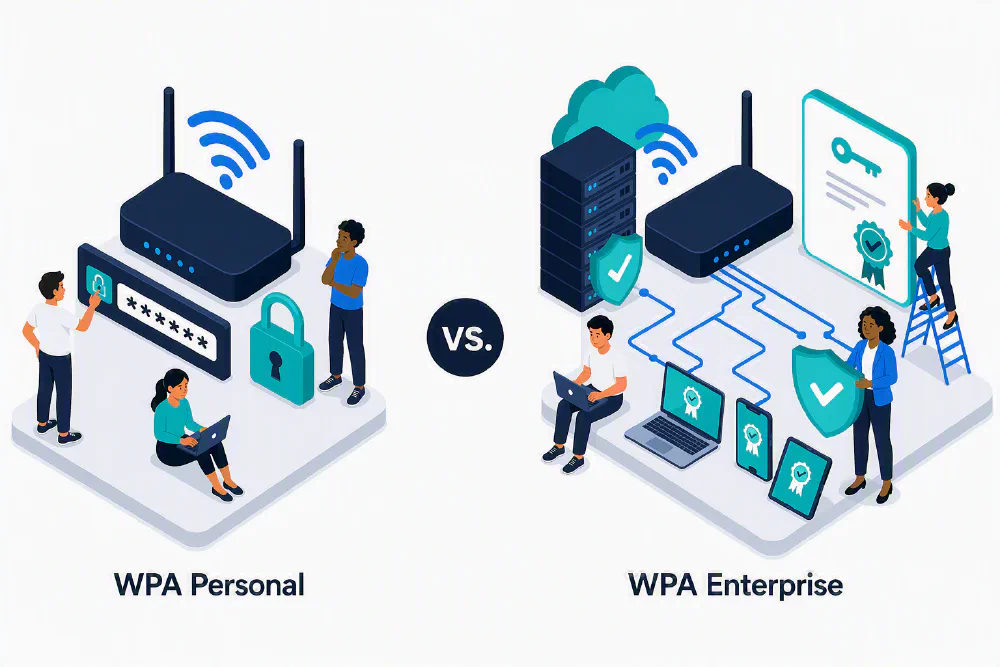
However, there’s a little bit of set up required to get WPA Enterprise working. You’ll need to connect your Wi-Fi access points to your user directory (like Microsoft Entra ID) so it knows which accounts exist and can log in. This is where a RADIUS server comes in.
What is a RADIUS Server And Why Do I Need One For CMMC WPA Enterprise Wi-Fi?
Short for Remote Authentication Dial-In User Service, a RADIUS server is a piece of software that acts as a middleman between your Wi-Fi access points and your user directory. It takes the login credentials from the user trying to connect to the Wi-Fi network, checks them against the user directory, and then tells the access point whether or not to allow the connection. RadSec (RADIUS over TLS) is a newer protocol that encrypts RADIUS traffic. You might see it when setting up your RADIUS server, and it is recommended to use it if your RADIUS server and Wi-Fi access points support it.
How Do I Set Up a RADIUS Server For WPA Enterprise Wi-Fi and CMMC Compliance?
For decades, RADIUS servers ran on a server within your office, such as Network Policy Server (NPS) on Windows Server. However, this is a lot of work to set up and maintain, and it requires a server to be running 24/7. If you don’t have an IT team or a server in your office, this can be a big challenge. Not to mention, with RAM prices what they are in 2026, it can be expensive to run a server just for RADIUS, even if you use a free or open-source RADIUS server. Luckily, there are cloud-based RADIUS servers that make this process much easier, and can be much more affordable than running your own server.

If you use Entra ID for your user directory, the best cloud-based RADIUS server that integrates directly with Entra ID is EZRADIUS Cloud RADIUS from Keytos. EZRADIUS is a fully managed cloud RADIUS server that bridges your Wi-Fi access points to your Entra ID user directory, allowing you to implement WPA Enterprise Wi-Fi with just a few clicks.
How Long Does It Take to Set Up EZRADIUS Cloud RADIUS for WPA Enterprise Wi-Fi and CMMC Compliance?
EZRADIUS was built from the ground-up as a cloud-native RADIUS server, which means you can create your account and connect it to your Entra ID user directory in just a few minutes. Plus, EZRADIUS integrates directly with your existing PKI infrastructure and certificates from AD CS or Intune Cloud PKI, so you can use ultra-secure EAP-TLS certificate-based authentication for your Wi-Fi network, and get rid of passwords entirely. Or if you don’t have a PKI infrastructure, you can use EZCA to issue certificates for your Wi-Fi users and devices.
From start to finish, a typical EZRADIUS deployment looks like:
- (recommended) Set up EZCA to issue certificates for your Wi-Fi users and devices. This eliminates the need for passwords entirely, and is the most secure option for your Wi-Fi network.
- Create an EZRADIUS subscription via the Azure Marketplace or through the EZRADIUS portal directly.
- Point your Wi-Fi access points to the EZRADIUS server, and configure them to use WPA Enterprise.
- Push a Wi-Fi profile to your users and devices via a Mobile Device Management (MDM) solution like Microsoft Intune, or use the free Keytos Connect application to automatically configure your users’ devices for WPA Enterprise Wi-Fi if you don’t have an MDM solution.
- Done! Your Wi-Fi network is now secured with WPA Enterprise and meets CMMC compliance requirements, and your devices are automatically configured to connect to the Wi-Fi network without a shared password.
What Access Points and Routers Work With EZRADIUS Cloud RADIUS for WPA Enterprise Wi-Fi and CMMC Compliance?
EZRADIUS works with any Wi-Fi access point or router that supports WPA Enterprise and RADIUS authentication. This includes popular brands like Cisco, Aruba, Ubiquiti, Ruckus, and more. If your access point or router supports WPA Enterprise and RADIUS, it will work with EZRADIUS. We maintain a list of step-by-step guides and videos on the EZRADIUS website to help you configure your specific access point or router to work with EZRADIUS.

What Operating Systems and Devices Work With EZRADIUS Cloud RADIUS for WPA Enterprise Wi-Fi and CMMC Compliance?
The nice part of RADIUS and WPA Enterprise is that every major operating system and device supports it. This includes Windows, macOS, iOS, Android, and Linux. If your device has a screen and can connect to a Wi-Fi network, it can connect to a WPA Enterprise Wi-Fi network secured with EZRADIUS.
But for those pesky network printers and IoT devices that don’t have a screen or can’t connect to a WPA Enterprise Wi-Fi network, EZRADIUS has you covered. You can use MAC Authentication Bypass (MAB) or separate, “local” users to allow these devices to connect to your Wi-Fi network, and even be placed in a separate VLAN or network segment to keep them isolated from your sensitive data. This allows you to meet CMMC compliance requirements while still allowing your IoT devices and printers to connect to your Wi-Fi network.
How Much Does It Cost To Secure My Wi-Fi Networks for CMMC Compliance?
Since most Wi-Fi access points already support WPA Enterprise and RADIUS authentication, the only cost to secure your Wi-Fi networks for CMMC compliance is the cost of a cloud-based RADIUS server like EZRADIUS. EZRADIUS is priced based on the number of users and devices that will be connecting to your Wi-Fi network, and starts at just $1 per user per month. Check out our pricing page for more information and a pricing calculator to estimate your costs based on your specific needs.
For most organizations the cost of a cloud RADIUS service like EZRADIUS is cheaper than running a single VM in Azure or AWS, and is much easier to set up and maintain. Plus, with EZRADIUS you get the added benefit of a fully managed service that takes care of all the updates, patches, and maintenance for you, along with a global footprint of servers to ensure low latency and high availability for your Wi-Fi users.
View EZRADIUS PricingHow Do I Audit My Wi-Fi Networks for CMMC Compliance?
Once you have your Wi-Fi networks secured with WPA Enterprise and a cloud-based RADIUS server like EZRADIUS, you get auditing for free using EZRADIUS’ built-in audit logging. You can view detailed logs of who connected to your Wi-Fi network, from what device, when they connected, and whether authentication succeeded or failed. This allows you to meet the CMMC audit requirements for Wi-Fi networks without any additional effort. Just click the log export button in the EZRADIUS portal to download your logs for your C3PAO to review during your CMMC assessment.
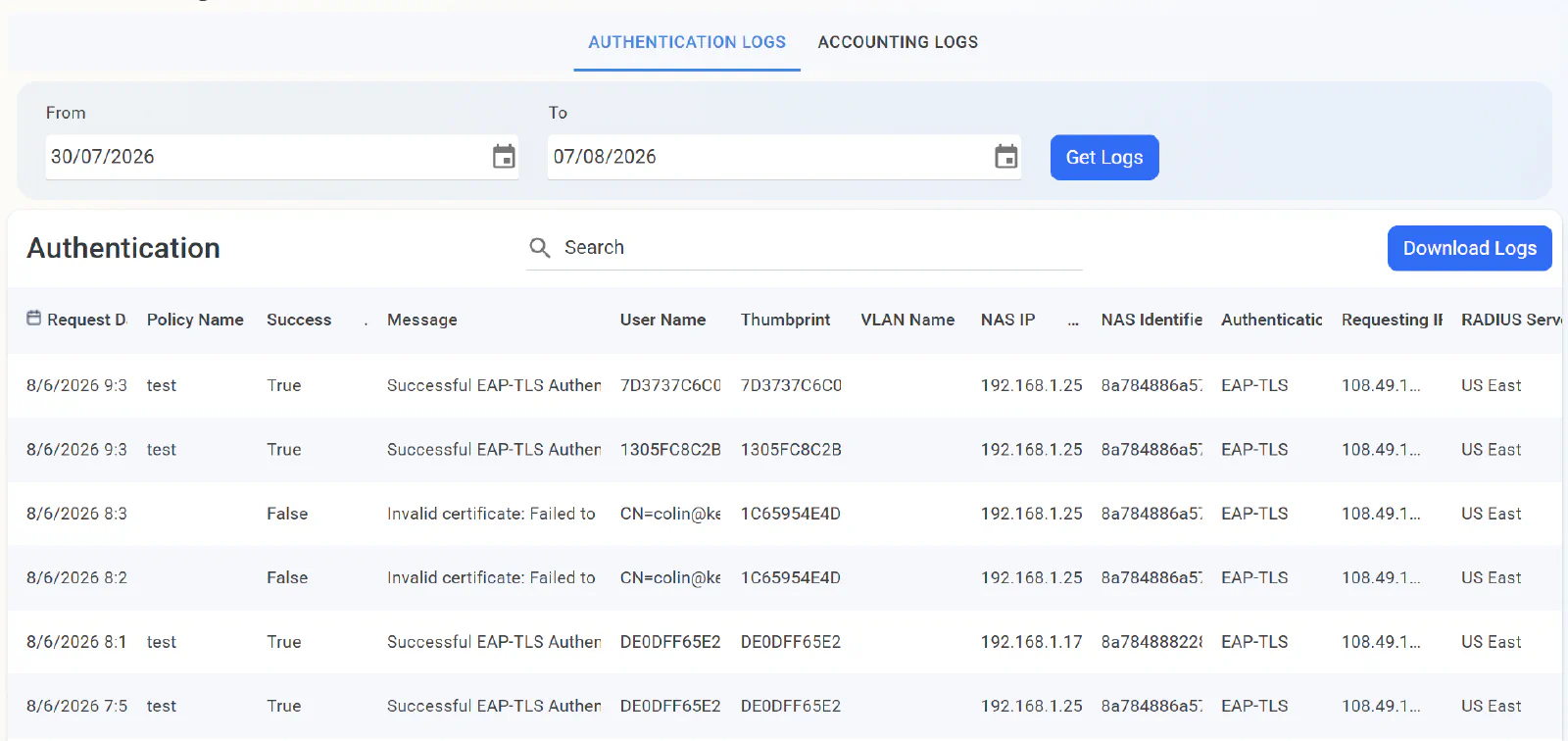
Plus, there is built-in support for SIEM platforms like Microsoft Sentinel and Splunk, so you can retain your logs for as long as you need to meet your organization’s retention requirements and AU.L2-3.3.x audit controls.
How To Get Started With Secure Wi-Fi for CMMC Compliance?
Looking to get up and running with passwordless authentication and PKI for CMMC compliance? Keytos Security can help you implement a comprehensive solution that meets the CMMC network authentication and PKI requirements. We have free trials for EZCA, EZRADIUS, and EZCMS that allow you to test our solutions in your environment before committing. Our team of identity experts can also provide guidance and support to ensure a smooth implementation process. Book a free consultation with our team to discuss your specific needs and how we can help you achieve CMMC compliance.