

What is a Private PKI and Why Do You Need One?
 Keytos Team |
- Updated: August 6, 2026
Keytos Team |
- Updated: August 6, 2026What is Public Key Infrastructure (PKI)?
Before we get into the differences between private vs. public PKI, let’s first define PKI and its purpose. Public Key Infrastructure (PKI) refers to all the technologies and processes that allow you to issue certificates and manage their lifecycle. These certificates can then be used for:
- Secure Communications (TLS): Certificates encrypt and protect data between clients and servers, ensuring that sensitive information remains confidential and secure during transmission. If you visit a website with “https” in the URL, it means that the website is using a TLS certificate to encrypt the data exchanged between your browser and the server.
- Authentication (CBA): Certificates can be used to verify the identity of users, devices, and applications. This ensures that only authorized entities can access sensitive resources.
- Data Integrity: Certificates can be used to sign data, ensuring that it has not been tampered with during transmission. This is particularly important for software updates and other critical data exchanges.
- Encryption: Certificates can be used to encrypt data such as emails, files, and other sensitive information, ensuring that only authorized parties can access it.
In a typical PKI environment, you may have one or more of the following components:
- Certificate Authority (CA): The CA is responsible for issuing and managing digital certificates. It verifies the identity of entities requesting certificates and signs the certificates to establish trust. Multiple CAs can be used to create a hierarchical structure, with a root CA at the top and subordinate CAs below it.
- Certificate Revocation List (CRL): The CRL is a list of certificates that have been revoked before their expiration date. It is published by the CA and can be checked by clients to ensure that they are not using a revoked certificate.
- Online Certificate Status Protocol (OCSP): OCSP is a protocol that allows clients to check the status of a certificate in real-time. It provides a more efficient way to check for revoked certificates compared to downloading and checking the CRL.
- SCEP: The Simple Certificate Enrollment Protocol (SCEP) is a protocol that allows devices to request and obtain certificates from a CA. It is commonly used in mobile device management (MDM) solutions to automate the certificate enrollment process for devices.
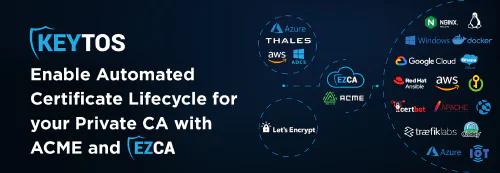
- ACME: The Automated Certificate Management Environment (ACME) is a protocol that allows for the automated issuance and management of certificates. It is commonly used by public CAs to provide TLS certificates for websites or by MDM solutions to automate the certificate enrollment process for devices.
- EST: Enrollment over Secure Transport (EST) is a protocol that allows for the secure enrollment of devices and users in a PKI environment. Often used by IoT devices, EST provides a secure way to request and obtain certificates from a CA.
- CLM: Certificate Lifecycle Management (CLM) is a set of processes and tools that help organizations manage the entire lifecycle of their digital certificates. This includes approval workflows, renewal processes, and revocation procedures. CLM helps organizations ensure that their certificates are always up-to-date and compliant with security policies.
- Certificate Transparency (CT): CT is a system that provides public logs of issued public certificates. It helps detect misissued or maliciously issued certificates and provides transparency in the certificate issuance process. CT logs can be monitored to ensure that only valid certificates are being used.
Don’t worry about memorizing all of these acronyms and protocols. The important thing to understand is that PKI is a comprehensive system that encompasses various components and processes to ensure secure communication, authentication, data integrity, and encryption. By implementing a robust PKI infrastructure, organizations can protect their sensitive information and establish trust with their users and clients.
What’s the Difference Between Public and Private PKI?
There are two main categories of PKI: public and private. Public PKI is typically used for public-facing applications, such as websites, where the certificates need to be trusted by a wide audience. Most laptops, phones, and other client devices come preloaded with a set of trusted public root certificates, which allows them to automatically trust certificates issued by public CAs. This is why public PKI is often used for securing websites and other public services. Let’s Encrypt, DigiCert, and GlobalSign are examples of public CAs that provide certificates for public PKI. There are strict rules around public PKI (such as 47 day maximum certificate validity) to ensure that certificates are issued and managed securely.
Private CA, in contrast, is typically used for internal applications, such as line-of-business websites, internal tools, and company network infrastructure. Private PKI allows organizations to create their own certificate authorities and issue certificates that are trusted only within their organization. This provides greater control over the certificate issuance process and allows organizations to implement their own security policies. Private PKI is a lot more flexible than public PKI, allowing organizations to issue certificates with longer validity periods, customize certificate attributes, and implement their own revocation policies. However, it also requires more management and maintenance, as the organization is responsible for ensuring that the private CA is secure and that the certificates are properly managed.
What to Consider When Implementing a Private PKI
When implementing a private PKI, there are several factors to consider. With in-house certificate management, the IT team is responsible for issuing, installing, inspecting, remediating and renewing certificates. But it can be tough when their day is interrupted by lost, compromised or expired certificates that require urgent attention. Managing the lifecycle of hundreds or thousands of client certificates is daunting, but not impossible.
Here are some questions you should ask yourself prior to undertaking an internal PKI initiative:
- Do you have the requisite security policy creation and management expertise?
- Can you guarantee the security and integrity of CA signing keys and the handling of user registrations?
- Are you up-to-date on crypto standards, protocols and algorithms?
To be successful, an internal organization needs to build, maintain, update, and support EVERYTHING! Employees must be trained and certified to keep up with security compliance requirements. …starting to sound like a bit of a PITA, right? Relying solely on in-house PKI solutions can be overwhelmingly manual and challenging to maintain even for the savviest organizations.
Why Managed and Cloud PKI is Becoming More Popular
Traditionally, creating an internal PKI was a complex and resource-intensive process. It required significant investment in hardware, software, and personnel to manage the PKI infrastructure. Between Active Directory Certificate Services (ADCS) management and Hardware Security Module (HSM) hardware, you could be looking at tens or hundreds of thousands of dollars in costs related to the deployment and maintenance of a private PKI.
However, with the advent of cloud-based PKI solutions like Microsoft Cloud PKI and EZCA Cloud PKI, organizations can now leverage managed services that provide the same level of security and functionality without the need for extensive in-house resources. These include:
- Simplified Billing: Instead of high up-front costs for hardware and software, cloud-based PKI solutions typically offer subscription-based pricing models. This allows organizations to pay for what they use and scale their PKI infrastructure as needed without significant capital expenditure.
- Expertise and Support: Managed PKI providers have teams of experts who specialize in PKI management and security. They can provide guidance, support, and best practices to ensure that your PKI infrastructure is secure and compliant with industry standards.
- Hardware Security Module (HSM) Management: To prevent private key leakage and theft, it’s vital that all CA signing keys and certificate private keys are stored in a secure, tamper-proof environment. HSMs provide this level of security by generating and storing cryptographic keys in a hardware device that is designed to be resistant to physical and logical attacks. Managed PKI solutions often include HSM management as part of their service, ensuring that your keys are protected without the need for in-house expertise.
- CRL Checking and Auto Healing: Certificate Revocation Lists (CRLs) are essential for maintaining the integrity of PKI. However, manually managing CRLs can be time-consuming and prone to errors. 3rd Party PKI tools often automate CRL checking and enable auto-healing capabilities, reducing the risk of revoked certificates going unnoticed and ensuring a more secure environment.
- Certificate Management Tools: The management of certificates across an organization can become overwhelming, especially in large-scale environments. 3rd Party PKI tools simplify tasks such as certificate issuance, renewal, rotation, and revocation. This streamlining leads to increased efficiency and reduced chances of certificate-related outages.
- ACME and SCEP Support: Third-party PKI tools often have built-in support for these protocols, enabling organizations to deploy certificates quickly and securely across various platforms and devices.
- Movement Away From Legacy Systems: Old systems tend to lack essential security features and updates, making them vulnerable to attacks. 3rd party solutions help facilitate the migration away from legacy systems by providing seamless integration with modern systems, ensuring security compliance and reducing exposure to potential threats.
How to Get Started With a Private PKI
Looking to begin with your own private PKI environment for internal certificate issuance and management? EZCA is a great option for organizations looking to implement a private PKI without the overhead of managing the infrastructure themselves. EZCA is a cloud-based PKI solution that provides a secure and scalable environment for issuing and managing digital certificates.
One of the main reasons many Microsoft customers chose EZCA as their Cloud Certificate Authority is because of our native integrations with Microsoft services such as Azure Key Vault, Entra ID, and Intune, making it easy for you to create your cloud PKI and then set it and forget it. EZCA will then take care of all the certificate management operations, from running a world class CA, to more tedious tasks such as keeping track of certificates and automatically rotating them.
Watch How Easy it is to Get Started!
It only takes a couple minutes to get started with EZCA, and you can even deploy it straight to your existing Azure subscription for simple and unified billing for your CAs. Check out this video to see how easy it is to get started with EZCA and set up your own private PKI in the cloud.
Get Started With a Free EZCA Cloud PKI Trial Today
If you’re ready to get started with your own private PKI, sign up for a free EZCA trial today! With EZCA, you can quickly and easily set up your own private PKI in the cloud, without the need for extensive in-house resources. Our team is also available to provide guidance and support throughout the process, ensuring that your PKI infrastructure is secure and compliant with industry standards. Don’t wait any longer to take control of your organization’s certificate management!