

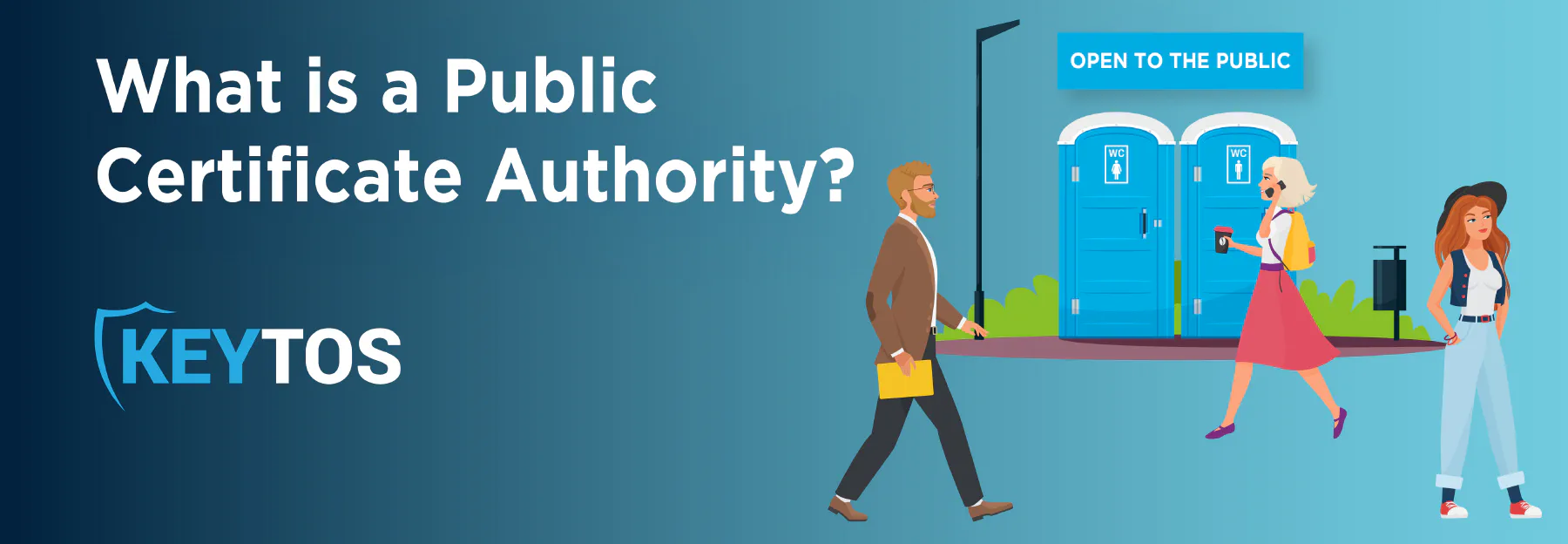
What is a Public Certificate Authority?
 Keytos Team |
- Updated: August 6, 2026
Keytos Team |
- Updated: August 6, 2026What is a Public Certificate Authority?
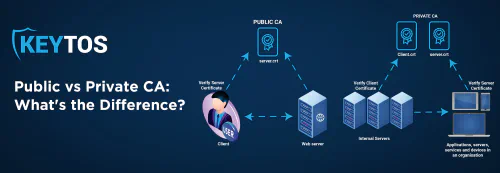
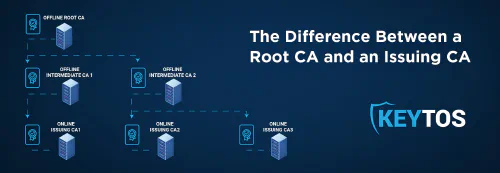
At a high level, public CAs issue certificates that are automatically trusted by most browsers, devices, and operating systems. This is because all the most popular browsers and operating systems maintain a list of trusted root certificates, such as Let’s Encrypt, DigiCert, and GlobalSign. When a public CA issues a certificate, it is signed by an issuing CA that is part of the trusted root’s certificate chain. This means that when a user visits a website with a certificate issued by a public CA, their browser can verify the authenticity of the certificate by checking the signature against the trusted root certificates in its store. If the signature is valid and the certificate is not expired or revoked, the browser will establish a secure connection with the website.
There are a lot of rules and requirements to become a public CA, and the CA must be audited regularly to ensure that it is following best practices and maintaining the security of its systems. A lot of these are captured in the CA/Browser Forum Baseline Requirements, which are a set of guidelines that all public CAs must follow to ensure that they are issuing certificates in a secure and trustworthy manner. For example, public CAs must emit to Certificate Transparency (CT) logs, which are public logs of all certificates issued by the CA. In the next few years they must also limit validity periods to 47 days or less.
Private CAs, on the other hand, run within a specific organization and are not automatically trusted by browsers, devices, or operating systems. This means that users must manually install the private CA’s root certificate on their devices to trust certificates issued by the private CA. Private CAs are typically used for internal applications, such as internal websites, applications, user authentication, and device authentication. Check out our blog on Public vs Private CAs to learn more about what else separates these two certificate authorities.
How Can I Get a Certificate From a Public CA?
There are a lot of different public CAs, and each has its own set of processes and requirements to issue a certificate. However, at the end of the day they all do the same thing: they verify the organization and server requesting the certificate and then issue a certificate that is signed by the public CA’s issuing CA. There’s nothing special about the certificate itself, it’s just a digital document that contains information about the organization and server, as well as the public key that will be used to establish a secure connection. If your public CA is trying to tell you that their certificates are better than another public CA’s certificates, that’s just marketing speak. All public CAs are required to follow the same set of rules and requirements, so at the end of the day, a certificate from one public CA is just as good as a certificate from another public CA. However, there are some differences in how certificates are issued and managed, which can affect the overall experience of using a public CA.
Most public CAs are moving to using the ACME protocol to issue certificates, which is a protocol that allows for the automated issuance and renewal of certificates. When a server or device needs a certificate, it can request a certificate via ACME, perform a challenge to prove that it controls the domain, and then the public CA will issue a certificate that is automatically trusted by browsers, devices, and operating systems. Lets’ Encrypt is the most popular public CA that uses ACME, and it is free to use. If you’re standing up a public web server, this is a great option.
Other public CAs use proprietary portals and APIs to issue certificates, which can offer additional features and protection, but can also be limited in their tooling support and can be much harder to use (and more expensive) than ACME. If you’re currently using a public CA that charges for certificates, you may want to consider a free alternative like Let’s Encrypt or Google Trust Services. With the movement to 47 day certificates, now is the time to make the investment in full ACME automation.
How Can I Protect My Domains From Unauthorized Certificate Issuance?
There have been plenty of cases in the past where web servers, admin accounts, or even the public CAs themselves have been compromised, which has led to unauthorized certificate issuance. This has allowed malicious actors to masquerade as genuine domain owners and issue certificates which can be used for man-in-the-middle attacks.
How to Lock Down Public Certificate Issuance With CAA Records
To prevent unauthorized certificate issuance from public CAs you don’t recognize or approve of, CAA records allow you to specify your approved set of certificate authorities for your domain as part of your DNS records. This means that if a public CA that is not on your approved list attempts to issue a certificate for your domain, the request will be denied. CAA records are a great way to protect your domains from unauthorized certificate issuance, and they are supported by all major public CAs.
For example, this DNS record would allow only Let’s Encrypt to issue certificates for the domain example.com:
example.com. CAA 0 issue "letsencrypt.org"
How to Monitor Public Certificate Issuance With CT Logs
After you lock down your domains with CAA records, you can monitor public certificate issuance with Certificate Transparency Logs (CT Logs). CT Logs are public logs of all certificates issued by public CAs, and they allow you to monitor for any unauthorized certificate issuance. If a public CA issues a certificate for your domain that is not on your approved list (or even if it is but you didn’t authorize/request the certificate), you will be able to see it in the CT Logs and take action to revoke the certificate.
EZMonitor, our SSL monitoring tool, allows you to monitor all your domains with a click of a button, and it can even avoid a certificate related outage.
How Can I Protect My Organization’s Public and Private SSL Certificates?
As your organization grows and more and more engineers and teams are issuing SSL certificates, it can be a nightmare to keep track of all the certificates that are issued, when they expire, and who has access to them. This is especially true if you are using a mix of public and private CAs, as it can be difficult to keep track of all the different certificate authorities and their respective issuance processes.
EZCA Cloud PKI allows you to manage all your public and private SSL certificates in one place, and it can even automate the issuance and renewal of certificates via ACME. With EZCA, you can easily see all your certificates, their expiration dates, and who has access to them. Check out EZCA’s public CA integration to see how EZCA allows you to automate certificate issuance without needing to pay millions of dollars for antiquated tools.
EZCA offers a 1-month free trial, allowing you to explore its features and capabilities before committing to a subscription. Plus, the Keytos team is available to assist you with any questions or concerns you may have during your trial period. Whether you’re looking to issue SSL certificates for internal websites, Smart Card certificates for user authentication, or device certificates for VPN and Wi-Fi access, EZCA can help you get started with your private PKI quickly and easily.