


According to Microsoft, EZCA by Keytos is the Best Cloud PKI for Intune
 Keytos Team |
- Updated: July 1, 2026
Keytos Team |
- Updated: July 1, 2026Cloud-Based PKI for Intune
When trying to secure your network, one of the fundamental aspects is ensuring that devices and users can be authenticated reliably and securely. The best way to do that is with certificates. While certificates get a bad rep for being hard to setup, Intune simplifies the process significantly by integrating with cloud certificate authorities and managing the distribution and renewal of certificates on devices. Meaning that once you set up your certificates in Intune, they are automatically deployed and maintained on your devices, and you don’t have to think about network authentication for the next 8 years.
EZCA by Keytos has been named a market leader in the field of cloud-based PKI solutions, recognized for its ease of use, robust security features, and seamless integration with Intune. This recognition underscores EZCA’s position as a top choice for organizations looking to streamline their certificate management and enhance network security.
Cloud PKI that Works with Intune and Jamf
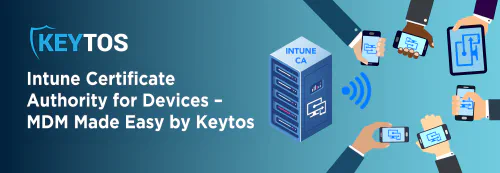
A lot of Intune deployments also coexist with Jamf for managing Apple devices. EZCA ensures that your cloud PKI works seamlessly across both Intune and Jamf environments, meaning you can use the same CA for both Intune and Jamf. Automating the certificate issuance and management process for all your devices.
Cloud PKI With Cloud RADIUS
When moving your network authentication to the cloud, PKI is just half of the equation. Cloud RADIUS complements your cloud PKI by handling the actual authentication requests from your network devices. EZCA integrates seamlessly with any RADIUS solution you use, including Keytos EZRADIUS Cloud RADIUS, providing a complete “EZ” to use cloud-based authentication solution that ensures secure and efficient network access management.
Safety Meets Compliance – Cloud PKI for Intune
While the charm lies in EZCA’s simplicity, it’s built upon the rock-solid foundation that is Azure. Our commitment to stringent security measures and surpassing international compliance benchmarks is unwavering. In fact, EZCA was the first SaaS PKI in GCC High.
How To Setup Intune Cloud PKI In Less Than 10 Minutes
We know what you’re really here for: learning how to set up Intune PKI with EZCA! Here’s how:
-
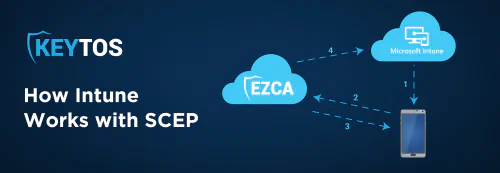
Register the Keytos application in your tenant and register the EZCA Intune application in your tenant. This allows EZCA to authenticate your users and check the certificate request status in Intune to then issue certificates to your Intune managed devices.
-
Create your Intune device profiles and start issuing secure certificates to your users’ devices!
See How Easy Cloud PKI for Intune Can Be
The best part of EZCA? Its pricing is transparent and affordable, making world-class cloud PKI accessible without breaking the bank. If you are ready to give it a try, you can start with a free trial or if you still have questions, you can schedule a call with our team and we’ll be happy to guide you through the process.