



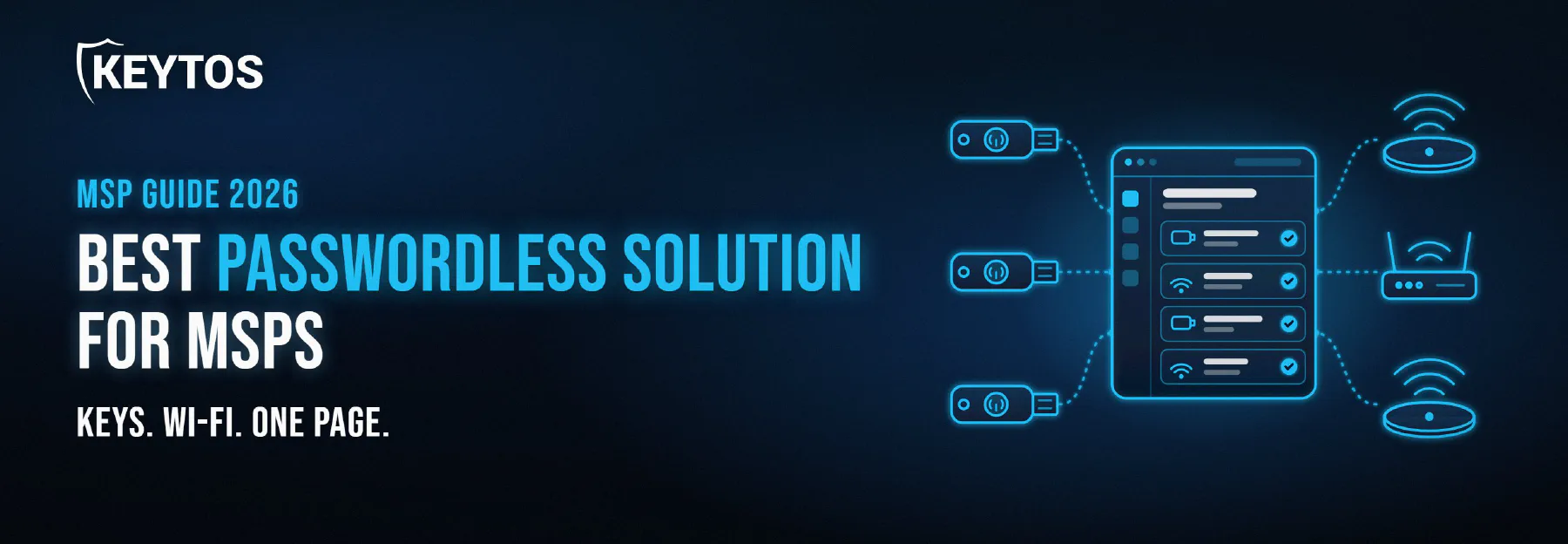
What is the Best Passwordless Solution for MSPs in 2026?
 Igal Flegmann |
Your clients have heard the word “passwordless” from their cyber insurance carrier, their auditor, or the CEO who read about the latest help desk social engineering breach. And now it is your problem. Going passwordless for one client is a project. Going passwordless for fifty clients, each with its own Entra ID tenant, its own Wi-Fi, and its own mix of laptops, phones, and shared kiosks, is a whole different problem. You need a passwordless solution for MSPs that covers every place a password hides (sign-in, Wi-Fi, VPN, and Windows logon), that you can manage from one place, and that does not need a server in each client’s closet.
What is the Best Passwordless Solution for MSPs?
For MSPs whose clients run Microsoft 365 and Entra ID, Keytos Shield is the best passwordless solution because it is the only platform that bundles the three things a client needs to actually get rid of passwords: a cloud RADIUS service for Wi-Fi, wired, and VPN, a cloud PKI that issues certificates through Intune, Jamf, or any MDM, and passkey and smart card management that lets users self-service onboard FIDO2 passkeys and Entra CBA credentials without a help desk ticket. You can set it up for each client’s own Entra ID tenant in under 10 minutes, it has published per-user pricing with no minimums, and you manage your clients from the Keytos Partner Portal instead of a separate login per tenant. Same platform for your 3-person client and your 3,000-person client.
Why Passkeys Alone Are Not a Passwordless Solution
Here is the trap most passwordless rollouts fall into. Microsoft makes it easy to turn on passkeys in Entra ID, you register a passkey for every user, and you declare victory. Then you walk into the client’s office and the Wi-Fi still runs on a shared PSK printed on the break room wall, or on PEAP with the user’s Microsoft 365 password.
A passkey protects the Entra ID sign-in. It does not get a laptop onto the network, because passkeys do not work for Wi-Fi authentication. Network access needs certificates, which means a PKI to issue them and a RADIUS server to check them. And shared devices, RDP sessions, and Windows logon often need a smart card for Entra CBA rather than a passkey.
So a real passwordless solution for an MSP client has three layers:
- Passkeys and smart cards for user sign-in to Entra ID, Microsoft 365, and Windows (here is how FIDO2 and smart card authentication differ).
- A cloud PKI that issues certificates for Wi-Fi, VPN, and Entra CBA, so devices authenticate with a key instead of a password.
- A cloud RADIUS service that validates those certificates against the client’s Entra ID and Intune on every connection.
Leave any one of those out and you still have a password somewhere, which is exactly where the attacker will go.
What MSPs Need From a Passwordless Solution
Beyond the three layers, MSPs have a few requirements that a single-tenant IT department does not.
One Platform Instead of Three Vendors per Client
The classic way to cover all three layers is to stitch together a RADIUS vendor, a PKI vendor, and a passkey or YubiKey management tool. That is three contracts, three consoles, three sets of docs, and three support queues, multiplied by every client you manage. When a user cannot get on the Wi-Fi, you do not want to start the call by figuring out which of the three vendors is at fault. A passwordless platform that bundles all three layers turns that into one onboarding, one license line on the invoice, and one place to look.
Self-Service Onboarding That Does Not Run Through Your Help Desk
Every new hire, new phone, lost YubiKey, and forgotten PIN is a ticket. For a single company that is annoying. For an MSP running a fixed-fee managed services agreement, it is margin walking out the door. Worse, the default Microsoft flow hands out a Temporary Access Pass, which means your help desk is verifying a caller’s identity over the phone, exactly the step attackers social engineer. This is the chicken and egg problem of passwordless: how do you prove who someone is before they have a phishing-resistant credential? The answer is identity verification with verifiable credentials, so the user proves who they are with a government ID and a face scan, or an existing phishing-resistant credential, and onboards their own passkey or smart card. Not only is the most secure way to prove your identity, but it also looks super cool when doing a demo about it and wait until you hear you can do all the passkey onboarding all from the phone, so it solves the issue of needing the key to onboard the PC and needing the PC to onboard the key. This kind of self-service onboarding drastically reduces help desk tickets and keeps your MSP margins intact.
Works With Each Client’s Own Entra ID Tenant and Intune
Your clients already pay for Entra ID and Intune. Your passwordless solution should extend them, not replace them with a second directory you have to keep in sync. That means checking user status, group membership, and Intune compliance against the client’s own tenant in real time, so when a client offboards someone, that person loses Wi-Fi and sign-in on their next attempt, not when someone remembers to clean up a sync job.
No Servers to Patch in the Client’s Closet
If the plan involves an AD CS server and an NPS server per client, it is not a plan, it is a maintenance contract. Between Windows updates that break PEAP, Credential Guard blocking MS-CHAPv2, and KB5014754 strong certificate mapping, on-premises PKI and RADIUS give you a steady stream of 2 a.m. calls. A cloud-native passwordless solution moves the uptime, patching, and HSMs to the provider.
Pricing That Fits a Per-User, Recurring-Revenue Model
You bill clients per user, so your passwordless solution should cost you per user too. No base fees per tenant, no minimum seat counts that wipe out the margin on a 10-person office, and no per-certificate or per-authentication charges that make next month’s bill a surprise.
Best Passwordless Solutions for MSPs Compared
When MSPs build a passwordless offering for Microsoft 365 clients, they usually end up with one of three approaches. Here is how they compare on the things that matter when you run it for dozens of clients instead of one.
| Keytos Shield | Microsoft-native stack | Separate point solutions | |
|---|---|---|---|
| Passkey and smart card onboarding | Yes, self-service with identity verification and hardware attestation | Yes, typically through a Temporary Access Pass issued by the help desk | Yes, through a separate key management tool |
| Cloud PKI | Included, HSM-backed, unlimited SCEP certificates | Intune Cloud PKI, Intune-managed devices only, add-on license | Separate PKI vendor |
| Cloud RADIUS for Wi-Fi, wired, and VPN | Included | Not available, Azure has no RADIUS server, so NPS on-premises | Separate RADIUS vendor |
| BYOD onboarding without MDM | Yes, Keytos Connect included | No | Depends on the RADIUS vendor |
| Real-time Entra ID and Intune checks on the network | Yes, on every authentication | Only if NPS is configured for it | Depends on the RADIUS vendor |
| Multi-tenant MSP management | Keytos Partner Portal | Microsoft 365 Lighthouse for Microsoft settings, NPS and AD CS per client | A different portal per vendor |
| Pricing | Published, from $1.50 per user per month, no minimums | Intune Suite or Cloud PKI add-on, plus Windows Server costs | Three separate contracts |
| Servers to manage per client | None | NPS, and often AD CS | Usually none, but three integrations |
Keytos Shield: The Best Passwordless Platform for MSPs With Entra ID Clients
Best for: MSPs whose clients run on Microsoft 365, Entra ID, and Intune.
Keytos Shield is an all-in-one passwordless identity platform built by ex-Microsoft identity engineers. It runs on the same core infrastructure as EZCA and EZRADIUS, which serves over 1,300 organizations across 20+ regions, but packages it as SaaS with a single onboarding flow. Every Shield subscription includes:
- Cloud RADIUS: WPA2 and WPA3 Enterprise, wired 802.1X, and VPN authentication with real-time Entra ID and Intune compliance checks, RadSec, and a free local RADIUS proxy for sites that cannot lose Wi-Fi when the internet drops.
- Cloud PKI: A multi-tier, HSM-backed PKI with unlimited SCEP and device ACME certificates for Intune, Jamf, and other MDMs. If the client already has AD CS, Shield can chain to it while you migrate the Windows CA to the cloud.
- Passkey and smart card management: Users verify their identity with a government ID and face scan, or with an existing phishing-resistant credential, and Shield enrolls their security key for both FIDO2 passkeys and Entra CBA in the same session, on Windows, macOS, and Linux. Hardware attestation confirms the key is a genuine model the client approved, and a lost key or forgotten PIN goes through the same self-service flow instead of your help desk.
- BYOD onboarding with Keytos Connect: Keytos Connect lets users sign in with their work account on a personal phone or laptop and get a certificate for Wi-Fi without enrolling in MDM.
For MSPs, the pricing is the other headline. Shield starts at $1.50 per user per month and drops to $0.15 at scale, with no minimums, no base fee, and no per-certificate charges, so it slots straight into the per-user price you already charge your clients.
Where it falls short for MSPs: Shield is built for Entra ID. If part of your client base runs Google Workspace or Okta, you will need a different option for those tenants. It is also SaaS by design, so if a client needs fine-grained control over multiple root CAs, SSL CAs, or IoT CAs, EZCA and EZRADIUS give you the platform-level knobs.
The Microsoft-Native Stack: Entra ID Passkeys, Intune Cloud PKI, and NPS
Best for: Clients that only need passkeys for Entra ID sign-in and already own the Intune Suite.
Microsoft deserves real credit here. Entra ID has first-class support for FIDO2 security keys, passkeys in Microsoft Authenticator, and Entra certificate-based authentication, and Conditional Access authentication strengths let you require phishing-resistant MFA for everyone. If a client’s only goal is phishing-resistant sign-in to Microsoft 365, the built-in tools get you most of the way there, and Microsoft 365 Lighthouse helps you manage those settings across tenants.
Where it falls short for MSPs: The pieces outside sign-in are missing. Onboarding usually runs through a Temporary Access Pass your help desk issues, which reintroduces the social engineering risk you were trying to remove. Intune Cloud PKI is a paid add-on and only issues certificates to Intune-managed devices, so BYOD and smart cards are out. And there is no Microsoft cloud RADIUS, so Wi-Fi means an NPS server per client, which cannot authenticate cloud-only Entra ID devices without workarounds.
Separate Point Solutions: A RADIUS Vendor, a PKI Vendor, and a Key Management Tool
Best for: MSPs whose clients mix several identity providers, or that already have a vendor they love for one layer.
There are good products in every layer. Cloud RADIUS vendors like SecureW2 and Portnox, dedicated PKI vendors, and security key management tools all do their own job well, and some support Okta and Google Workspace in addition to Entra ID. If your client base is not purely Microsoft, mixing vendors may be the only way to cover everyone. Our best cloud RADIUS server for MSPs comparison covers the RADIUS side in detail.
Where it falls short for MSPs: Every vendor you add is another contract, console, and support queue per client, plus the integration work to make the RADIUS vendor trust the PKI vendor’s certificates. Pricing models rarely line up (per device here, per certificate there, quote-based somewhere else), which makes it hard to build one standard per-user price for your passwordless offering.
How to Choose a Passwordless Solution for Your MSP
If you skipped straight here, here is the short version:
- Most of your clients run Entra ID and Intune and you want to get rid of every password, including Wi-Fi: Keytos Shield. One license covers RADIUS, PKI, and passkey and smart card onboarding.
- The client only needs phishing-resistant sign-in to Microsoft 365 and already has Intune Suite: Start with the Microsoft-native tools, and add Shield when they ask about Wi-Fi or BYOD.
- Your client base mixes Entra ID, Okta, and Google Workspace: Separate point solutions that support multiple identity providers. But stay tuned for our solution to this coming soon.
Why Keytos Shield is the Best Passwordless Solution for Microsoft-Focused MSPs
Keytos Shield is built by ex-Microsoft engineers specifically for Entra ID and Intune. It covers every layer of passwordless, from phishing-resistant passkeys and smart cards to EAP-TLS Wi-Fi authentication, in one subscription that onboards in minutes and does not need any servers. Self-service onboarding with identity verification keeps new phones and lost keys out of your ticket queue, and the per-user pricing bundles cleanly into what you already charge your clients. It is the closest thing to “set and forget” passwordless you can offer.
See How Keytos Shield Works for MSPsHow to Roll Out Passwordless for a New MSP Client
The biggest advantage of a single passwordless platform is that onboarding client #50 looks exactly like onboarding client #1. Here is the playbook for taking a Microsoft 365 client from passwords and a shared Wi-Fi key to fully passwordless, start to finish.
Step 1: Connect Keytos Shield to the Client’s Entra ID Tenant
Shield checks users, groups, and devices against the client’s own Entra ID tenant, so the first step is to create the client’s Shield account and consent the Keytos application in their tenant. That takes a Global Administrator, so either use your admin access to the client tenant or schedule ten minutes with the client’s admin. Shield’s onboarding flow then sets up the client’s PKI and RADIUS for you.
Get Started With Keytos ShieldStep 2: Push Certificates and Wi-Fi Profiles to Managed Devices
Use Intune or Jamf to deploy the Shield root and SCEP certificate profiles, along with a Wi-Fi profile that points at the new SSID, so managed laptops and phones connect on their own with EAP-TLS. Users never type a Wi-Fi password again, and there is nothing to phish. Our guide on how to automate network authentication in Intune walks through the profiles.
Distribute Shield Network ProfilesStep 3: Point the Client’s Access Points at Shield
Add Shield as the RADIUS server in the client’s wireless controller and switch the SSID to WPA2 or WPA3 Enterprise. The same settings work for wired 802.1X and for VPNs that support RADIUS. For personal phones and other unmanaged devices, turn on Keytos Connect so users can get a certificate without enrolling in MDM. If most of your clients are on Ubiquiti, our UniFi WPA Enterprise guide covers the controller side.
Connect Your Network to Keytos ShieldStep 4: Enable Passkeys and Entra CBA in the Client’s Tenant
In the client’s Entra ID tenant, enable the passkey (FIDO2) authentication method and, for users who need smart cards, configure Entra CBA to trust the client’s Shield CA. Restrict passkeys to the security key models the client actually bought, and decide per client whether to allow synced or device-bound passkeys.
Step 5: Let Users Onboard Their Own Passkeys and Smart Cards
Ship security keys straight to users and let them onboard themselves. Each user verifies their identity in Shield, plugs in their key, and gets a FIDO2 passkey and an Entra CBA certificate enrolled in one session. No Temporary Access Pass over email, no help desk call to verify a voice on the phone. Need help picking hardware? See how to manage YubiKeys in Entra ID and our breakdown of YubiKeys vs. smart cards.
Step 6: Require Phishing-Resistant MFA and Retire the Passwords
Once users are enrolled, create a Conditional Access policy that requires the Phishing-resistant MFA authentication strength, then remove weaker methods like SMS and voice. Turn off the shared-password SSID after a week or two of watching the RADIUS logs, and decommission the client’s NPS and AD CS servers if they had them. Our guide on how to go fully passwordless in Entra ID covers the final cut-over in detail.
Once you have done this for one client, write it down as a runbook. Every client after that is the same six steps.
Passwordless for MSPs With CMMC, HIPAA, and Cyber Insurance Requirements
Phishing-resistant MFA and WPA2/WPA3 Enterprise requirements are quickly becoming a checkbox on every cyber insurance questionnaire, CMMC assessment, and HIPAA risk review, and clients usually find out about it a few weeks before the deadline. Keytos Shield gives you an easy to setup tooling that can be setup in less than an hour and you get user and device logs, HSM-backed keys, and phishing-resistant credentials across sign-in and the network in one rollout. It is available in Azure GCC High for defense contractors, and our guides on the CMMC network authentication and PKI requirements and how going passwordless can save money on cyber insurance help you make the case to the client.
Frequently Asked Questions About Passwordless for MSPs
What is the best passwordless solution for MSPs?
For MSPs whose clients run Microsoft 365, Entra ID, and Intune, Keytos Shield is the best passwordless solution. It bundles cloud RADIUS, a cloud PKI, and self-service passkey and smart card onboarding in one per-user license, checks each client’s own Entra ID and Intune in real time, and has published pricing with no minimums.
Are passkeys enough to make a client passwordless?
No. Passkeys protect sign-in to Entra ID and Microsoft 365, but they cannot authenticate devices to Wi-Fi. If the client’s network still uses a shared PSK or PEAP with a password, they are not passwordless. You also need certificates from a PKI and a RADIUS server to check them, which is why Shield includes both.
Can one passwordless platform support multiple MSP clients?
Yes. Each client gets its own Shield subscription connected to its own Entra ID tenant, so users, policies, certificates, and logs never mix between clients. You manage them from the Keytos Partner Portal, signed in with your own Entra ID account, instead of a guest account in every client tenant.
How do users onboard passkeys without a Temporary Access Pass?
With Shield, users verify their identity with a government ID and face scan, or with an existing phishing-resistant credential, and then enroll their security key for FIDO2 passkeys and Entra CBA in the same session. Our post on verifiable credentials explains how the identity verification works.
What happens when a user loses their YubiKey?
The user goes through the same self-service verification to enroll a replacement key, and you revoke the old one. No help desk call, no password reset, and no window where the user falls back to a weaker method. See what happens if you lose your YubiKey for the full picture.
Do clients need Intune to use Keytos Shield?
No. Shield works with Intune, Jamf, and other MDMs that support SCEP or device ACME, and Keytos Connect handles devices with no MDM at all. Passkey and smart card onboarding does not require MDM either.
How much does passwordless cost for MSPs?
Keytos Shield starts at $1.50 per user per month for the first 500 users and drops to $0.15 per user at scale, with no base fee and no per-certificate charges. That covers cloud RADIUS, cloud PKI, and passkey and smart card onboarding. Security keys are a separate hardware cost; see how much a YubiKey costs. See the Shield pricing page for current tiers.
Should MSPs use Keytos Shield or EZCA, EZRADIUS, and EZCMS?
Use Shield when the client wants the whole passwordless stack in one license and does not need advanced PKI configuration. Use EZCA, EZRADIUS, and EZCMS individually when the client already has a CA they want to keep or needs multiple root, SSL, or IoT CAs. Our Shield vs. EZCA and EZRADIUS comparison breaks down the differences.
Does Keytos have a partner program for MSPs?
Yes, Keytos has a partner program for MSPs with partner pricing, free NFR licenses for your own tenant, and a multi-tenant partner portal for managing customer subscriptions.
What about clients that use Google Workspace or Okta?
Shield is built for Entra ID, so it is not the right fit for clients whose identity provider is Google Workspace or Okta. Most MSPs we talk to have a client base that is overwhelmingly Microsoft 365, so they standardize on Shield and handle the exceptions separately.
Conclusion
Passwordless is not a feature you turn on, it is every password in the client’s environment going away, including the one on the Wi-Fi. Keytos Shield gives MSPs cloud RADIUS, cloud PKI, and passkey and smart card management in one platform you can roll out the same way for every client. If you want to standardize passwordless across your clients, schedule a FREE call with one of our identity experts and we will walk you through how Shield fits your stack.
Get Started With Keytos Shield