



What is the Best Cloud RADIUS Server for MSPs in 2026?
 Igal Flegmann |
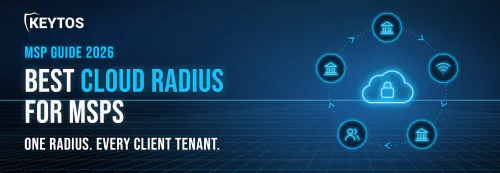
Managing RADIUS as an MSP is very challenging, you don’t want to wake up at 2 am because a Windows update breaks PEAP authentication so you are thinking about moving ot the cloud, when looking for a cloud RADIUS solution for MSPs, you have to consider the unique challenges of managing multiple clients simultaneously. Not only do you have to find a reliable RADIUS solution that just works for your customers, but you also need one that can scale across multiple tenants, integrate with each client’s existing infrastructure, and minimize the operational overhead for your team. MSPs need features like centralized management, per-client policy enforcement, and seamless integration with each client’s identity and device management systems to ensure smooth operations and satisfied clients.
What is the Best Cloud RADIUS Server for MSPs?
For MSPs whose clients run Microsoft 365/Entra ID, EZRADIUS is the best cloud RADIUS server because it integrates seamlessly with Entra ID, and your MDM of choice (and for customers without an MDM or BYOD scenarios it also offers an automated certificate enrollment solution).
If you combine EZCA for certificate management or Keytos Shield for a full passworldess solution with EZRADIUS, it makes it the best combination for MSPs that want one vendor that extends Microsoft security and identity capabilities across all their clients. While EZRADIUS is very easy to manage and can be setup in minutes, MSPs benefit from its centralized management where you can manage all customers in one single place, and the best part? While EZRADIUS can scale to millions of authentications a month, there are no minimums meaning that you can use the same RADIUS provider for your 3 person customer as the one that your largest client loves.
What Do MSPs Need From a Cloud RADIUS Solution?
When evaluating cloud RADIUS solutions for MSPs, there are several key capabilities to look for. These include multi-tenant management, integration with your clients’ identity and device management systems, minimal operational overhead, SIEM integration, and the ability to scale across clients of varying sizes.
Multi-Tenant Cloud RADIUS Management From a Single Pane of Glass
Being an MSP means having 200 different credentials for one for each client, while you might have browser profiles for the clients you work with the most, having to log in to each one of them just to check the RADIUS logs or make configuration changes is a huge pain. Using a cloud RADIUS with centralized management should be a non-negotiable requirement, allowing you to manage all clients from a single pane of glass efficiently.
Works With Each Client’s Own Entra ID Tenant and Intune
Sometimes convincing clients to adopt a new RADIUS solution can be hard, “Why move away from our existing setup? Do you really think Microsoft will deprecate NPS?” (Microsoft is already breaking it one security update at a time.) But usually when you show the cool features that come with a cloud RADIUS such as real-time VLAN assignment based on Intune compliance, or Entra ID group membership then they see the value and once they turn off their old NPS setup, they rarely look back.
No Servers to Patch. Replace NPS and Windows RADIUS Servers
You know what is worse than having to revert one failed Windows update on an NPS server? Having to do it across multiple clients, each with their own on-premises RADIUS setup yelling at you for the downtime as if you personally told Microsoft to break their Wi-Fi. Cloud RADIUS eliminates this headache by having the servers and the uptime managed by the provider, ensuring high availability and reducing operational overhead for MSPs.
Cloud RADIUS Pricing That Fits a Per-Client, Recurring-Revenue Model
You want a cloud RADIUS solution that aligns with the per-client, recurring-revenue model typical for MSPs. This means no hardware requirements, no minimums per tenant, and pricing that can be easily packaged into managed Wi-Fi or security bundles for your clients, like EZRADIUS’ per-active-identity pricing.
Cloud RADIUS Uptime and Resilience You Can Put in an SLA
A reliable cloud RADIUS solution should offer high availability and resilience, depending on your client’s needs, you should at least have a service with a 99.9% uptime SLA and geo-redundant infrastructure to handle failover scenarios seamlessly and for customers with higher reliability requirements, we recommend 99.99% uptime SLA, geo-redundancy, and a local fallback for when the internet is not available.
Why NPS Does Not Scale for MSPs
While NPS was great in the early 2000s, it has not kept pace with the modern cloud-first zero-trust networking landscape. It struggles with cloud-only Entra ID devices, breaks when Credential Guard blocks MS-CHAPv2, requires extensive on-premises maintenance, and lacks the flexibility and scalability that MSPs need to efficiently manage multiple clients starting by you have to RDP to it every time you want to do anything. And since Azure does not offer a RADIUS server, there is no Microsoft cloud replacement waiting for you. Our guide on how to move NPS to the cloud covers the migration path.
Best Cloud RADIUS Solutions for MSPs Compared
Every option on this list can answer a RADIUS request, so that is not what separates them. For an MSP the real questions are different. Can you manage every client from one place? Does it work with the Entra ID tenant the client already has, or does it make you stand up a second directory? And will the pricing let you make a margin on a 12-person dental office and a 400-person manufacturer?
Here is how the cloud RADIUS providers MSPs ask about most compare on the things that matter when you run Wi-Fi authentication for dozens of clients instead of one.
| EZRADIUS | SecureW2 | JumpCloud | Portnox Cloud | |
|---|---|---|---|---|
| MSP multi-tenant management | Yes, one central portal for every customer instance | Yes, multi-tenant RADIUS for MSPs | Yes, Multi-Tenant Portal (no granular per-org admin permissions) | Yes, MSP portal with an Organizations view |
| Identity providers | Entra ID | Entra ID, Okta, Google Workspace | JumpCloud directory (Entra ID through delegated auth) | Entra ID, Okta |
| Real-time Entra ID and Intune checks | Yes. User status, groups, and Intune compliance on every authentication | Yes, Entra ID and Intune attribute lookups | No. Users must be imported into JumpCloud first | Yes |
| Authentication methods | EAP-TLS, EAP-TTLS, PEAP, MS-CHAPv2, PAP, MAB | Certificates and passwords | EAP-TTLS/PAP only when delegating to Entra ID | Certificates and passwords |
| PKI | Pairs with EZCA, or bring your own (Intune Cloud PKI, AD CS, SCEPman) | Built-in managed PKI | Only with JumpCloud as the IdP | Built-in CA |
| BYOD onboarding | Yes, Keytos Connect included | Yes, JoinNow | No | Agent-based |
| Pricing | Published, from $1 per active identity per month, no base fee | Quote-based | Bundled into per-user directory plans | Per device, tiered |
| Best for MSPs whose clients | Run Microsoft 365, Entra ID, and Intune | Mix several IdPs or run large PKI programs | Already use JumpCloud as their directory | Need full NAC with posture agents or TACACS+ |
EZRADIUS: The Best Cloud RADIUS for MSPs With Entra ID Clients
Best for: MSPs whose clients run on Microsoft 365, Entra ID, and Intune.
EZRADIUS is Keytos’ cloud RADIUS service, built by ex-Microsoft engineers specifically for Entra ID and Intune and trusted by over 1,300 organizations. For MSPs, the headline is the central management portal: you manage every customer’s EZRADIUS instance from one place instead of keeping a separate console login for each client. Each instance checks the client’s own Entra ID on every authentication, so when a client offboards an employee, that person is off the Wi-Fi on their next connection. There is no sync job to babysit and no second directory to clean up.
The pricing model also fits how MSPs bill. There is no base fee, it starts at $1 per active identity per month, and you only pay for the users or devices that actually authenticated that month. Your smallest clients do not carry a minimum that eats your margin, and the cost scales with client headcount the same way your managed services agreement does.
Where it falls short for MSPs: EZRADIUS is Entra ID only. If part of your client base runs Google Workspace or Okta, you will need a second option for those tenants. It is also RADIUS only, so a client without a certificate authority will need EZCA or Keytos Shield, which bundles PKI, RADIUS, and BYOD onboarding in one license.
SecureW2: The Certificate Specialist
Best for: MSPs with a mixed identity provider client base, or clients with large, dedicated PKI programs.
SecureW2 has been in the certificate-based Wi-Fi business for a long time, and it shows. Its JoinNow suite pairs a managed PKI with cloud RADIUS, its onboarding client is one of the most mature options for getting unmanaged devices onto EAP-TLS, and it offers multi-tenant RADIUS for MSPs. It works with Entra ID, Intune, Okta, and Google Workspace, which helps if your client base is not purely Microsoft, and reviewers consistently praise its support team.
Where it falls short for MSPs: Pricing is quote-based, which makes it hard to build a standard per-seat price list for your clients. The platform also has a lot of knobs that make sense for a university IT department but add hours to onboarding a 25-person client that just needs WPA3 Enterprise working.
JumpCloud: RADIUS Inside a Directory
Best for: MSPs that have already standardized clients on JumpCloud as the directory.
JumpCloud is popular with MSPs for good reason. It is a cloud directory and device management platform with a Multi-Tenant Portal, and RADIUS comes bundled in. If JumpCloud is already the source of truth for a client’s users and devices, turning on RADIUS is easy and you are not paying for another product.
Where it falls short for MSPs: For clients on Entra ID, the integration is the problem. According to JumpCloud’s own documentation, when you delegate authentication to Entra ID you are limited to EAP-TTLS/PAP, MFA is not supported, and users must first be imported into JumpCloud and assigned to a RADIUS group. Federated Entra ID accounts fail outright. Multiply that by every Microsoft 365 client you manage and you are running a second directory per client just to get Wi-Fi working.
Portnox Cloud: Full NAC in the Cloud
Best for: MSPs selling a full managed NAC service, not just Wi-Fi authentication.
Portnox is a cloud-native NAC platform, and RADIUS is one part of a broader suite that includes device risk scoring, a posture agent, TACACS+, and zero-trust application access. It ships with a built-in certificate authority, integrates with Entra ID, Intune, and Okta, and has an MSP portal with an Organizations view across tenants. If your clients need posture checks beyond what Intune compliance covers, or you want TACACS+ for switch administration, Portnox is a serious option.
Where it falls short for MSPs: Pricing is per device, so every laptop, phone, and tablet a client adds grows the bill, which is harder to package than a per-user price. Its agent also overlaps with what Intune and Defender for Endpoint already collect, so many Microsoft clients end up paying for posture twice. Our best NAC solutions for Entra ID and Intune breakdown covers when full NAC is worth it.
How to Choose a Cloud RADIUS for Your MSP
If you skipped straight here, here is the short version:
- Most of your clients run Entra ID and Intune: EZRADIUS. One portal, real-time checks against each client’s own tenant, and pricing that tracks headcount.
- Your client base mixes Entra ID, Okta, and Google Workspace: SecureW2 covers all three, if you can live with quote-based pricing.
- Your clients already use JumpCloud as their directory: JumpCloud’s built-in RADIUS.
- You sell full NAC with posture agents or TACACS+: Portnox.
Want the wider market? Our ranking of the best cloud RADIUS providers covers eight vendors, and this roundup of what Reddit recommends includes the r/msp threads where admins compare notes.
Why EZRADIUS is the Best Cloud RADIUS for Microsoft-Focused MSPs
EZRADIUS is built by ex-Microsoft engineers specifically for Entra ID and Intune environments. It provides a centralized MSP portal, real-time compliance checks against each client’s tenant, and seamless integration with certificate authorities for EAP-TLS authentication and the best part, it takes minutes to set up for a new client and doesn’t require much management, making it ideal for MSPs that need a set and forget RADIUS solution. Additionally the Cloud RADIUS Pricing makes it a no brainer since it can be usually bundled into existing per-user pricing you already have with your customer.
See How EZRADIUS Works for MSPsHow to Roll Out WPA2 and WPA3 Enterprise for a New MSP Client
The biggest advantage of cloud RADIUS for an MSP is not any single feature. It is that onboarding client #50 looks exactly like onboarding client #1. There is no Windows Server to build, no NPS policies to recreate by hand, and no certificate on a RADIUS box to remember to renew. Here is the playbook for moving a client from a shared Wi-Fi password to WPA2 or WPA3 Enterprise with 802.1X authentication, start to finish.
Step 1: Connect EZRADIUS to the Client’s Entra ID Tenant
EZRADIUS checks users, groups, and devices against the client’s own Entra ID tenant, so the first step is to install and consent the Keytos application in that tenant. This takes a Global Administrator, so either use your admin access to the client tenant or schedule five minutes with the client’s admin.
Install the Keytos App in Entra IDStep 2: Create the Client’s Cloud RADIUS Subscription
Next, create the client’s cloud RADIUS subscription and pick the region closest to their offices. You can create it directly in EZRADIUS, or through the Microsoft Marketplace if the client wants the spend on their own Azure bill and counted toward their Microsoft commitment. Either way, you manage it alongside the rest of your clients from the central MSP portal.
Create a Cloud RADIUS SubscriptionStep 3: Choose Certificates or Passwords and Create the RADIUS Policy
The RADIUS policy defines how the client’s users authenticate, which Entra ID users and groups are allowed on the network, and whether devices must be compliant in Intune. This is the one real decision in the whole rollout, so make it per client:
Use this for every client you can. EAP-TLS authenticates the device with a certificate, so there is no password to phish, nothing for users to type, and no helpdesk ticket when someone changes their Microsoft 365 password. EZRADIUS accepts certificates from EZCA, Intune Cloud PKI, AD CS, and SCEPman, so you can keep whatever CA the client already runs. If the client has no CA yet, our guide on how to set up Intune PKI gets you there.
Use this for clients that are not ready for certificates yet. EAP-TTLS lets users sign in to Wi-Fi with their Entra ID username and password, which is a big step up from a shared password and a good stepping stone to certificates. If the client has Conditional Access policies such as MFA, you will need to add an exception for EZRADIUS. Not sure which to pick? Read the difference between EAP-TTLS and EAP-TLS.
Step 4: Point the Client’s Access Points at EZRADIUS
Add EZRADIUS as the RADIUS server in the client’s wireless controller, then switch the SSID’s security to WPA2 Enterprise or WPA3 Enterprise. The same settings work for wired 802.1X on switches. WPA3 Enterprise requires Protected Management Frames, so if the client still has older laptops or scanners, use the mixed WPA2/WPA3 Enterprise mode most controllers offer until those devices age out.
We have step-by-step guides for the access points MSPs inherit most often: UniFi, Meraki, and every other supported network vendor.
Step 5: Push the Wi-Fi Profile to the Client’s Devices
Users should never have to configure Wi-Fi by hand. For Intune-managed devices, create a Wi-Fi profile that points at the new SSID and push it with the certificate profile, so devices connect on their own. Our guide on how to automate network authentication in Intune covers the full setup, and EZRADIUS also supports Jamf. For personal phones and other unmanaged devices, Keytos Connect lets users sign in with their work account and get a certificate without enrolling in MDM.
Deploy the Wi-Fi Profile With IntuneStep 6: Retire the Shared Password SSID and the NPS Server
Run the new WPA Enterprise SSID next to the old one for a week or two and watch the EZRADIUS logs until every device has moved over. Then turn off the shared-password SSID and decommission the client’s NPS server, if they had one. That is one less Windows Server to patch, back up, and monitor on your books. For clients that cannot lose Wi-Fi when their internet drops, add the free local RADIUS proxy before you cut over.
Once you have done this for one client, write it down as a runbook. Every client after that is the same six steps.
Cloud RADIUS for MSPs With CMMC, HIPAA, and PCI Clients
When clients are going from zero to hero with CMMC, HIPAA, or PCI compliance, they are usually on time crunch with a lot of stress to meet the deadline to get the deal. EZRADIUS helps you secure their Wi-Fi networks with per-user and per-device authentication, detailed logs, and centralized management, turning RADIUS into a compliance-friendly solution. We even have guides for how to secure Wi-Fi networks for CMMC, the CMMC network authentication and PKI requirements, and Wi-Fi security for FedRAMP.
Frequently Asked Questions About Cloud RADIUS for MSPs
What is the best cloud RADIUS for MSPs?
For MSPs whose clients run Microsoft 365, Entra ID, and Intune, EZRADIUS is the best cloud RADIUS service. It gives you one central portal for every client, checks each client’s own Entra ID and Intune on every authentication, and has published per-identity pricing with no base fee. If part of your client base runs Okta or Google Workspace, SecureW2 is the strongest option for those tenants.
Can one cloud RADIUS service support multiple MSP clients?
Yes, and it should. With EZRADIUS each client gets its own instance connected to its own Entra ID tenant, so policies, logs, and users never mix between clients. You manage all of those instances from one central portal instead of logging in to a separate console for every client.
Does EZRADIUS work with UniFi, Meraki, and other access points?
Yes. EZRADIUS works with any access point, switch, firewall, or VPN that supports WPA2 Enterprise, WPA3 Enterprise, or 802.1X with an external RADIUS server, including UniFi, Meraki, Aruba, Fortinet, SonicWall, and Cisco (see all network setup guides). It supports classic RADIUS and RadSec. If most of your clients are on Ubiquiti, our UniFi WPA Enterprise guide walks you through the whole setup.
Can I replace each client’s NPS server with cloud RADIUS?
Yes, and for most Entra ID clients you should. NPS only authenticates against on-premises Active Directory, so it cannot authenticate cloud-only Entra ID devices, and every NPS box is one more Windows Server to patch, back up, and monitor. Our guide on how to move NPS to the cloud covers the migration step by step.
Should MSPs add MFA to RADIUS Wi-Fi authentication?
Usually not. A Wi-Fi connection has no good place to answer a push prompt, and the common RADIUS MFA setups still rely on a password that can be phished. Certificate-based authentication with EAP-TLS, combined with an Intune compliance check, gives you a stronger result with zero prompts. We explain the details in why Entra ID MFA with RADIUS is usually a bad idea. However, if your clients do not have managed devices, you can use Keytos Connect that has the user complete MFA during the initial connection setup and then it uses a certificate in the background to authenticate future connections seamlessly.
What happens to Wi-Fi if a client’s internet connection goes down?
With a cloud-only RADIUS, users cannot authenticate until the connection comes back. EZRADIUS includes a free local RADIUS proxy that keeps authenticating locally when the connection to EZRADIUS, Entra ID, or Intune is down. For clients that cannot afford downtime, such as clinics or manufacturing floors, it is worth deploying by default.
How much does cloud RADIUS cost for MSPs?
It depends on the vendor’s pricing model. EZRADIUS has no base fee, starts at $1 per active identity per month, drops to $0.10 at scale, and only bills for the users or devices that actually authenticated that month. SecureW2 is quote-based, Portnox prices per device, and JumpCloud bundles RADIUS into its per-user directory plans. See the EZRADIUS pricing page for current tiers.
Does Keytos have a partner program for MSPs?
Yes, Keytos has a partner program for MSPs. By joining, you can access partner pricing, reseller terms, and referral opportunities for EZRADIUS and other Keytos solutions.
Can EZRADIUS help my CMMC and HIPAA clients?
Yes. Shared Wi-Fi passwords are a common audit finding, and per-user or per-device authentication with logs is what auditors want to see. EZRADIUS is SOC 2 and ISO 27001 certified and is available in Azure GCC High for defense contractors. Our guide on how to secure Wi-Fi networks for CMMC maps the network controls to the requirements.
What about clients that use Google Workspace or Okta?
EZRADIUS is built for Entra ID, so it is not the right fit for clients whose identity provider is Google Workspace or Okta. For those tenants, look at a multi-IdP option like SecureW2. Most MSPs we talk to have a client base that is overwhelmingly Microsoft 365, so they standardize on EZRADIUS and handle the exceptions separately.
Should MSPs use EZRADIUS or Keytos Shield?
Use EZRADIUS when the client already has a certificate authority, such as Intune Cloud PKI, AD CS, or SCEPman. Use Keytos Shield when the client has no PKI and you want cloud RADIUS, a cloud PKI, and BYOD onboarding under one per-user license. Our Shield vs. EZCA and EZRADIUS comparison breaks down the differences.
Conclusion
If you are an MSP looking to standardize Wi-Fi authentication across your clients, schedule a FREE call with one of our identity experts and we will walk you through how EZRADIUS fits your stack.
Get Started With EZRADIUS