












How-To: Register EZCA Intune App
How to Register the Keytos Intune Application for EZCA
If you will be using EZCA with Microsoft Intune to issue SCEP certificates you will need to register the Keytos Intune Application in your tenant. This allows EZCA to connect to Intune and issue certificates for your Intune-managed devices.
Make sure you’ve consented both the Keytos Client and the Keytos Intune applications in your tenant. The Keytos Client application allows you to use the full functionality of the EZCA portal, while the Keytos Intune application allows EZCA to issue and manage certificates for your Intune-managed devices.
We keep them separated so you only need to consent for the permission that you need.
Single Click
The easiest way to register the applications is to click the button below while logged in with your Global Administrator account:
Register Keytos Intune Application
Manual URL
Alternately, you can copy & paste the following URL into your browser. Make sure you are logged in with your Global Administrator account before accessing the link.
https://login.microsoftonline.com/common/oauth2/authorize?client_id=772a1d3b-bd96-4650-b4b8-9f05cbab50b5&prompt=admin_consent&response_type=code&redirect_uri=https%3A%2F%2Fportal.ezca.io%2FWelcome
This registration process is only for customers using EZCA in the Microsoft Government Cloud (GCC High). If you are not using GCC High (portal.azure.us), and instead are using Azure Government within Azure Commercial (portal.azure.com), please use the Commercial registration process above.
Single Click
The easiest way to register the applications is to click the button below while logged in with your Global Administrator account in your GCC High tenant:
Register Keytos Intune Application
Manual URL
Alternately, you can copy & paste the following URL into your browser. Make sure you are logged in with your Global Administrator account in your GCC High tenant before accessing the link.
https://login.microsoftonline.us/common/oauth2/authorize?client_id=16268c35-2827-4290-ada1-8d3218175f6f&prompt=admin_consent&response_type=code&redirect_uri=https%3A%2F%2Fportal.ezca.us%2FWelcome
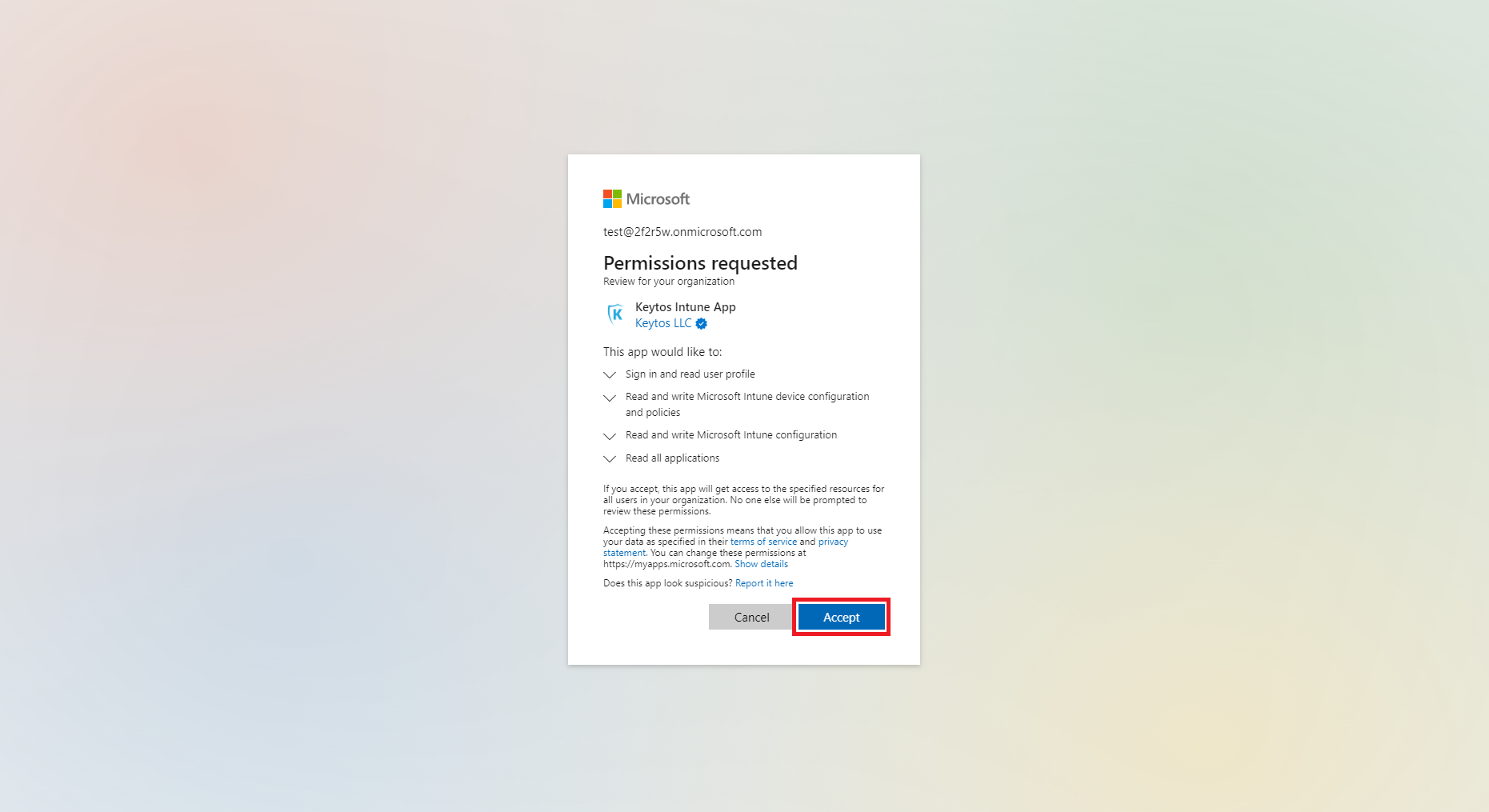
When you access the link, you will be prompted to consent to the permissions that the Keytos Intune application requires to issue and manage certificates for your Intune-managed devices. Make sure to review the permissions and click Accept to complete the registration process.
Next Steps - Create Your Intune SCEP CA with EZCA
Once you have registered the Keytos Intune application, you are ready to create your Intune SCEP CA with EZCA and start issuing certificates to your Intune-managed devices!
Create Intune SCEP CA →