










How-To: Register the Keytos Entra ID App in Your Tenant
Prerequisites
Before you begin, ensure that you are logged into Entra ID as a Global Administrator user or you have elevated to Global Administrator via Entra Privileged Identity Management (PIM).
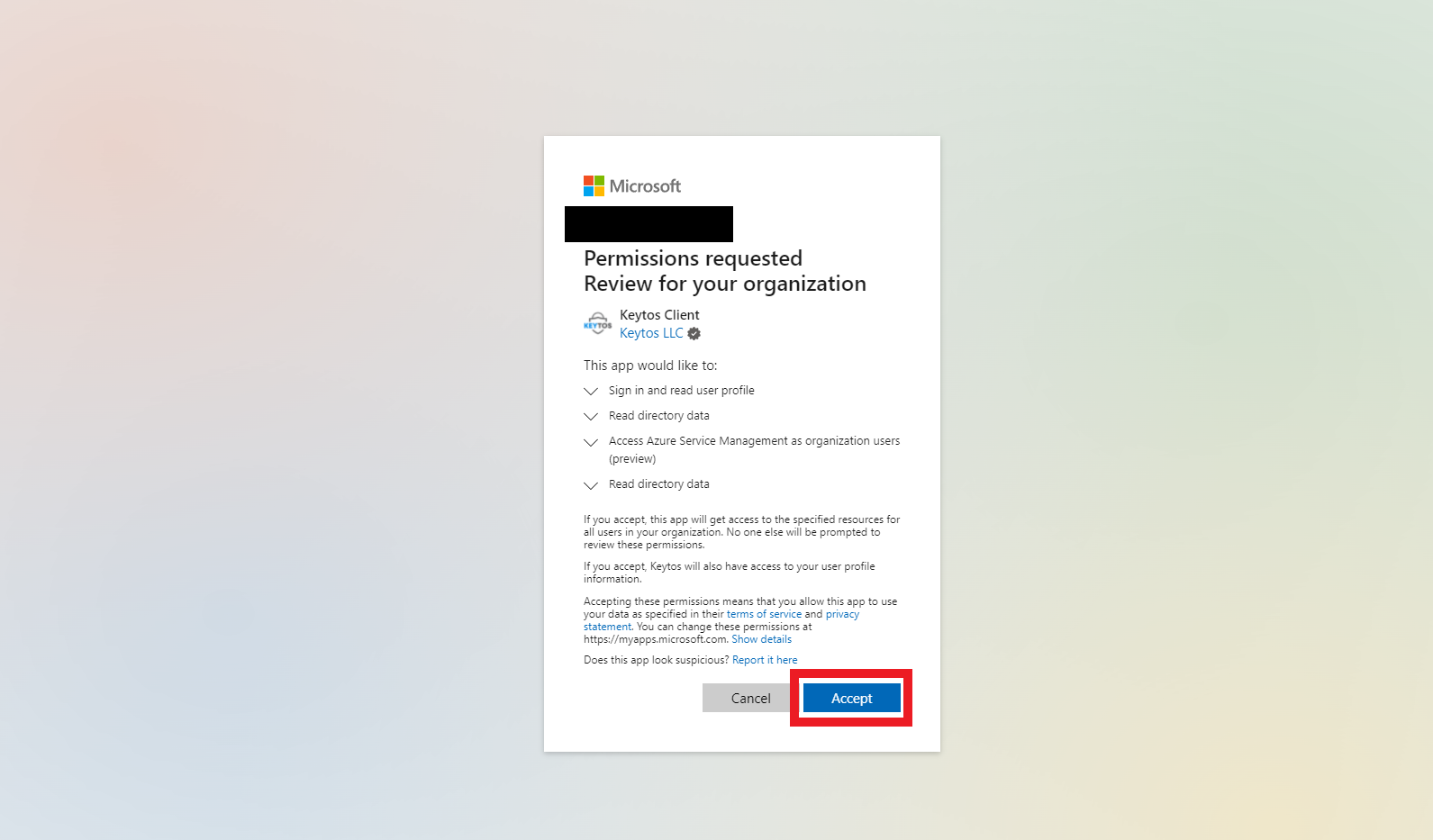
Register Keytos Entra Applications
Register ApplicationAlternately, you can copy & paste the following URL into your browser:
https://login.microsoftonline.com/common/oauth2/authorize?client_id=eddb4ead-89dd-4da8-9196-09c7ea82d724&prompt=admin_consent&response_type=code&redirect_uri=https%3A%2F%2Fportal.ezssh.io%2FWelcome
Next Steps
Once the applications are registered, you are ready to start the sign up process. You can create your free trial through EZSSH or Azure Marketplace.
What Permissions Am I Granting the Keytos Applications?
EZSSH uses the same Keytos Entra ID applications as other Keytos products. When you register them in your tenant, you are granting the following permissions:
Permissions Granted to the Keytos Client Application
The Keytos Client application (Application ID eddb4ead-89dd-4da8-9196-09c7ea82d724) is the front-end application that runs in your browser when you access the EZSSH Portal. It requires the following permissions:
| Description | Name | Type | Why is this needed? |
|---|---|---|---|
| Sign in and read user profile | User.Read |
Delegated | This permission allows EZSSH to read your basic profile information such as your name and email address to create your account in our system. |
| Read directory data | Directory.Read.All |
Delegated | This permission allows EZSSH to read information about your organization’s directory, such as users and groups, which is necessary for managing access to your SSH infrastructure. |
| Access Azure Resource Manager as organization users | user_impersonation |
Delegated | This permission allows EZSSH to access Azure resources on behalf of the signed-in user. |
Keytos Client also has the API.Access permission on the Keytos application to allow it to call the back-end APIs using delegated permissions.
Permissions Granted to the Keytos Application
The Keytos application (Application ID 68554b48-233f-42b4-9aa7-2eadca4d7727) is the back-end application that runs the Keytos services. It requires the following permissions:
| Description | Name | Type |
|---|---|---|
| Read directory data | Directory.Read.All |
Application |
The Keytos application uses Directory.Read.All for the following:
- Access control (RBAC) checks: On every request, Keytos looks up the caller’s group memberships, including nested groups, for both users and service principals. Keytos also verifies that the users, groups, and service principals assigned in EZSSH still exist in your tenant.
- EZCA services: The Keytos application is also used for EZCA-related operations. See additional information on EZCA permissions.