How to Sign Into Entra ID Using Your Passwordless Security Key
Learn how to use your passwordless security key to sign into Entra ID securely and conveniently.
How to Enable FIDO2 Passkey Sign-In in Entra ID
To allow your users to sign into Entra ID using FIDO2 security keys (passkeys), you need to enable the FIDO2 authentication method in the Entra ID Admin Center. Follow these steps:
-
Navigate to the Entra ID Admin Center and log in with your Global/Entra Administrator account.
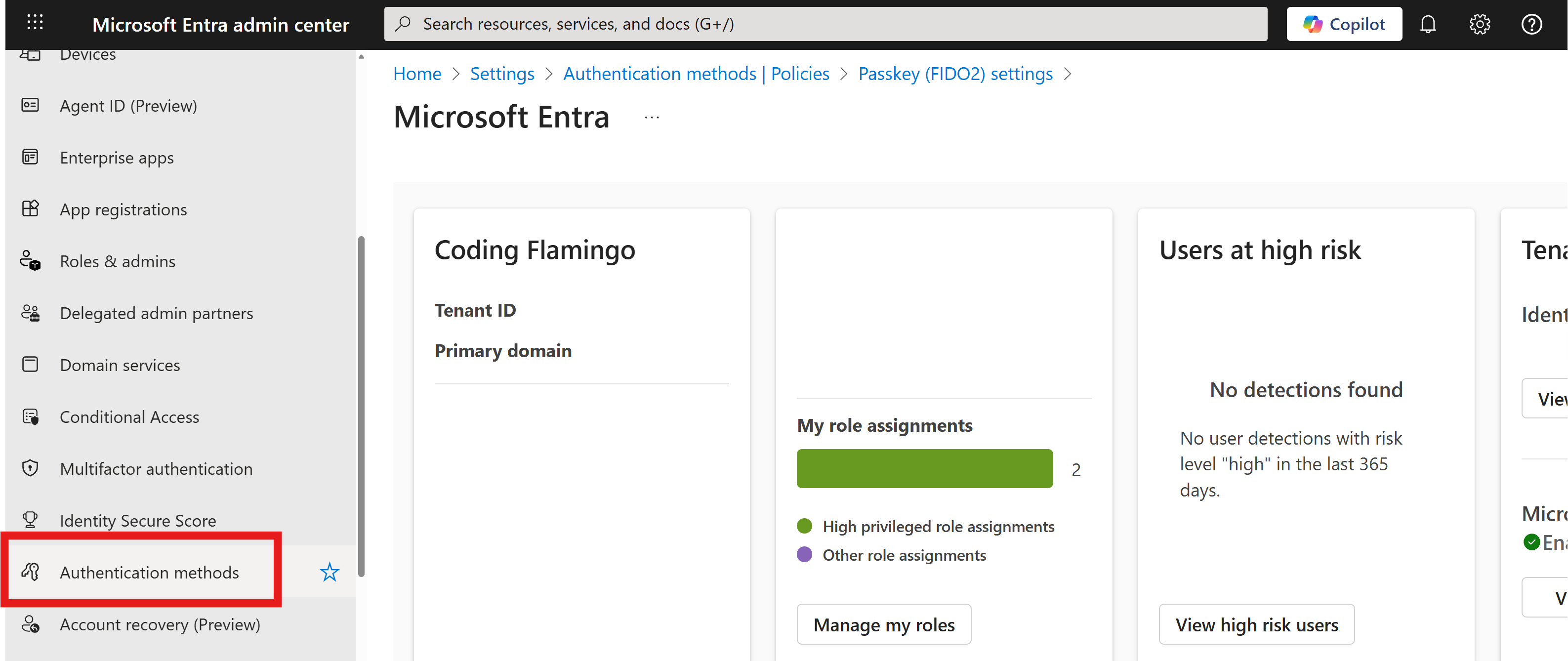
-
Under Authentication method policies, select Passkey (FIDO2).
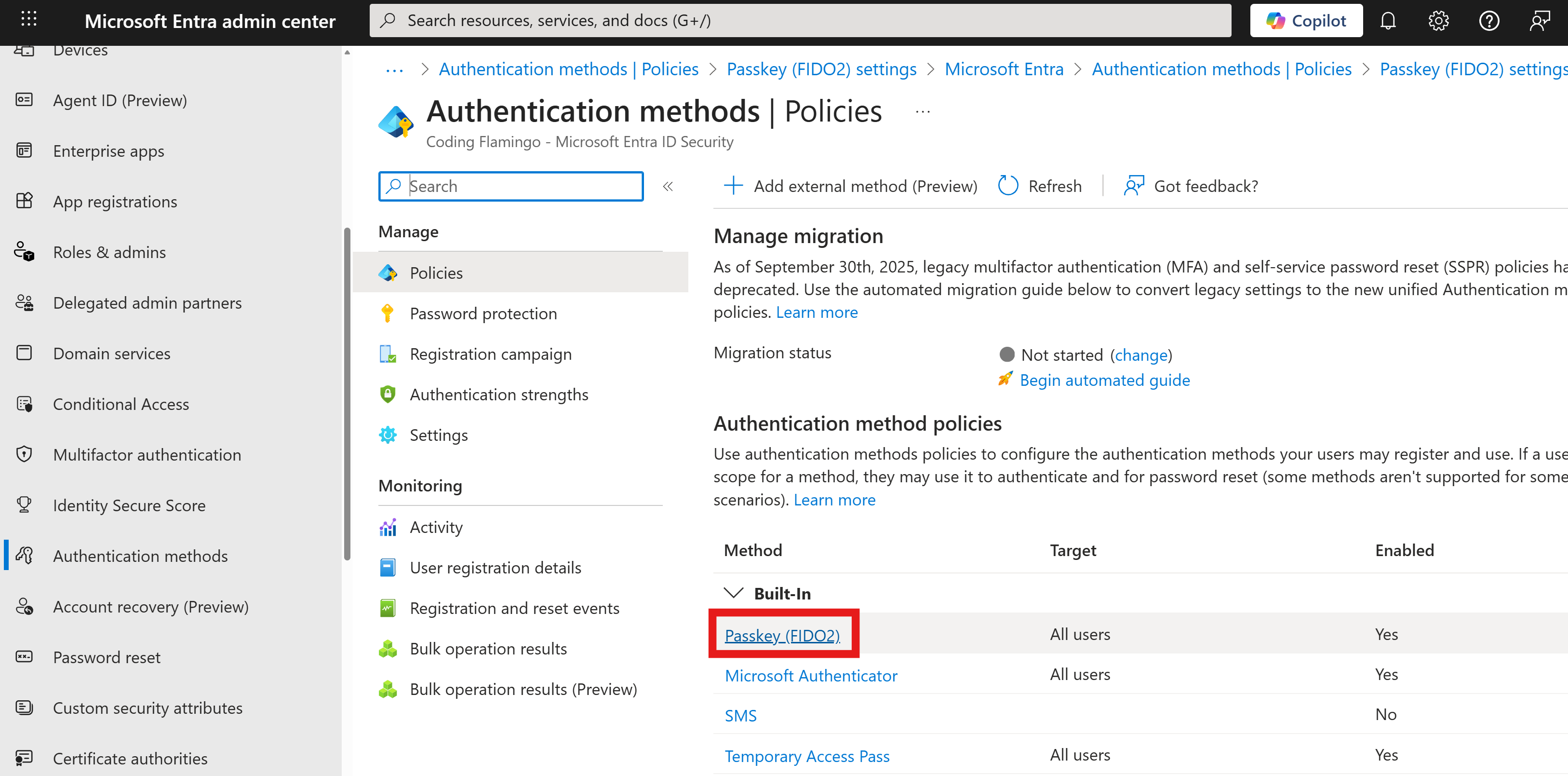
-
Ensure that Enable is enabled.
-
Set your Include and Exclude settings as desired to control which users can use FIDO2 security keys for authentication.
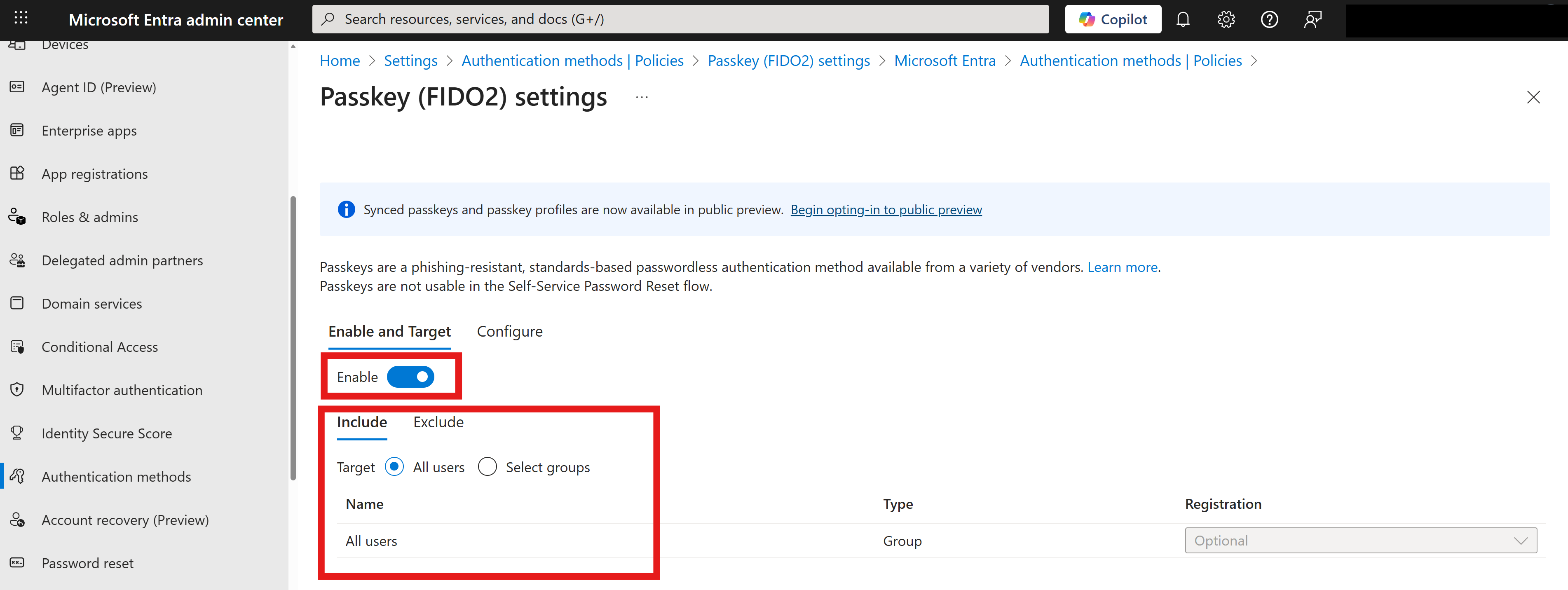
-
Click Save to apply the changes.
Additional information can be found in Microsoft’s official documentation.