











How-To: Export your Cloud PKI Logs to CrowdStrike Falcon
Prerequisites
How To Export Your Cloud PKI Audit Logs to CrowdStrike Falcon
To export your EZCA logs to CrowdStrike Falcon, you will need to enable Audit Log exports in your EZCA subscription, set up your CrowdStrike Falcon environment with the proper endpoint, and then establish a connection from EZCA to CrowdStrike Falcon. The following steps will walk through how to set this up.
How To Enable Log Export in EZCA Portal
-
Go to the EZCA Portal.
-
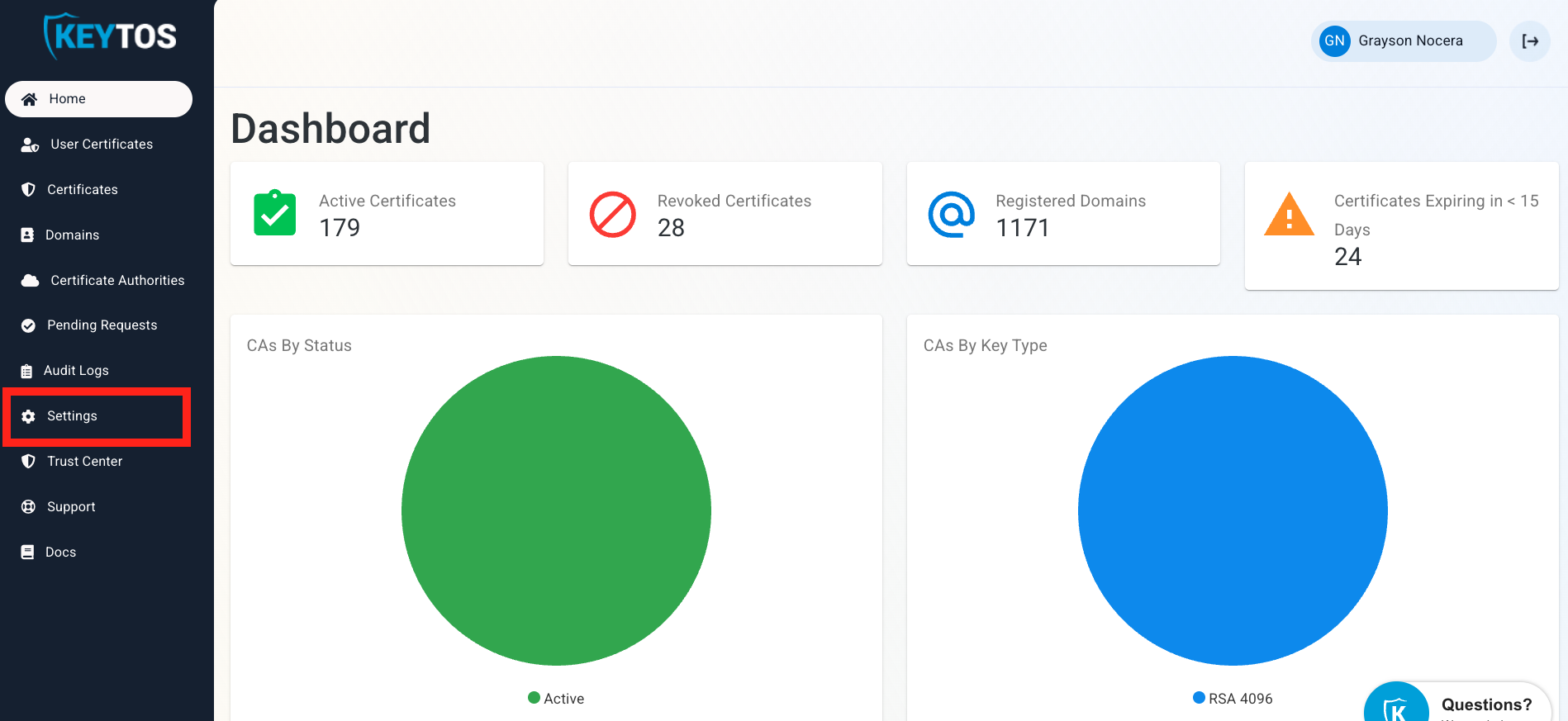
Click on Settings.
-
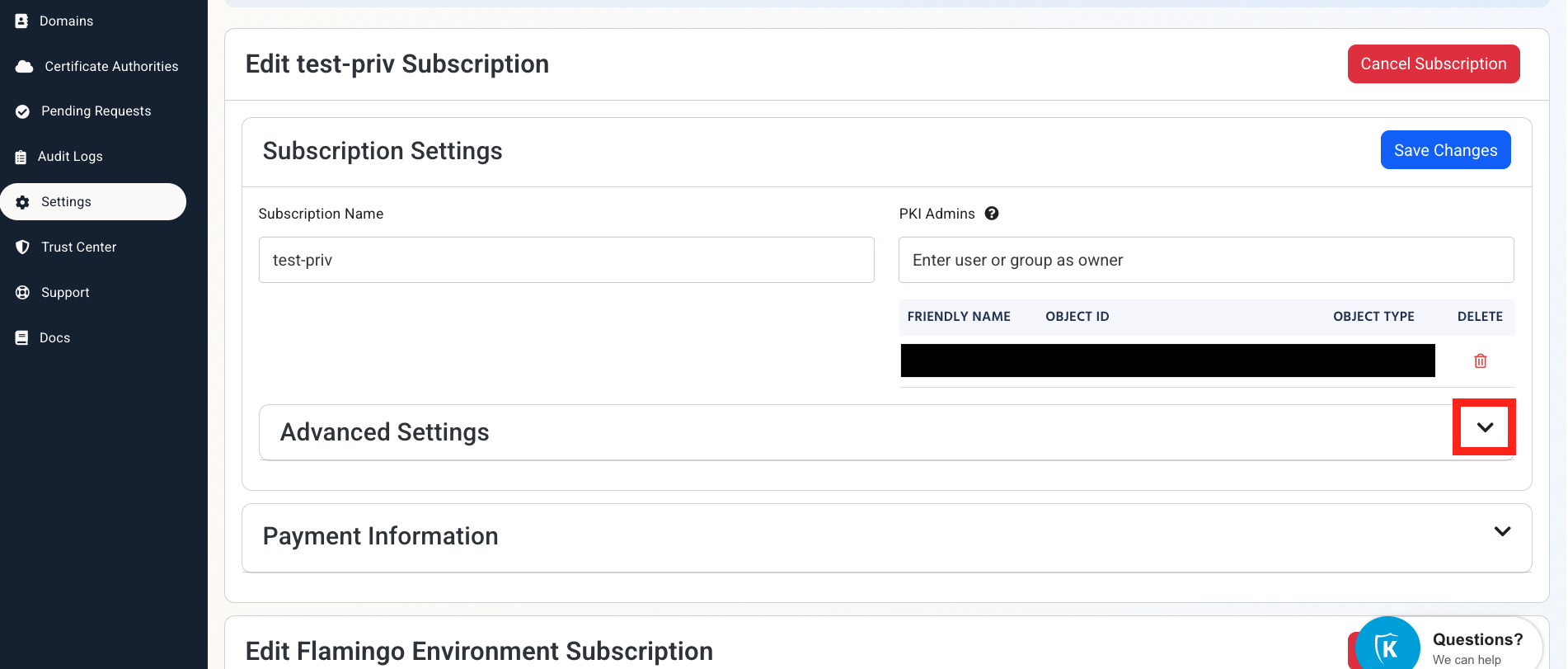
Expand your subscription’s Advanced Settings.
-
Enable the Send Audit Logs to SIEM option.

How to Configure the CrowdStrike Falcon SIEM in EZCA Portal
To complete the connection in EZCA you’ll need to configure your SIEM settings in CrowdStrike Falcon first. Follow these steps to set up EZCA log imports.
How to Create a CrowdStrike Falcon Next-Gen SIEM HEC Data Connector
-
In another tab, log into CrowdStrike Falcon.
-
From the left-hand nav menu, click Next-Gen SIEM.
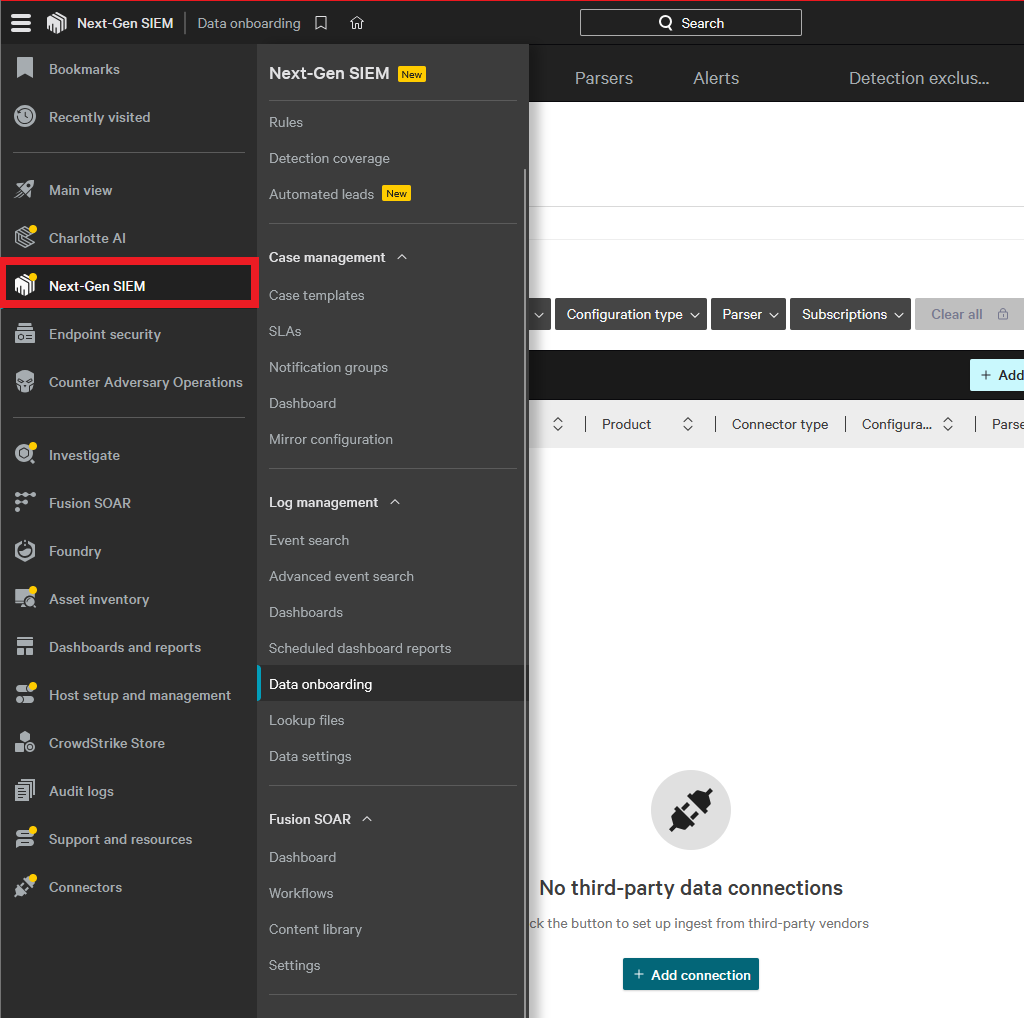
-
Under Log management click Data onboarding.
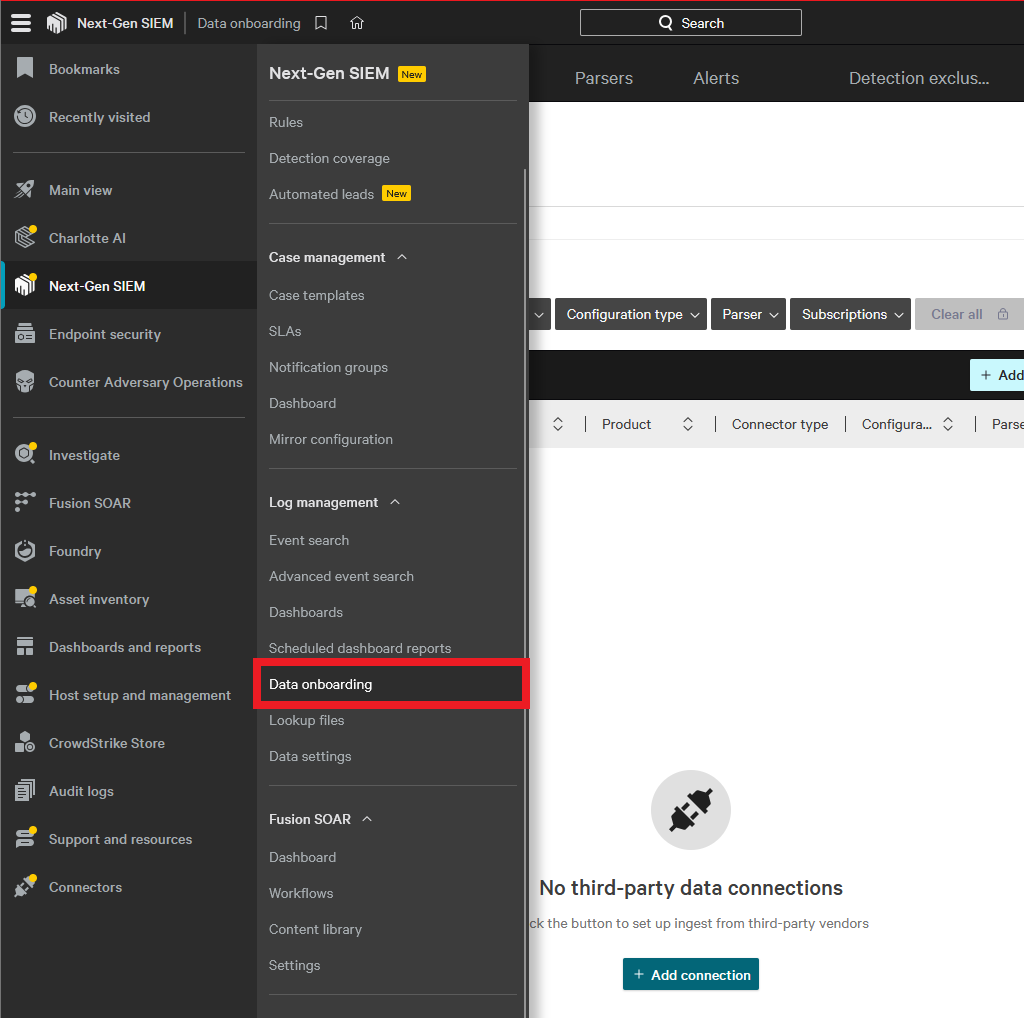
-
Click Add connection.
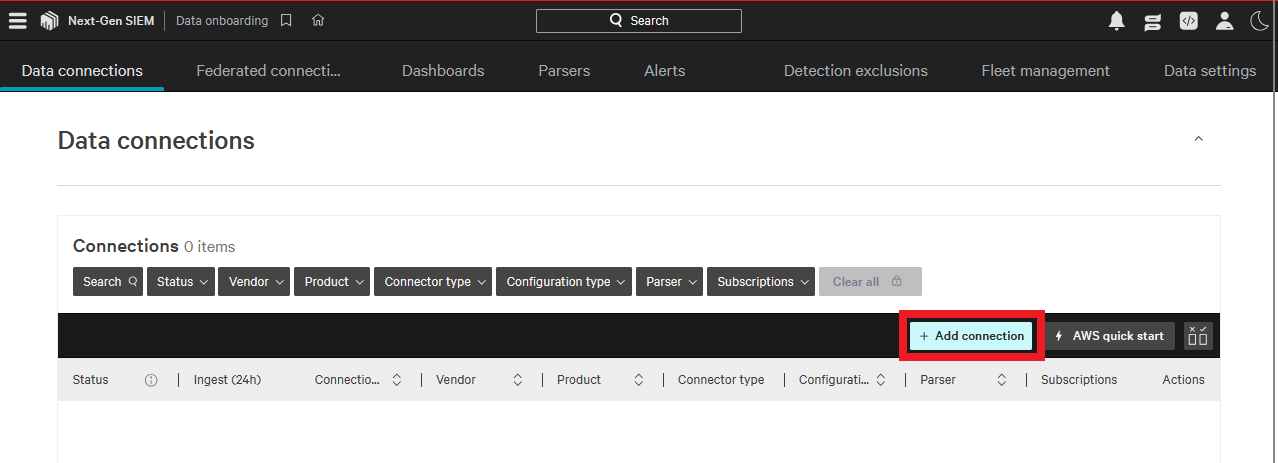
-
Find and select HEC/HTTP Event Data Connector.
-
Click Configure.
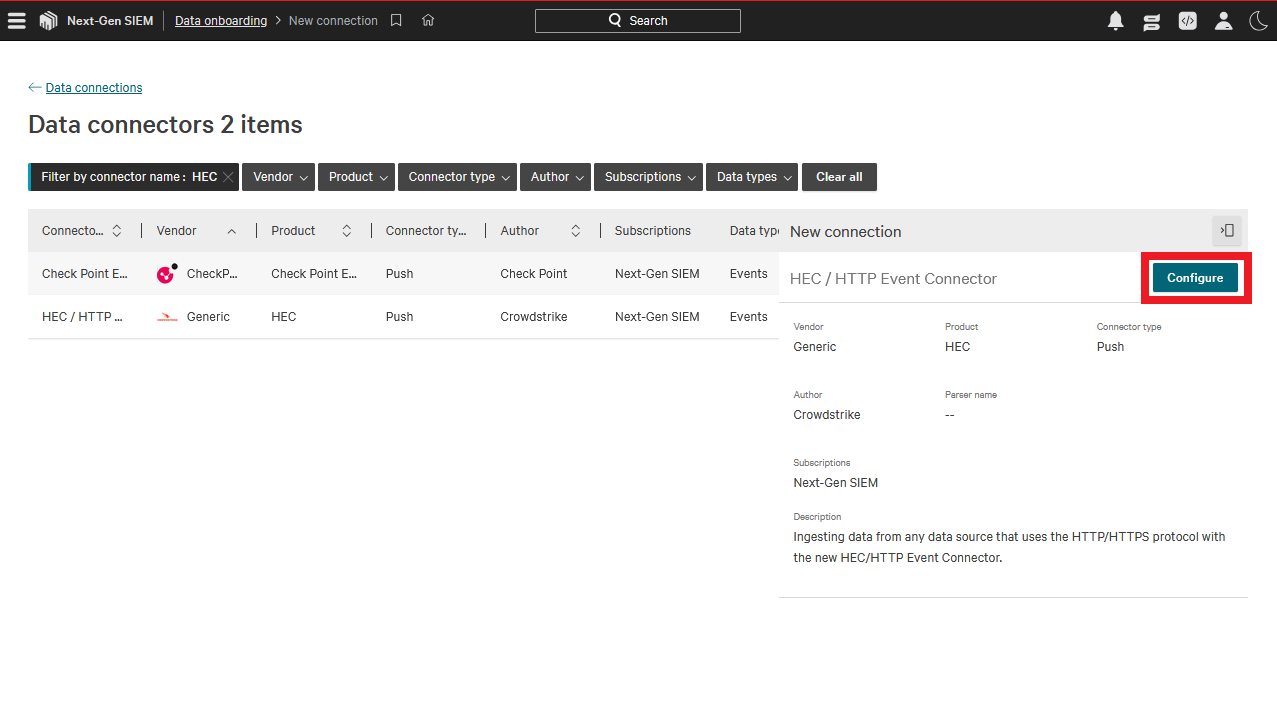
-
Fill in the Connection name.
-
Under Parsing and enrichment click Create new parser.
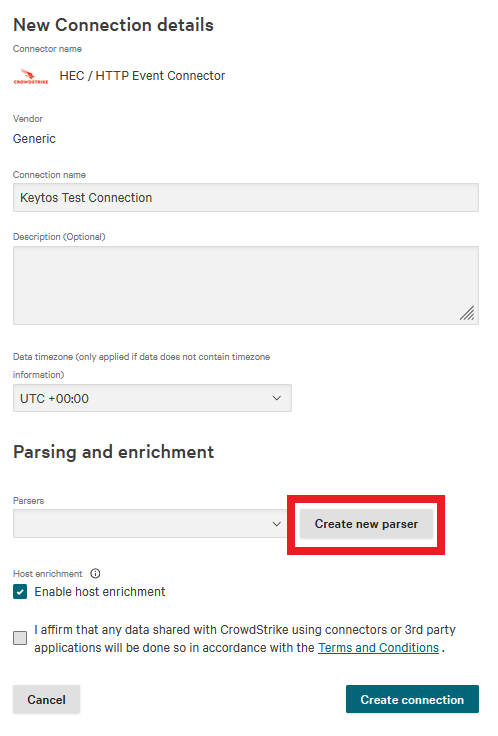
-
Change the dropdown from Blank template to Import.
-
Download the EZCA parser template: keytos-ezca.yaml
Note: This is a template parser for EZCA that is designed to be used as a starting point for your final parser. It is intentionally bare-bones so it can be customized to your needs.
-
Click Upload file to upload the provided parser.
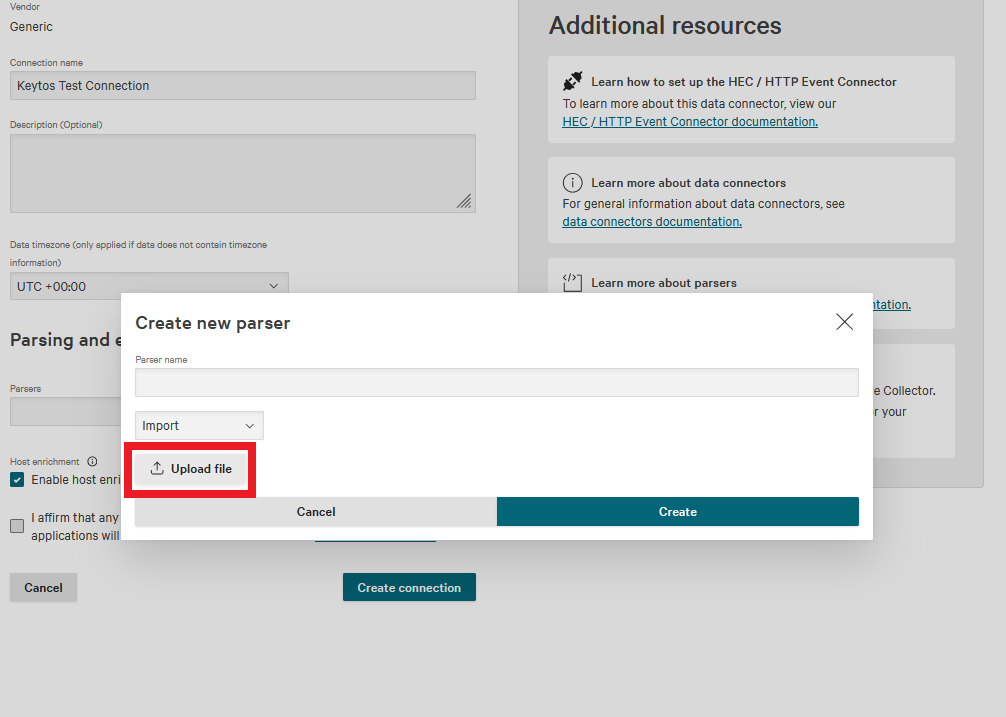
-
Name the parser and click Create.
-
Check the Terms and Conditions box.
-
Click Create connection.
-
Click Close.
-
It will take a few seconds for the connector to be ready to receive data. Reload the page every few seconds until you see a prompt to Generate API key.

-
Click Generate API key. (This page can only be opened during setup so record you API key.)
-
Copy your API Key and your API URL.
How to Add Your Next-Gen SIEM HEC Connection Details in EZCA
-
Go back to your EZCA tab.
-
Select Splunk Cloud as the SIEM Provider, as Splunk uses the same HTTP Event Collector (HEC) log format used by Next-Gen SIEM.
-
Paste your API key in Workspace Key.
-
In EZCA, paste your API URL in Splunk URL. It should look something like this.
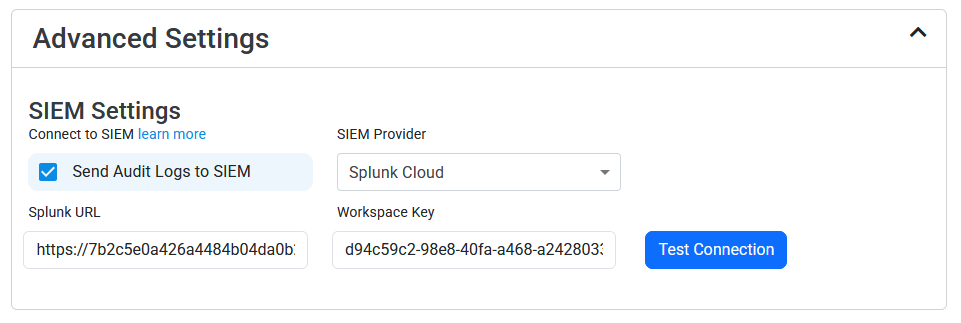
-
Click the Test Connection button, this will create a test log in Next-Gen SIEM to make sure EZCA can write to Next-Gen SIEM.
-
If the connection test was successful, click Save changes at the top of the page.
How To Create a CrowdStrike Falcon LogScale SIEM Data Connector
-
In another tab, go to your CrowdStrike Falcon LogScale instance.
-
Click on the Settings tab.
-
Select the Ingest Tokens menu.
-
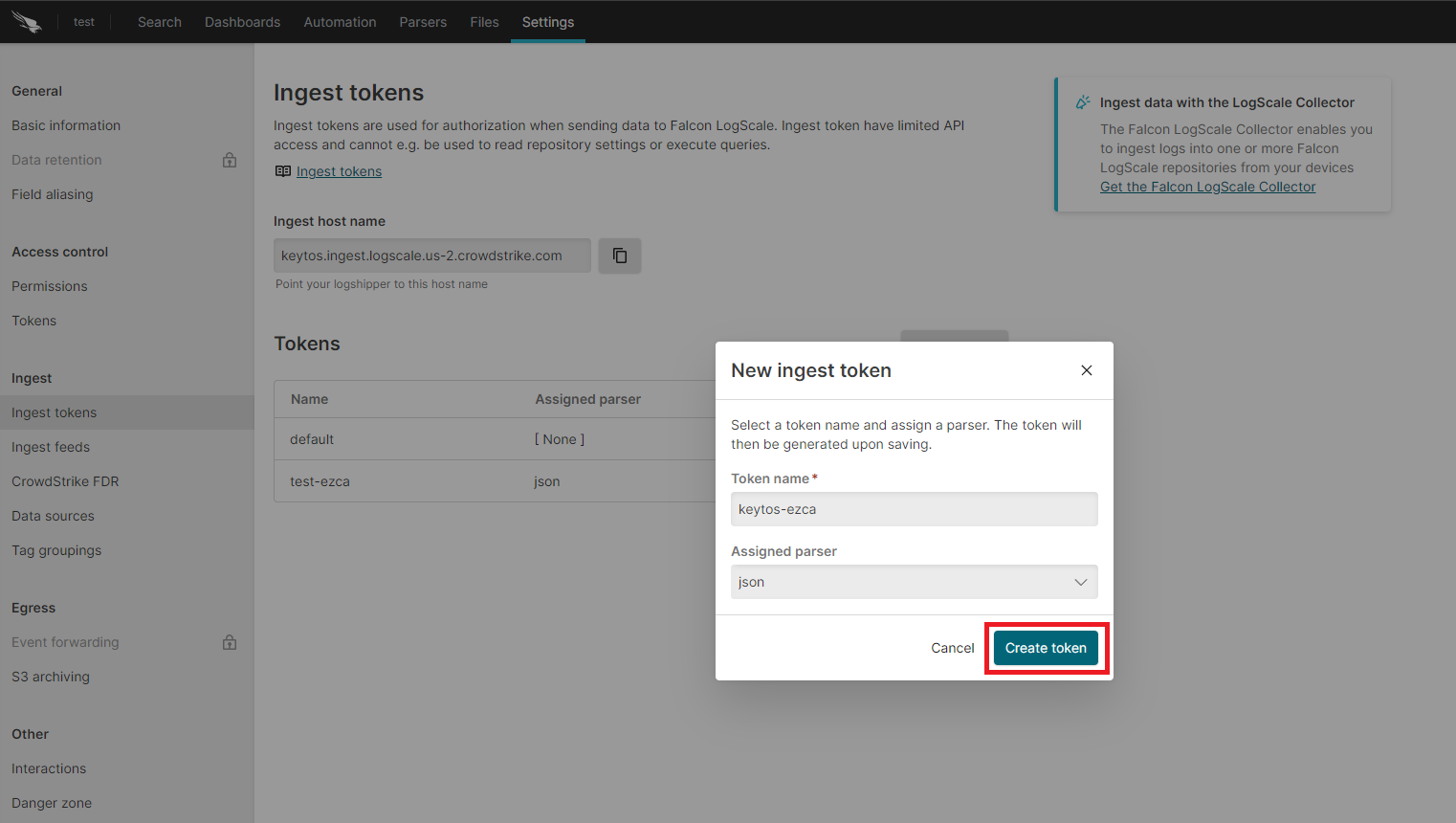
Click on the Add Token button.
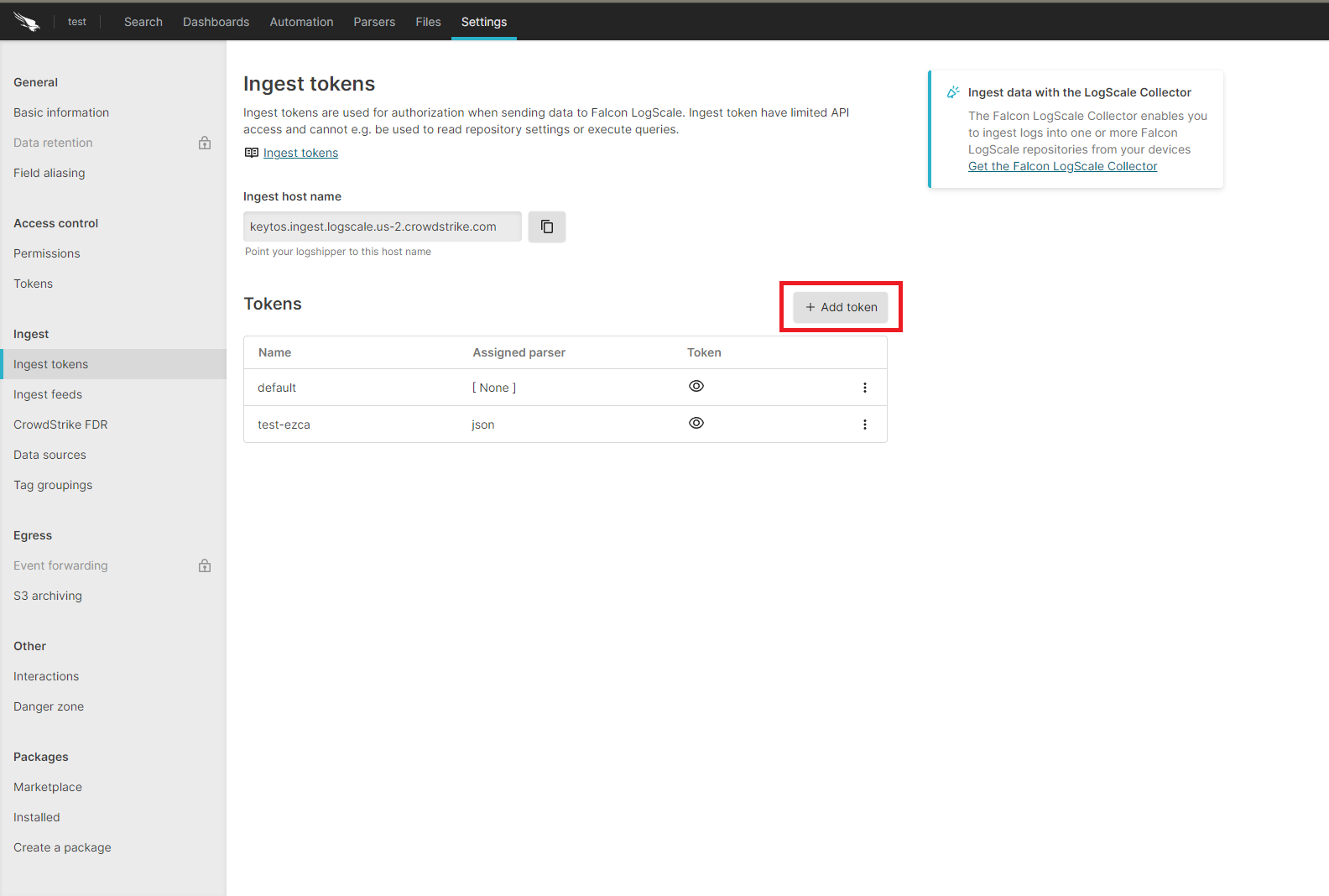
-
Enter the token name.
-
Assign the json parser and click Create.
-
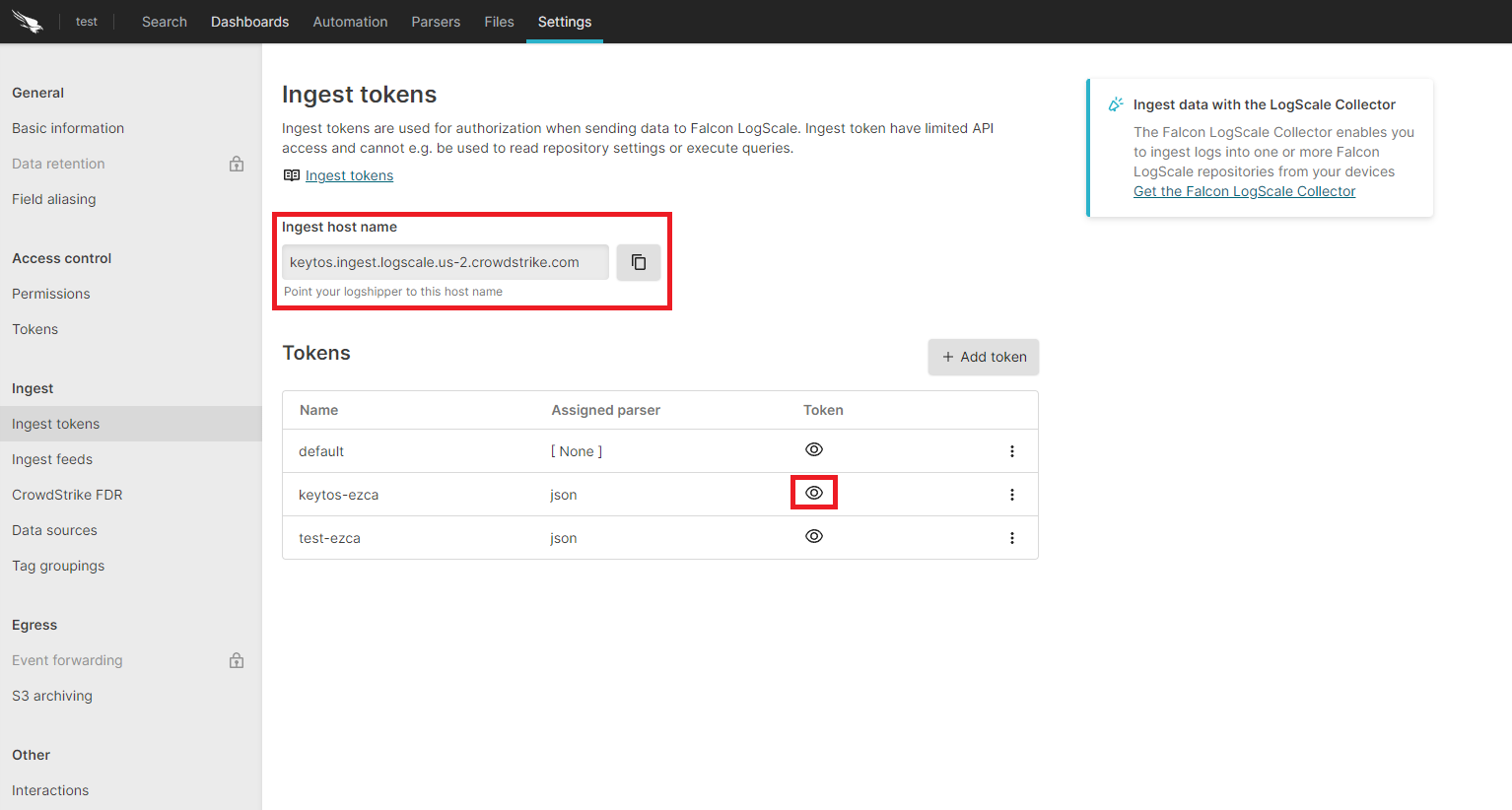
Copy the token and the ingest host name.
How to Add Your LogScale Connection Details in EZCA
-
Go back to the EZCA tab.
-
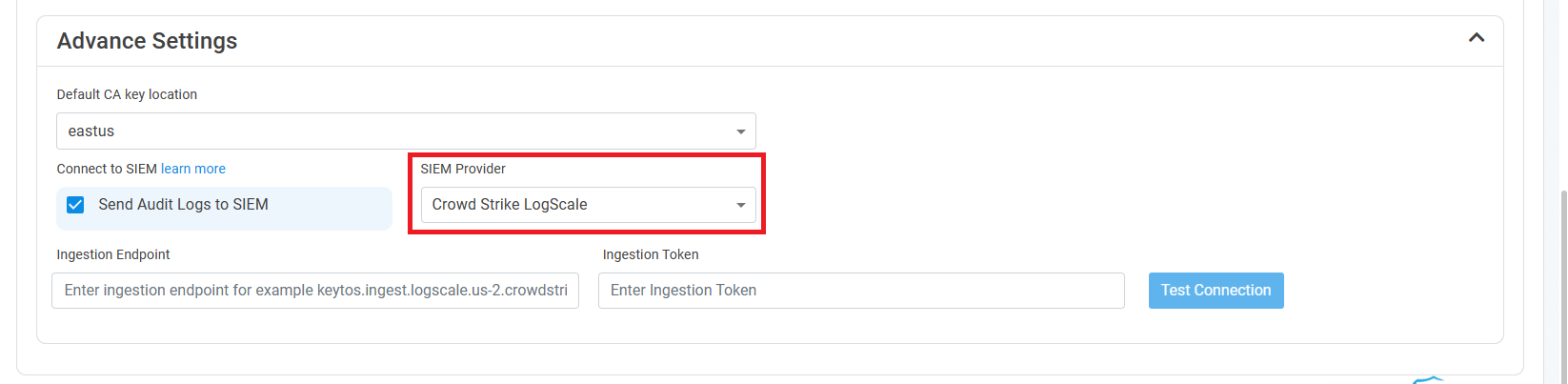
Select CrowdStrike Falcon LogScale as the SIEM Provider.
-
Paste the ingest host name in the Ingestion Endpoint field.
-
Paste the token in the Ingestion Token field.
-
Click the Test Connection button, this will create a test log in LogScale to make sure EZCA can write to LogScale.

-
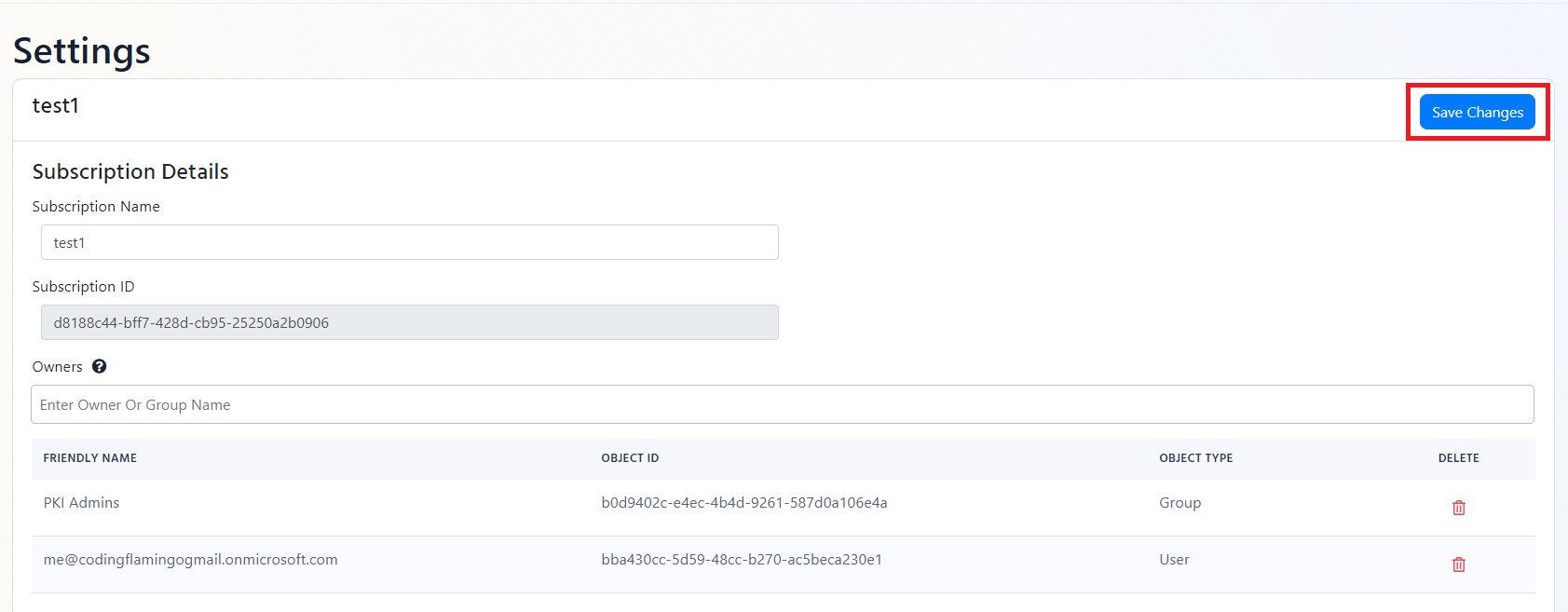
If the connection test was successful, click Save changes at the top of the page.
How To Create Alerts in CrowdStrike Falcon LogScale to Monitor Your Cloud PKI Activity
We recommend setting up alerts for any high criticality event, and closely monitor medium and low events. Here are some example queries to get you started:
Certificate Request Denied (Event ID 4888)
Certificate request denied is an event that is created when a user requests a certificate that they do not have permission to request. It is important to alert on this event since it can be an attacker attempting to escalate privileges by requesting a certificate.
LogType = "EZCA_Certificates" and EventID = 4888
CA Permission Changed (Event ID 4882)
CA Permission Changed is an event that is created when a user changes the security permissions for a CA. This event should be monitored since it is a low frequency high impact action that could indicate a compromise to your PKI administrator’s accounts.
LogType = "EZCA_CAs" and EventID = 4882
CA Changes Denied (Event ID 92)
CA Permission Denied is an event that is created when a user attempts to change the security permissions for a CA without having the proper security permissions. It is important to alert on this event since it can be an attacker attempting to escalate privileges by changing the security configuration of your certificate authority.
LogType = "EZCA_CAs" and EventID = 92
Deleted CA (Event ID 19)
CA Deleted is an event that is created when a user deletes a CA. This event should be monitored since it is a low frequency high impact action that could indicate a compromise to your PKI administrator’s accounts.
LogType = "EZCA_CAs" and EventID = 19
What Logs are Sent to CrowdStrike Falcon?
EZCA sends the following log types to your SIEM:
CA Operation Events
| Event ID | Event Summary | Description | Potential Criticality |
|---|---|---|---|
| 4882 | The security permissions for Certificate Services changed | A change in CA settings that might give or remove critical permissions | High |
| 92 | CA change denied due to insufficient permissions | A user attempted to change CA settings without the proper permissions | High |
| 23 | Intermediate CA request rejected | A new Intermediate CA request has been rejected | High |
| 19 | CA deleted | This indicates that a CA was deleted | High |
| 28 | Intermediate CA was imported | A new Intermediate CA has been created chaining to an external CA | Medium |
| 22 | Intermediate CA created with EZCA Root | A new Intermediate CA has been created chaining to an EZCA CA | Medium |
| 12 | CA was renewed | A CA has been renewed | Low |
Certificate Operation Events
| Event ID | Event Summary | Description | Potential Criticality |
|---|---|---|---|
| 4888 | Certificate request denied due to insufficient permissions | A user attempted to request a certificate without the proper permissions | High |
| 4870 | A certificate has been revoked | This can cause an outage if was done by mistake or the new certificate is not added to all the endpoints that use the certificate | Medium |
| 4872 | Publish CRL | This is an even that the CRL has been published, this does not have to be tracked as we take care of it for you. | Low |
| 4887 | Certificate was created | This event indicates a certificate was created successfully | Low |