How-To: Export EZSSH Logs to Huntress
Prerequisites
How To Export Your EZSSH Audit Logs To Huntress
How To Enable Log Export in EZSSH Portal
-
Go to the EZSSH Portal.
-
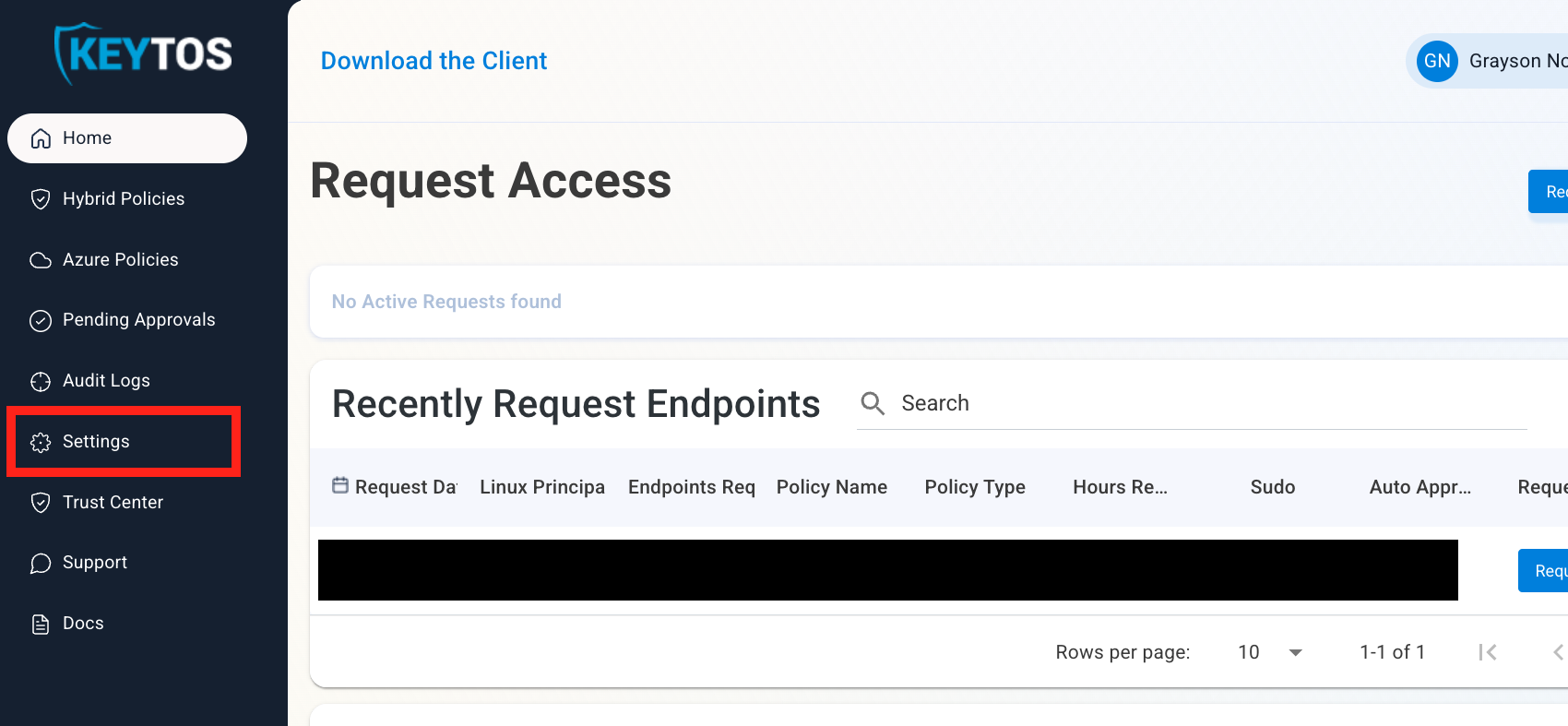
Click on Settings.
-
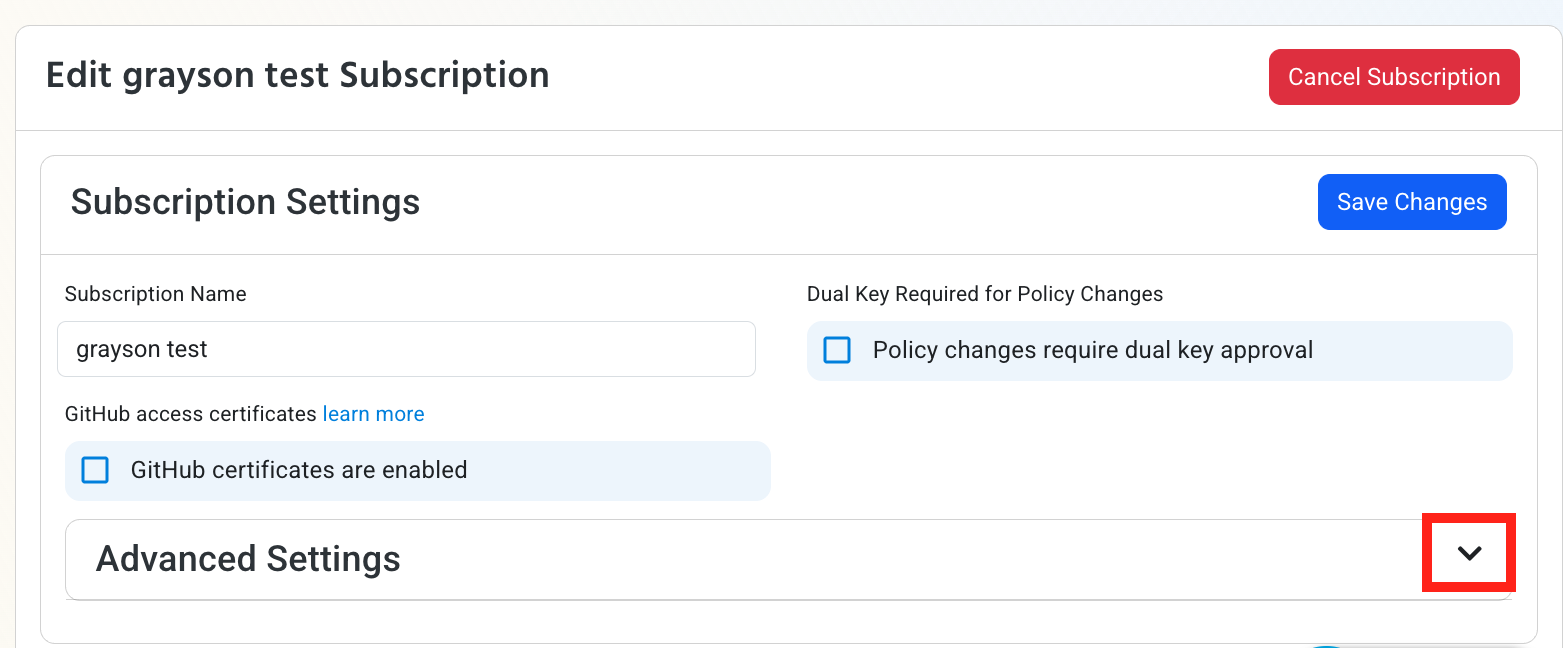
Expand your subscription’s Advanced Settings.
-
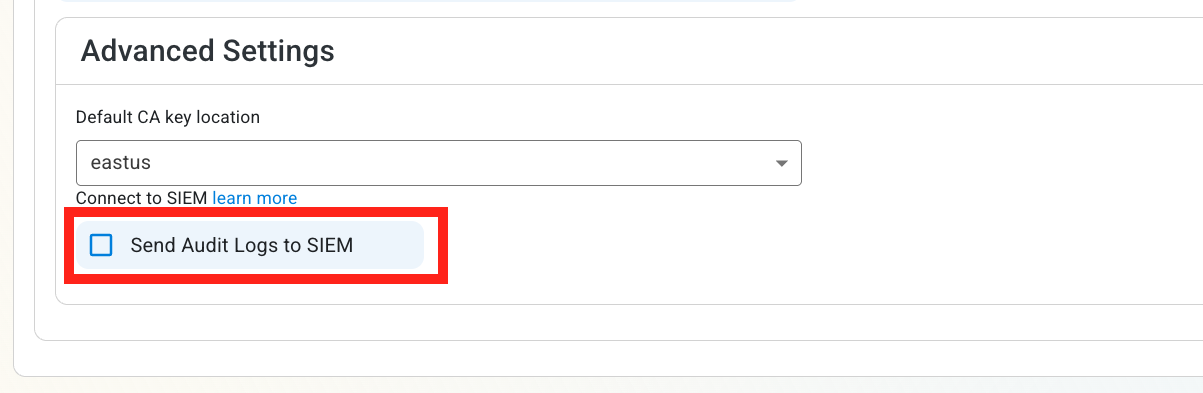
Enable the Send Audit Logs to SIEM option.
How To Configure the Huntress Exporter in the Huntress Portal
-
In another tab, go to your Huntress instance.
-
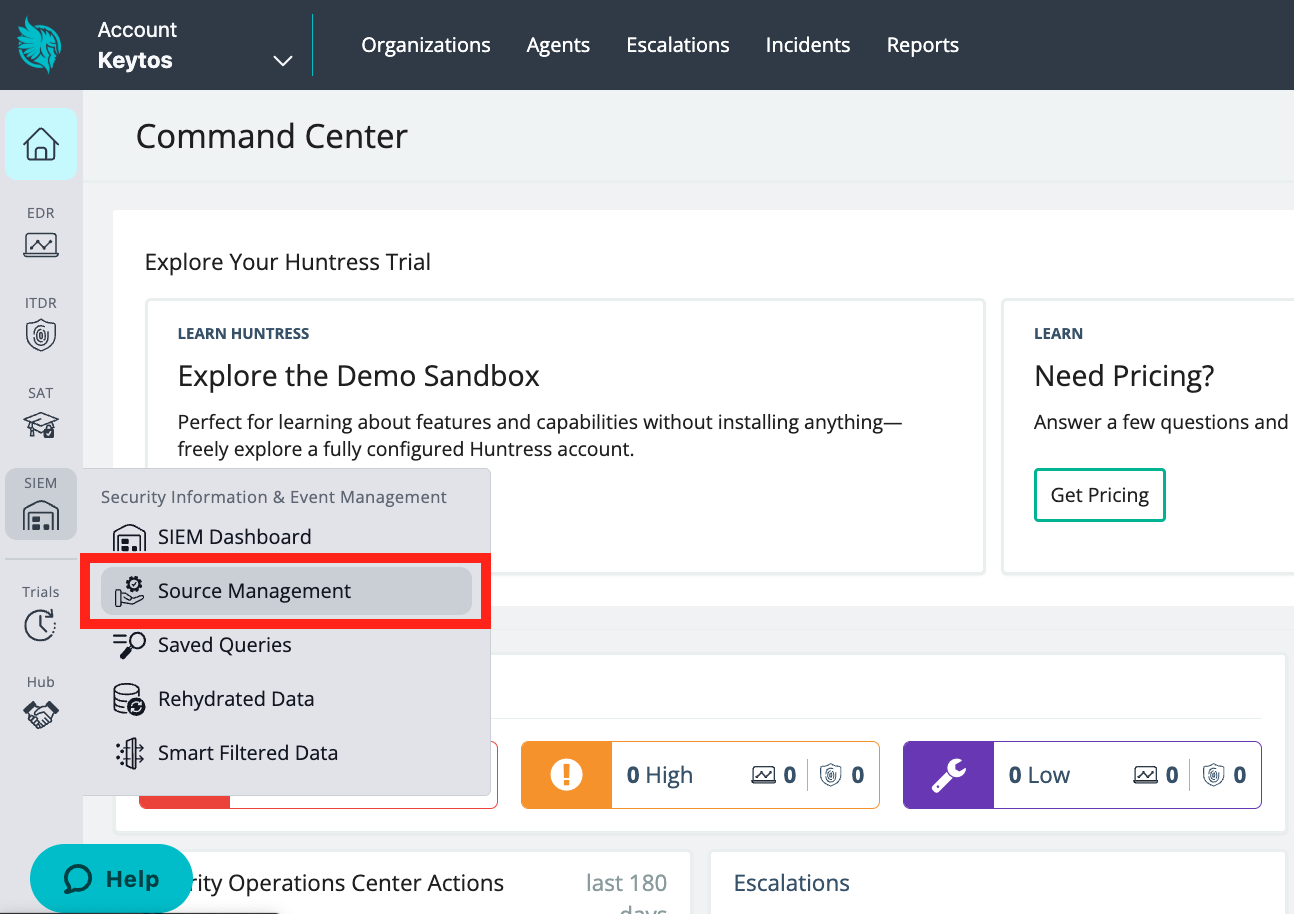
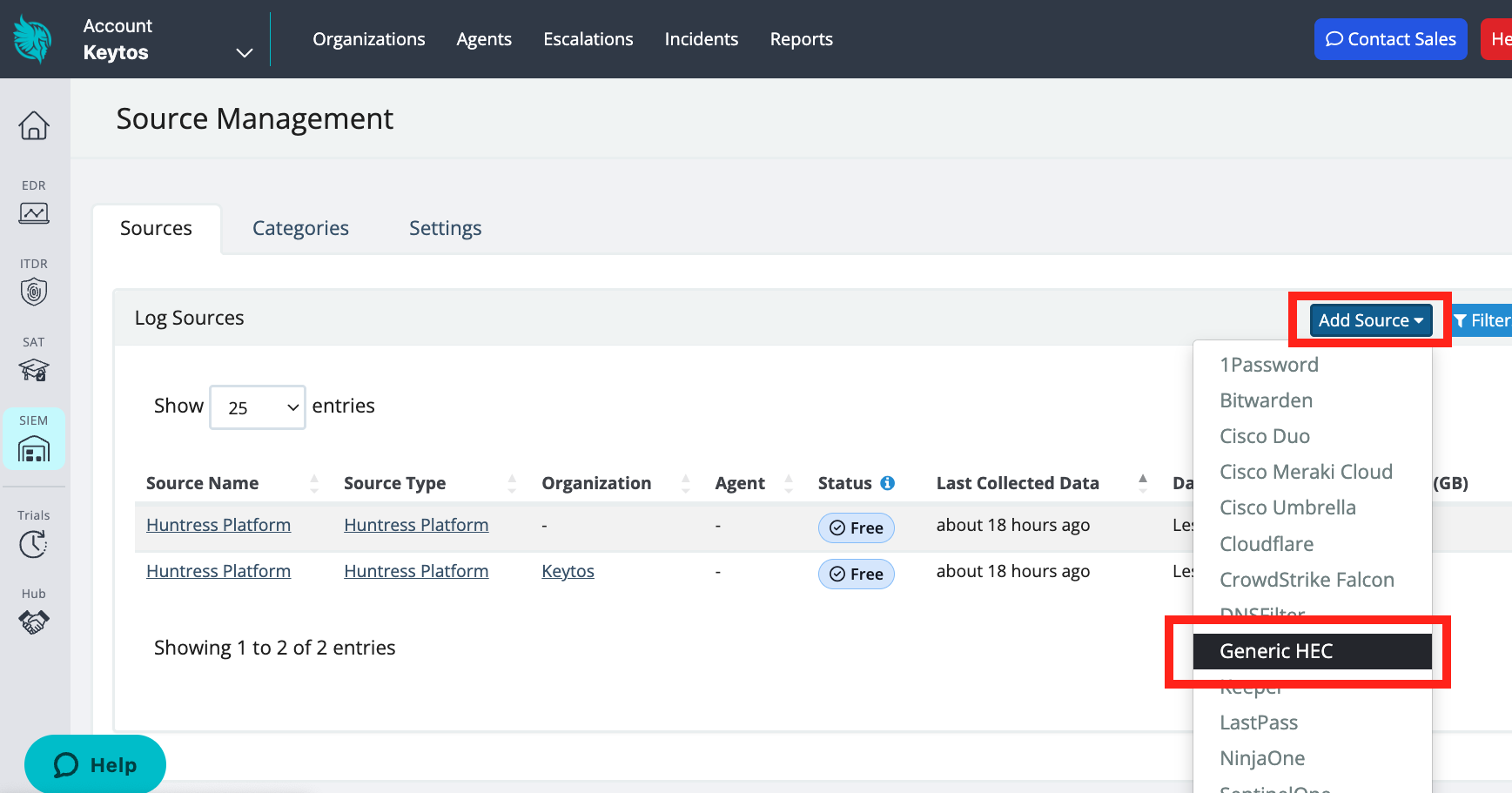
Click on the SIEM menu. Then, click Source Management.
-
Click Add Source. Then, click Generic HEC (HTTP Event Collector).
-
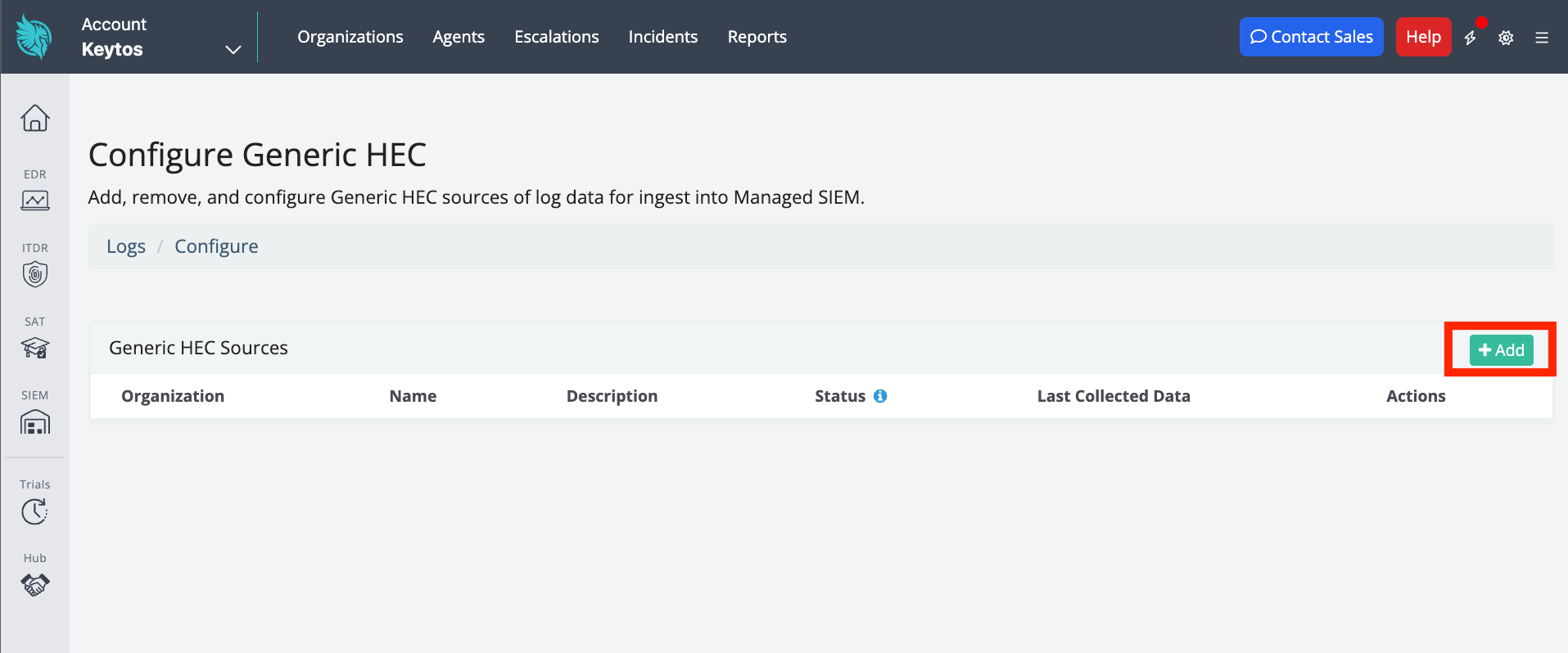
Click + Add to add a new HEC.
-
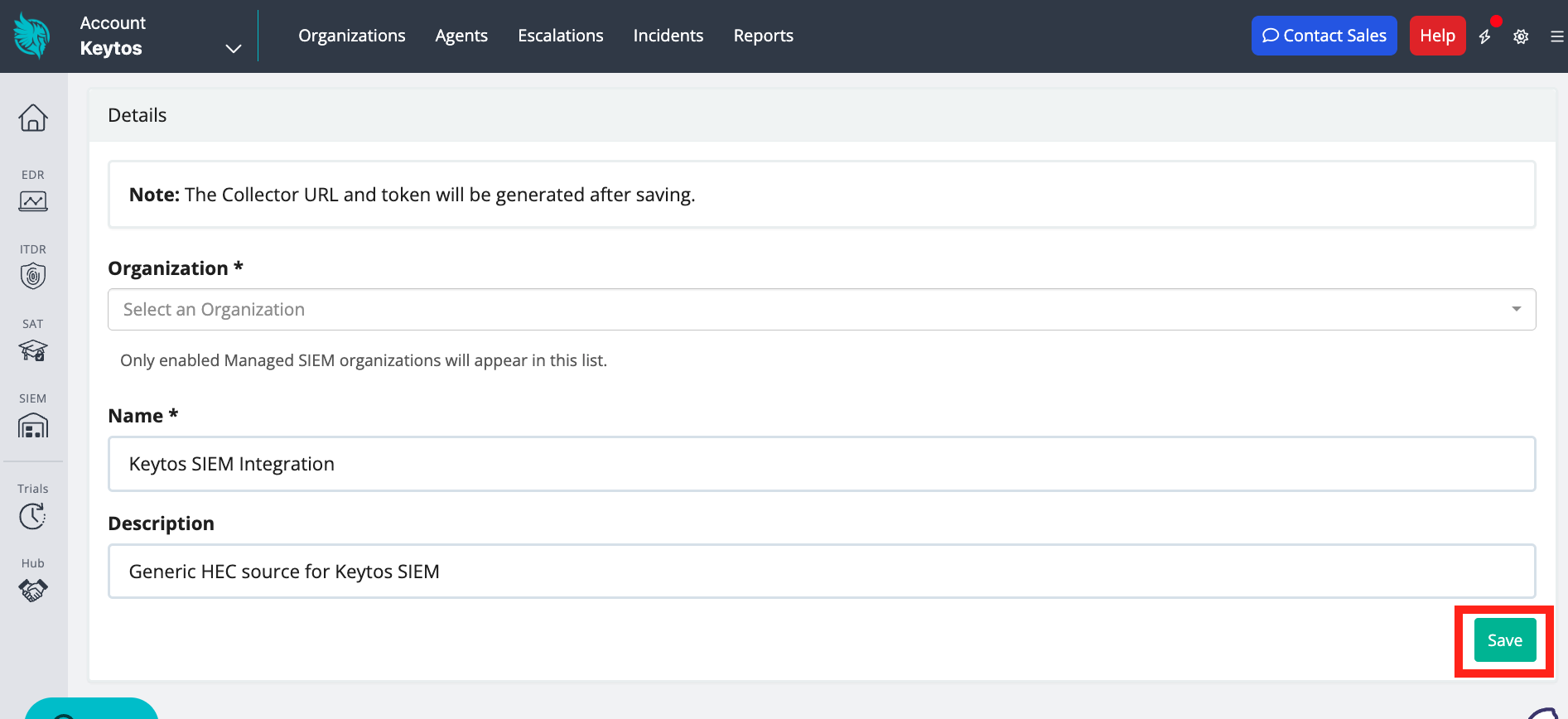
Add an Organization, Name, and optional Description. Then, click Save.
-
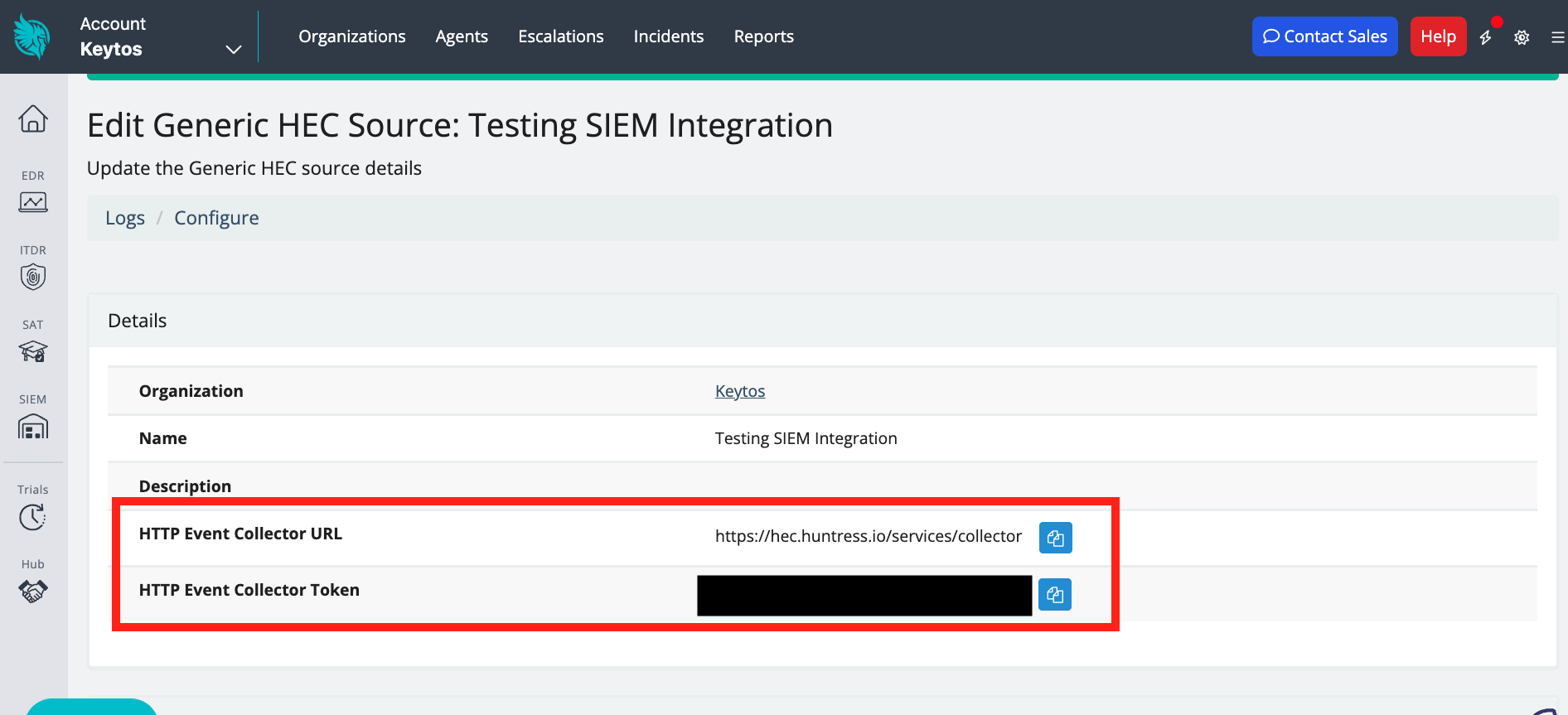
After the HEC is created, copy the HTTP Event Collector URL and the HTTP Event Collector Token.
How To Configure the Huntress SIEM in EZSSH Portal
-
Now go back to the EZSSH Portal.
-
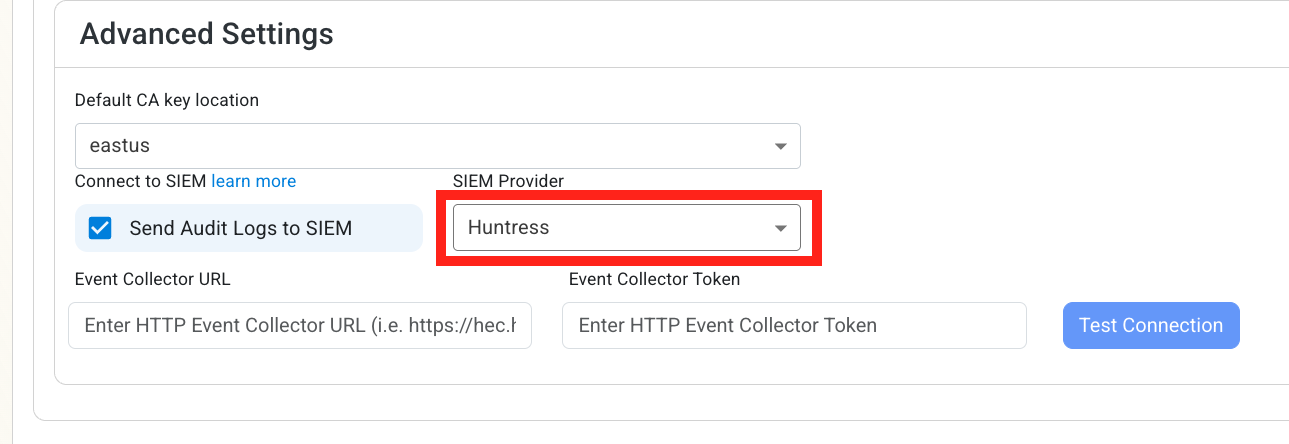
Select Huntress as the SIEM Provider.
-
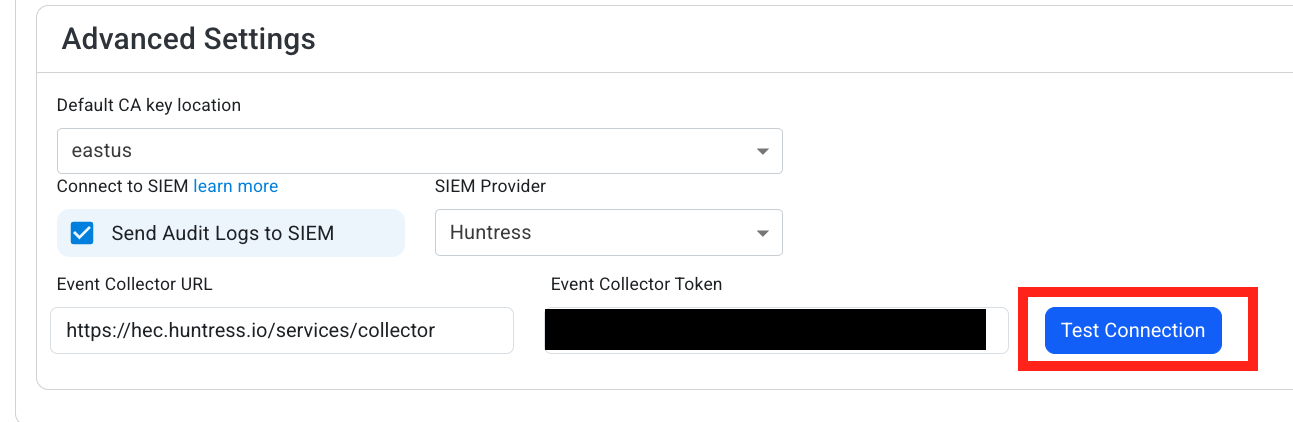
Input the values that you copied from the Huntress portal. Then, click Test Connection. This will create a test log in your Huntress SIEM (please allow a few minutes for the log to show up in the Huntress portal).
-
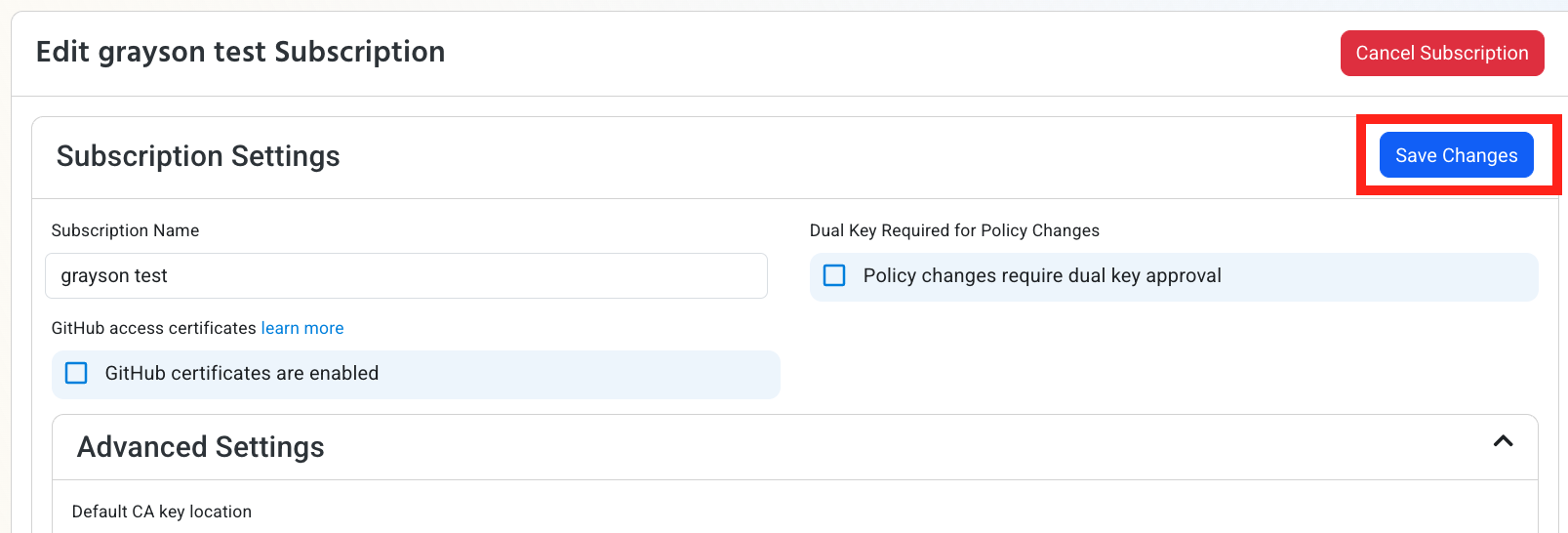
If the connection test is successful, click Save Changes.
-
EZSSH will now send your security alerts to your SIEM. If an error occurs it will email your subscription administrators. See below to see the different events EZSSH will send.
How To Create Alerts in Huntress to Monitor Your SSH Activity
We recommend setting up alerts for any high criticality event, and closely monitor medium and low events. Here are some example queries to get you started:
Detect if a User Is Reusing SSH Keys
To detect any user that has reused an SSH key, run the following query:
from logs
| where generic_hec.EventType == "EZSSH_GIT"
| stats Count = count() by UserPublicKey
| where Count >= 0
Get All SSH Requests that Granted an SSH Certificate
To get all the requests that created an SSH certificate, run the following query:
from logs
| where generic_hec.EventType == "EZSSH_SSH"
| where ActionPerformed != "Test Connection" and Certificate != null and Certificate != ""
This query can be then used to correlate with SSH logins to verify that all logins are done with an EZSSH certificate.
Get the Count of Git Certificates Requested by User
To get the number of git certificates a user has requested, run the following query:
from logs
| where generic_hec.EventType == "EZSSH_GIT"
| stats Count = count() by RequestorFriendlyName
This query is useful to find anomalies on a user requesting a higher number of certificates than usual.