How-To: Distribute the EZCMS Application to Your Users via Microsoft Intune
Learn how to distribute the EZCMS application to your users for passwordless onboarding through Microsoft Intune.
The EZCMS application allows users within your organization to easily onboard to passwordless identities on their hardware security keys. But for them to use it, they first need to have the application installed on their devices. In this guide, we will explore how you can distribute the EZCMS application to your users through direct downloads and Mobile Device Management (MDM) solutions.
The EZCMS application is built for security-critical environments, which means that the endpoints for your organization’s identity provider are hardcoded into the application binary. This design ensures that users can only use the application to onboard to the correct environment, preventing potential security risks associated with misconfigured endpoints. Every EZCMS customer receives a custom binary built specifically for their environment, which cannot be used by other organizations or environments.
As a result, you cannot use a single binary across different organizations or environments, and a single binary cannot be distributed via centralized app stores. Therefore, you need to distribute the application directly to your users.
Every EZCMS organization receives a custom application binary that is built specifically for their environment. You can download your organization’s EZCMS application binary from your organization’s EZCMS dashboard. If you have not received your custom application binary or are unsure how to access it, please contact your EZCMS administrator or support team for assistance.
Navigate to your organization’s EZCMS dashboard.
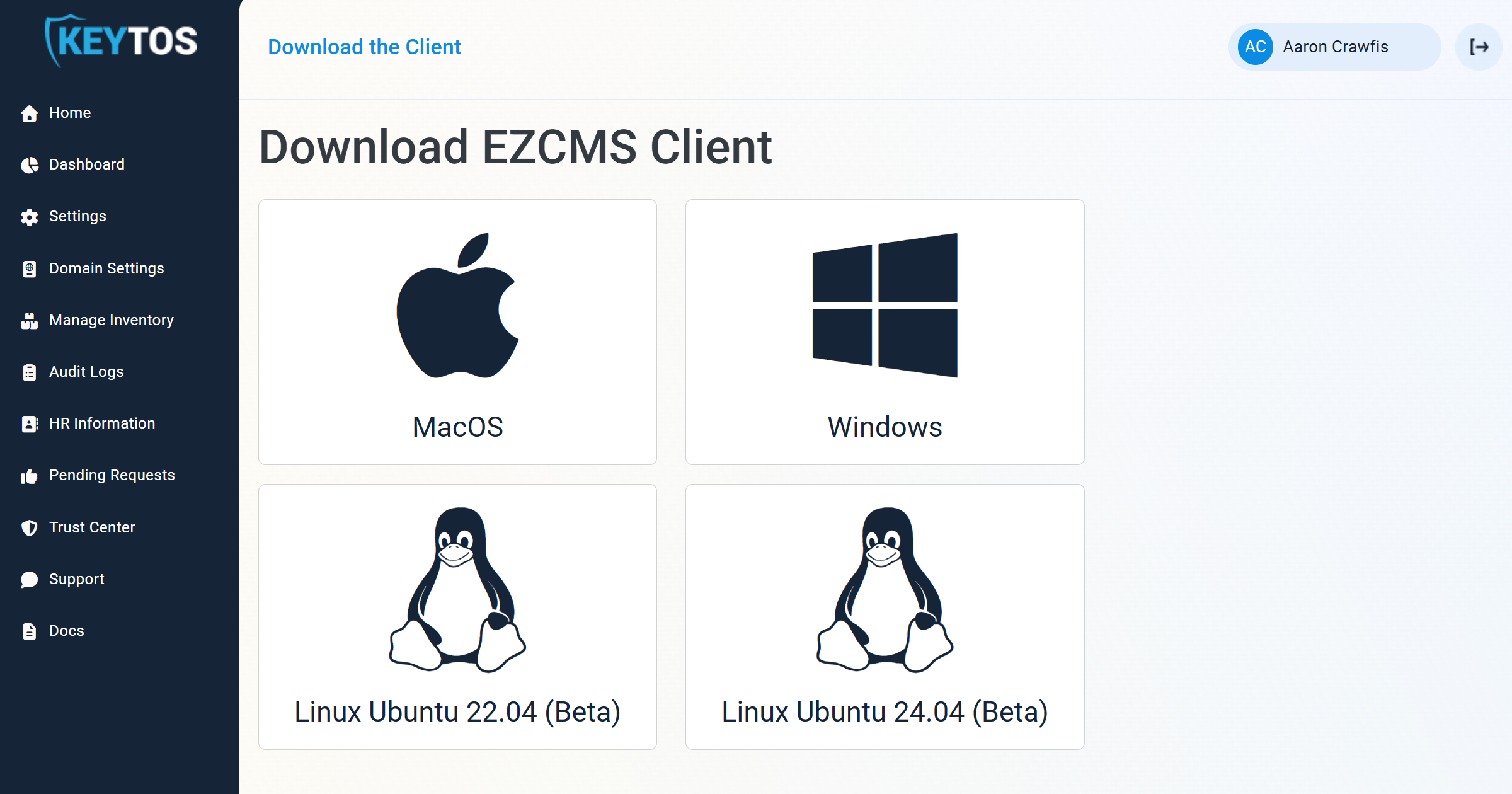
In the top-left corner, click Download the Client.
Select your operating system (Windows, macOS, or Linux) to download the appropriate application binary for your devices.
Let’s explore the two primary methods for distributing the EZCMS application to your users: direct downloads and Mobile Device Management (MDM) solutions.
If your users are able and willing to download and install applications on their devices, you can provide them with a direct download link to the EZCMS application binary.
If you want your users to have a more seamless experience without needing to manually download and install the application, you can use a Mobile Device Management (MDM) solution to distribute the EZCMS application to their devices, such as Microsoft Intune. Check out one of our guides below for instructions on how to distribute the EZCMS application using your preferred MDM solution.
Learn how to distribute the EZCMS application to your users for passwordless onboarding through Microsoft Intune.