













How-To: Transfer Your EZCA Cloud Certificate Authority to a New Subscription
Overview - Transfer Your EZCA Cloud CA to a New Subscription
This guide provides step-by-step instructions on how to transfer your EZCA Cloud Certificate Authorities to a new subscription. This is required if you have a trial subscription which has expired or if your old subscription was deleted or otherwise expired.
If your old subscription was deleted or expired, it cannot be re-enabled. You will need to create a new subscription and transfer your certificate authorities to it.
How to Create a New EZCA Cloud Certificate Authority Subscription
The first step in transferring your certificate authorities is to create a new EZCA Cloud Certificate Authority subscription. You can follow the steps in Creating The New Subscription to create a new subscription.
- You can choose either an Azure Marketplace Subscription or a Direct EZCA Subscription. Both options will work for transferring your certificate authorities.
- Make sure you create your subscription in the same geography (Global, Europe, Australia, etc.) as your previous subscription. We do not support cross-geography transfers due to data residency requirements.
How To Transfer Your EZCA Cloud Certificate Authorities to a New Subscription
-
Navigate to your EZCA Cloud Certificate Authority portal (https://portal.ezca.io for global, https://eu.ezca.io for Europe, etc.) and log in with your CA administrator account.
-
Go to the Settings page. You should see your two subscriptions listed.
-
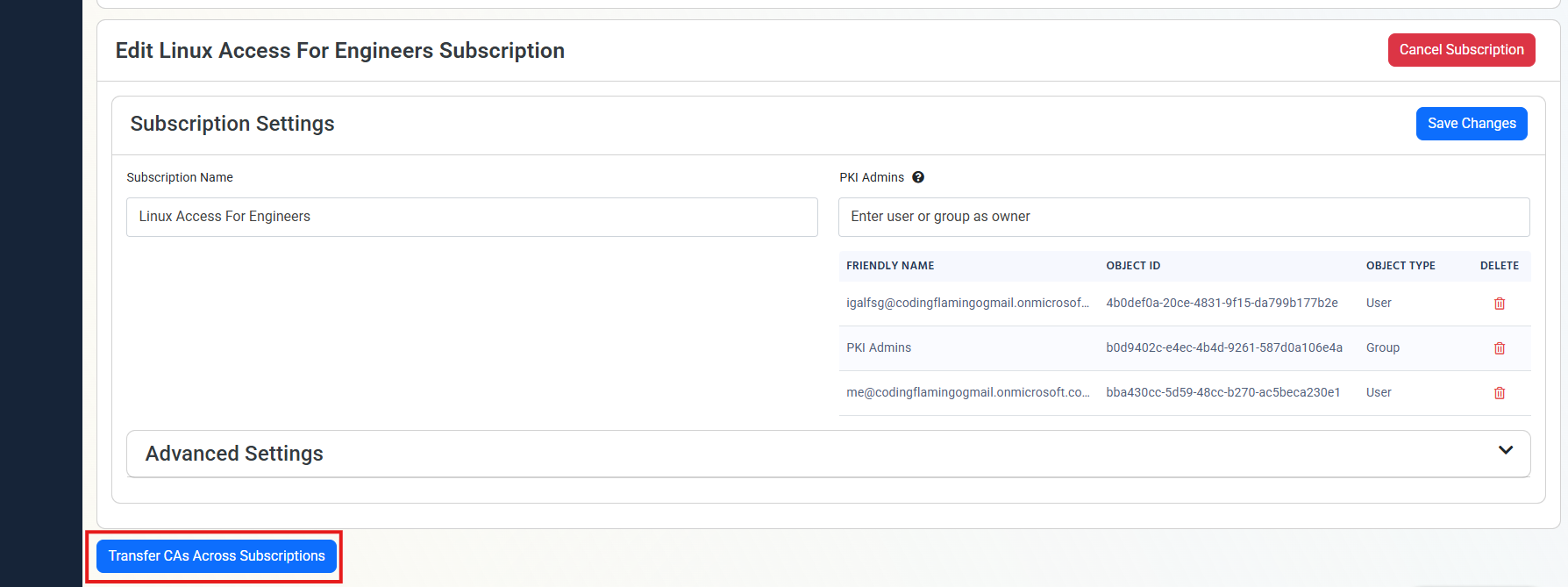
Ensure that the new subscription is configured with the correct PKI Administrators, and SIEM Settings.
-
Click Save Changes to save the changes to your new subscription.
-
Scroll down to the very bottom of the page and click Transfer Certificate Authorities.
-
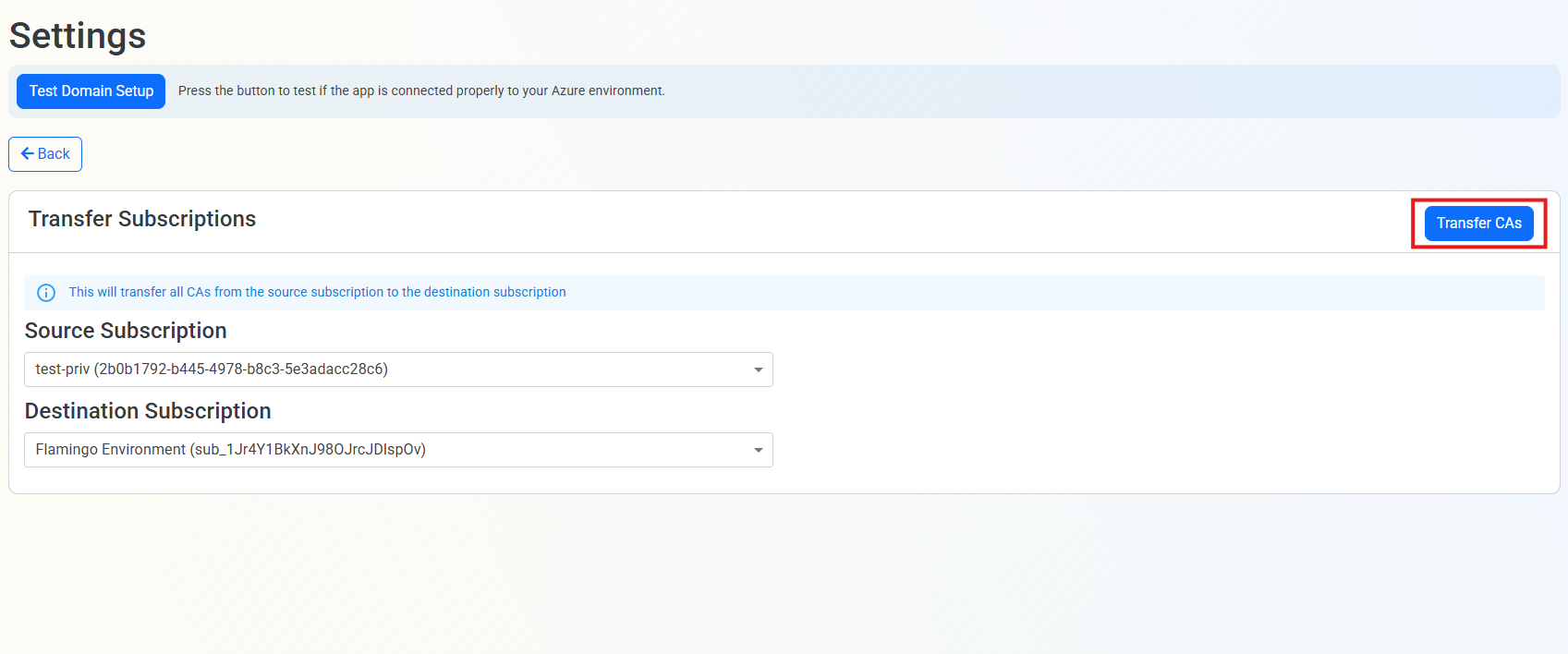
Select your Source Subscription (the old subscription) and your Destination Subscription (the new subscription).
-
Click Transfer Certificate Authorities to transfer the certificate authorities to the new subscription.
-
Done! Your certificate authorities will now be associated with your new subscription.
Subscription Transfer Frequently Asked Questions
How Long Does the Transfer Process Take?
The transfer process is instant. Once you click the Transfer Certificate Authorities button, your certificate authorities will be immediately associated with your new subscription.
Can I Undo the Transfer?
Yes, if you need to revert the transfer, you can repeat the transfer process and select your old subscription as the destination. However, ensure that your old subscription is still active and has not been deleted.
Can I Transfer Certificate Authorities Between Azure Marketplace Subscription and Direct EZCA Subscription?
Yes, you can transfer certificate authorities between an Azure Marketplace Subscription and a Direct EZCA Subscription without any issues.