















How To Sign an External CA Certificate Signing Request (CSR) in EZCA
Overview - What Are External CAs Used For?
If you have a a root CA in EZCA, but you want to create an external intermediate CA certificate in a 3rd party system (like Azure Key Vault), you can sign the CSR in EZCA and then merge the signed certificate back into the 3rd party system. This is useful if you want to use EZCA as your root CA, but you want to use a different system for your intermediate CA. This is super common in TLS inspection scenarios where an external firewall or proxy dynamically generates TLS certificates for the websites that are being accessed by the clients behind the firewall or proxy. Since that intermediate CA certificate is chained under your root CA in EZCA, you can push your Root CA certificate to the clients and they will trust the dynamically generated TLS certificates.
How Does an External CA CSR Signing Process Work?
When you create an external intermediate CA certificate in a 3rd party system, that system will generate a CSR (Certificate Signing Request) for the intermediate CA certificate. You will then take that CSR and submit it to EZCA to be signed by your root CA. Once the CSR is signed, you will receive the signed certificate from EZCA and you can then merge it back into the 3rd party system. This process allows you to use EZCA as your root CA while still using a different system for your intermediate CA.
How to Sign an External CA CSR in EZCA - Step-by-Step Guide
To sign an external CA CSR in EZCA, you will need to follow these steps:
Prerequisites for Signing an External CA CSR in EZCA
Before you can sign an external CA CSR in EZCA, you need to have the following prerequisites in place:
- You have an EZCA Root CA that will be used to sign the external intermediate CA CSR.
- You have the CSR file generated by the 3rd party system. This file will typically have a
.csrextension and will contain the public key and other information about the intermediate CA certificate that you want to create.
How to Sign the External CA CSR in EZCA
-
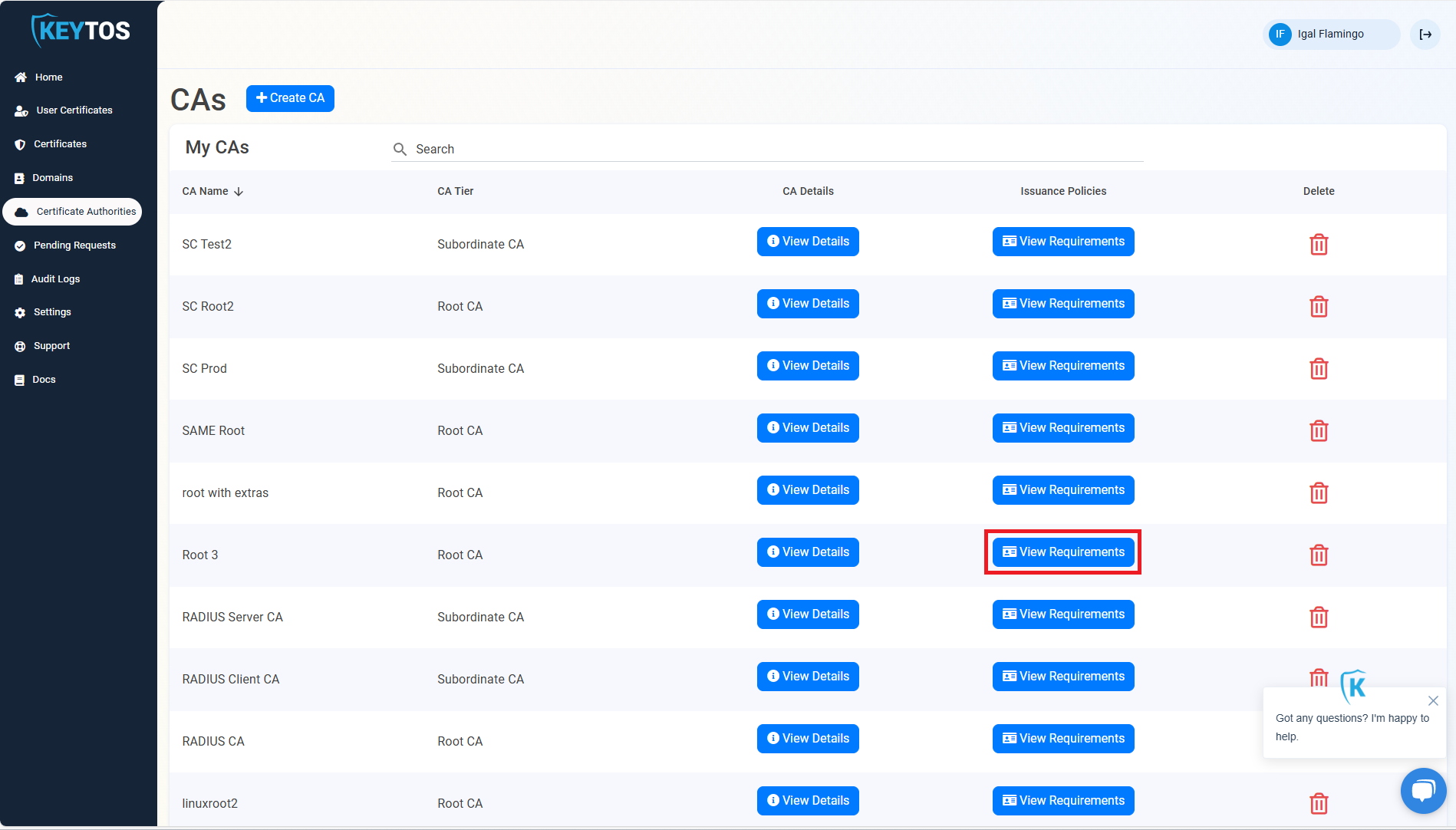
Navigate to your EZCA portal and go to the Certificate Authorities page.
-
Click on View Requirements for your Root CA.
-
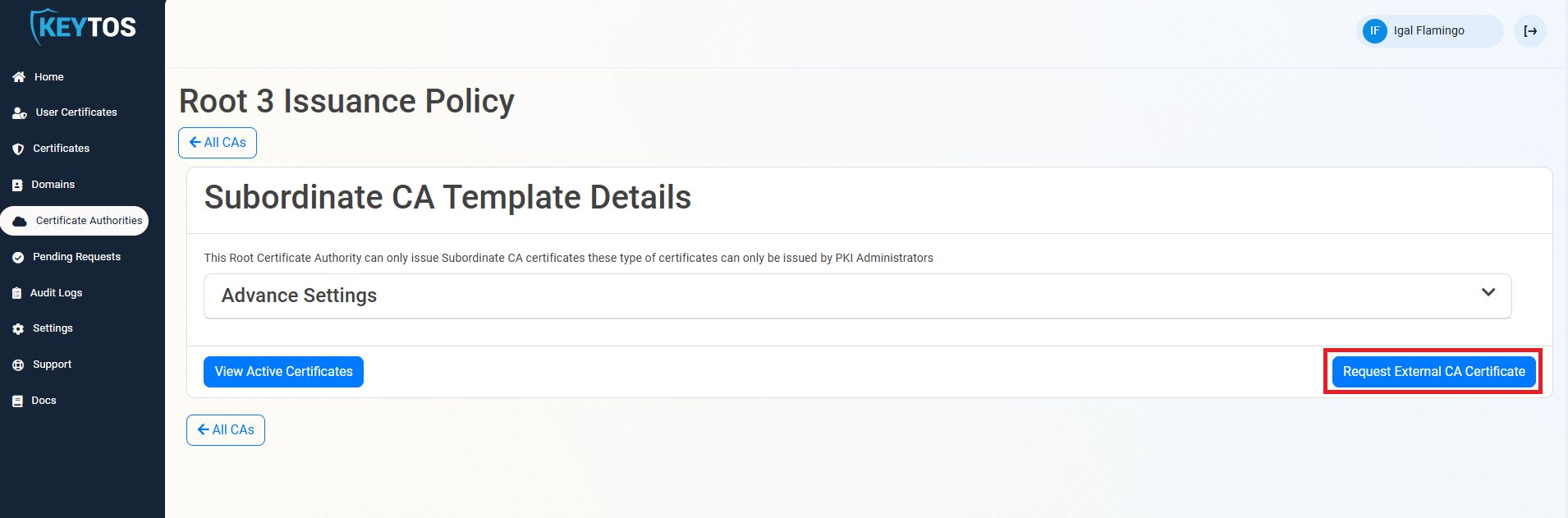
Click on Request External CA Certificate
-
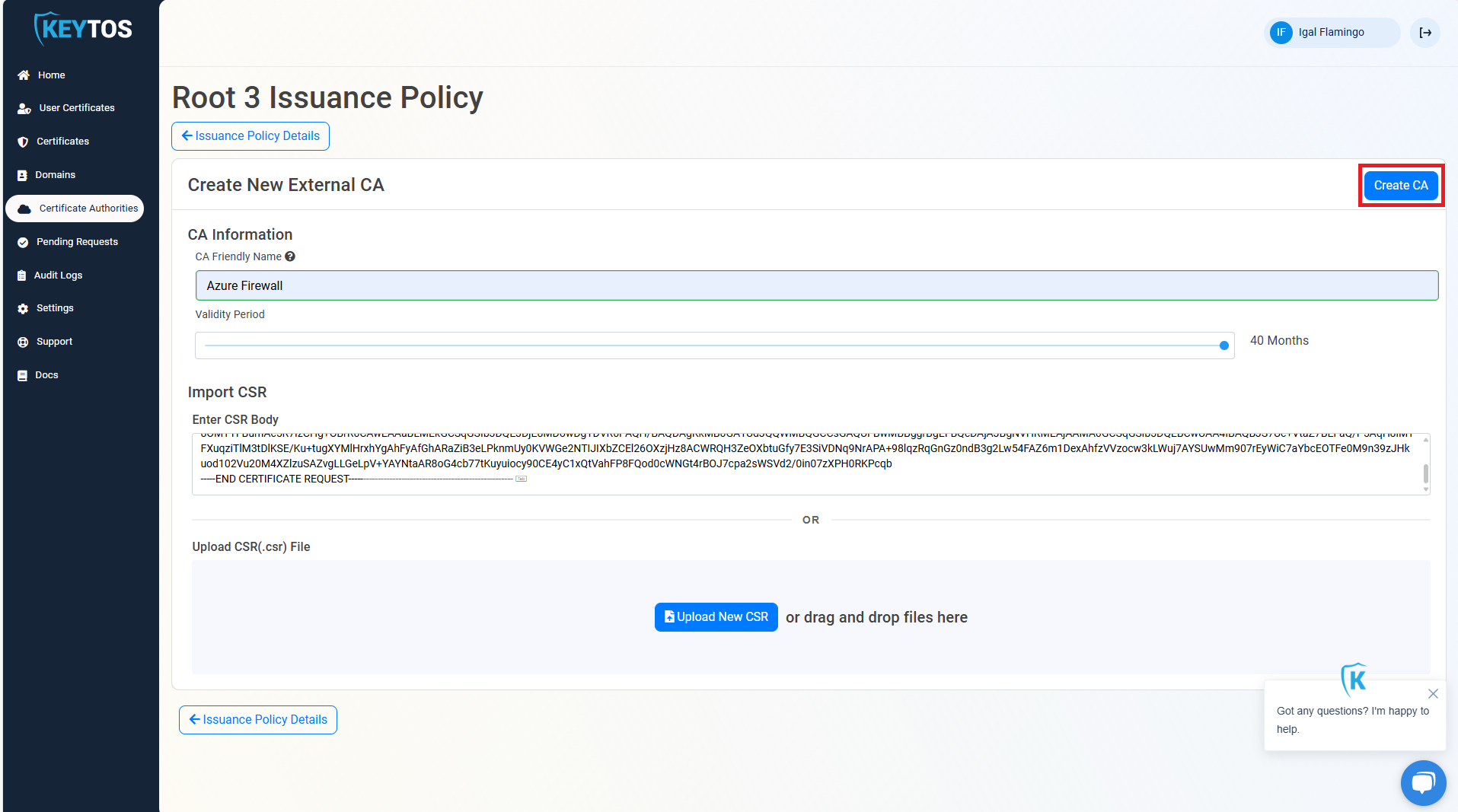
Enter the friendly name for this CA (this is the name it will have in EZCA), select the validity period of the CA, and upload the CSR that you downloaded from the Key Vault (you can also copy paste the text in the text field).
-
Click Create CA.
-
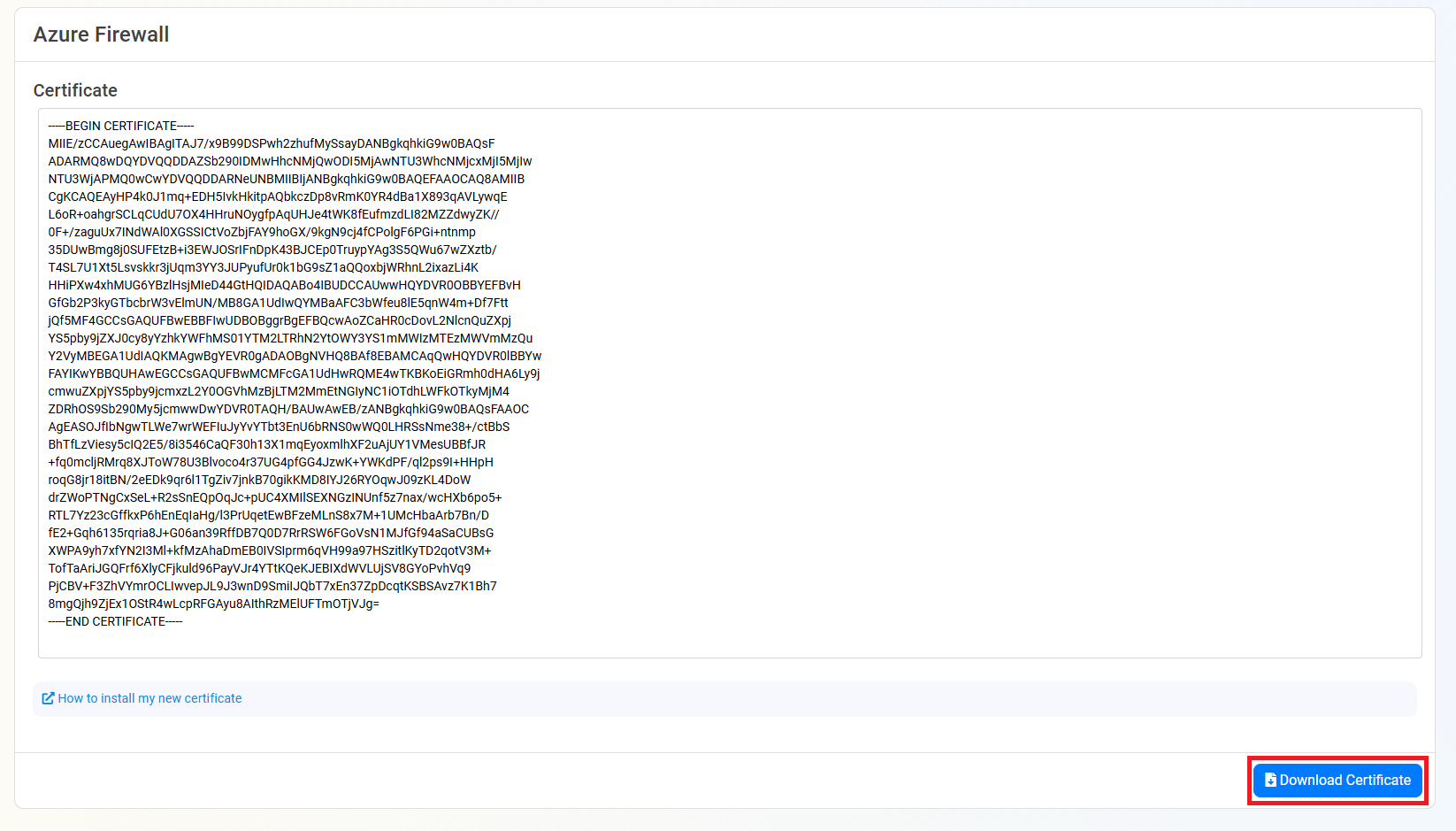
This will create the CA certificate in EZCA, now we need to download the certificate. Click on the Download Certificate button.
How to Merge the Signed External CA Certificate Back into the 3rd Party System
Now that you have the signed external CA certificate from EZCA, you will need to merge it back into the 3rd party system. This process will vary depending on the system you are using, but generally you will need to import the signed certificate into the system and configure it to use the new intermediate CA certificate for generating TLS certificates.