














How-To: Troubleshoot EZSSH Issues with Azure Resources
In this page we will go through the necessary steps to troubleshoot how to troubleshoot EZSSH not finding your azure resources.
Troubleshooting EZSSH Not Finding Your Azure Resources
If EZSSH cannot find your Azure resources you will need to verify that the EZSSH Application has access to your Azure resources.
The easiest way to check, is by going to https://portal.ezssh.io/ and navigating to the settings page.
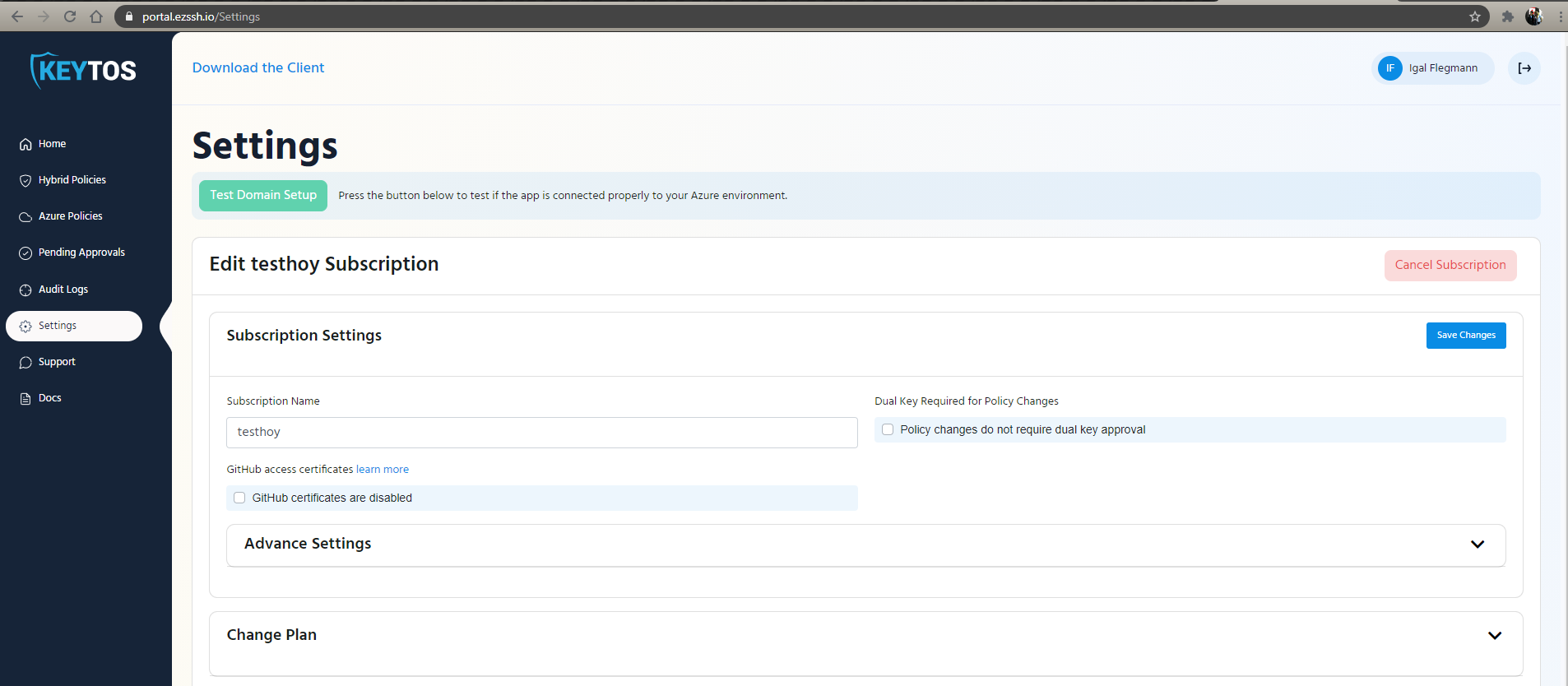
Once in the setting page click the “Test Domain Setup” button.
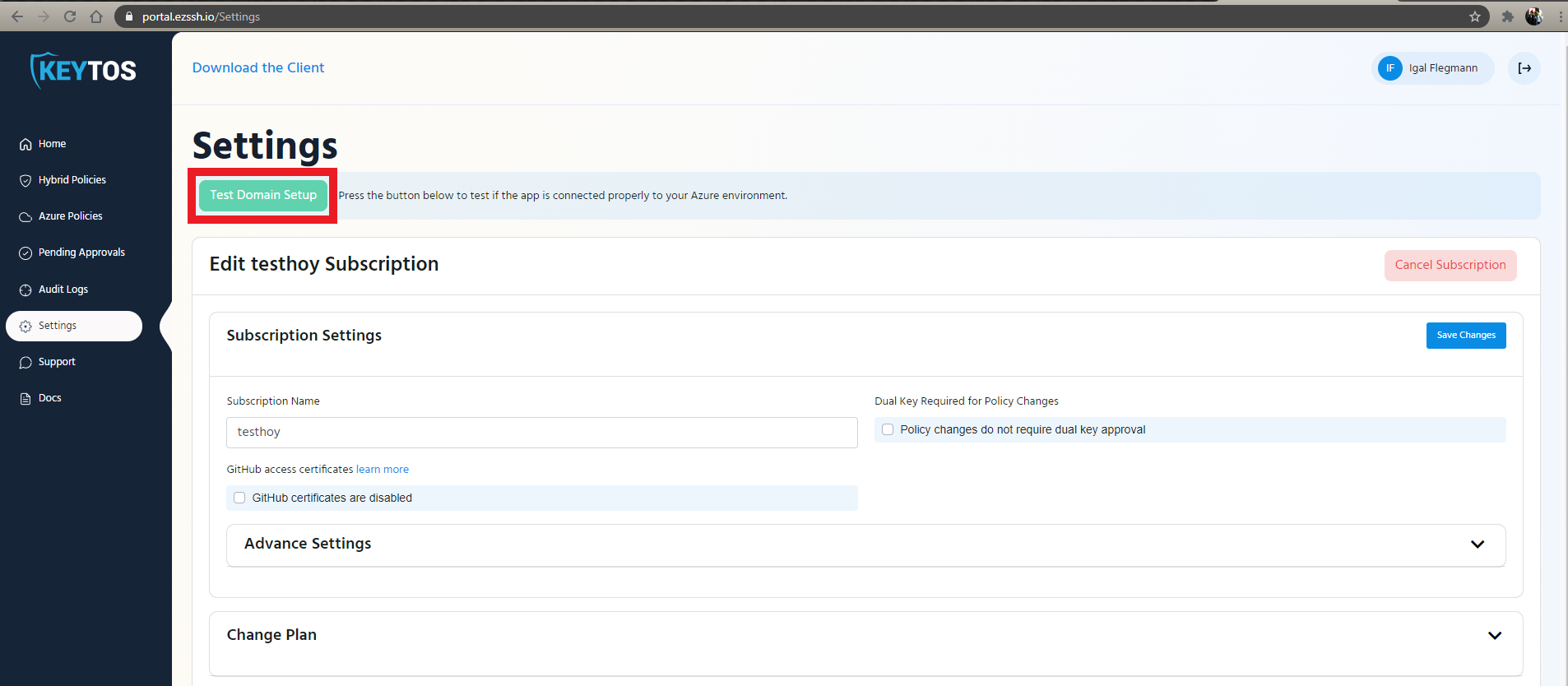
This will give you two results, If EZSSH has graph permission (This is granted by your tenant admin):

And if EZSSH has access to your subscriptions, (In the screenshot below it shows access to one but not to the other)

Fixing Subscription Access
If your subscription shows as EZSSH not having access, give EZSSH access to your subscription.