










How-To: Configure Onboarding Domains for Keytos Shield Identity Security
Overview - Which Domains Can Onboard to Keytos Shield?
The Domain setting controls who identity security is enabled for. Shield lists every domain in your Entra ID tenant, and only users whose accounts are on an allowed domain can enroll security keys. This lets you roll out passwordless sign-in one domain at a time, or keep test and service domains out of Shield.
Prerequisites for Configuring Onboarding Domains
- You have completed Keytos Shield identity security onboarding.
- You have the Owner or Identity Administrator role on your Keytos Shield subscription.
Step-by-Step Guide - How to Configure Onboarding Domains in Keytos Shield
Step 1 - How to Open the Domain Settings
-
Open the Keytos Shield global portal in your browser (US Government Portal) and open your region-specific Shield endpoint under Existing subscriptions.
-
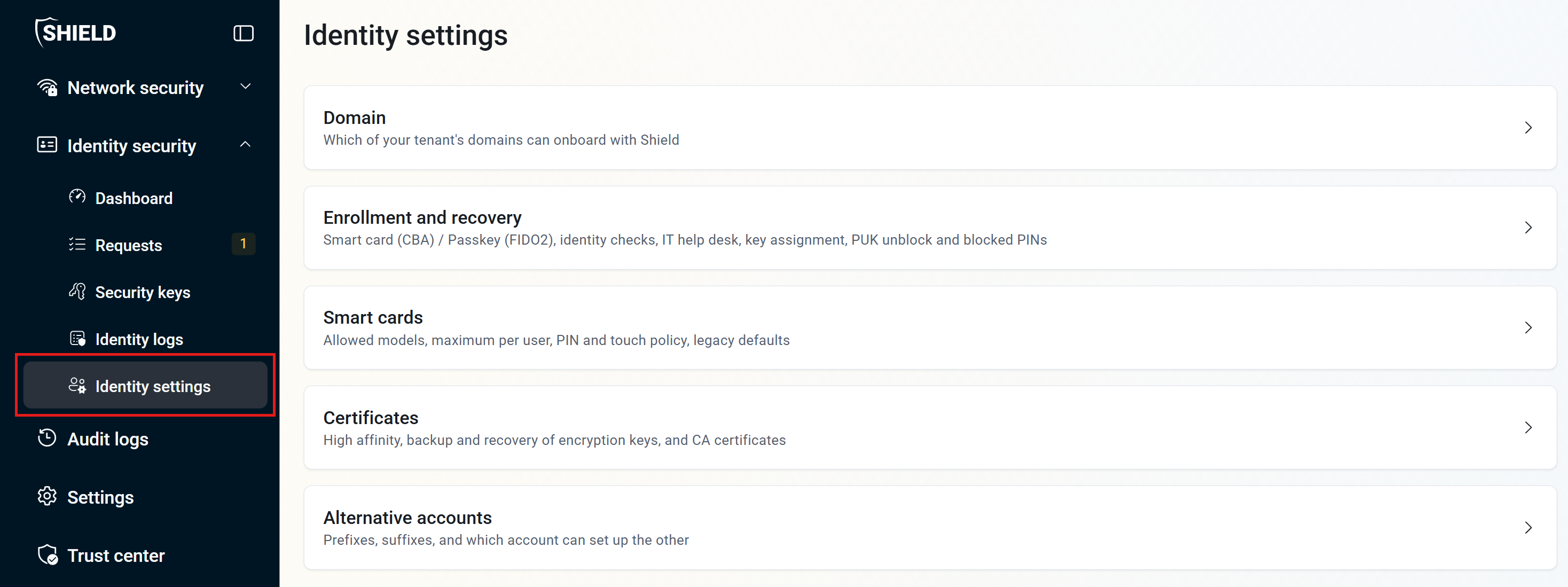
From the left-hand menu, expand Identity security and click Identity settings.
-
Click Domain.
Step 2 - How to Choose Which Domains Can Onboard with Shield
-
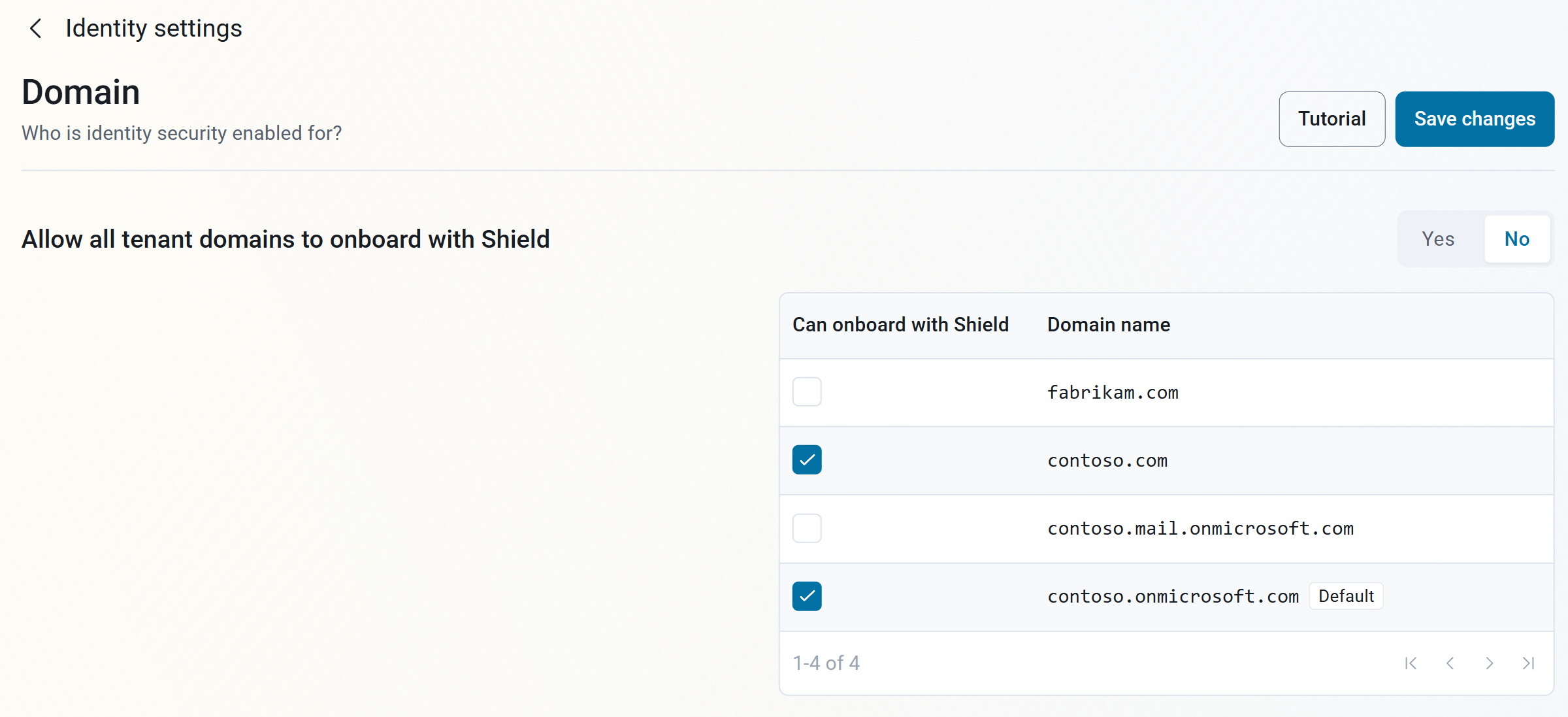
For Allow all tenant domains to onboard with Shield, choose how you want to allow domains:
-
Select Yes to let users on every domain in your Entra ID tenant enroll security keys. The domain list is hidden when this is on.

-
Select No (recommended) to choose individual domains. We recommend this option so you control exactly which domains can onboard to Shield.
-
-
If you selected No, check Can onboard with Shield for each domain your users sign in with, and uncheck any domain that shouldn’t onboard.
- Your Entra ID tenant’s Default domain is marked in the list. To change which domain is the default, change the default domain in Entra ID.
- If an alternative account uses a domain, keep that domain checked so users can enroll security keys for accounts on it.
-
Click Save changes at the top right of the page.
Done! Users on the domains you allowed can now enroll their security keys with Keytos Connect.