









How to Export Keytos Shield Audit Logs to Amazon CloudWatch
Overview - How to Send Keytos Shield Logs to Amazon CloudWatch
Keytos Shield can send its audit logs to an Amazon CloudWatch Logs log stream using bearer token authentication, so your security team can search, alert on, and retain them alongside the rest of your AWS monitoring data.
Prerequisites
- An active Keytos Shield subscription.
- An AWS account with a CloudWatch Logs log group and log stream, and permission to create CloudWatch API keys.
How to Export Keytos Shield Audit Logs to Amazon CloudWatch
How to Enable Log Export in Keytos Shield
-
Open the Keytos Shield global portal in your browser (US Government Portal) and sign in.
-
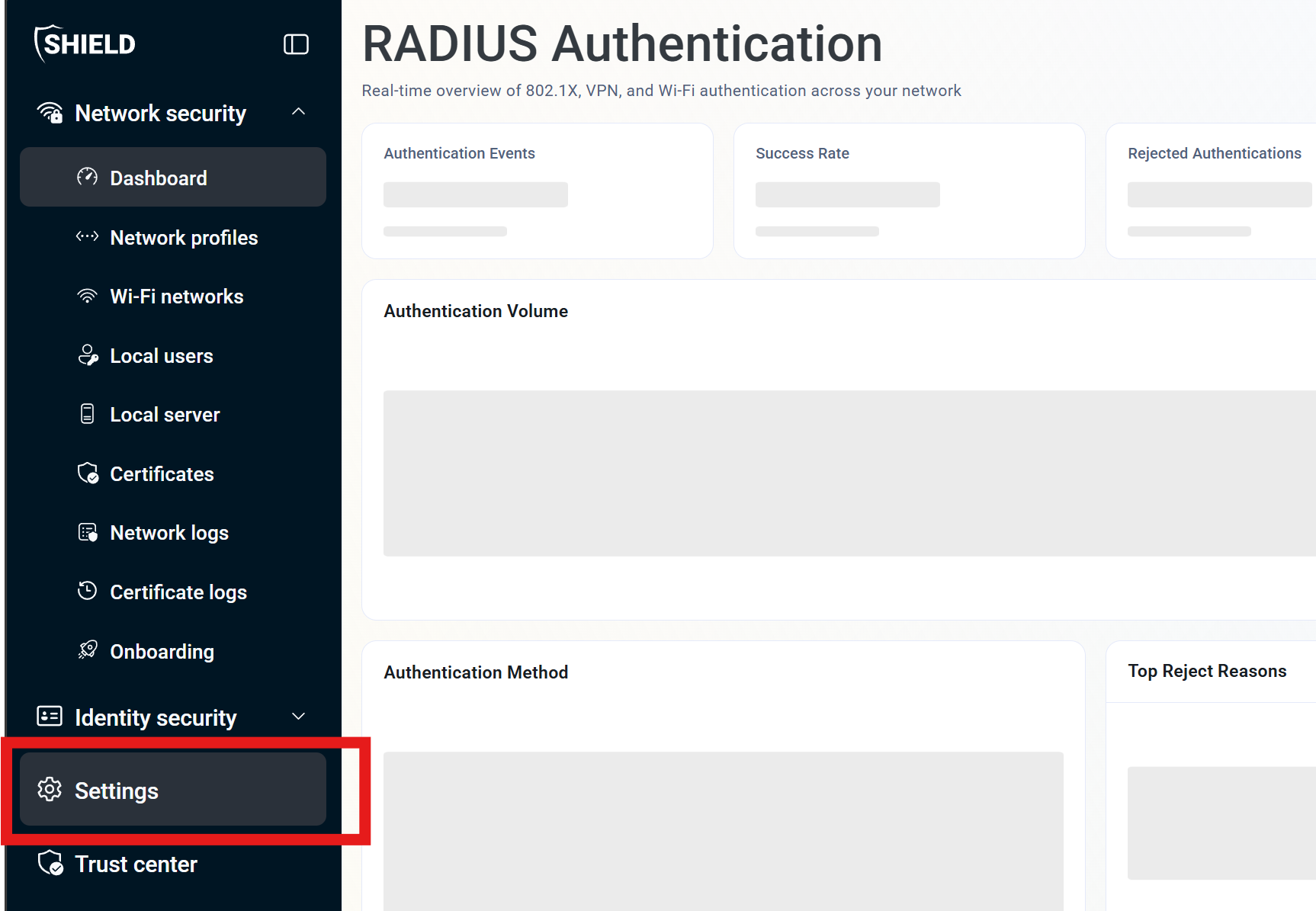
Click Settings in the left menu.
-
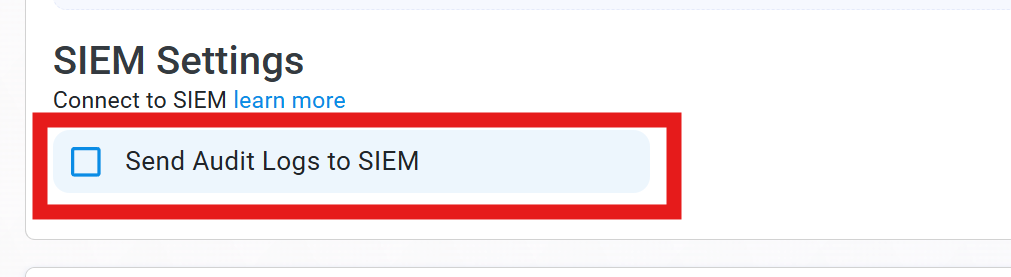
Scroll down to SIEM Settings and enable Send Audit Logs to SIEM.
How to Configure CloudWatch Logs for Keytos Shield
-
Open your CloudWatch Portal in a new browser tab.
-
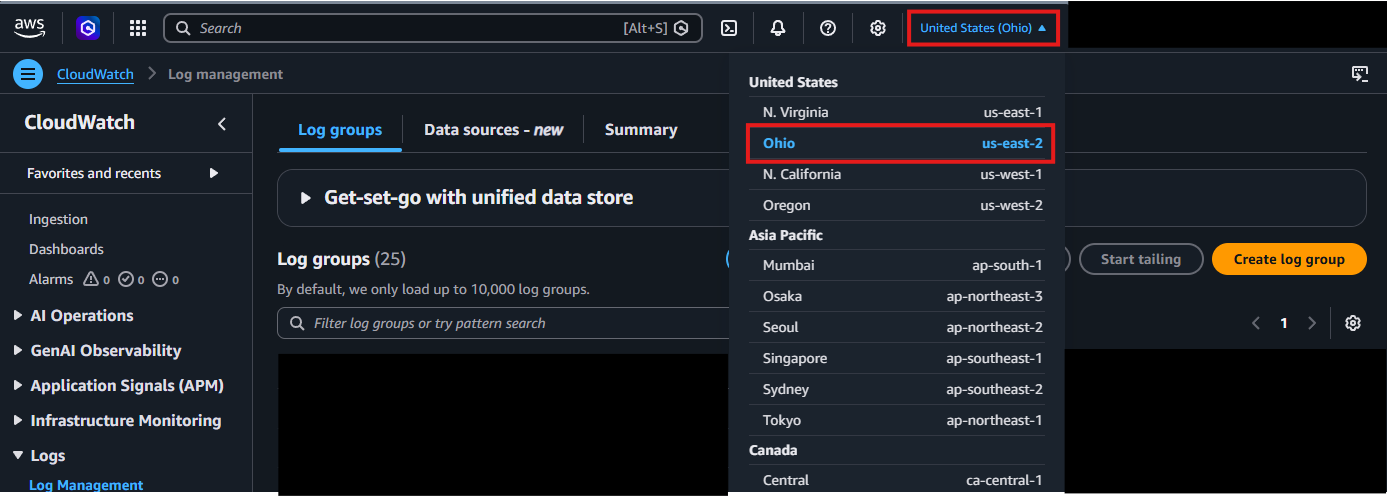
In the top right corner, locate your AWS Region and make a note of it.
-
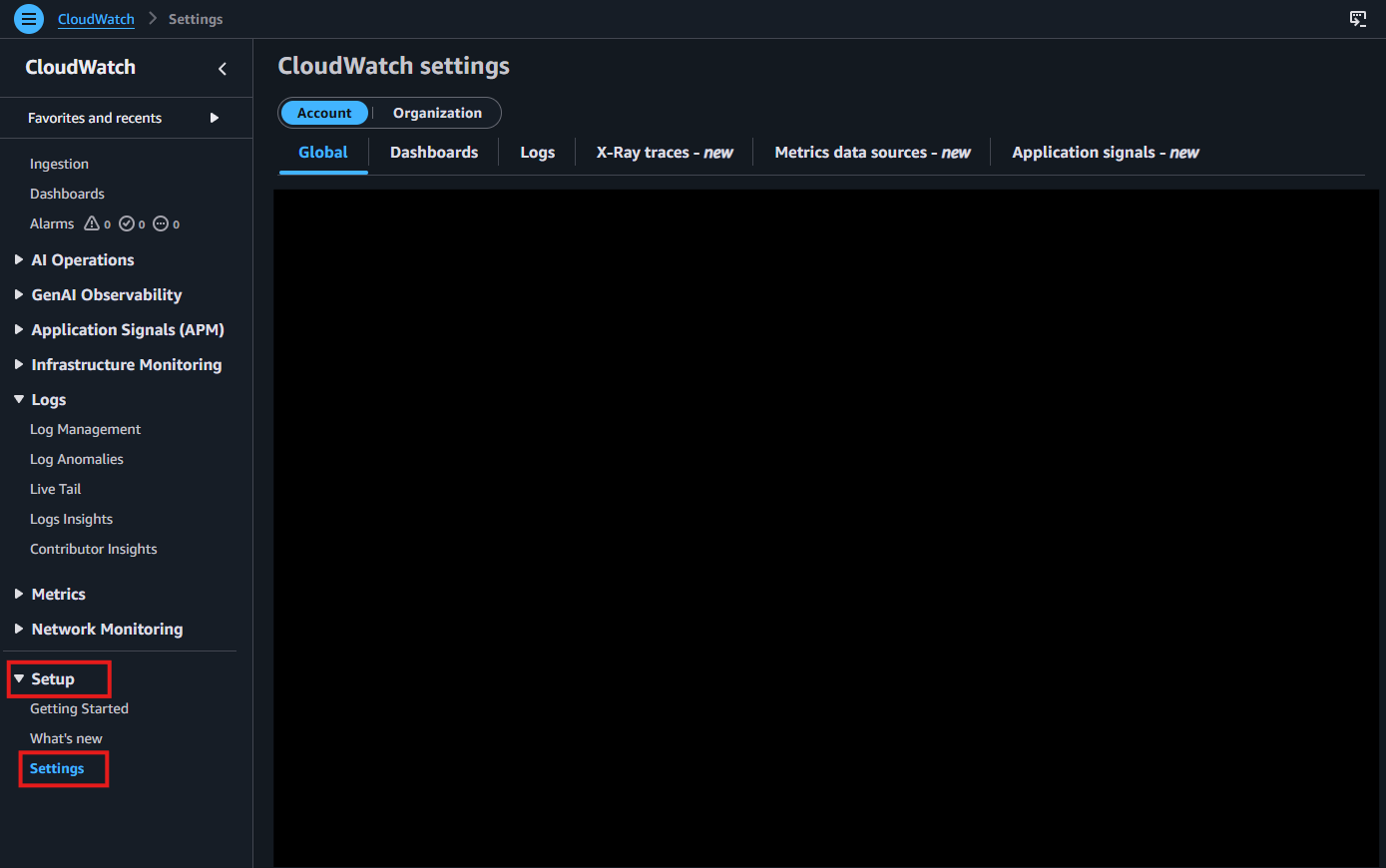
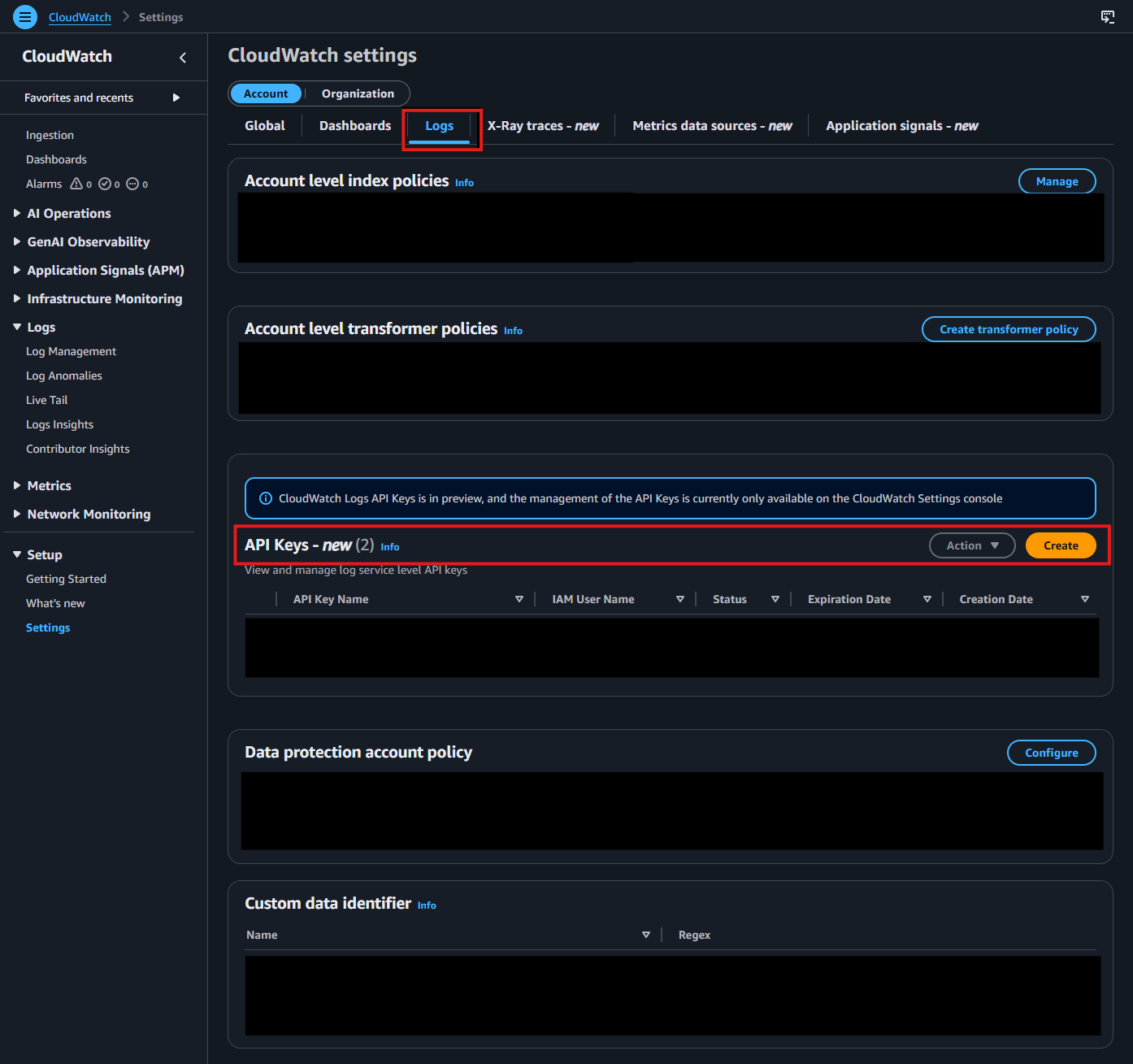
From the left-hand menu, under Setup, click on Settings.
-
Go to the Logs tab. In the API Keys section, click Create.
-
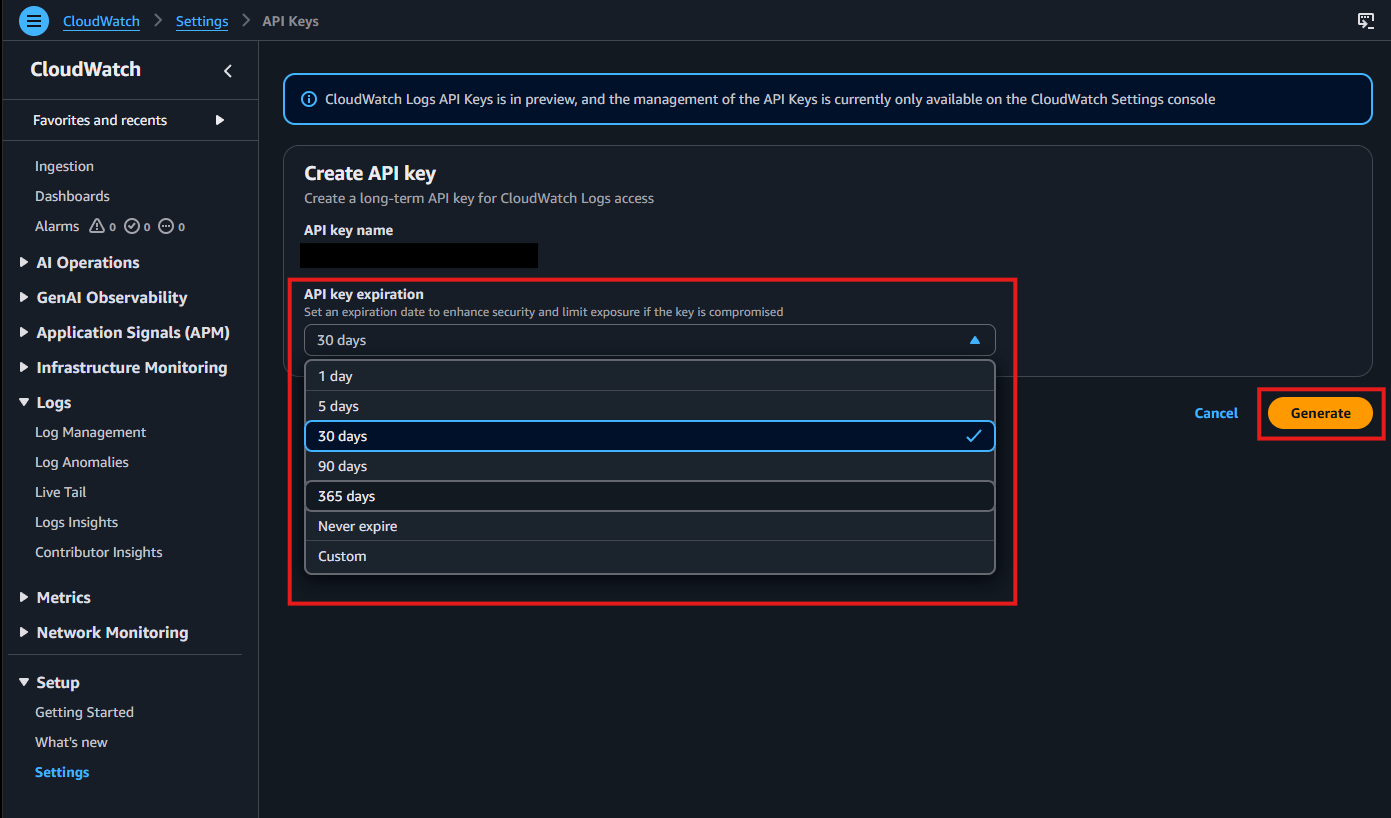
Choose your preferred API key expiration, then click Generate.
-
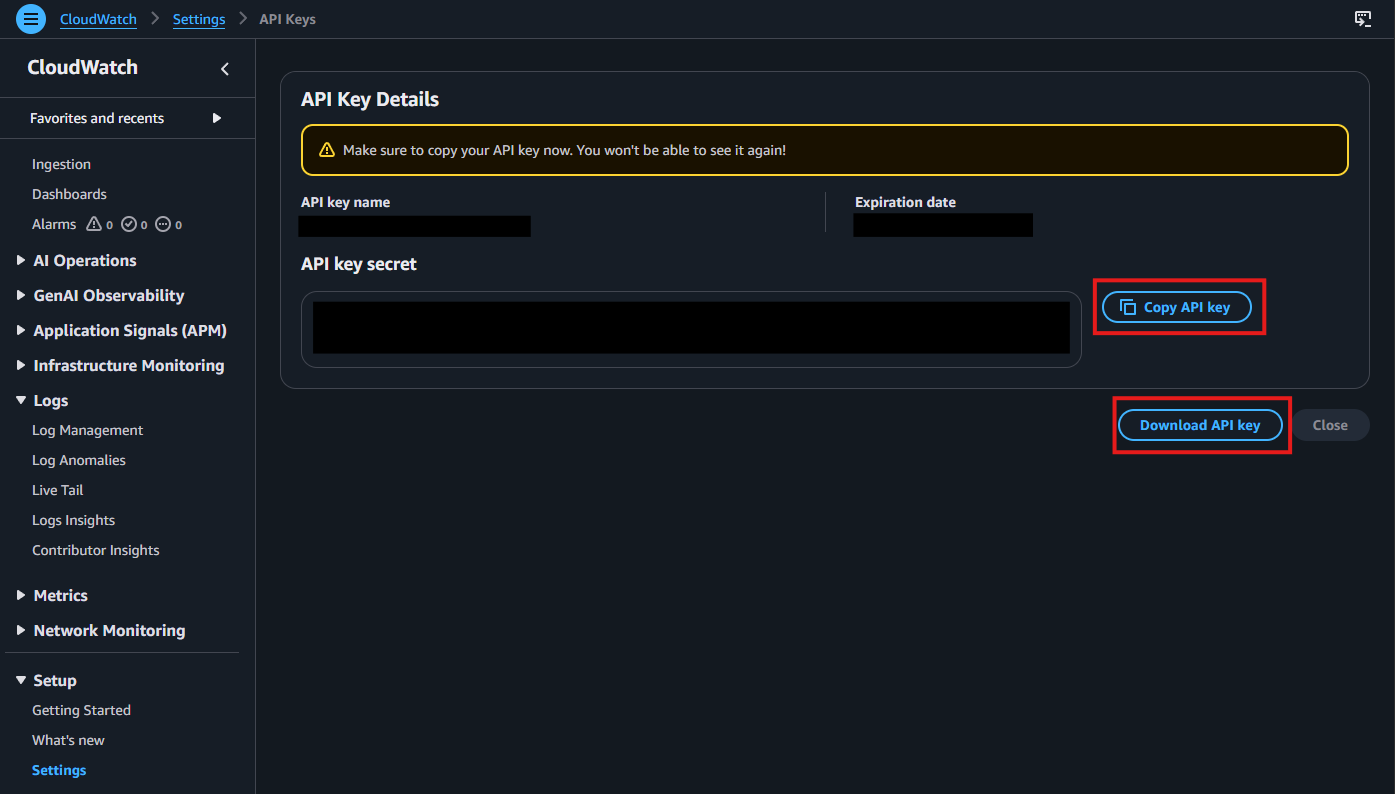
After the key is generated, copy and save it immediately. You will not be able to view it again after leaving this page.
-
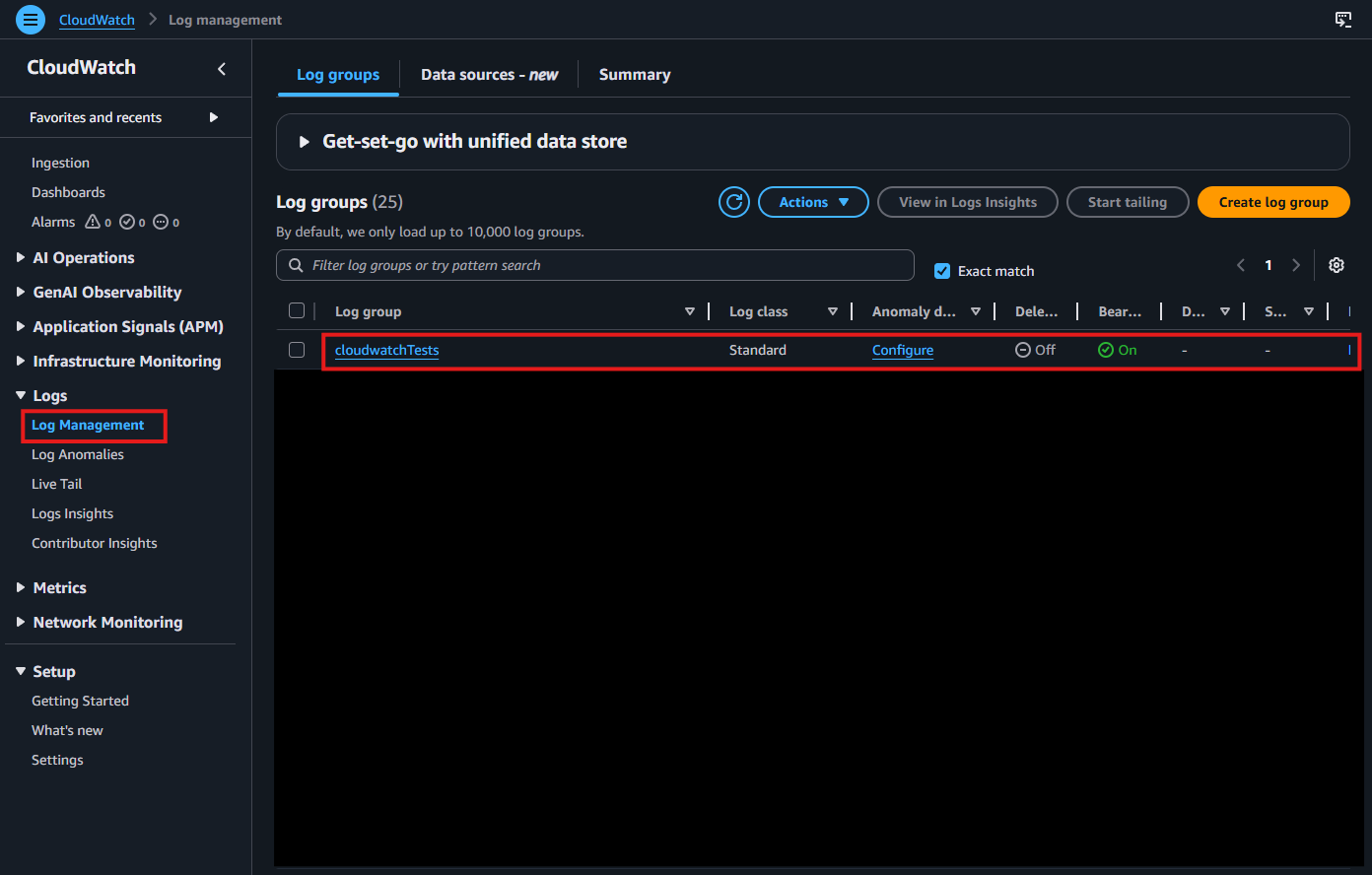
Navigate to Log Management under Logs in the left-hand menu. Select the Log Group where you want to deliver your logs.
-
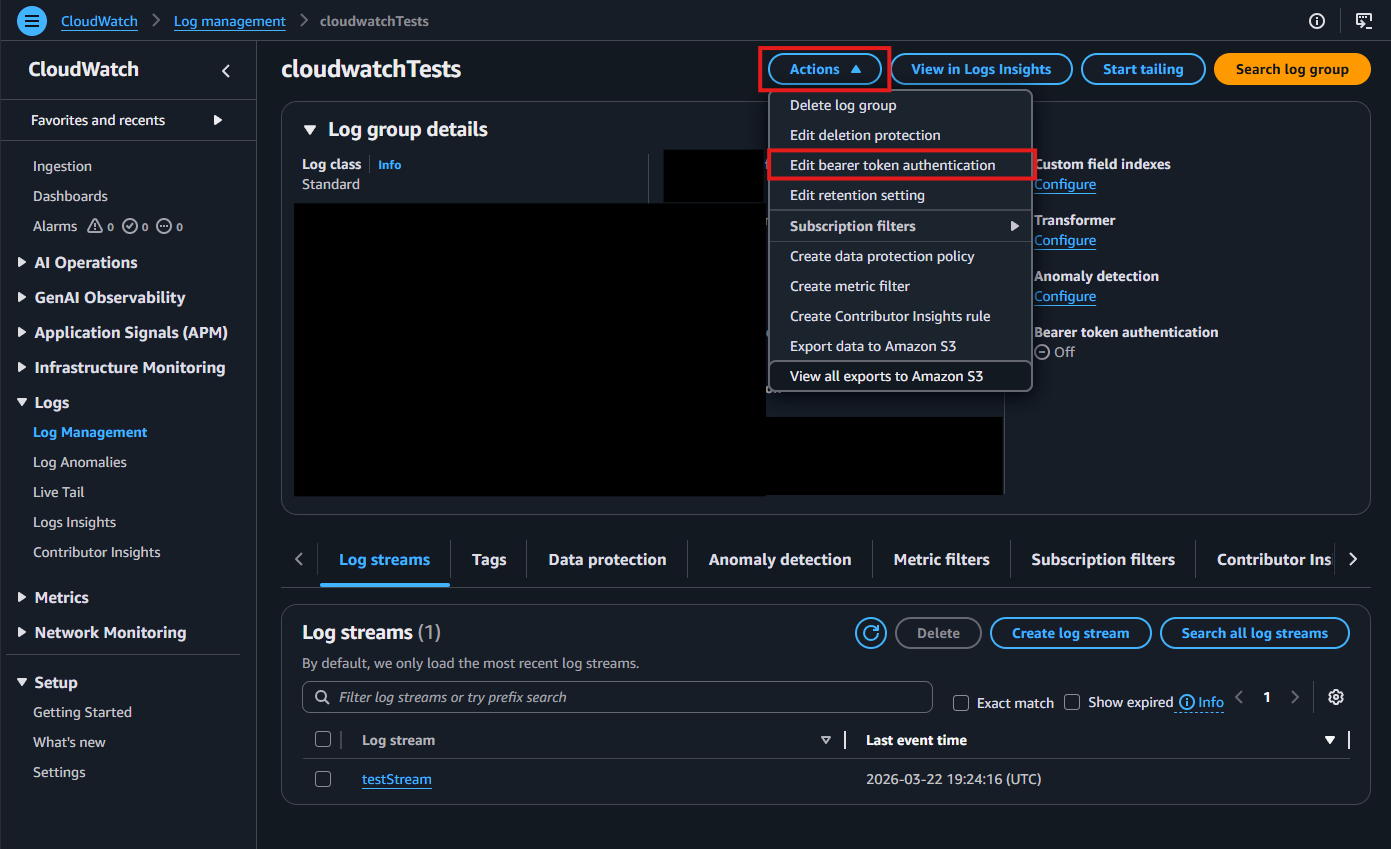
Click the Actions dropdown, then select Edit bearer token authentication.
-
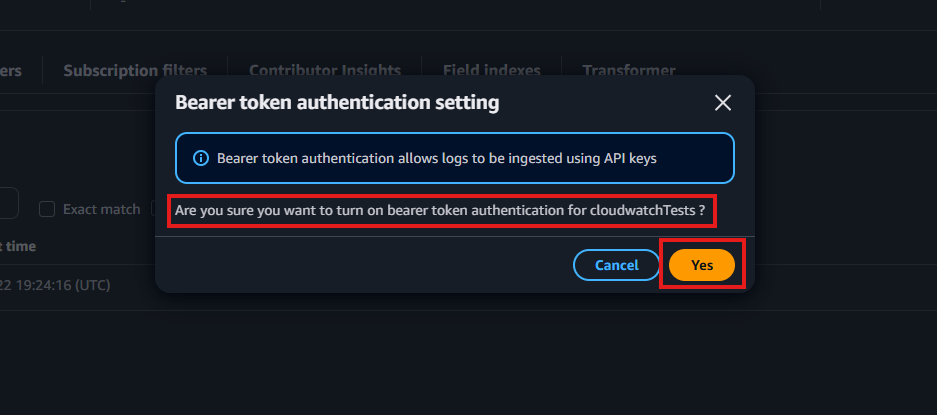
When prompted, enable bearer token authentication by selecting Yes.
-
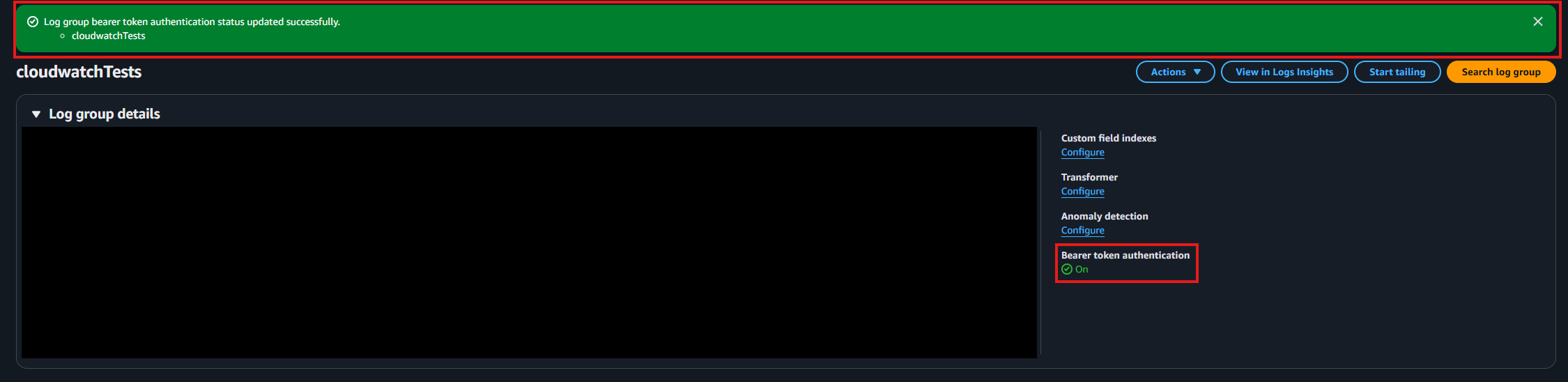
Confirm that bearer token authentication is enabled.
-
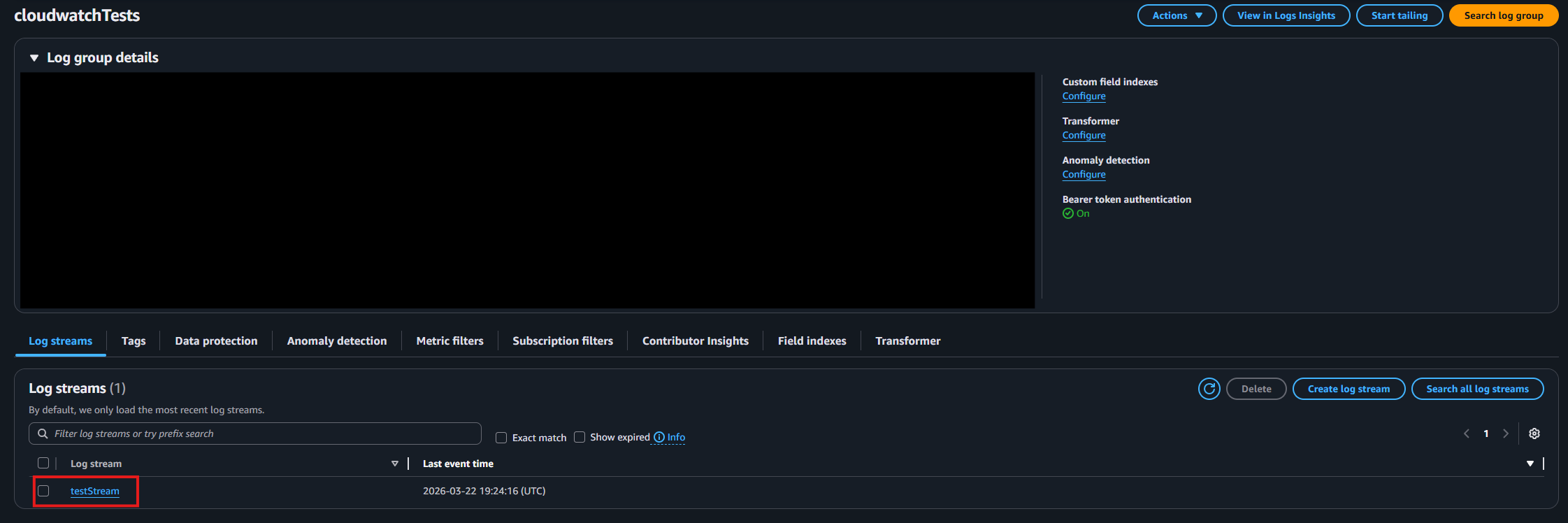
Identify and note the log stream where you want your logs delivered.
How to Connect Keytos Shield to Amazon CloudWatch
-
Go back to the Keytos Shield tab.
-
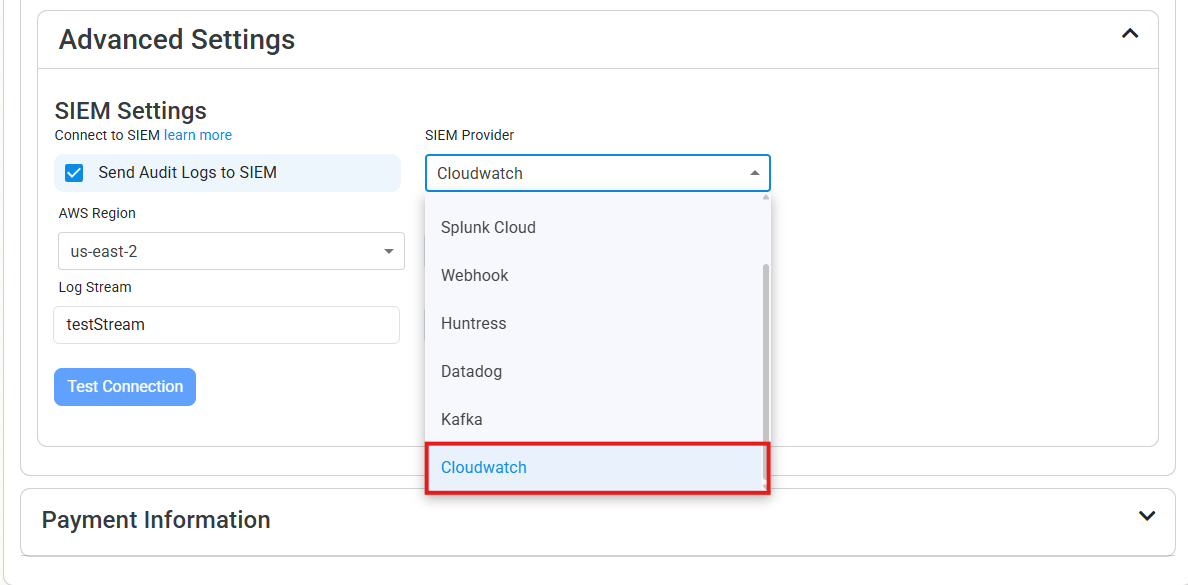
From the SIEM Provider dropdown, select CloudWatch.
-
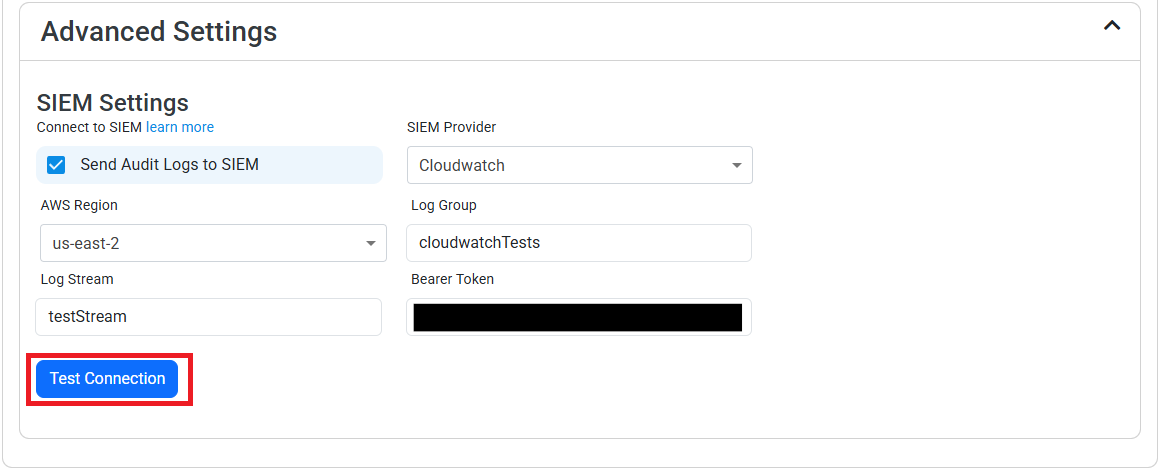
Select your AWS Region, then enter your Log Group, Log Stream, and the API key you generated as the Bearer Token. Then click Test Connection. This sends a test log to your CloudWatch log stream (allow a few minutes for it to show up).
-
If the connection test succeeds, scroll up and click Save Changes to apply your SIEM configuration.
-
Done! Keytos Shield will now send your audit logs to Amazon CloudWatch.
Other Supported SIEM Platforms
Using a different SIEM? See all SIEM platforms supported by Keytos Shield.