















How to Export Keytos Shield Audit Logs to Kafka
Overview - How to Send Keytos Shield Logs to Kafka
Keytos Shield can publish its audit logs to an Apache Kafka topic, so you can route them into any SIEM or data pipeline that reads from Kafka.
Prerequisites
- An active Keytos Shield subscription.
- A Kafka broker that Keytos Shield can reach, with a topic for the logs and SASL username and password credentials.
How to Export Keytos Shield Audit Logs to Kafka
How to Enable Log Export in Keytos Shield
-
Open the Keytos Shield global portal in your browser (US Government Portal) and sign in.
-
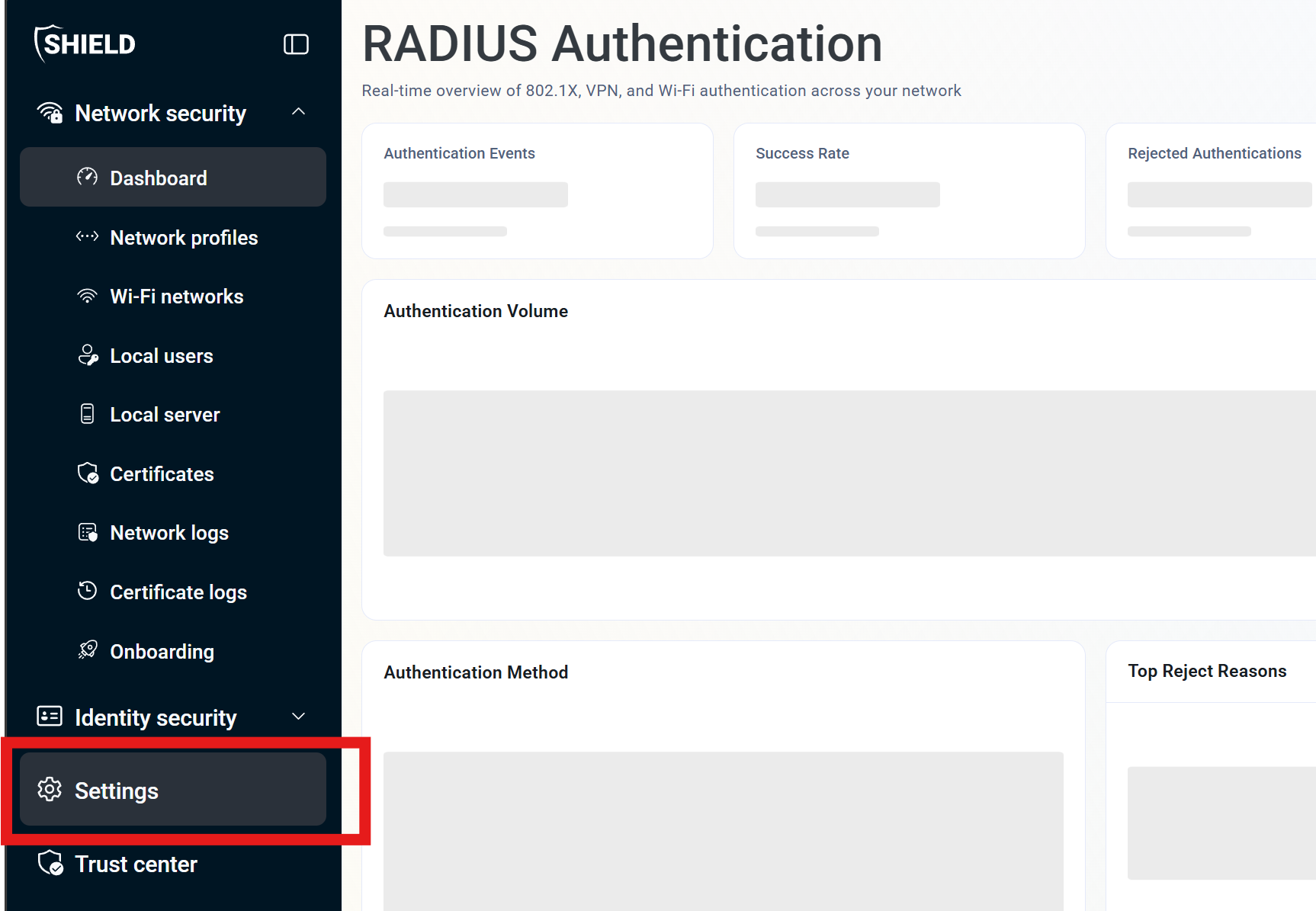
Click Settings in the left menu.
-
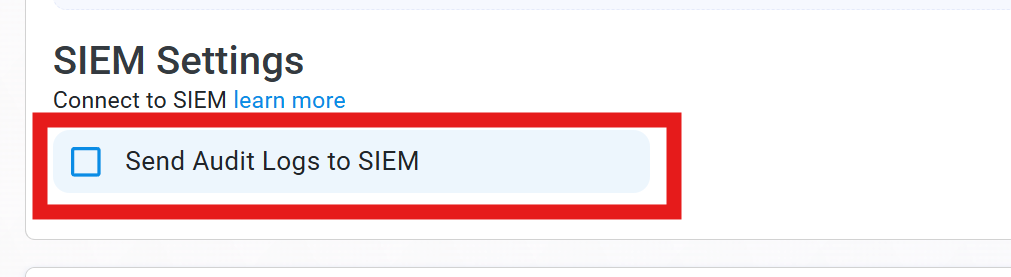
Scroll down to SIEM Settings and enable Send Audit Logs to SIEM.
How to Get Your Kafka Connection Details
-
Open your Kafka instance in another window.
-
Identify your Kafka topic name and note it down.
-
Verify authentication support:
Ensure your Kafka server supports Plaintext SASL Authentication. -
Gather credentials:
Note the SASL username and password required for authentication.
How to Connect Keytos Shield to Kafka
-
Go back to the Keytos Shield tab.
-
From the SIEM Provider dropdown, select Kafka.
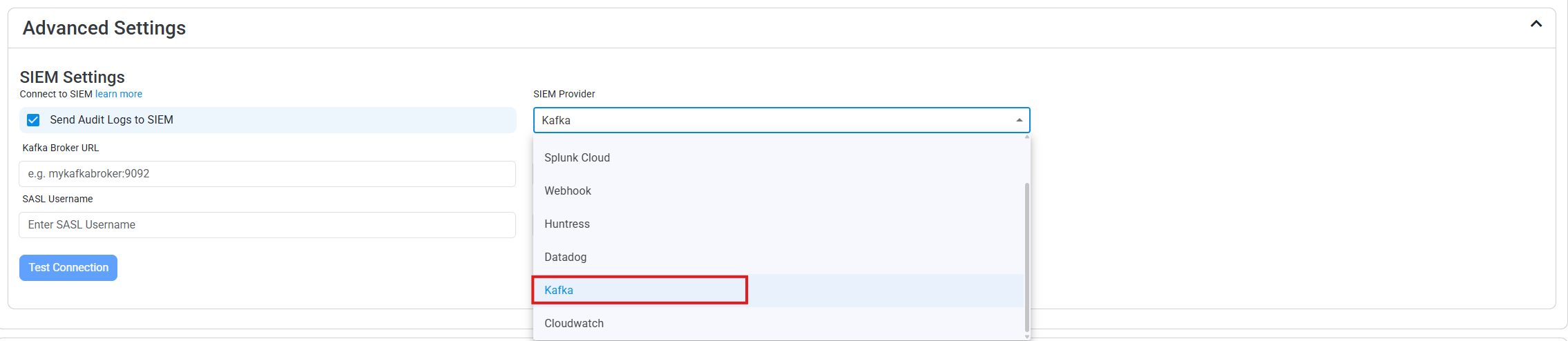
-
Enter your Kafka Broker URL, Kafka Topic, SASL Username, and SASL Password. Then click Test Connection. This sends a test log to your Kafka topic (allow a few minutes for it to show up).
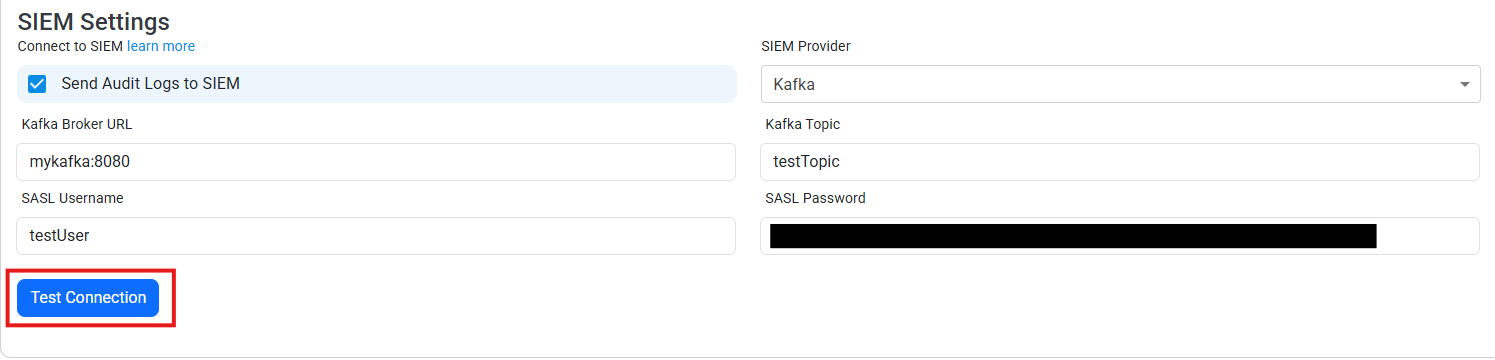
-
If the connection test succeeds, scroll up and click Save Changes to apply your SIEM configuration.
-
Done! Keytos Shield will now send your audit logs to Kafka.
Other Supported SIEM Platforms
Using a different SIEM? See all SIEM platforms supported by Keytos Shield.