











How to Export Keytos Shield Audit Logs to Huntress
Overview - How to Send Keytos Shield Logs to Huntress
Keytos Shield can send its audit logs to the Huntress SIEM through a Generic HTTP Event Collector (HEC), so your security team can search, alert on, and retain them alongside the rest of your security data.
Prerequisites
- An active Keytos Shield subscription.
- A Huntress account with the SIEM feature and permission to add sources.
How to Export Keytos Shield Audit Logs to Huntress
How to Enable Log Export in Keytos Shield
-
Open the Keytos Shield global portal in your browser (US Government Portal) and sign in.
-
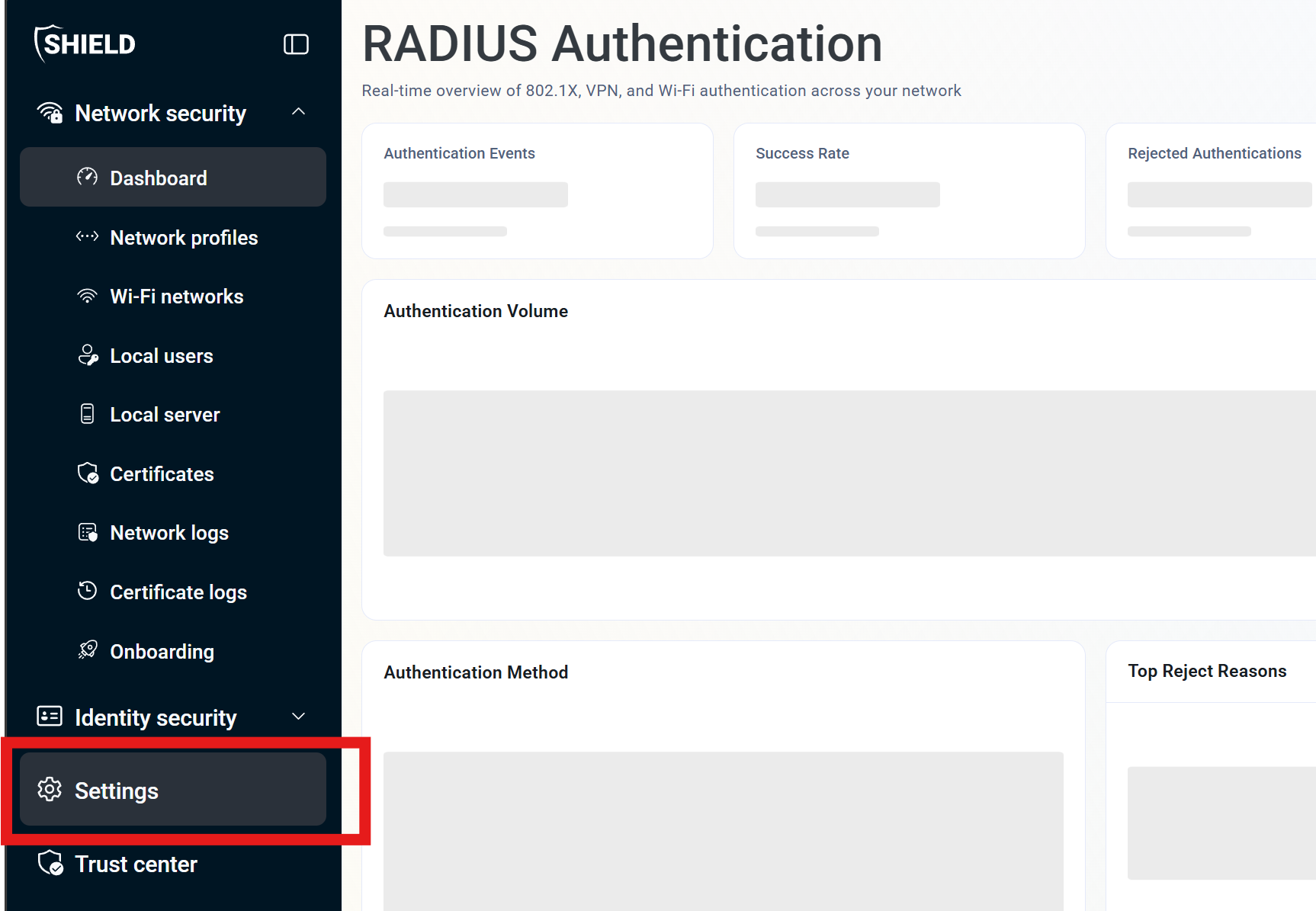
Click Settings in the left menu.
-
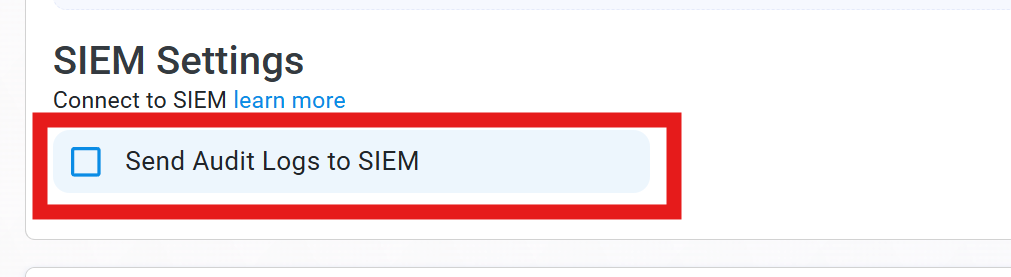
Scroll down to SIEM Settings and enable Send Audit Logs to SIEM.
How to Create a Generic HEC Source in Huntress
-
In another tab, go to your Huntress instance.
-
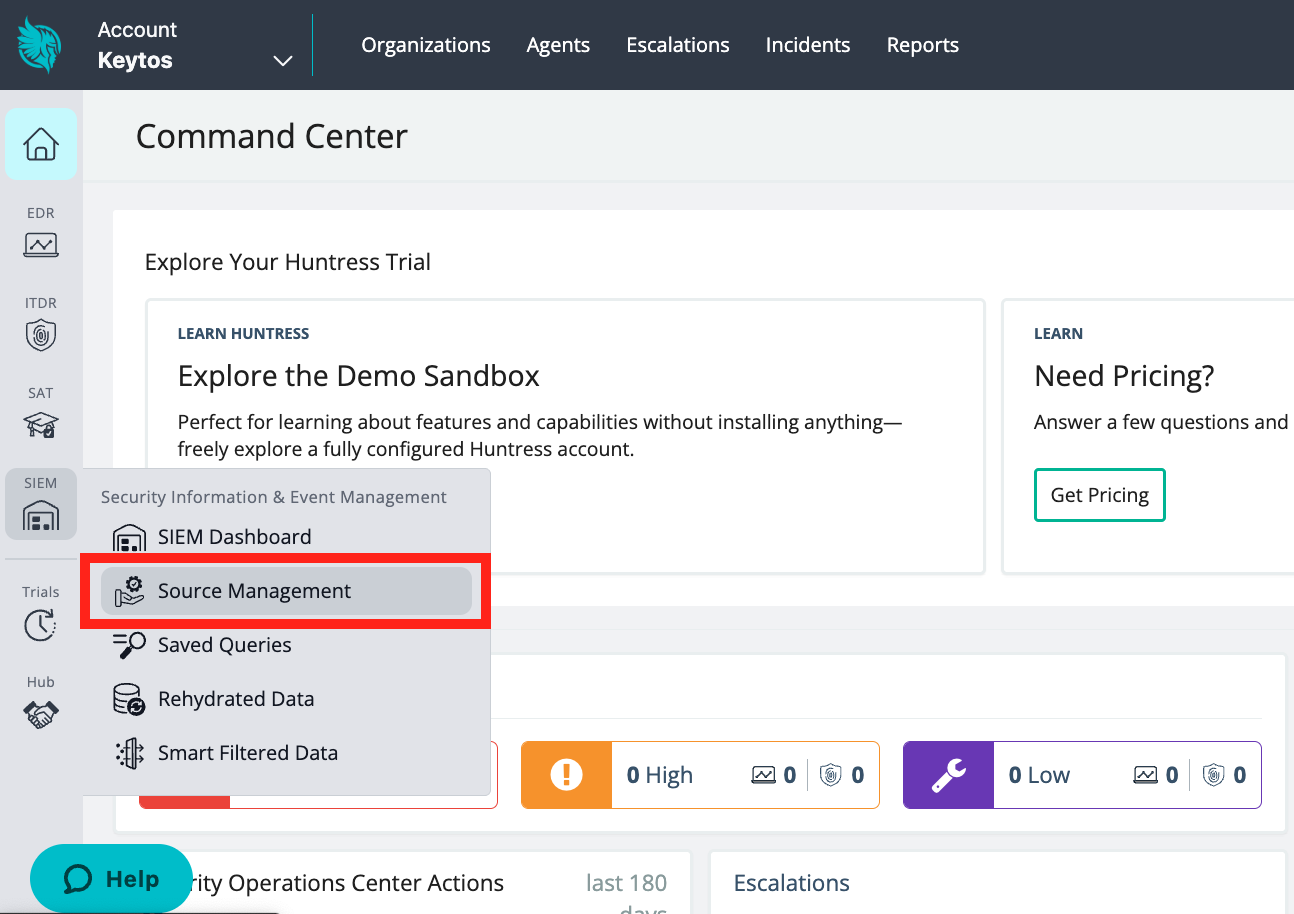
Click on the SIEM menu. Then, click Source Management.
-
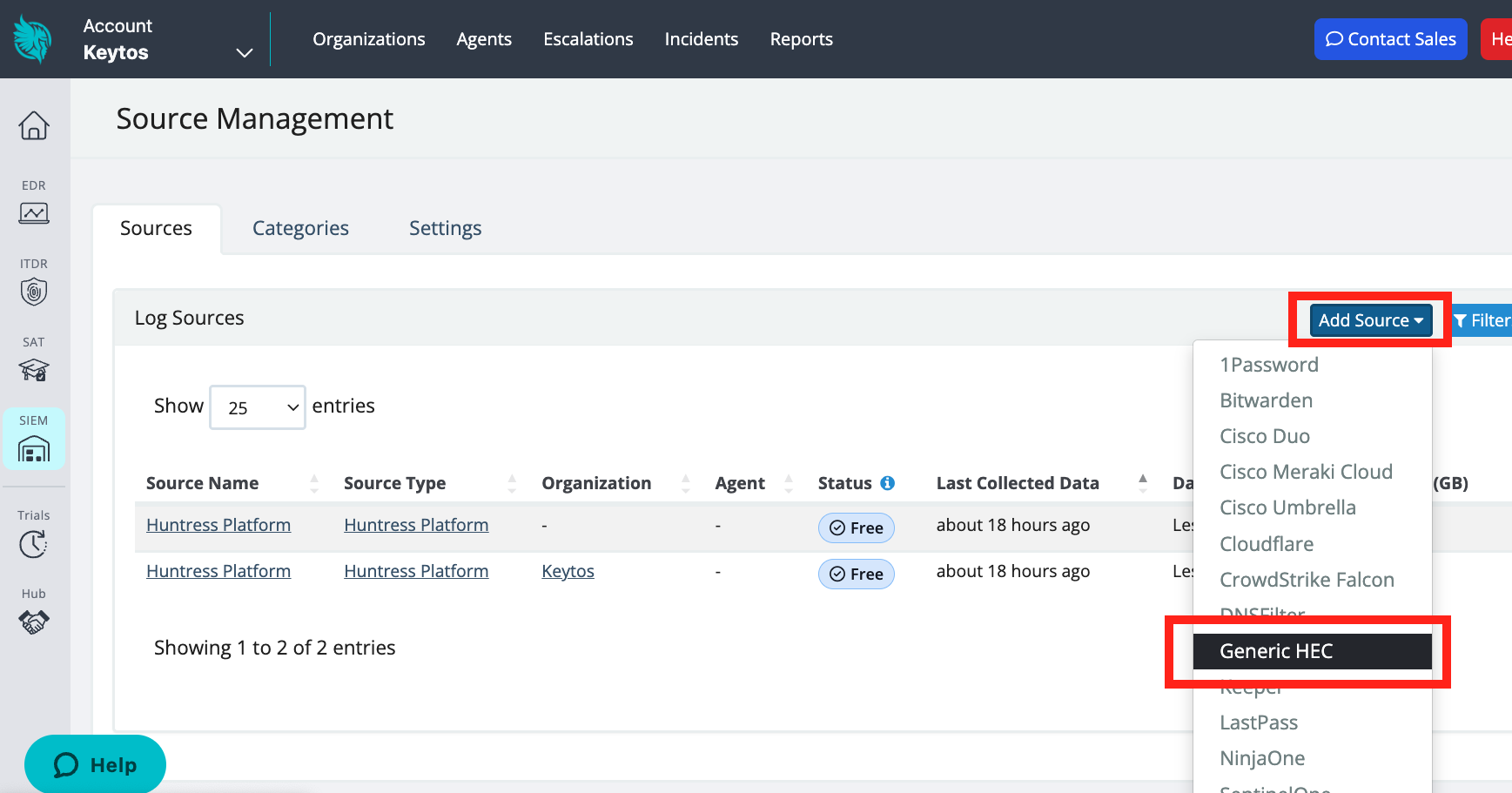
Click Add Source. Then, click Generic HEC (HTTP Event Collector).
-
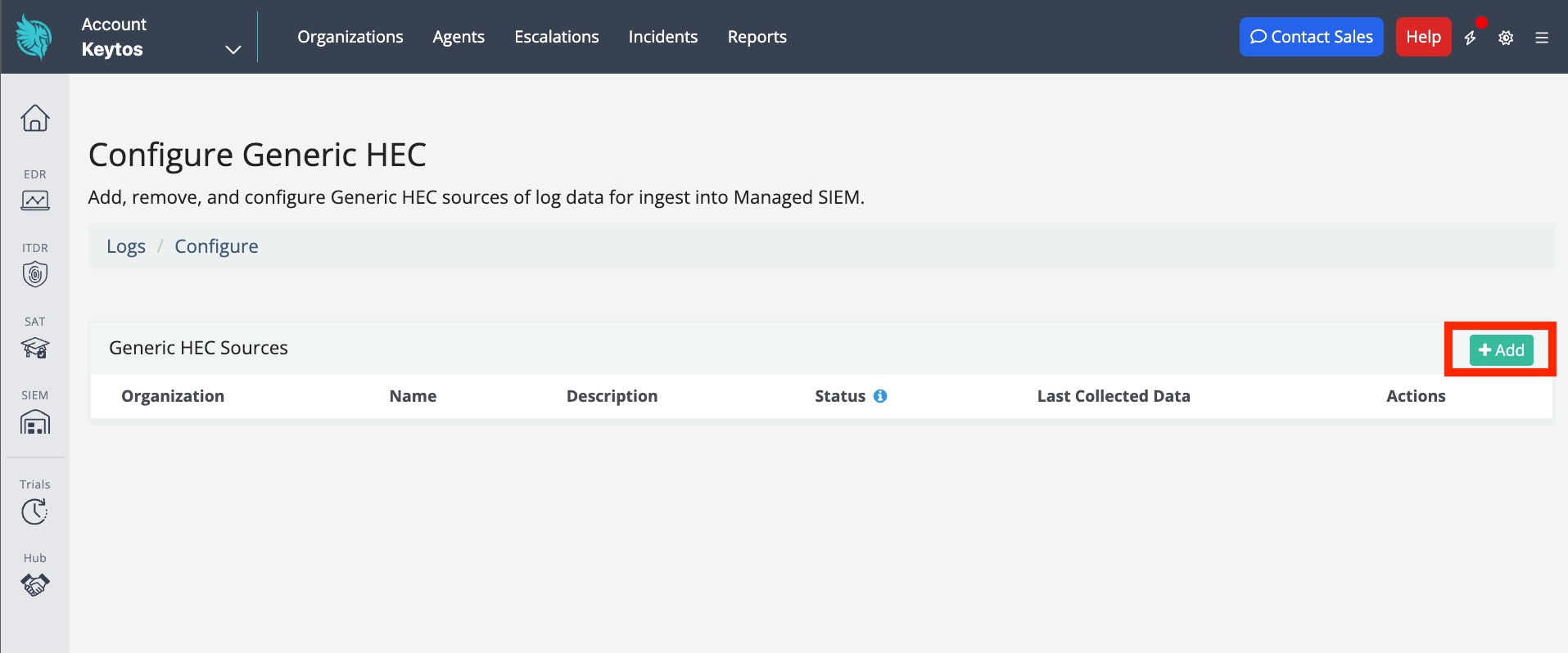
Click + Add to add a new HEC.
-
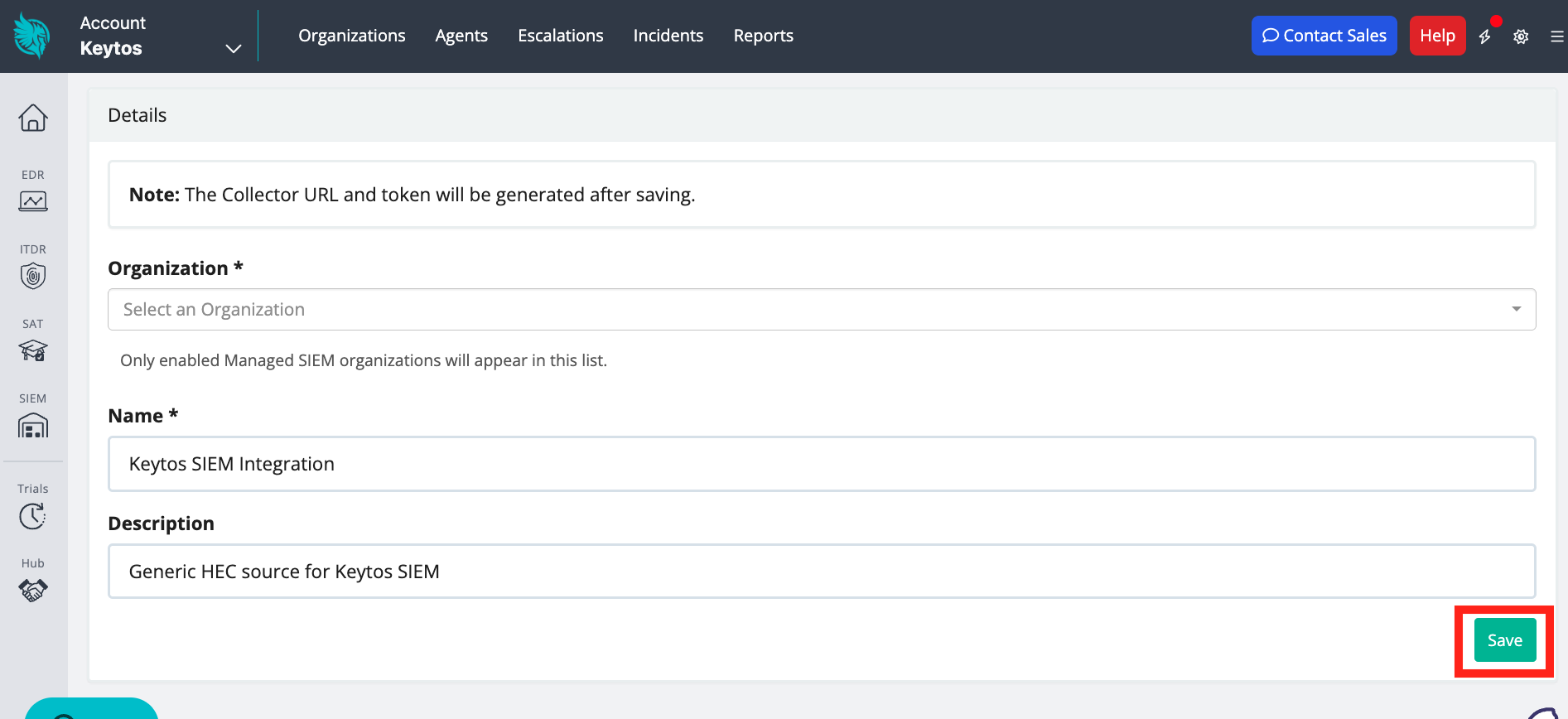
Add an Organization, Name, and optional Description. Then, click Save.
-
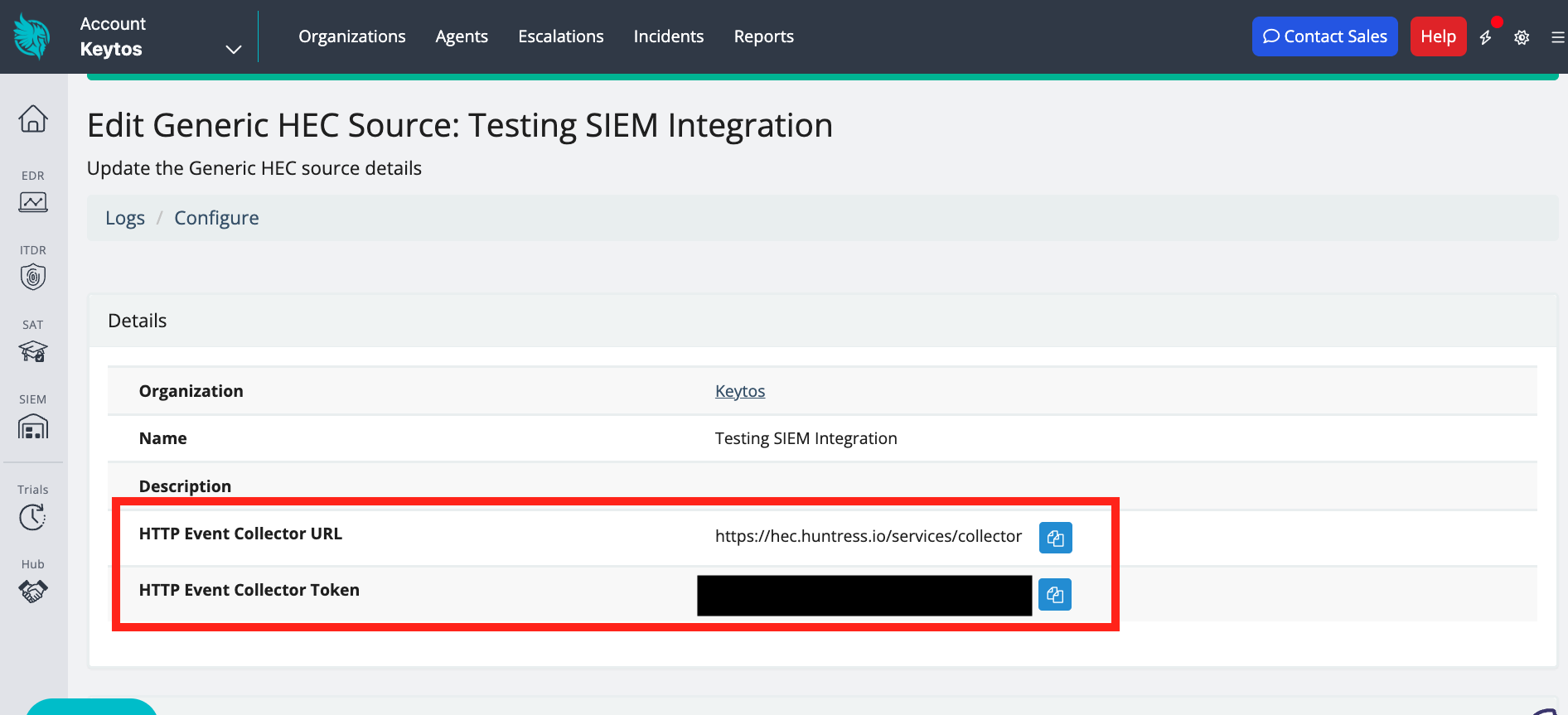
After the HEC is created, copy the HTTP Event Collector URL and the HTTP Event Collector Token.
How to Connect Keytos Shield to Huntress
-
Go back to the Keytos Shield tab.
-
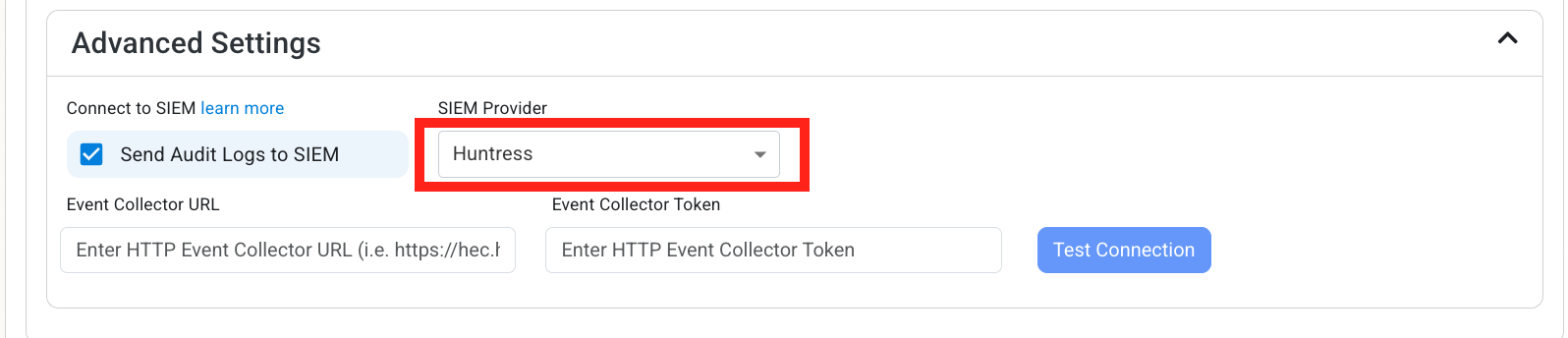
From the SIEM Provider dropdown, select Huntress.
-
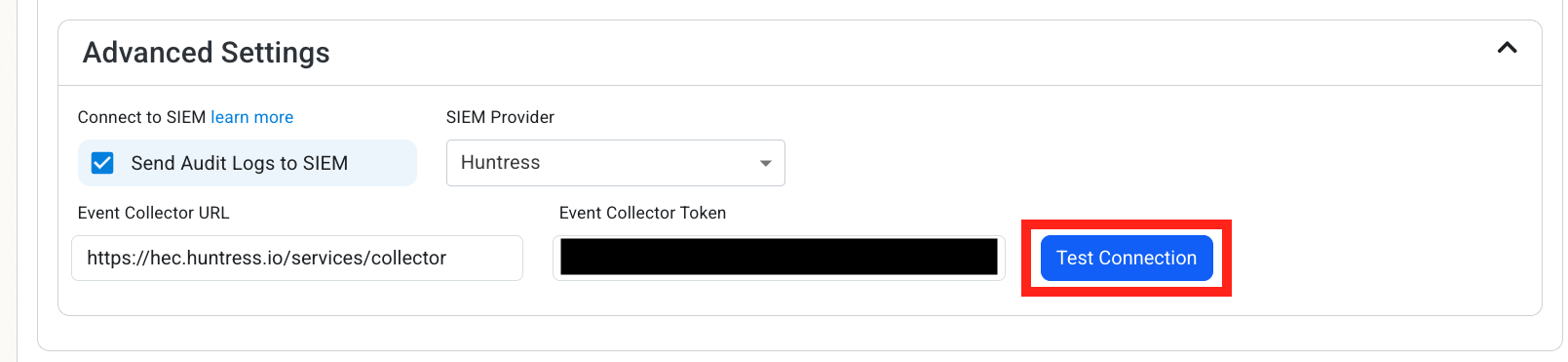
Paste the HTTP Event Collector URL into Event Collector URL and the HTTP Event Collector Token into Event Collector Token. Then click Test Connection. This sends a test log to Huntress (allow a few minutes for it to show up).
-
If the connection test succeeds, scroll up and click Save Changes to apply your SIEM configuration.
-
Done! Keytos Shield will now send your audit logs to Huntress.
Other Supported SIEM Platforms
Using a different SIEM? See all SIEM platforms supported by Keytos Shield.