









How to Export Keytos Shield Audit Logs to CrowdStrike Falcon LogScale
Overview - How to Send Keytos Shield Logs to CrowdStrike Falcon LogScale
Keytos Shield can send its audit logs to CrowdStrike Falcon LogScale through an ingest token, so your security team can search, alert on, and retain them alongside the rest of your security data.
Prerequisites
- An active Keytos Shield subscription.
- A CrowdStrike Falcon LogScale repository and permission to create ingest tokens.
How to Export Keytos Shield Audit Logs to CrowdStrike Falcon LogScale
How to Enable Log Export in Keytos Shield
-
Open the Keytos Shield global portal in your browser (US Government Portal) and sign in.
-
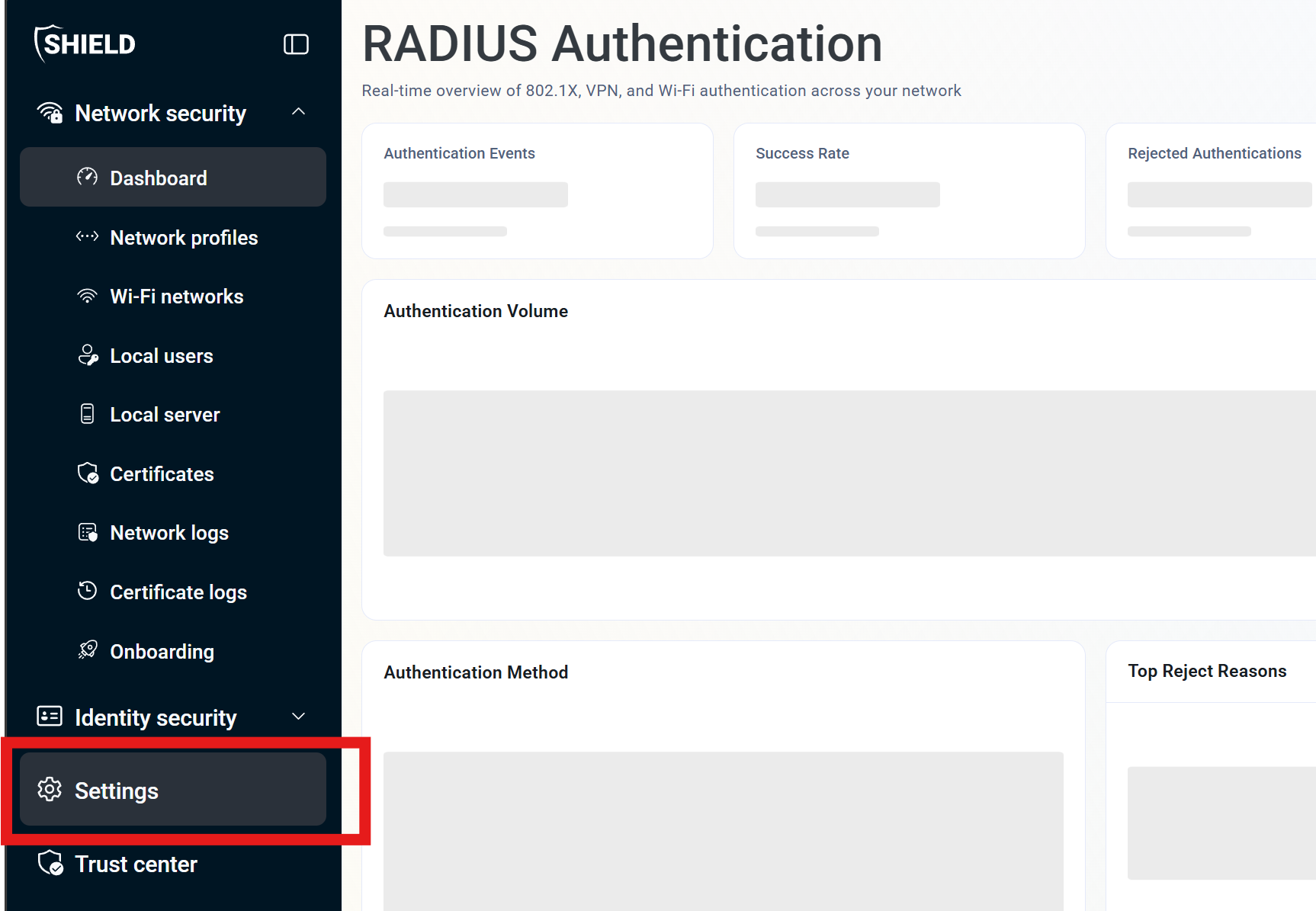
Click Settings in the left menu.
-
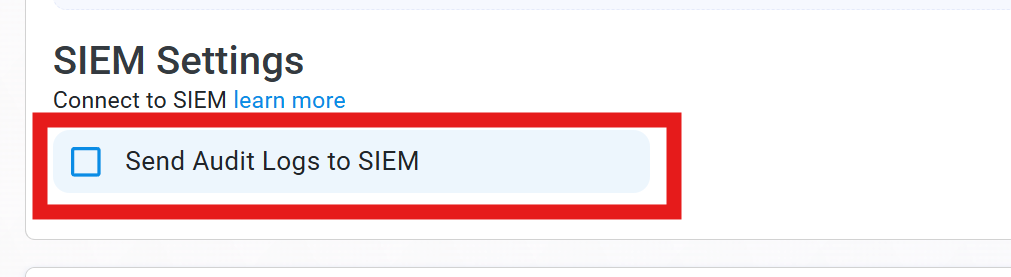
Scroll down to SIEM Settings and enable Send Audit Logs to SIEM.
How to Connect CrowdStrike Falcon LogScale to Keytos Shield
How To Create a CrowdStrike Falcon LogScale SIEM Data Connector
-
In another tab, go to your CrowdStrike Falcon LogScale instance.
-
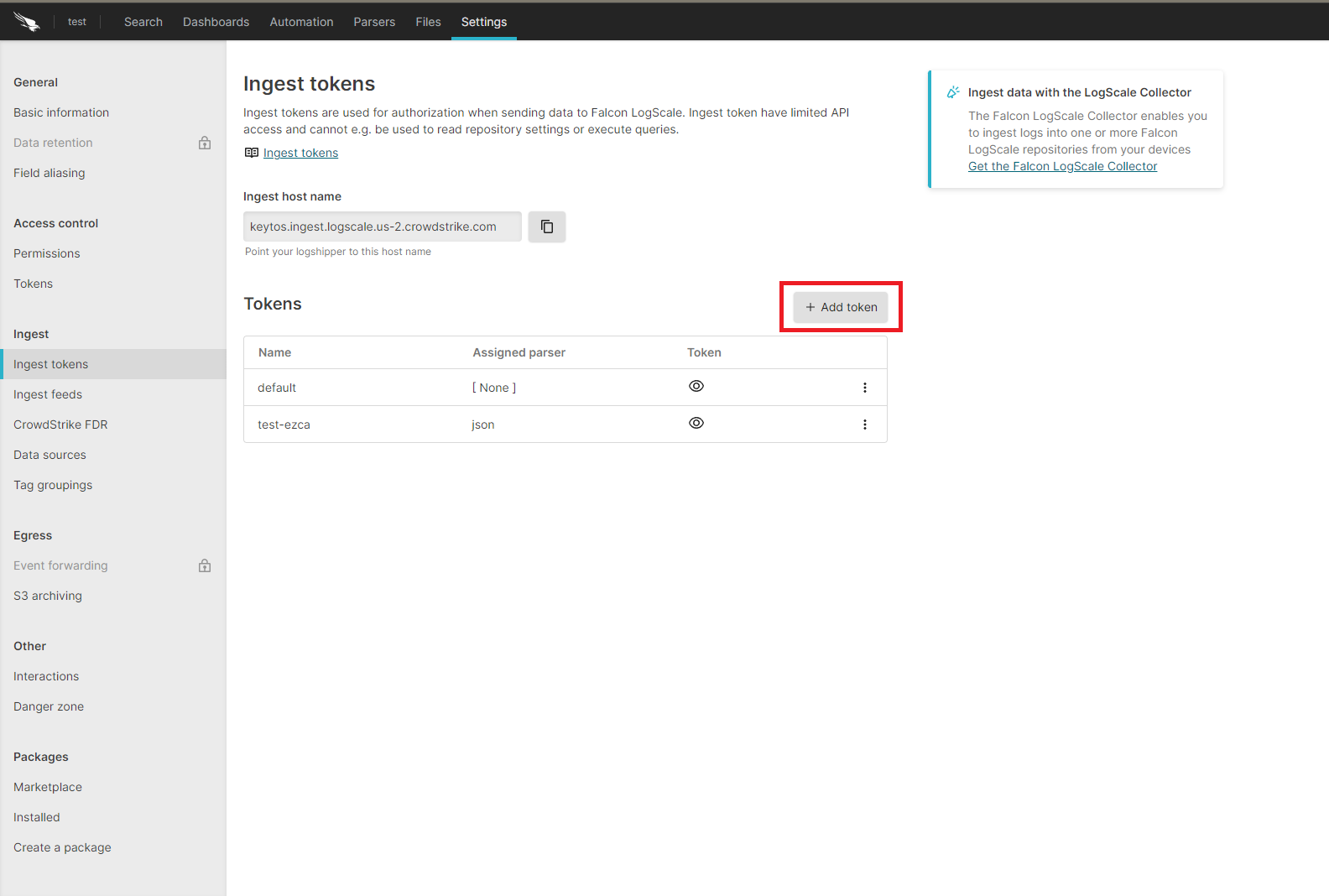
Click on the Settings tab.
-
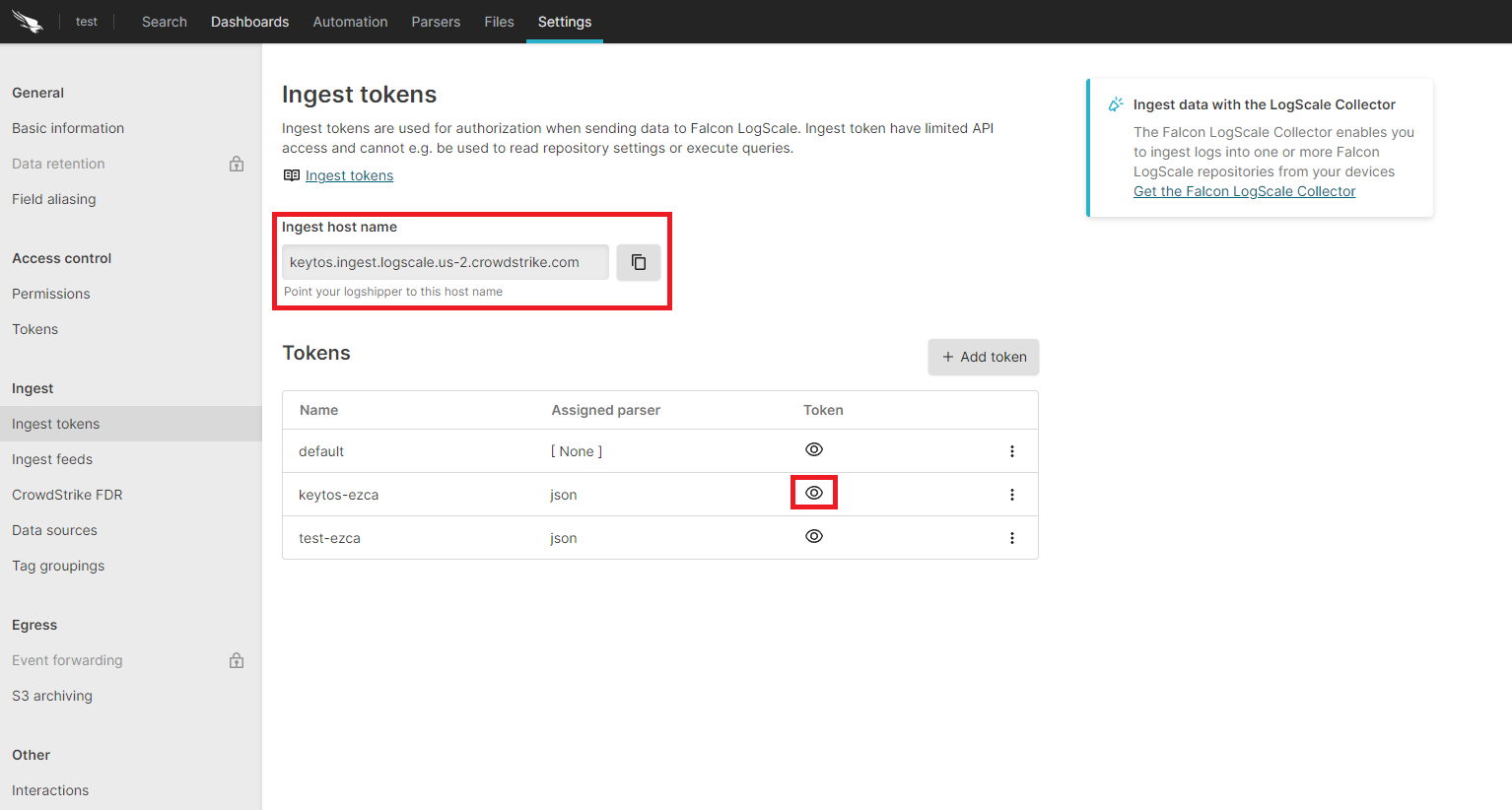
Select the Ingest Tokens menu.
-
Click on the Add Token button.
-
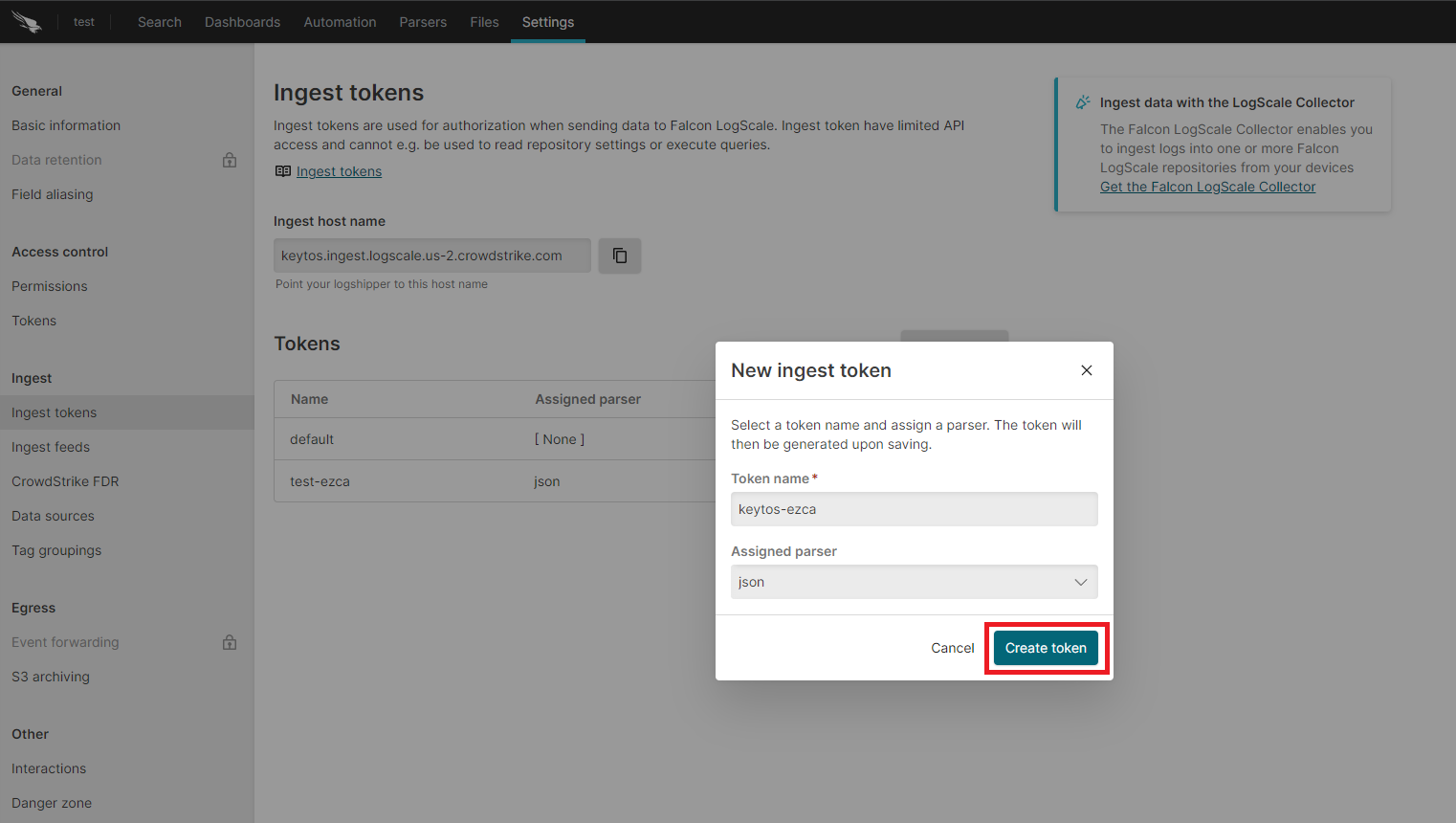
Enter the token name.
-
Assign the JSON parser and click Create.
-
Copy the token and the ingest host name.
How to Add Your LogScale Connection Details in Keytos Shield
-
Go back to the Keytos Shield tab.
-
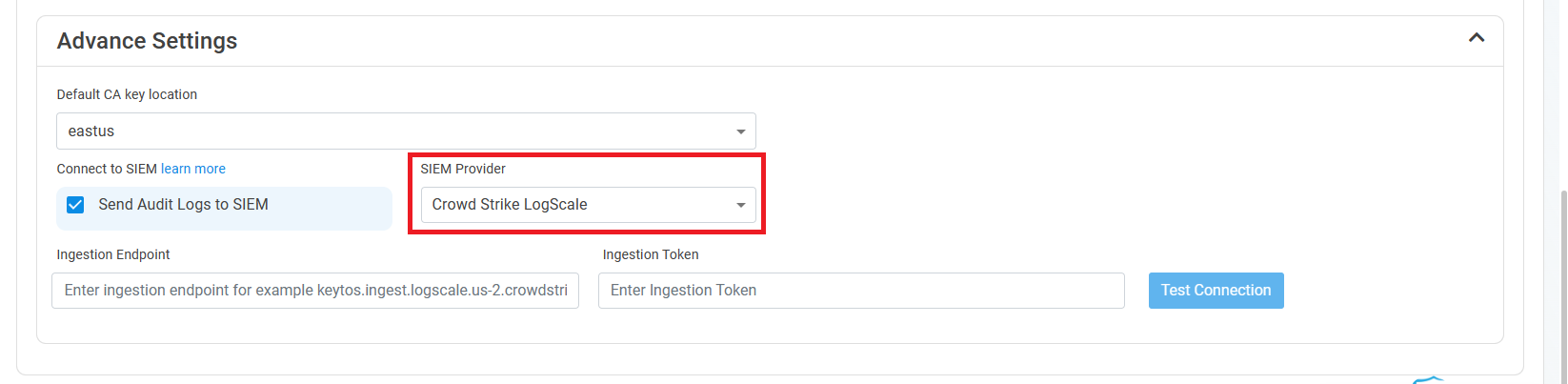
Select CrowdStrike Falcon LogScale as the SIEM Provider.
-
Paste the ingest host name in the Ingestion Endpoint field.
-
Paste the token in the Ingestion Token field.
-
Click the Test Connection button, this will create a test log in LogScale to make sure Keytos Shield can write to LogScale.

-
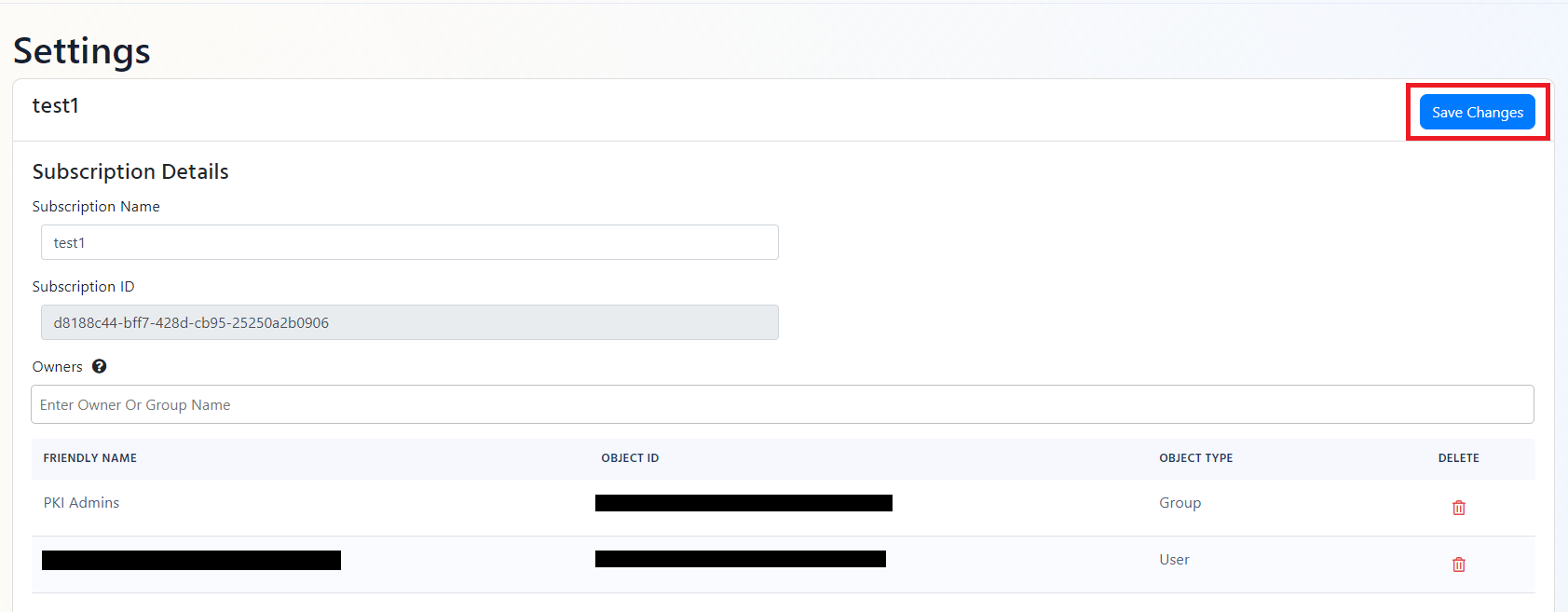
If the connection test was successful, click Save Changes at the top of the page.
Other Supported SIEM Platforms
Using a different SIEM? See all SIEM platforms supported by Keytos Shield.